

Loud Fame
Loud Fame AI · Video
Loud Fame is an AI video tool for turning favorite clips into animated memories. You stylize videos with creative AI filters or generate talking celebrity videos, paying per credit.
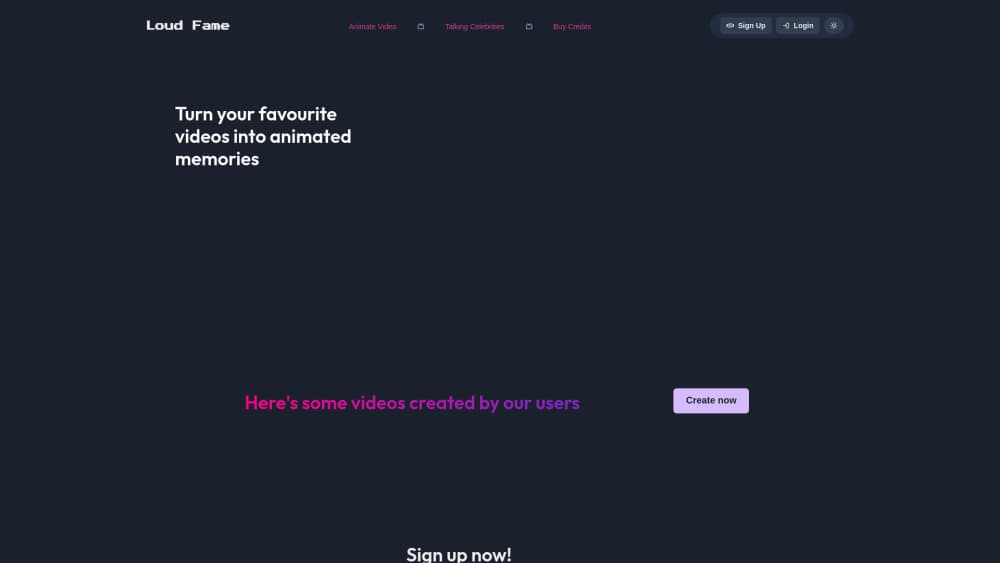
About Loud Fame
What Is Loud Fame
Loud Fame is a web-based AI video animation platform. It takes the videos you already have and restyles them, either by turning everyday footage into anime-style animation or by producing talking celebrity clips where a famous face speaks your words with matching voice, lip sync, and head movement. Instead of building a clip from a blank prompt, you start with a real video or a chosen persona.
The product runs on a pay-as-you-go credit system. You buy a credit pack, then spend credits per second of anime conversion or per talking celebrity video. That keeps the entry cost low for occasional creators who only need a few clips rather than a monthly subscription.
The main limits are format-focused. Loud Fame is aimed at social-ready short clips, so if you need broadcast-length output or a full editing suite, it won't replace a dedicated editor. It also leans on celebrity likenesses, so you have to respect the platform's responsible AI terms when you use those faces.
Getting Started
- Create an account and buy a credit pack, or start with the basic tier to test the workflow.
- For an animated clip, open the stylizer, upload your video, and describe the scene in a short line.
- For a celebrity clip, open the talking celebrities tool and pick a persona and message type, such as birthday wishes or a joke.
- Generate the clip and let it render; credits are charged per second or per video depending on the tool.
- Download or share the result once the render finishes.
Product Information
A quick look at Loud Fame's pricing, supported platforms, and performance.
Best for
The users, tasks, and scenarios where this tool fits best.
Users
- Social media creators
- Fans and gift makers
- Casual experimenters
Tasks
- Turning a video into anime
- Making a talking celebrity clip
- Stylizing feed content
Scenarios
- Spicing up an Instagram post
- Sending a personalized celebrity greeting
- Testing an idea cheaply
Key features
Video to anime stylizer
The core tool restyles your footage into an animated clip. You upload a video, add a short description of the scene, and the AI converts it into an anime look. Because you start from real footage, motion and composition come from your original clip rather than being invented, which keeps the result closer to what you shot.
Talking celebrity videos
The second pillar works as an AI celebrity video maker, generating talking videos of famous people with realistic voice, lip sync, and head movement. You choose a persona and a message type, such as birthday wishes, trivia, jokes, an inspirational quote, a news headline, a weather report, love advice, or a promotional shoutout. It's built for quick, shareable messages rather than long-form content.
AI filters
Alongside anime conversion, Loud Fame applies creative AI filters to your videos. You describe the scene in a line and the platform styles the clip, which makes it easy to give an existing video a new look without re-shooting or hand-editing.
Credit-based pricing
You buy credits and spend them as you go. Video to anime costs one credit per second, while talking celebrity videos cost three credits per video. Packs run from Basic with 15 credits through Basic and Best to Full with 200 credits, so you can match spend to how much you actually create.
Library and sharing
Generated clips land in your library, and you can share results to social platforms. The platform also publishes user-made videos as examples, so you can see what the filters and celebrity tools produce before you spend credits.
Pros and cons
Pros
- Starts from your own footage, so the anime output keeps the motion of the original clip.
- Pay-as-you-go credits suit occasional creators instead of forcing a subscription.
- Talking celebrity tool covers many message types, from jokes and trivia to greetings and news.
- Works fully in the browser, so you don't need to install anything to make a clip.
Cons
- No free plan; you need to buy credits before generating anything.
- Pricing is credit-based, so costs scale with how many seconds or clips you make.
- Aimed at short social clips, so it isn't a full video editor for long-form projects.
- The API is not documented, so it's hard to wire into an automated pipeline.
Frequently asked questions
Loud Fame is used to make short AI videos. You can turn a video into an anime-style animation or generate a talking celebrity clip where a famous persona delivers a message with voice and lip sync.
Related content
Explore related tools, skills, and articles for Loud Fame.
Loud Fame Alternatives

Vadu AI
Vadu AI · Image · VideoVadu AI is a web-based AI video generator that turns written prompts or still images into short clips, and it can also generate images on its own. You type what you want, pick a model and style, and the platform renders the result in minutes. A free plan covers light testing, while paid tiers run from $9 to $77.40 per month based on how many credits you burn.

Mykaraoke Video
MyKaraoke Video · VideoMykaraoke Video is an online karaoke video maker and lyric video maker that turns any song into a finished, lyrics-synced video right in your browser. It handles the slow part for you. The AI pulls vocals out of the mix and locks the lyrics to the beat, then lets you customize background, fonts, and colors before exporting in 1080p MP4. If you make lyric videos for social media, party nights, or music promotion, it skips the software installs and manual timing work entirely. Want a karaoke video generator that doesn't eat your whole evening? That's the pitch here.

Finalframe
Finalframe · VideoFinalframe is a set of free, browser-based tools for grabbing exact frames out of a video clip. Its best-known feature, the Final Frame Extractor, lets you extract the last frame of any video so you can use it as the starting image for AI video tools like Luma Dream Machine, Runway, or Kling. Want to keep a clip going? That last frame is your starting point. The tool runs locally in your browser, needs no sign-up, and costs nothing. A separate paid AI video-generation app from the same team is currently offline while it's rebuilt.