

LTX Studio
Lightricks · Video
LTX Studio is Lightricks' browser-based AI video platform that turns a script, prompt, or image into storyboards and finished clips with consistent characters and hands-on camera control.
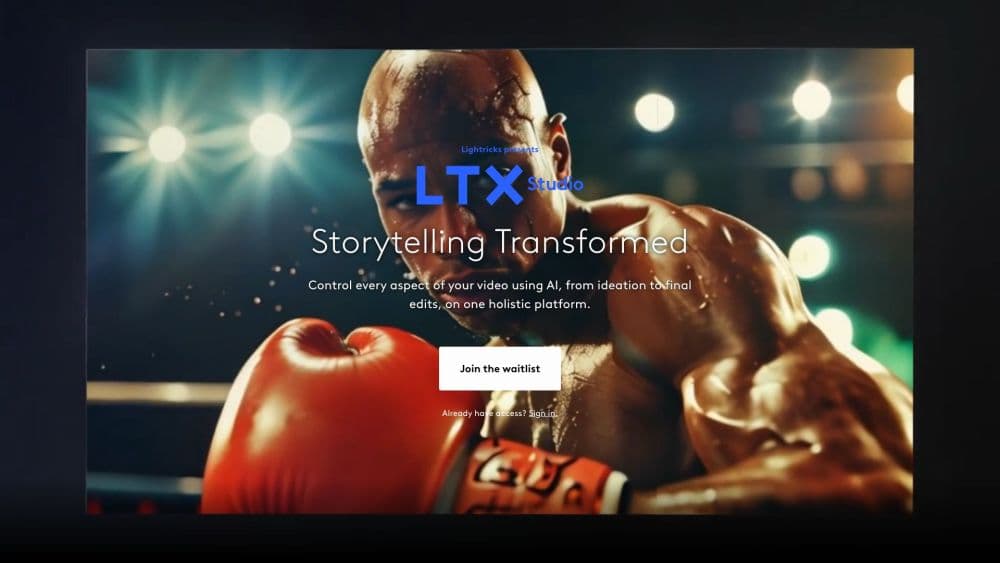
About LTX Studio
What Is LTX Studio
LTX Studio is a web app for planning and producing AI video in one place. You start with a script, a short concept, an image, or a clip you already have, and the platform breaks it into scenes and shots you can edit frame by frame. Lightricks built it for filmmakers, ad teams, and creators who want control over a project instead of one-off clips, and it runs entirely in a desktop browser.
The problem it solves is workflow. Most AI video generators hand you a single clip and stop there, which means scripting in one app, generating in another, and editing somewhere else. As an AI video production platform, LTX Studio keeps scripting, storyboarding, generation, and a timeline editor in the same workspace. Its AI Characters and Elements features carry a design across shots, so a face or a location stays recognizably the same from scene to scene, which is the part most generators still struggle with.
The limits are worth knowing before you commit. The interface is desktop only, so there's no mobile app and no phone workflow. The free tier gives you 800 one-time credits with a personal-use license, so anything you plan to sell or market needs a paid plan, which is a common catch across AI video production tools. Credit costs also vary by action, which means a long project can burn through a monthly allowance faster than the headline number suggests.
Getting Started
- Open ltx.studio in a desktop browser and create a free account, which drops 800 one-time credits into your balance.
- Choose a starting point: upload a script, type a concept, add an image, or drop in a video to expand.
- Review the scenes and storyboard the platform generates, then edit any shot by rewriting its prompt or adjusting the camera.
- Set up AI Characters, Objects, and Locations so designs stay consistent, and reference them across shots.
- Generate the clips, arrange them on the timeline editor, and export, upgrading to a paid plan for commercial rights and more credits.
Product Information
A quick look at LTX Studio's pricing, supported platforms, and performance.
Best for
The users, tasks, and scenarios where this tool fits best.
Users
- Filmmakers and directors
- Advertising and brand teams
- Content creators and marketers
- Video editors and VFX artists
Tasks
- Turning a script into a storyboard
- Generating video from text, images, or audio
- Keeping a character or location consistent
- Editing shots on a timeline
Scenarios
- Pitching a concept to a client
- Storyboarding before a shoot
- Producing campaign variations
- Iterating on a look at home
Key features
Text, Image, and Audio to Video
You can generate a clip from a written prompt, animate a still image, add an existing video to extend or repurpose it, or drive the visuals from an audio track. Lightricks says the LTX-2.5 model handles all these inputs and returns video with synchronized sound. This flexibility means one project can mix sources instead of forcing every shot through the same starting point.
AI Storyboard Generator
The platform turns a script into a structured board of scenes and shots you can rearrange. Each shot carries its own prompt and settings, so you can regenerate one frame without touching the rest. For anyone who plans video visually, this replaces a separate storyboarding tool and keeps the plan next to the output.
Consistent AI Characters and Elements
AI Characters, Objects, and Locations are reusable designs you define once and call on across a project. The point is continuity: a lead character keeps the same face and wardrobe from shot to shot, and a set stays the same across cuts. This targets the biggest weak spot in long AI sequences, where identity tends to drift between generations.
Camera and Motion Control
You direct shots with tools for camera movement, keyframed motion, and visual references rather than leaving framing to chance. The camera controls set how a scene is shot, and keyframes define how it moves over time. That level of control is what separates a planned sequence from a lucky clip.
Timeline Editor and Sound Design
Once clips are generated, you arrange and trim them on a timeline inside the same workspace, and you can add sound design without exporting. Keeping editing here means the finish happens where the generation happened. It shortens the loop between an idea and a watchable cut.
Partner Model Access and Local Runs
Paid plans pull in third-party models like Veo, Kling, and FLUX.2 alongside the LTX models, so you can match the tool to the shot. LTX Desktop, a separate open-source app, runs the LTX models on your own hardware with an API mode for machines that cannot run them locally, which keeps sensitive footage off the cloud.
Pros and cons
Pros
- Script, storyboard, generation, and editing live in one browser workspace, which cuts the tool-switching that slows short projects.
- AI Characters and Elements keep faces and locations stable across shots, the feature that decides whether a long sequence holds together.
- Hands-on camera and keyframe controls give you real say over framing and motion, not just a prompt box.
- Paid plans unlock commercial rights and add partner models like Veo and Kling, so one subscription can cover several looks.
- LTX Desktop runs the LTX models locally on supported GPUs, useful when footage cannot leave your machine.
Cons
- No mobile app: the platform is desktop-browser only, so you cannot start or tweak a project from a phone.
- The free plan carries 800 one-time credits and a personal-use license, which means testing a real project quickly pushes you toward a paid tier.
- Credit costs differ per action, so budgeting a long project takes guesswork and the monthly allowance can run out before you expect.
Frequently asked questions
LTX Studio is used to plan and produce AI video: you turn a script, text prompt, or image into storyboards and finished clips, then edit them on a timeline. It suits films, ads, trailers, music videos, and social content.
Related content
Explore related tools, skills, and articles for LTX Studio.
LTX Studio Alternatives

ngram 2.0
ngram · Video · Marketingngram 2.0 is an AI video generator for teams. It turns a prompt, a screen recording, or a product URL into a narrated explainer, product demo, or AI avatar video, and every scene stays editable.

OpenScreen 2
OpenScreen (open-source project) · Video · ProductivityOpenScreen 2 is a free, open-source screen recorder and demo video editor for Windows, macOS, and Linux, with automatic zooms, styled frames, local captions, and agent edits.

Skreno
Skreno · Video · ProductivitySkreno is a browser screen recorder that captures a tab, a window or your whole display, then attaches AI transcripts, summaries and console logs to one share link.