

LucentraCode
LucentraCode · Coding
LucentraCode is an AI coding agent that runs in your terminal and connects you to frontier models without the quota clocks that interrupt long sessions. You install it globally with npm, launch it from the command line, and let its Smart Auto routing send routine work to fast models while heavier reasoning tasks go to stronger ones. Think of it as a CLI AI assistant that doubles as a full AI developer tool. It's built for developers who want one monthly usage pool instead of rolling reset windows.
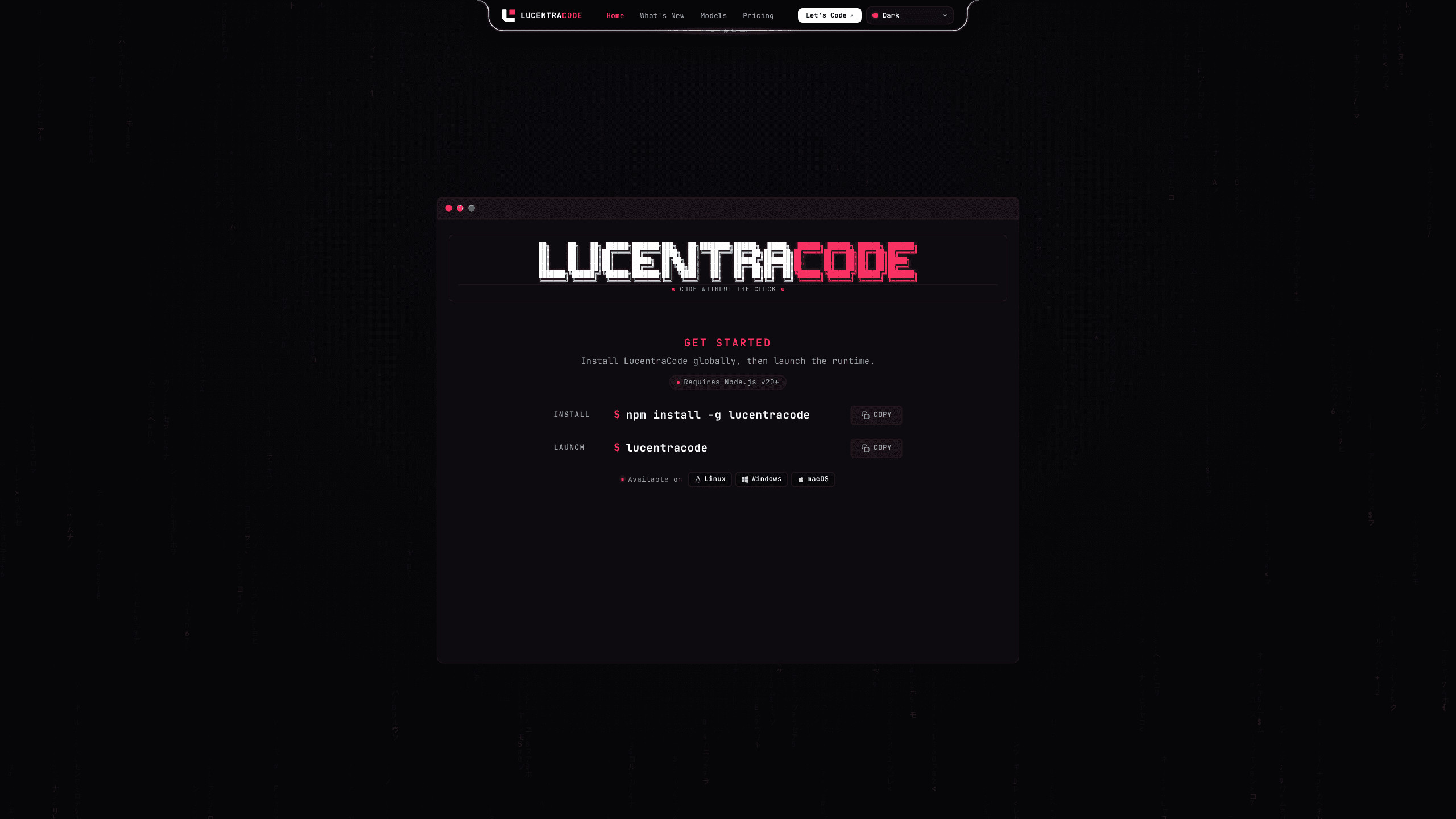
About LucentraCode
What Is LucentraCode
LucentraCode is a command-line AI coding agent aimed at developers who are tired of stopping mid-task to wait for a usage window to reset. The pitch is blunt: code as long as you want on a single monthly allowance, with no 5-hour cooldown and no mid-execution lockouts. It runs on Linux, Windows, and macOS, and it needs Node.js v20 or newer.
Unlike editor plugins that live inside one IDE, LucentraCode is a runtime you launch in a shell, which means it fits into whatever workflow you already have, whether that's a plain terminal, a remote server, or a scripting pipeline. The main problem it solves is cost and friction: frontier models usually sit behind $100 to $200 per month tiers, and LucentraCode pulls them down to a $20 plan for most users.
The biggest catch is that the product isn't fully live yet. Pricing is described as a preview, and the site says availability and billing details will be announced at launch. The cheapest entry plan, Ordinary, is listed as India-only. So if you're outside India, the practical starting point is the $20 Operator tier. Treat the model lineup as a moving target too, since the catalog references names like GPT-6 Astra and claude-fable-5 that don't match today's public model families.
Getting Started
- Check that Node.js v20 or newer is installed on your machine.
- Install the CLI globally by running
npm install -g lucentracode. - Launch the runtime by typing
lucentracodein your terminal. - Sign up through the platform link to activate a plan and connect your account.
- Point the agent at a project folder and describe the task you want it to handle.
Product Information
A quick look at LucentraCode's pricing, supported platforms, and performance.
Best for
The users, tasks, and scenarios where this tool fits best.
Users
- Backend and full-stack developers
- Solo builders on a budget
- Teams running long refactors
Tasks
- Multi-file refactoring
- Architecture and review passes
- Routine scaffolding
Scenarios
- All-day coding sessions
- Remote and headless environments
- Cost-capped side projects
Key features
No 5-hour resets
Most subscription coding agents meter you in rolling windows, and hitting the cap stalls your work until the timer clears. LucentraCode drops that entirely. The site lists the session quota as uncapped and claims zero mid-execution interruptions, with flow state "guaranteed active." So what does that mean in practice? For anyone who's been locked out at hour four of a refactor, it's the entire selling point.
Frontier models on a $20 plan
The tier-democratization pitch is the headline. Premium models like GPT-6 Astra are offered on a $20 monthly plan, while competitors gate similar access behind $100 to $200 tiers, which is a genuinely large gap in monthly spend for a solo developer. The tradeoff is that cheaper plans exist mostly for the entry tier, and the truly top models sit in the $40 Obsessed plan.
Smart Auto model routing
Smart Auto is the dispatch layer that decides which model handles which job. Cheap, fast models take search, tests, and routine edits. Stronger reasoning models take implementation, architecture, and review. The claimed payoff is 3x to 5x more code shipped per allowance, because you aren't burning premium tokens on a grep. That's the whole trick, really.
One monthly usage pool
Instead of juggling multiple reset timers and rolling windows, LucentraCode gives you a single monthly balance. The site frames this as "spend when you need it," with zero artificial lockouts. That's easier to reason about than stacked limits, and it means a heavy Tuesday doesn't wreck the rest of your week.
Plan tiers for different workloads
Three tiers are shown. Ordinary is the entry level but is listed as India-only. Operator runs $20/mo with roughly 5x the usage of ordinary and unlocks claude-opus-5, claude-opus-4.8, and gpt-6-astra. Obsessed runs $40/mo with about 2.5x more usage than Operator and adds claude-fable-5.1 and claude-fable-5. The jump in price is small. The jump in allowance isn't.
Terminal-native workflow
Because it's a CLI rather than an IDE plugin, LucentraCode slots into existing shells, remote servers, and automation scripts. There's no editor to switch to. No extension to install. You install it once with npm and call it from anywhere your terminal runs.
Pros and cons
Pros
- No 5-hour reset windows, which suits long, uninterrupted coding sessions.
- Frontier-model access starting at $20/mo, well below typical $100-$200 tiers.
- Smart Auto routing stretches a single monthly allowance by matching model strength to task difficulty.
- This AI coding CLI runs on Linux, Windows, and macOS and works over SSH, so remote setups are covered.
- One monthly pool is simpler to track than stacked rolling limits.
Cons
- The product isn't fully launched; pricing and model availability are still described as a preview, so the listed lineup may change before you can buy.
- The cheapest tier is India-only, so most international users start at $20/mo rather than the entry level.
- No free plan. That makes testing the tool before paying harder.
- Model names in the catalog, like GPT-6 Astra and claude-fable-5, don't match current public families, so the exact capability you get is uncertain.
- API availability isn't stated, which matters if you hoped to integrate it into other tooling.
Frequently asked questions
It's a terminal-based AI coding agent that runs frontier models against your projects from the command line. You install it with npm and launch it with the lucentracode command.
Related content
Explore related tools, skills, and articles for LucentraCode.
LucentraCode Alternatives
Forefront
Forefront · CodingForefront is a web platform for building with open-source AI. It lets you fine-tune leading open-source language models on your own data, evaluate how they perform, and run them through an API or export them to host yourself. Developers who want the convenience of a closed-source platform but insist on owning their models and data are the target audience here.

Startkit
StartKit.AI · CodingStartkit is a boilerplate for building AI SaaS and AI wrapper products. Think of it as an AI startup boilerplate with the boring parts already wired up: authentication, Stripe and Lemon Squeezy payments, usage limits, transactional email, and an AI API starter that talks to OpenAI, Anthropic, Groq, or Llama. You clone the repo, set your price, and start on the part of your product that people actually pay for. It's Next.js under React and Tailwind, so most of the boilerplate code already feels familiar.
Testim
Tricentis · CodingTestim is an AI-powered test automation platform for building and running end-to-end tests across web, mobile, and Salesforce applications. It leans on machine learning to keep tests stable when an interface changes, so teams spend less time fixing broken selectors. Not bad for an automated testing tool you can start using today. You create tests by recording actions in a browser, then optionally add JavaScript when you need more control. It's a solid pick for busy QA teams.