

Luma AI Dream Machine 1.6: Luma Photon
Luma AI · Video
Luma AI Dream Machine 1.6 is a web and iOS creative tool that turns text prompts or still images into short, cinematic video clips, backed by the Luma Photon image model.
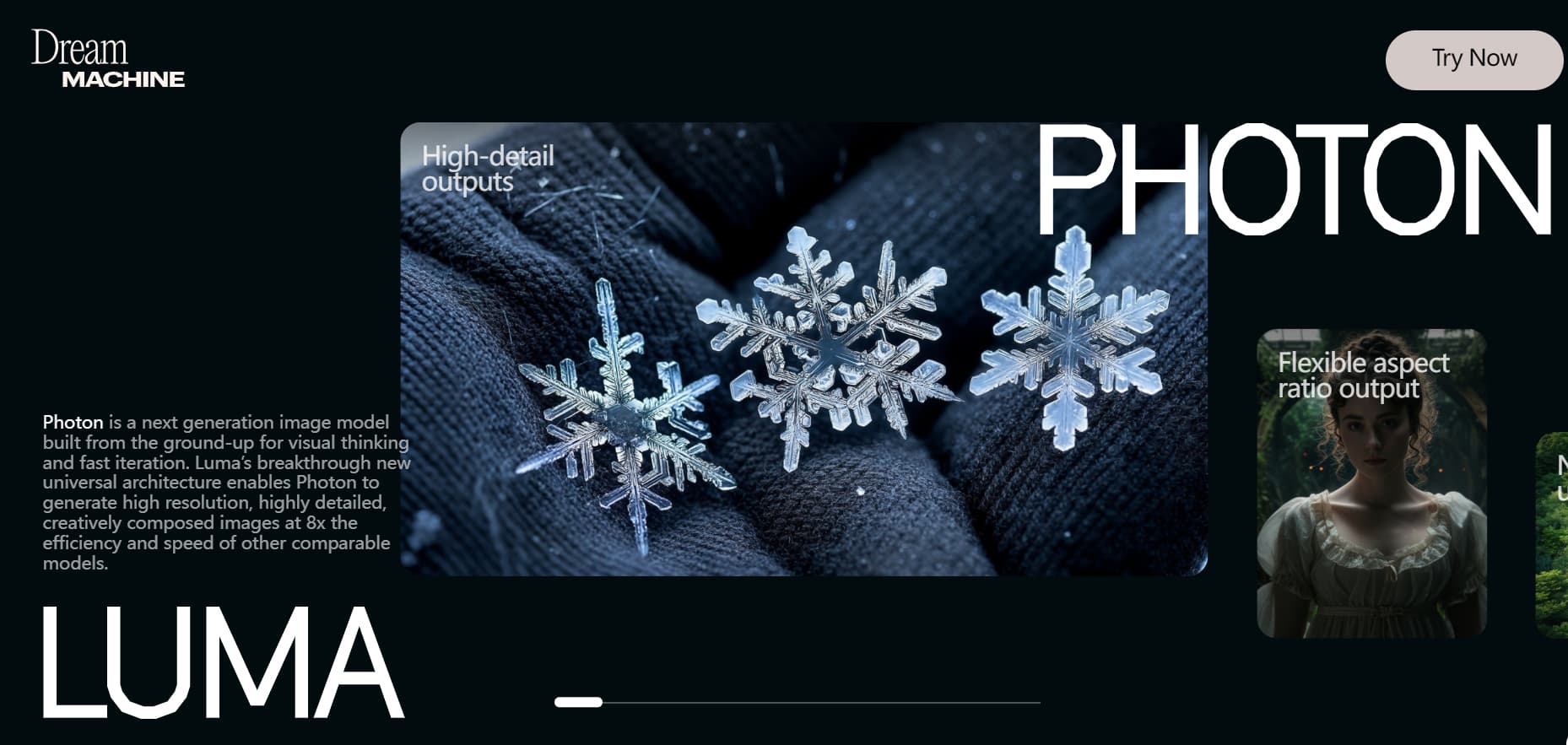
About Luma AI Dream Machine 1.6: Luma Photon
What Is Luma AI Dream Machine 1.6
Luma AI Dream Machine is a visual generation platform and AI video generator built by Luma AI, the company founded in 2021 by Amit Jain and Alex Yu. Dream Machine launched publicly on June 13, 2024, with version 1.6 arriving later that year. The tool handles both moving video and still images: the Dream Machine video model generates clips from text or a starting frame, and the Luma Photon model creates still images.
The pitch is speed and ease. Dream Machine 1.6 cuts generation time to roughly 20 seconds per clip, so you can iterate on an idea without long waits. It also added camera motion controls, which let you describe moves like pans or dolly shots inside the prompt itself. There's no prompt engineering to learn. You type a sentence, or upload an image, and the model fills in the rest.
The biggest limit is clip length and control. A single generation produces a short clip, not a full scene, so longer stories need stitching. Fine details like hands or text can drift, and repeated takes are worth budgeting for. The free plan caps how many generations you get each month.
Getting Started
- Sign in to Dream Machine on the web at lumalabs.ai or through the iOS app using a Google account or email.
- Choose a mode: text to video, image to video, or image generation with Luma Photon.
- Type a prompt describing the scene, motion, and look, or upload a reference image as your starting frame.
- Add camera directions such as a slow pan or dolly move, and pick an aspect ratio for your target platform.
- Preview the result, regenerate if needed, and download the clip or image.
Product Information
A quick look at Luma AI Dream Machine 1.6: Luma Photon's pricing, supported platforms, and performance.
Best for
The users, tasks, and scenarios where this tool fits best.
Users
- Social media creators
- Indie filmmakers and animators
- Designers and marketers
Tasks
- Turning a text idea into a moving scene
- Animating a still image
- Generating concept images
Scenarios
- Brainstorming campaign visuals fast
- Previsualizing a scene before a shoot
- Making scroll-stopping social posts
Key features
Text to Video
You describe a scene in plain language and Dream Machine returns a short moving clip. Prompts cover subject, action, lighting, and mood, and version 1.6 keeps generation quick so you can try many angles. The model leans on realistic motion, which helps crowds, fabric, and water read as believable.
Image to Video
Upload a photo or an illustration and turn it into motion instead of starting from a prompt alone. This is handy when you already have a strong frame, such as a product shot or a character design, and want to bring it to life without redrawing it. You can also set a starting frame and let the model build the movement from there.
Camera Motion Controls
Version 1.6 lets you add camera directions in the prompt itself, like a slow pan, a dolly push, or a tracking shot. That gives clips a more deliberate, film-like feel without a separate motion editor. For creators who think in shots, it closes a lot of the gap between an idea and what the model outputs.
Luma Photon Image Model
Luma Photon is Luma's image generation model, built to create stills that pair with the video workflow. It favors creative, personalized output, and Luma says it runs faster and cheaper than comparable image models. You can use it to draft visuals that later become video, or to produce standalone images.
No Prompt Engineering Needed
Dream Machine is designed for people who don't want to learn prompt syntax. You talk to it the way you'd describe a shot to a friend, and the tool offers creative suggestions when you're stuck. That lowers the barrier for casual users who just want a decent clip without studying guides.
Web and iOS Access
You can work in the browser or through the Luma Dream Machine iOS app, so ideas started on a phone can continue on a desktop. The app also supports editing with Modify, referencing your own style, and sharing boards. Projects carry across both, which suits creators who move between devices.
Pros and cons
Pros
- Fast iteration, with version 1.6 generating clips in roughly 20 seconds.
- Works from text or an existing image, so you're not locked into one input type.
- Camera motion controls add a cinematic feel without a separate editor.
- Free plan lets you test the video and image models before paying.
- API access supports building generation into your own apps.
Cons
- Clips are short, so longer sequences take manual stitching.
- Fine details like hands and text can come out off, meaning extra takes.
- The free plan's monthly generation cap runs out fast for regular use.
- Heavier paid tiers cost more than casual creators may want to spend.
Frequently asked questions
It's a video generation tool from Luma AI that turns text prompts or images into short cinematic clips. Version 1.6 focused on speed and added camera motion controls.
Related content
Explore related tools, skills, and articles for Luma AI Dream Machine 1.6: Luma Photon.
Luma AI Dream Machine 1.6: Luma Photon Alternatives

ngram 2.0
ngram · Video · Marketingngram 2.0 is an AI video generator for teams. It turns a prompt, a screen recording, or a product URL into a narrated explainer, product demo, or AI avatar video, and every scene stays editable.

OpenScreen 2
OpenScreen (open-source project) · Video · ProductivityOpenScreen 2 is a free, open-source screen recorder and demo video editor for Windows, macOS, and Linux, with automatic zooms, styled frames, local captions, and agent edits.

Skreno
Skreno · Video · ProductivitySkreno is a browser screen recorder that captures a tab, a window or your whole display, then attaches AI transcripts, summaries and console logs to one share link.