

Luma AI's Dream Machine
Luma AI · Video
Luma AI's Dream Machine is a web and iOS studio for AI video and images, built around the Ray 3.2 model for multi-keyframe control, footage editing and an open API.
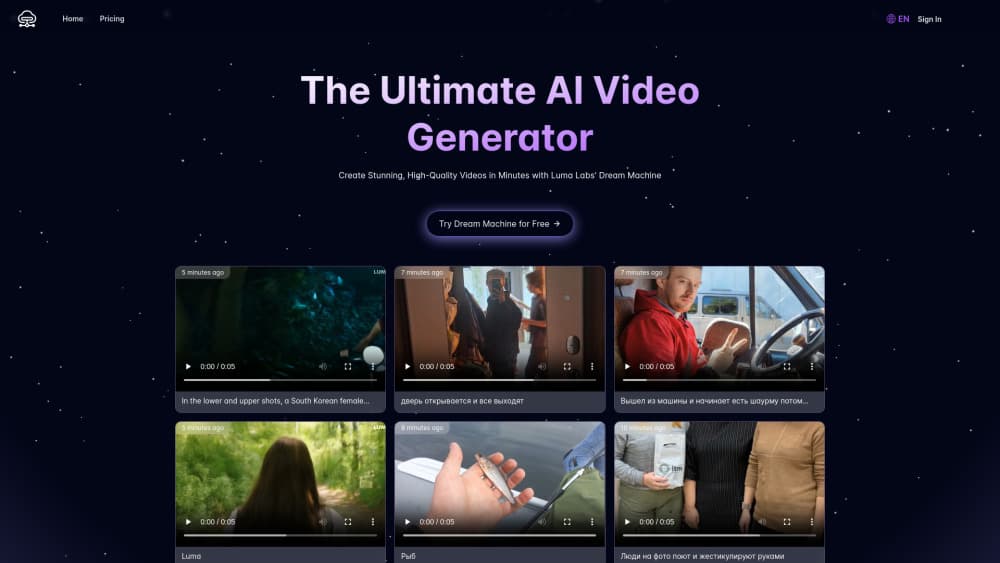
About Luma AI's Dream Machine
What Is Luma AI's Dream Machine
Luma AI's Dream Machine began in June 2024 as a simple AI video generator: type a scene, wait a couple of minutes, get a five second clip. Two years later the same address hosts a full production workspace. It now runs Luma's own Ray video models and Uni image models next to third-party engines such as Seedance, Kling, Veo and MiniMax, all billed from one credit balance.
The shift matters if you make branded content. Ray 3.2, released in June 2026, lets you place up to 16 keyframes inside a single shot, so you control what changes and what holds still. The same model rewrites footage you already shot: swap a product, change a location, move a camera move onto a new actor. Output runs to 1080p with an HDR option and an EXR path for color work. Luma calls the interface around all this a creative agent, and it's less about one prompt and more about running a brief across many formats at once.
The limits are real. Everything is metered in credits, and video burns them fast: a five second 1080p Ray 3.2 clip costs 400 credits, so the $30 Plus plan covers roughly 25 of them. You need a paid plan for commercial use at volume, and the free account is a trial, not a workflow. New models also arrive every few weeks, which means the tool you learn in June may have a different name by winter.
Getting Started
- Create an account at lumalabs.ai with Google or email, then open a new board in the workspace.
- Pick a model and a mode: text to video, image to video or modify video if you already have footage.
- Write the brief in plain language, or upload a start frame and set keyframes if you need a specific beat to land.
- Choose resolution and aspect ratio, then send it. Draft renders cost a fraction of 1080p and are the cheap way to test an idea.
- Download the finished file, or push it to Figma or Frame.io through the built-in connectors.
Product Information
A quick look at Luma AI's Dream Machine's pricing, supported platforms, and performance.
Best for
The users, tasks, and scenarios where this tool fits best.
Users
- Social media creators
- In-house marketing teams
- Product and ecommerce teams
- Post-production freelancers
Tasks
- Turning a still into motion
- Producing ad variants
- Repairing existing footage
- Automating output
Scenarios
- Testing a campaign concept before the budget is approved
- Repurposing a finished shoot for new markets
- Building a storyboard for a client review
Key features
Ray 3.2 with Multi-Keyframe Direction
Ray 3.2 is the reason to pick Luma over a cheaper generator. You can set up to 16 keyframes in one clip and decide what moves, what stays fixed, and where the shot ends. That turns prompting into something closer to directing, and it's the difference between a lucky take and a usable one.
Image to Video and Modify Video
Drop in a photo and the model animates it, keeping the subject's shape and the light direction intact. Modify Video goes further and rebuilds footage you already have, up to 20 seconds at 1080p. Swapping a wall, a wardrobe or an entire location keeps the original performance, which is the part that's expensive to reshoot.
Reframe and Aspect Ratio Coverage
Reframe recalculates a shot for any aspect ratio instead of cropping it. A 16:9 master becomes a 9:16 cut with the subject still in frame. For anyone running paid social, that's the feature that saves the most hours, because one shoot now covers every placement.
One Workspace for Third-Party Models
Luma doesn't force you onto its own model. Seedance 2.5, Kling 4.0, Veo 3.1, MiniMax H3 and Wan 3.0 all sit in the same picker, priced per second in credits. You compare outputs on the same brief without managing five subscriptions, and the credit balance covers all of them.
Luma Agents and Boards
A board holds every asset for a project: references, drafts, finals, notes. The agent keeps brand details consistent across them, resizing and localizing as it goes. Hand a guest collaborator edit access and they can comment on the same board without a separate license.
Dream Machine API
The API exposes text to video, image to video, keyframes, extend, reframe and modify as jobs you submit and poll. Python and JavaScript SDKs ship with it, and the same credit system applies. Studios use it to plug generation into an existing pipeline rather than working inside the browser.
Pros and cons
Pros
- Multi-keyframe control gives you repeatable shots, not just one good generation out of ten.
- Editing real footage with modify video and reframe solves a problem most generators ignore.
- Third-party models sit beside Luma's own, so you can pick the right engine per shot.
- The API is documented and priced per job, which makes budgeting predictable for a team.
- Boards and guest access fit how agencies already review work.
Cons
- Credits disappear quickly at 1080p. A single high resolution clip can cost 400 credits, so heavy users land on the $90 or $300 plan fast.
- The free account is a trial with limited credits, and there's no permanent free tier for regular work.
- Model names and menus change every few months, so tutorials age badly and onboarding takes longer than the marketing suggests.
- Output still needs a human pass for hands, text in frame and physics at the edges of a shot.
Frequently asked questions
It makes video from text, from still images, and from footage you already shot. Teams use it for ads, social clips, product visuals and previsualization. You can also generate still images with the Uni models inside the same workspace.
Related content
Explore related tools, skills, and articles for Luma AI's Dream Machine.
Luma AI's Dream Machine Alternatives

ngram 2.0
ngram · Video · Marketingngram 2.0 is an AI video generator for teams. It turns a prompt, a screen recording, or a product URL into a narrated explainer, product demo, or AI avatar video, and every scene stays editable.

OpenScreen 2
OpenScreen (open-source project) · Video · ProductivityOpenScreen 2 is a free, open-source screen recorder and demo video editor for Windows, macOS, and Linux, with automatic zooms, styled frames, local captions, and agent edits.

Skreno
Skreno · Video · ProductivitySkreno is a browser screen recorder that captures a tab, a window or your whole display, then attaches AI transcripts, summaries and console logs to one share link.