

Lyra
Lyra · Productivity
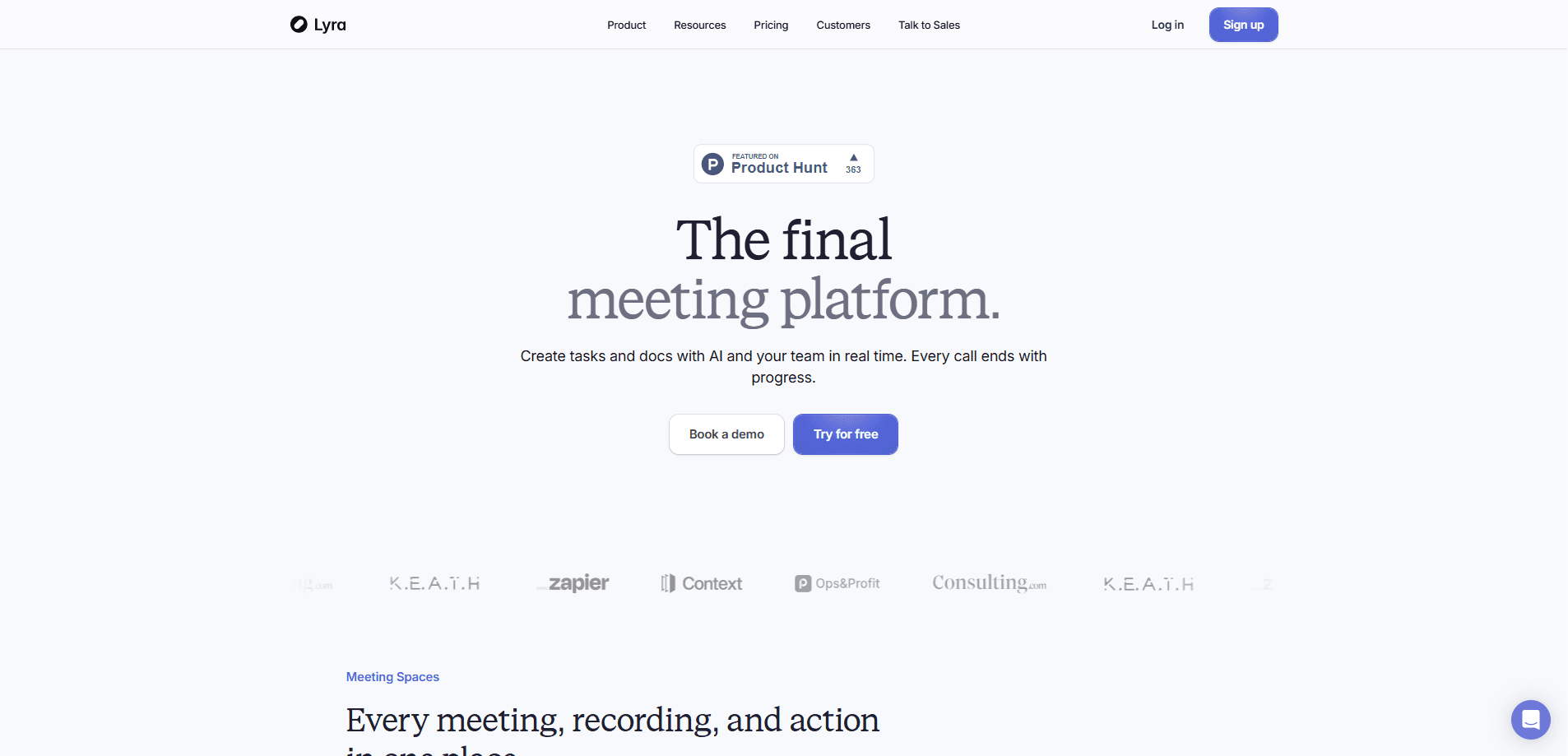
Lyra is an AI meeting platform built for sales and go-to-market teams. It works less like software you open and more like a teammate who sits in on every call. It runs meetings in the browser, transcribes each participant's microphone separately, researches the people you're about to meet, and then takes action after the call by updating your CRM, sending follow-ups, and notifying teammates. Instead of one more notetaker, it acts as an assistant that handles the busywork around conversations.
About Lyra
What Is Lyra
Lyra is an AI-native meeting platform that combines recording, research, and task automation in one workspace. It targets revenue teams who spend hours every week on calls, then lose more time turning those calls into notes, CRM entries, and follow-up emails. Lyra does that work for you.
The platform runs meetings natively in the browser, so there's no extra app to install and no waiting room. It transcribes each participant's microphone individually, which raises accuracy well beyond what a single shared audio stream mixed from everyone on the call can realistically deliver. After the call, it detects what kind of conversation happened and generates artifacts, from call summaries to action items, that are ready to use.
The main limits are business-facing. Pricing isn't public, there's no free tier, and the deeper automation depends on connecting tools like your CRM and Slack. If you want a lightweight personal notetaker, Lyra is more than you need.
Getting Started
- Book a demo on the official site and work with the team to set up your workspace.
- Connect the tools you already use, such as your CRM and Slack, so Lyra can read and update them.
- Add your meetings to Lyra and let it run research on each attendee before the call.
- Join the meeting in the browser and let Lyra transcribe every speaker.
- Review the generated summary, then approve the CRM updates and follow-ups Lyra drafts. That's the loop.
Product Information
A quick look at Lyra's pricing, supported platforms, and performance.
Best for
The users, tasks, and scenarios where this tool fits best.
Users
- Sales reps
- Sales managers
- Go-to-market teams
Tasks
- Taking meeting notes without a human notetaker
- Pre-call research
- CRM upkeep
- Sending follow-ups
Scenarios
- A discovery call with a new prospect where you need context fast
- A back-to-back day of demos where notes pile up
- A pipeline review where a manager needs a quick read on several calls
Key features
In-Browser Meetings with Per-Mic Transcription
Lyra runs meetings natively in the browser. No app to install. No waiting room. Each participant's microphone is transcribed individually rather than mixed into one stream, which is how the platform gets higher accuracy than a shared audio feed. That matters for meeting transcription quality. For a rep running several calls a day, it means cleaner transcripts without a bot joining as a visible participant.
Pre-Meeting Research and Enrichment
Before you meet someone, Lyra runs research on them and checks for history across the tools you've connected. You get background, context, and a personalized draft you can present when the call starts. No scrambling for a LinkedIn profile two minutes before dialing in. This is the feature that saves the most time for sellers who book calls with people they barely know.
Action Automation Across Your Tools
Lyra can take meeting actions from a single terminal. You ask it to update stages, send emails, or do something across your connected apps based on what was said. After every call it updates your CRM, sends follow-ups, and notifies teammates. The value here is the removal of post-call admin. Not just another summary.
Personalized Artifact Generation
The platform detects what kind of call you're having and generates relevant artifacts in real time. Ready to present. A pricing conversation and a technical demo don't need the same output, and Lyra adjusts to the context so you're not reformatting a generic summary by hand before every single call of the day. Teams use this to walk into conversations with something in hand instead of building slides after the fact.
Knowledge and Task Workspace
Meeting recordings, transcripts, and the tasks that follow live in one workspace rather than scattered across apps. Multiple workspaces are supported, which matters for companies that separate teams or clients. Why does that matter? Having the record and the action in the same place makes follow-up less of a scavenger hunt.
Pros and cons
Pros
- Per-microphone transcription delivers better accuracy than single-stream AI notetakers.
- Meetings run in the browser, so there's no app to install and no waiting room.
- Post-call automation updates the CRM and sends follow-ups without manual entry.
- Pre-call research and enrichment save time for sellers meeting new people.
- Research, recording, and task automation live in one workspace.
Cons
- Pricing isn't public, so you have to book a demo to learn what it costs.
- There's no free plan, which makes it hard to try before committing.
- The automation depends on connecting your CRM and other tools, so the value drops without that setup.
- There's no mobile app listed, so it stays a browser and desktop tool. Not a dealbreaker for desk work, but it rules out capturing an in-person meeting on your phone.
Frequently asked questions
Lyra is an AI meeting platform that records and transcribes your calls, researches the people you're meeting with, and then takes action afterward by updating your CRM, sending follow-ups, and notifying teammates. It's built for sales and go-to-market teams rather than general note-taking.
Related content
Explore related tools, skills, and articles for Lyra.
Lyra Alternatives

Swms
Swms AI · Writing · Productivity · BusinessSwms is an AI safety compliance tool that turns a plain description of a job into ready-to-use safety documents. Describe your project, trade, and known hazards, and it writes a safe work method statement, job hazard analysis, safe work procedure, RAMS, or safety data sheet in seconds. It also ships with Oscar, a chat assistant that answers workplace safety questions in any language. Teams in construction, mining, transport, and warehousing use it to cut the paperwork that usually eats into a workday.

Wordly AI Translation
Wordly · Voice & Language · ProductivityWordly AI Translation is a real-time AI translation and captioning platform built for meetings, conferences, and events. It delivers live translation, captions, transcripts, and summaries in more than 60 languages, and attendees join by scanning a QR code or opening a link instead of using dedicated headsets. The platform works with Zoom, Microsoft Teams, Google Meet, and Webex, and it's designed for organizations that want multilingual access without hiring human interpreters for every session. Simple as that.

Rows
Rows (Superhuman) · Productivity · BusinessRows is an AI spreadsheet and data analysis tool that imports live data from more than 50 sources, then lets you work with it using plain language instead of SQL queries or nested formulas. You can pull numbers out of PDFs, connect ad platforms, databases, and bank accounts, and ask the AI to build reports, merge datasets, or set up models that recalculate themselves. It runs in the browser, works like a spreadsheet, and now sits under the Superhuman umbrella.