

Magic Hour
Magic Hour · Video
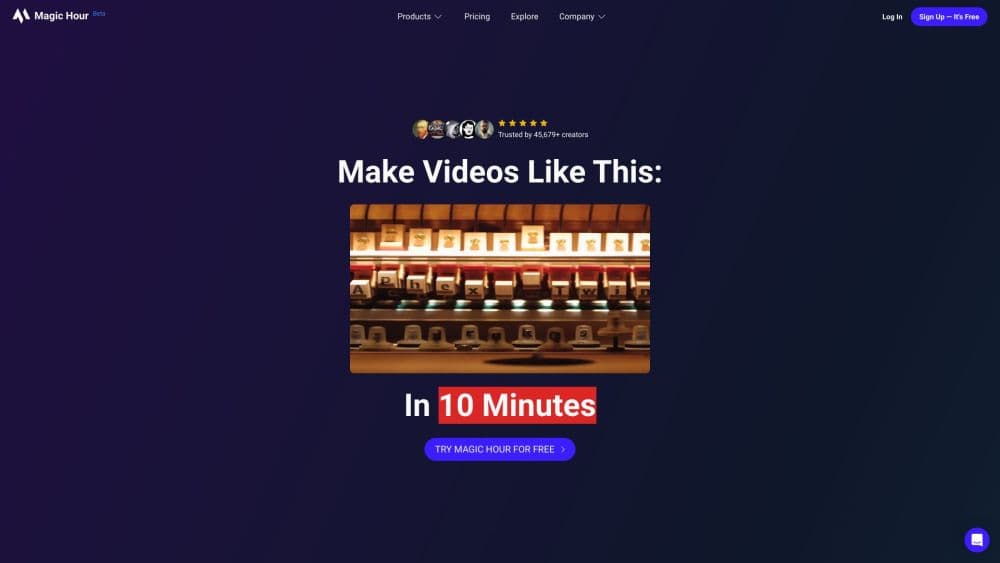
Magic Hour is an AI video generator and image studio that packs 100+ creative tools, from face swap to text-to-video, into one credit-based plan with a developer API.
About Magic Hour
What Is Magic Hour
Magic Hour is a web studio for making AI video, images, and audio in one place. You pick a workflow, upload a photo or describe a scene, and the tool returns a finished clip or picture. Core tools run free to try, so you can test the platform before creating an account.
The product targets a real bottleneck. Editing a single shoot can eat a whole afternoon, and stitching together separate apps for faces, subtitles, and color leaves files scattered across tools. Magic Hour keeps those steps in one workspace and adds templates sized for every channel.
A few limits matter. Credits are the currency here, so heavy video work burns through a balance fast, and the highest resolutions sit behind paid plans. Some tools also lean on third-party models, which means quality varies by task. Anyone who needs headless batch processing should look at the REST API instead of the web studio.
Getting Started
- Open magichour.ai and pick a tool, such as text-to-video or face swap, without signing up for the core ones.
- Upload your photo, video, or audio, or type a prompt describing what you want.
- Adjust settings like resolution and duration, then run the generation and let it queue.
- Download the result, or save it to your dashboard library, and remove the watermark once you're on a paid plan.
- Upgrade or buy a credit pack when you run low, and reuse saved templates for the next project.
Product Information
A quick look at Magic Hour's pricing, supported platforms, and performance.
Best for
The users, tasks, and scenarios where this tool fits best.
Users
- Social media creators
- Small business owners
- Marketers and agencies
- Developers
Tasks
- Generating video from text or a still
- Face swap and character replace
- Making a photo talk
- Editing and upscaling
- Adding subtitles and translation
Scenarios
- A creator posting daily shorts
- An agency delivering personalized ads
- A small shop building a product page
- A developer adding video features
Key features
Text-to-Video and Image-to-Video
Describe a scene and Magic Hour generates a clip, or animate a single still into motion. The generator handles cinematic looks and moving subjects, which means you can storyboard an idea without a camera or crew. Both paths share the same editor, so you can refine the output in place.
Face Swap and Character Replace
The face swap tool drops one face onto another in a video or a photo and blends skin tone and lighting for a believable result. Character replace goes further and swaps a whole person for a reference character while keeping the scene. It is the feature people reach for first for playful edits and avatar content.
Talking Photo and Lip Sync
Upload a portrait and an audio track, and the tool animates the mouth to match the words. Lip sync works on existing video too, aligning dubbed audio with a speaker's lips. This suits talking-head content, dubbing, and bringing archived photos to life.
Video Editing from a Prompt
The AI video editor takes plain-language instructions and applies cuts, restyles, and trims. You describe the change, and the tool edits the clip, which sidesteps a steep learning curve in a timeline editor. Extend, expand, and upscale tools round out the post-production set.
Subtitle Generator and Translator
The subtitle tool transcribes a video and lays accurate captions on the timeline. The translator then renders that clip for another language, so one recording reaches viewers across regions without a separate voiceover session.
100+ Tools and 10,000+ Templates
The studio collects video, image, and audio tools under one plan, from background remover to meme generator to voice cloner. More than ten thousand templates are pre-sized for each channel, so a campaign asset arrives ready to publish. Credits run across every tool rather than being locked to one.
REST API with SDKs
Developers reach supported tools programmatically through one REST API, with SDKs for Python, Node, Go, and Rust. Jobs run asynchronously, so an app submits a request and collects the result later through polling or webhooks. The API shares the same account balance as the web studio, which keeps billing in one place. An MCP integration also lets compatible AI assistants call those tools.
Pros and cons
Pros
- As an AI video generator, it gathers 100+ tools under one plan, so you edit faces, captions, and color without hopping between apps.
- Core tools run free to try without an account, which lowers the risk of testing before you commit.
- More than ten thousand templates are pre-sized for each channel, so campaign assets arrive ready to post.
- The REST API with Python, Node, Go, and Rust SDKs lets developers drop video and image generation into an app.
- Credits roll over with no expiration, so a quiet month does not waste the balance.
- Commercial use is included on paid plans and credit packs, which suits client work and ads.
Cons
- Video generation spends credits quickly, so a heavy editing schedule can drain a balance faster than expected.
- Top resolutions, from 1472px to 4K, sit behind the higher paid plans, which affects creators who need crisp output on a budget.
- Quality varies by tool because some run on third-party models, so results differ from one feature to the next.
- The free plan caps resolution and adds a watermark on video and audio, so serious work needs a paid tier.
Frequently asked questions
Magic Hour is an AI studio for making video, images, and audio. You use it to generate clips from text or photos, swap faces, edit footage with prompts, add subtitles, and produce campaign assets, all from one credit-based plan.
Related content
Explore related tools, skills, and articles for Magic Hour.
Magic Hour Alternatives

ngram 2.0
ngram · Video · Marketingngram 2.0 is an AI video generator for teams. It turns a prompt, a screen recording, or a product URL into a narrated explainer, product demo, or AI avatar video, and every scene stays editable.

OpenScreen 2
OpenScreen (open-source project) · Video · ProductivityOpenScreen 2 is a free, open-source screen recorder and demo video editor for Windows, macOS, and Linux, with automatic zooms, styled frames, local captions, and agent edits.

Skreno
Skreno · Video · ProductivitySkreno is a browser screen recorder that captures a tab, a window or your whole display, then attaches AI transcripts, summaries and console logs to one share link.