

Magic Studio
Magic Studio · Image
Magic Studio is a web-based AI art generator and photo editing suite that turns text prompts into original visuals and regular photos into polished images. You can type a description and get artwork in seconds, or upload a few selfies and let its AI model build a personal set of professional headshots. The platform also bundles editing tools like background removal and image enhancement, so you can go from a raw idea or a rough photo to something publish-ready without juggling three different apps. Think of it as an online AI creative tool that does the heavy lifting for you. It's built for people who want quick, decent-looking images without a design background or an expensive photoshoot.
About Magic Studio
What Is Magic Studio
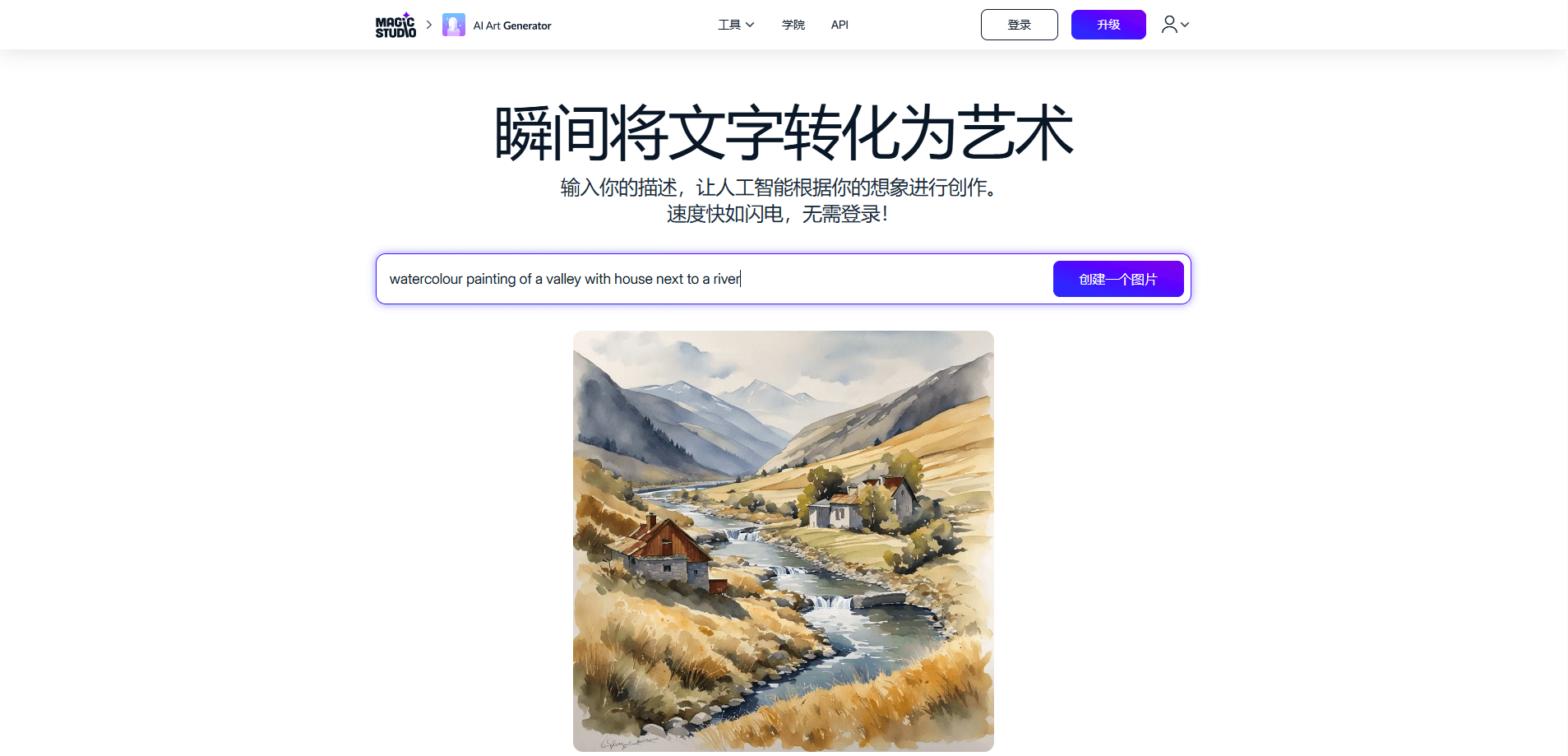
Magic Studio is an online creative suite built around AI image generation and editing. The core promise is simple. Describe what you want in plain text, and its AI art generator produces a visual to match. That could be a character, a mountain scene, or a product shot. A free account gets you started almost immediately.
The headshot side is what pulled a lot of users in. Upload at least ten clear solo photos, and Magic Studio trains a personal AI model. That model then generates new pictures of you in different looks and outfits. It started life as InstaHeadshots and later rebranded, while keeping the same account and product underneath. Beyond that, the platform hosts a range of editing tools that handle the boring parts of image work, such as cutting out backgrounds or cleaning up a photo for a listing.
The honest limits matter here. Free users get a finite number of generations, watermarked downloads, and one image at a time. Anything close to professional output sits behind the paid PRO plan. This isn't a full desktop design program either; it's a fast, browser-first tool for everyday visuals, not layered print work.
Getting Started
- Open magicstudio.com and sign in with your email. There's no password, just a login link sent to your inbox.
- For AI art, type a description into the generator and hit create. For headshots, upload around ten recent solo photos that clearly show your face in varied outfits and lighting.
- If you're generating headshots, wait for the AI to learn your features. Most sets finish in roughly 15 minutes, and you'll get an email when they're ready.
- Review the results in your gallery, then pick the ones you like and download them.
- Upgrade to PRO if you need unlimited generations, high-resolution files, and downloads without a watermark.
Product Information
A quick look at Magic Studio's pricing, supported platforms, and performance.
Best for
The users, tasks, and scenarios where this tool fits best.
Users
- Content creators who need quick visuals for posts, thumbnails, or drafts, and don't mind watermarked output while testing the free tier
- Job seekers and professionals who want affordable AI headshots instead of booking a studio session, as long as they can supply around ten clear photos
- Small business owners who make product images or social graphics without a designer, and lean on the built-in AI image editor for cleanup
Tasks
- Turning a text prompt into an original image for a blog header, ad mockup, or concept art
- Generating a set of professional headshots from everyday selfies for LinkedIn or a company page
- Removing an image background or improving photo quality before posting it online
Scenarios
- Sprucing up a dating profile or social feed with better photos of yourself
- Building on-brand team headshots for a small company without coordinating a photoshoot
- Filling a website or store listing with product and lifestyle images on a tight schedule
Key features
Text to Image Generation
Type a description and Magic Studio's AI art generator produces a visual in seconds. It handles mountain scenes, characters, and abstract concepts. Every run returns a fresh result. No templates get recycled. Free accounts get 40 generations to test the water before any payment.
Personal AI Headshots
This is the feature that sets Magic Studio apart from a generic art generator. Upload a batch of everyday photos, and the platform builds a personal AI model of your face. From there it generates new portraits of you in professional, social, and dating looks. Useful when you need a polished profile picture but dread the cost of a studio.
AI Image Editing Tools
Alongside generation, Magic Studio packs a set of editing utilities such as background removal and image enhancement. They cover the small, tedious jobs that usually send you to a second app, which is the practical upside of keeping editing and generation in one place.
Bulk Editing
PRO members can bulk edit across select tools. That means processing several images at once instead of clicking through one by one. It's a real time-saver if you're prepping a batch of product photos or a run of social assets.
Watermark-Free High-Resolution Downloads
Free downloads carry a watermark and come at limited resolution. PRO removes the watermark and unlocks high-resolution files. Is it worth paying for? For most people, yes, because the watermark is the wall you hit the moment an image goes anywhere public.
Cross-Platform Access
Your account works across the web and the iOS and Android apps, so you can start a prompt on a laptop and finish on a phone. The library stays in sync, and headshot jobs keep running in the background even if you close the browser.
Pros and cons
Pros
- The free tier is genuinely usable: 40 generations and the ability to preview headshots before paying
- Combines an AI art generator with a photo editor, so one tool covers generating and touching up
- The headshot feature works from ordinary selfies and doesn't require a studio session
- Clear privacy stance on personal photos, which are used only for your own model and can be deleted anytime
- Access on web, iOS, and Android keeps your work reachable across devices
Cons
- Free downloads are watermarked and low-resolution, so anything public effectively needs PRO
- Unlimited generations and bulk editing sit behind the paid plan, which caps heavy free users fast
- Headshot quality depends on the photos you supply; users who upload blurry or inconsistent shots will get weaker results
- No public API documented, so you can't wire Magic Studio into your own workflow
- The free tier processes one image at a time, which slows down anyone doing batch work
Frequently asked questions
Two main things: AI art from text prompts and AI-generated photos of yourself. It also includes editing tools like background removal. If you want concept art or a polished profile picture, both are covered.
Related content
Explore related tools, skills, and articles for Magic Studio.
Magic Studio Alternatives

X Ray Interpreter
X-ray Interpreter · ImageX Ray Interpreter is a web-based AI radiology tool that turns X-rays, CT scans, MRI, ultrasound, and PET images into plain-language reports. You upload a scan, get a preliminary X-ray interpretation in moments, then ask follow-up questions if something needs explaining. It works as a second opinion and a learning aid, not as a medical diagnosis.

Aieasypic
AIEasyPic · ImageAIEasyPic is an AI image generator that turns plain text prompts into finished artwork in seconds. You can also train custom models on your own photos, swap faces in existing images, and create short video clips from text, all from a browser. It suits casual creators who want quick visuals and hobbyists who want to build a personal model without touching any code.

Chargen
Chargen · ImageChargen is an AI character generator and worldbuilding toolkit built for Dungeons & Dragons and other tabletop RPGs. It turns a one-line idea into a painted character portrait, spins up NPCs, monsters, maps and encounters from the same session, and keeps every creature's details close at hand. The tabletop RPG art side runs on a credit system called Gold, while the text generators stay free for everyone.