

Magine
Magine · Coding
Magine is a cloud-based AI agent orchestration platform for developers who want agents that can actually see a web page instead of only reading it. It runs vision-enabled AI agents the company calls Sight-Driven Agents, which take screenshots, plan a route through a page, and then act through the interface. Want autonomous web agents that don't choke on a login wall? That's the pitch. Magine also generates embeddable GitHub profile cards and tracks developer activity, so an agent automation platform and your coding profile live in the same account.
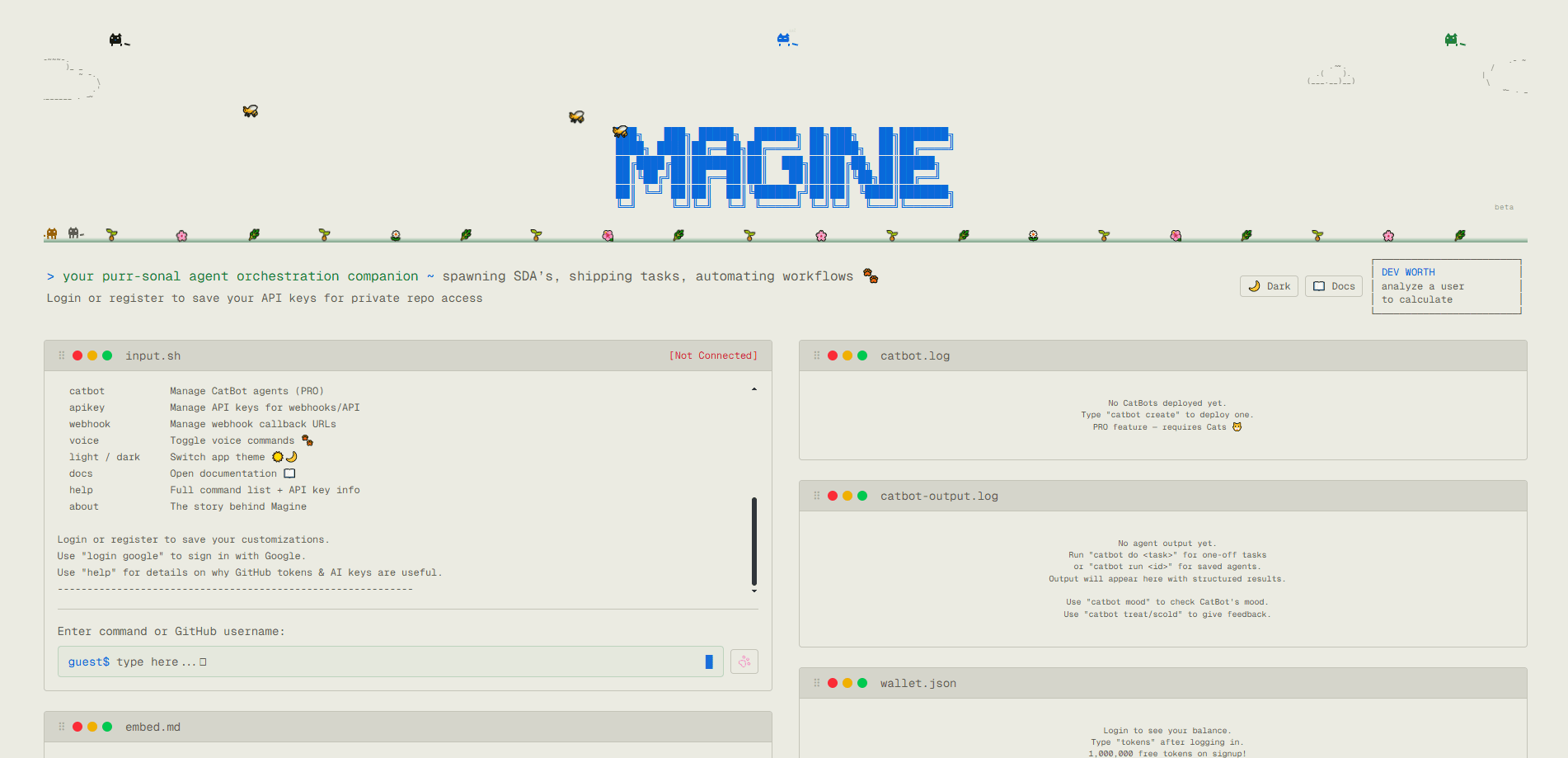
About Magine
What Is Magine
Magine is an agent orchestration platform built around one idea: most AI agents are blind. They lean on APIs, structured data, and text interfaces, and when an API is missing or rate-limited, they break without warning. Magine's answer is to give agents eyes. Its Sight-Driven Agents combine computer vision with language understanding, so they can log into pages, read a screen, and click through interfaces that have no API at all.
The product is aimed at developers and small teams rather than non-technical users. You drive it from a command-style interface, top up a token balance, and optionally install a browser extension called Magine Bridge on Chrome or Firefox to sync your signed-in credentials. The company is upfront that this is early-stage software, built in a matter of days, so expect rough edges.
That last part matters. Plan around it.
The main trade-off is maturity. Because agents act by looking at and controlling a real browser, they're slower and more fragile than a clean API call, and a layout change can throw a run off. Worth knowing before you build anything critical on top of it.
Getting Started
- Open magine.cloud and register with Google or email, since login is how your customizations get saved.
- Set your credentials with the
credentialscommand to connect a GitHub token or an AI key. - Type any GitHub username to generate an embeddable SVG profile card, then use
theme,customize, andbioto shape how it looks. - Run
analyze <user>for a profile deep-dive, or start managing CatBot agents withcatbotif you're on the PRO plan. - Top up token balance with
topupand wire callbacks throughapikeyandwebhookwhen you want agents to report back.
Product Information
A quick look at Magine's pricing, supported platforms, and performance.
Best for
The users, tasks, and scenarios where this tool fits best.
Users
- Developers tracking their own output
- Solo builders and small teams
Tasks
- Automating sites with no usable API
- Generating and embedding GitHub profile cards
- Running web research in the background
Scenarios
- Portals with a login wall and a CAPTCHA
- Automating a repetitive daily workflow
- Auditing your own coding activity
Key features
Sight-Driven Agents
Magine's core technology lets an agent perceive a web page as an image, reason about it, and act through the interface instead of an API. That means it can handle login walls, endlessly shifting pages, and visual content that has no endpoint behind it. It's the reason the platform exists. It's also where the practical limits show up, since anything visual is always less stable than a documented API.
GitHub Profile Cards
Type any GitHub username and Magine produces an embeddable SVG card you can drop into a README or profile page. Around 30 preset themes are built in, and you can customize colors and social links on top of that. It's the lowest-friction way to try the product, since no setup is needed beyond entering a name. No token spend either. Just type a handle.
Action Streams
Instead of static YAML scripts, Magine runs agents as Action Streams: screenshots and video capture feed a vision agent, which plans a sequence, and then GUI or API actions get executed. The design is meant to keep a human able to watch what happened, which matters when an agent is clicking around a live site on your behalf.
CatBot Agents and Orchestration
CatBot agents, gated behind the PRO plan, are the orchestration layer for running multiple agents. You manage them from the same command interface, and Magine handles isolated sessions so each agent keeps its own cookies, storage, and fingerprint profile. That isolation is what keeps one agent's login from bleeding into another's.
Memory and Self-Reinforced Learning
Each agent keeps short-term context within a run and long-term memory across runs, so it can adapt when a page layout changes and avoid repeating a mistake. A mixture-of-experts setup runs Magine's native models alongside cloud models to speed up decisions. In practice, the memory is what makes repeat runs cheaper than starting cold every time.
Token Balance and Top-Ups
Magine runs on a token economy. Five dollars buys one Cat, which is worth five million tokens, and the tokens command shows your balance and usage. It's simple, but it means cost scales with how much your agents browse, so heavier automation burns through the balance faster. Simple, not cheap.
API Keys and Webhooks
You can create API keys for external calls and set webhook callback URLs, so an agent can ping your own service when a run finishes. This is what turns Magine from a dashboard into something you can wire into a real pipeline. Voice commands and light/dark themes round out the interface options.
Pros and cons
Pros
- Vision-based navigation lets agents reach pages that have no API, which is the exact gap that stops most automation tools.
- GitHub profile cards are quick to generate and come with roughly 30 themes, so there's something usable on the first try.
- Isolated browser sessions per agent keep cookies and logins separate, which avoids cross-contamination between runs.
- Long-term memory means agents carry context between runs, so repeated tasks get smoother instead of resetting each time.
- API keys and webhooks make it scriptable, not just a click-around dashboard.
Cons
- The company states it's early-stage and was built in a few days, so bugs and instability are a real risk for anything production-grade.
- Vision-driven automation is slower and more brittle than a direct API call, and a layout change can break a run without notice.
- Token-based pricing is harder to budget than a flat subscription, since cost depends on how much your agents browse.
Frequently asked questions
Magine is used to run AI agents that browse and operate websites by sight rather than through APIs, and to generate GitHub profile cards. Developers use it for automation tasks on pages that don't expose a clean API, plus developer-activity tracking.
Related content
Explore related tools, skills, and articles for Magine.
Magine Alternatives
Forefront
Forefront · CodingForefront is a web platform for building with open-source AI. It lets you fine-tune leading open-source language models on your own data, evaluate how they perform, and run them through an API or export them to host yourself. Developers who want the convenience of a closed-source platform but insist on owning their models and data are the target audience here.

Startkit
StartKit.AI · CodingStartkit is a boilerplate for building AI SaaS and AI wrapper products. Think of it as an AI startup boilerplate with the boring parts already wired up: authentication, Stripe and Lemon Squeezy payments, usage limits, transactional email, and an AI API starter that talks to OpenAI, Anthropic, Groq, or Llama. You clone the repo, set your price, and start on the part of your product that people actually pay for. It's Next.js under React and Tailwind, so most of the boilerplate code already feels familiar.
Testim
Tricentis · CodingTestim is an AI-powered test automation platform for building and running end-to-end tests across web, mobile, and Salesforce applications. It leans on machine learning to keep tests stable when an interface changes, so teams spend less time fixing broken selectors. Not bad for an automated testing tool you can start using today. You create tests by recording actions in a browser, then optionally add JavaScript when you need more control. It's a solid pick for busy QA teams.