

MakeUGC
MakeUGC · Video
MakeUGC is an AI UGC video generator that turns a script, product link or reference ad into actor-led videos. It offers 1,000+ AI actors, 50+ languages and API access.
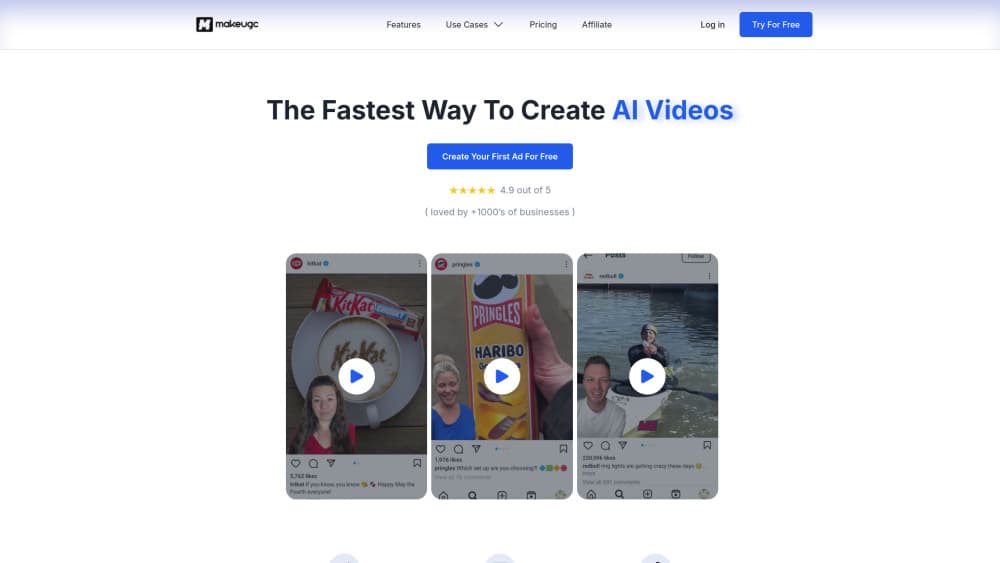
About MakeUGC
What Is MakeUGC
MakeUGC is a browser-based studio for making short video ads with AI actors instead of hired creators. You pick a face from a library of more than 1,000, write or generate a script, and the platform renders a vertical clip with matching voice and lip-sync. Product photos can be dropped into the actor's hands, and the finished file exports in HD, 2K or 4K, which covers most product video ads without a studio booking.
The product started as a pure UGC tool and has since widened into a general AI video ad generator. The same credit balance now covers text to video, image to video, cinematic spots, cartoon styles and static image ads, using models such as Seedance 2.5, MiniMax and Kling 4.0. That matters for small teams that would otherwise pay for several subscriptions to test a few ad angles, since one AI ad maker now covers the whole rotation.
The limits are practical rather than technical. There's no free tier, only a $1 trial, and Starter caps exports at 720p. Credits are shared between the studio and the API, so a heavy batch run eats into the same pool as manual edits. Brands that need broadcast-grade footage or full creative direction still sit outside what a template-driven studio delivers.
Getting Started
- Create an account at app.makeugc.ai and start the $1 trial on any plan. No card details are needed for the first run.
- Choose a starting point: an AI actor, a cloned version of yourself, a product URL, a reference ad or a plain prompt.
- Write the script or let the built-in writer draft one from your product page, then upload audio and a product photo if you have them.
- Render the clip, which takes roughly two minutes, then adjust captions, music, B-roll and trims in the editor.
- Export in your plan's resolution, or batch up to 10 variations from the same brief for testing.
Product Information
A quick look at MakeUGC's pricing, supported platforms, and performance.
Best for
The users, tasks, and scenarios where this tool fits best.
Users
- Performance marketers running paid social
- Small e-commerce teams without a video crew
- Agencies managing several brands
Tasks
- Making TikTok and Reels ads from a product page
- Turning one winning ad into ten variations
- Localizing an ad for new markets
- Producing product shots and thumbnails
Scenarios
- A skincare brand testing five hooks before a launch
- A solo founder with a Shopify store and no on-camera time
- An agency onboarding a new client mid-campaign
Key features
AI Actors and Custom Avatars
The actor library is the core of the product. More than 1,000 faces span ages, looks and settings, which makes AI avatar video possible without a shoot, and you can filter by the vibe an ad needs. Paid plans add custom avatars made from a short clip of yourself, with Growth allowing one and Pro allowing three. Voice cloning sits alongside, so the actor can sound like the person on screen rather than a stock narrator.
Script Writing From a Product Page
Paste a product URL and the writer drafts a hook-led script in the style of a creator testimonial. You can also write your own, paste an existing script or upload audio you already recorded. The step is small on paper and large in practice, because the blank page is where most ad testing stalls. Editing stays manual, which keeps the output from sounding like generic marketing copy.
AdFlow Templates and the Content Library
AdFlow ships 200+ templates on Starter, 500+ on Growth and the full set on Pro. The Content Library goes further by showing real ads sorted by niche and format, so you can start from something that already performed instead of guessing. Ad Remake rebuilds a spotted ad with your product dropped in, which is the fastest route from inspiration to a test-ready file.
Product in Hand and Motion Control
Product in Hand puts your item in the actor's hands, so a bottle, a jar or a phone appears on camera without shipping anything to anyone. Motion Control transfers a recorded performance onto a character, useful for gesture-heavy demos. Both close the gap that usually gives AI ads away: hands and product interaction.
AI Flows and Batch Mode
AI Flows is a node canvas where image generation, product shots, video and editing chain into one repeatable pipeline that runs across every SKU. Batch Mode turns a single brief into up to 10 variations. Together they shift the work from making one ad to maintaining a production line, which is the difference between a test and a testing system.
API and MCP Access
Every plan includes API and MCP access, and the same credits cover both. That lets a team trigger renders from a script, a spreadsheet or an agent, then pull finished files into an ad account. Most competing UGC tools charge extra for this or skip it entirely, so for anyone automating creative it's the deciding feature.
Pros and cons
Pros
- One subscription covers UGC ads, cinematic video, cartoon styles and image ads, which usually replaces three or four separate tools.
- Rendering is fast enough for daily testing, at about two minutes per clip with batch output for 10 variants.
- Product in Hand and Motion Control handle the two details that make AI video look fake.
- Every plan carries API and MCP access, the $29 Starter tier among them.
- 50+ languages with matched lip-sync remove the cost of dubbing or re-shooting for new markets.
Cons
- There's no free plan, so evaluating the output costs $1 up front and a real trial needs a paid month.
- Starter exports stop at 720p and allow one generation at a time, which is thin for anyone publishing daily.
- Credits are shared across studio and API, so a large batch run can leave no room for manual work that month.
- Template-driven ads can look familiar, and brands with a strong visual identity may need extra editing passes.
Frequently asked questions
Short vertical video ads with AI actors, plus cinematic clips, cartoon-style spots and image ads. The output is built for TikTok, Reels, Shorts and paid social placements, and it exports in HD, 2K or 4K depending on your plan.
Related content
Explore related tools, skills, and articles for MakeUGC.
MakeUGC Alternatives

ngram 2.0
ngram · Video · Marketingngram 2.0 is an AI video generator for teams. It turns a prompt, a screen recording, or a product URL into a narrated explainer, product demo, or AI avatar video, and every scene stays editable.

OpenScreen 2
OpenScreen (open-source project) · Video · ProductivityOpenScreen 2 is a free, open-source screen recorder and demo video editor for Windows, macOS, and Linux, with automatic zooms, styled frames, local captions, and agent edits.

Skreno
Skreno · Video · ProductivitySkreno is a browser screen recorder that captures a tab, a window or your whole display, then attaches AI transcripts, summaries and console logs to one share link.