
MARK®
Mark Engineering · Productivity · Leaning
MARK is an AI smart bookmark for people who love paper books but still want the searchable notes a digital reader gives them. Shaped like a highlighter and made by Mark Engineering, this reading tracker captures highlights and spoken thoughts, then syncs everything to apps like Notion and Readwise. Paper stays paper. The ideas just stop disappearing.
About MARK®
What Is MARK
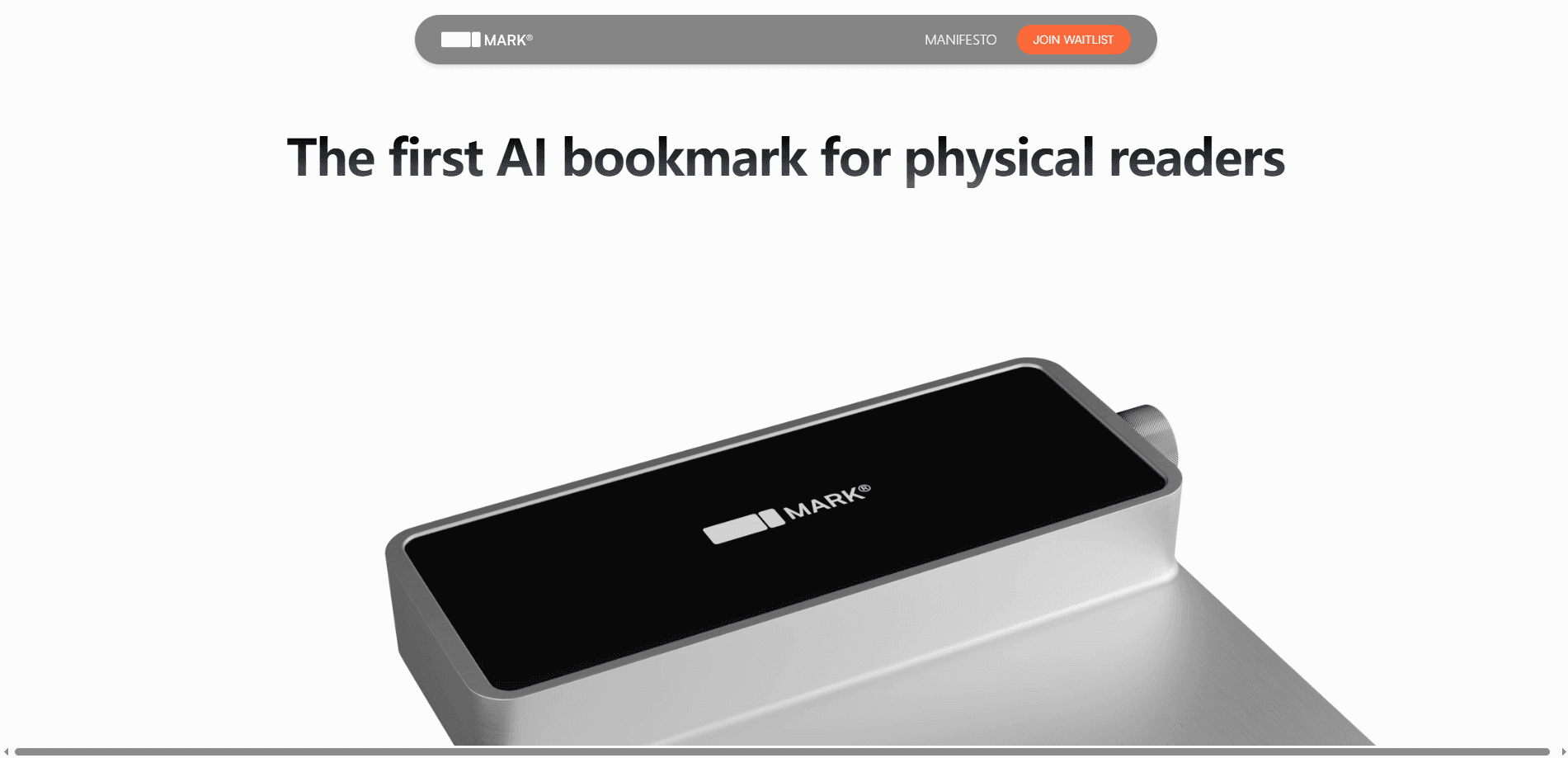
MARK is a physical bookmark with smart hardware inside. The current model, Mark II, is shaped like a highlighter and works on both paper and screens. Hold it and brush it over a line to highlight, and the device confirms the capture with a light. No pen nearby? Hold it to speak and release to send your thought to the companion app, which keeps every note in one place you can search later.
The problem it solves is simple. Highlights and margin notes in a paper book tend to vanish into the book. Not anymore. MARK turns them into a searchable catalog you can organize, revisit, and share. To highlight physical books this way, it first has to read your handwriting, and it does that across more than 100 languages, so notes that used to be trapped on the page become something you can actually find again later.
The catch is the hardware. MARK is a premium device, not a free app, and it's meant to sit alongside your reading habit rather than replace it. If you only read on a phone or tablet, a notes app already does most of this for you. MARK makes sense when paper is where you read.
Getting Started
- Preorder MARK from the official site and set up the companion app once your device arrives.
- Import your existing notes from the app you use now, so you don't start from an empty catalog.
- Pair the device, then pick where your highlights should land, such as Notion or Readwise.
- Read a physical book as usual, brushing to highlight a line or holding to speak a quick thought.
- Open the app later to organize, search, or revisit the ideas you captured.
Product Information
A quick look at MARK®'s pricing, supported platforms, and performance.
Best for
The users, tasks, and scenarios where this tool fits best.
Users
- Book lovers who read on paper
- Students and researchers
- Writers and knowledge workers
Tasks
- Highlighting a passage in a paper book
- Capturing a quick thought
- Searching old notes
- Migrating existing notes
Scenarios
- Reading a novel or nonfiction book on the couch
- Studying from a printed textbook
- Research reading across many printed sources
Key features
Highlight by brushing
MARK works like a highlighter on paper. Hold it and brush through a line, and a light confirms the capture. No stopping to type. No screen to wake. You just keep reading and let the device keep the line.
Speak to capture
When a thought strikes and you don't have a pen, hold MARK to speak and release to send. The idea lands in your notes alongside your written highlights. It's fast. It works when a page has no margin left. That's the point.
Handwriting in 100+ languages
MARK reads your handwriting, whether it sits on paper or a screen, and supports more than 100 languages. Notes in your own hand stay usable instead of becoming unreadable later, which matters most when you flip back to a book months after the first read.
Sync to Notion and Readwise
Highlights and thoughts sync to the note apps you already use, including Notion and Readwise. Your paper reading joins the same library as everything else you collect.
Search and revisit old notes
The companion app lets you organize and search past highlights, so a line you saved months ago is a search away. You can also chat with your ideas, which surfaces connections between books you might have missed the first time around.
Import from other apps
You don't have to start from scratch. MARK imports your existing notes from the app of your choice and turns them into a catalog of what you think. Nothing gets left behind.
All-week battery over USB-C
Mark II runs for about a week on a charge and tops up over USB-C. Multiply that by a stack of books and you still won't reach for the cable often.
Pros and cons
Pros
- Keeps the feel of reading on paper while giving you searchable digital notes.
- Works on both paper and screens, so one device covers printed books and e-readers.
- Syncs to Notion and Readwise, fitting into note workflows you may already run.
- Handwriting support across 100+ languages makes it usable well beyond English speakers.
- Speak-to-capture adds a fast way to record thoughts without a pen.
Cons
- It's paid hardware with no free tier, so the cost is an upfront commitment rather than a subscription you can try.
- It's a physical device you have to carry and charge, which adds friction for casual readers.
- If you mostly read on a phone or tablet, a notes app covers most of what MARK does.
- The product leans on preorders, so availability and final pricing can shift.
Frequently asked questions
MARK is a smart bookmark and highlighter for physical books. It captures your highlights and spoken thoughts and turns them into a searchable catalog of notes, so the ideas you collect on paper don't stay stuck in the book.
Related content
Explore related tools, skills, and articles for MARK®.
MARK® Alternatives

Swms
Swms AI · Writing · Productivity · BusinessSwms is an AI safety compliance tool that turns a plain description of a job into ready-to-use safety documents. Describe your project, trade, and known hazards, and it writes a safe work method statement, job hazard analysis, safe work procedure, RAMS, or safety data sheet in seconds. It also ships with Oscar, a chat assistant that answers workplace safety questions in any language. Teams in construction, mining, transport, and warehousing use it to cut the paperwork that usually eats into a workday.

Wordly AI Translation
Wordly · Voice & Language · ProductivityWordly AI Translation is a real-time AI translation and captioning platform built for meetings, conferences, and events. It delivers live translation, captions, transcripts, and summaries in more than 60 languages, and attendees join by scanning a QR code or opening a link instead of using dedicated headsets. The platform works with Zoom, Microsoft Teams, Google Meet, and Webex, and it's designed for organizations that want multilingual access without hiring human interpreters for every session. Simple as that.

Rows
Rows (Superhuman) · Productivity · BusinessRows is an AI spreadsheet and data analysis tool that imports live data from more than 50 sources, then lets you work with it using plain language instead of SQL queries or nested formulas. You can pull numbers out of PDFs, connect ad platforms, databases, and bank accounts, and ask the AI to build reports, merge datasets, or set up models that recalculate themselves. It runs in the browser, works like a spreadsheet, and now sits under the Superhuman umbrella.