

MascotVibe
MascotVibe · Chatbot
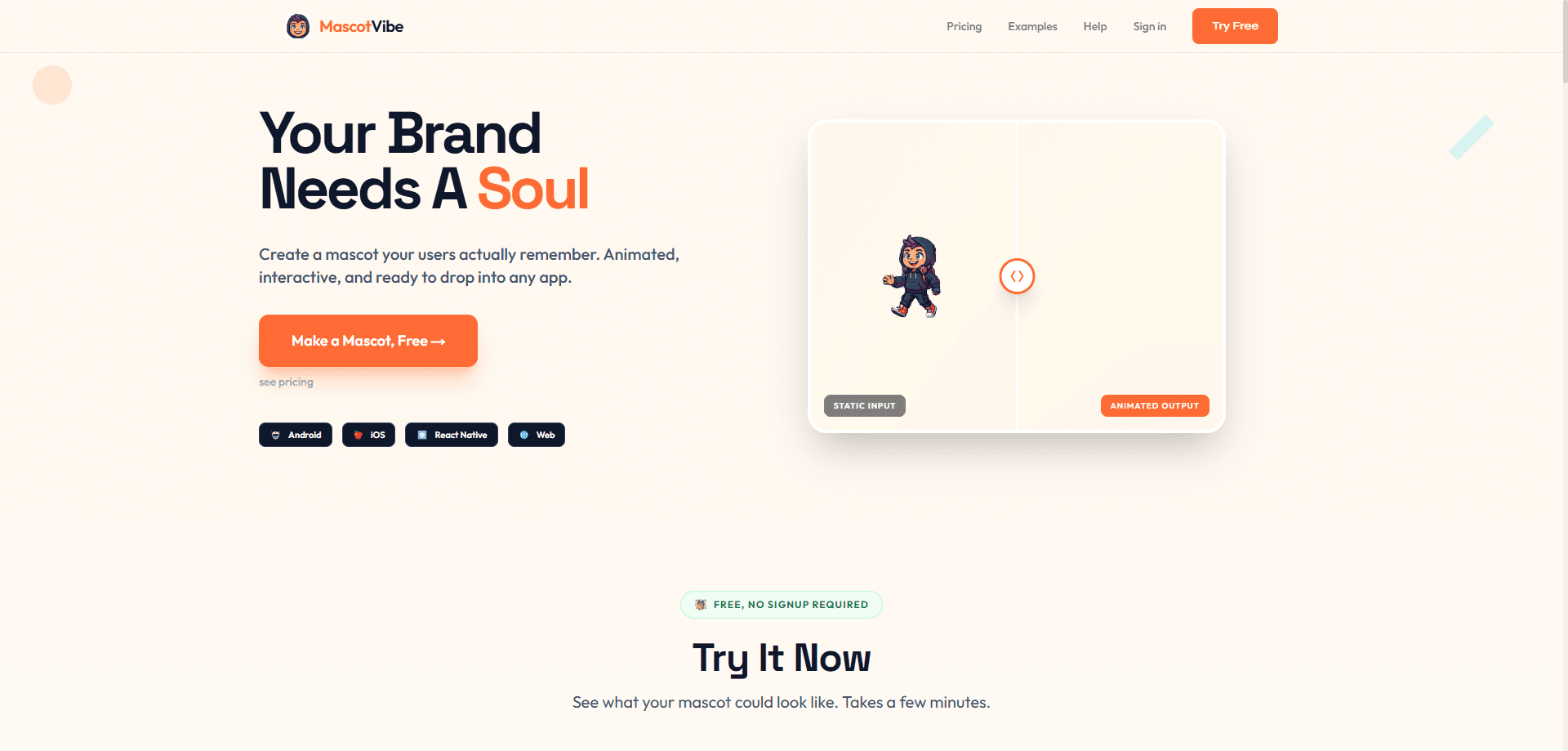
MascotVibe is an AI mascot generator that turns a short text prompt or an uploaded image into an animated character for apps, games, and brand projects. You describe the vibe you want, pick from styles like kawaii, cartoon, 3D, or pixel art, then animate the result with preset motions or a custom prompt. It works as an animated mascot maker for small teams and solo developers who need a character without hiring an illustrator or waiting weeks on revisions. The draw is speed and format coverage: one character, exported in whatever file your platform expects. That's the pitch, and it holds up.
About MascotVibe
What Is MascotVibe
MascotVibe is a web-based AI character animation tool for creating mascots from scratch or from art you already have. You can describe your brand and get four mascot concepts back, scan your website for style cues, or upload an existing drawing. From there the tool animates the character and exports it in the formats common to app, web, and game development. No design degree needed.
The problem it targets is the cost and turnaround of custom design work. A commissioned mascot often means a freelance brief, several revision rounds, and a bill in the thousands. MascotVibe compresses that into minutes and a few dollars per character, and it hands you files you can drop straight into a project.
That gap is the whole pitch. Speed, and a lower bill.
The limits are worth naming up front. The free tier lets you animate and preview a mascot, but downloading the finished files requires a paid plan, so you can't ship on the free credits alone. Animation is also preset-driven for the most part, which covers common cases like a wave or a celebration but won't match a fully hand-crafted rig. Need a frame-perfect custom loop for a cutscene? This isn't the tool for that.
Getting Started
- Open mascotvibe.com and describe your brand or mascot idea, or upload an image you already have. No signup is needed just to try the generator.
- Review the four generated concepts and pick the style that fits, whether that's kawaii, cartoon, 3D, or pixel art.
- Choose an animation from the 12 presets, or write a custom prompt for something more specific.
- Preview the animated mascot in the browser and make refinements. Your first edit is free.
- Upgrade to a paid plan and download the character in the format your platform needs, such as WebM, APNG, MP4, MOV ProRes, or a spritesheet.
Product Information
A quick look at MascotVibe's pricing, supported platforms, and performance.
Best for
The users, tasks, and scenarios where this tool fits best.
Users
- Indie app developers
- Game studios and solo game makers
- Brand and marketing teams
Tasks
- Generating a mascot from a text description
- Animating an existing character
- Exporting platform-ready files
Scenarios
- Launching an app with a memorable interface character
- Refreshing brand assets for a campaign
- Prototyping a game's cast
Key features
Prompt and Image to Mascot
You can start from either side: type a description of your brand and let the tool return four concepts, or upload a mascot you've already had drawn. There's also an option to scan your website for style cues. That flexibility matters because most projects aren't starting from zero. You probably have brand colors, a logo, or a rough sketch, and MascotVibe is built to work from whatever you bring. Bring art, or bring nothing.
Twelve Animation Presets Plus Custom Prompts
The animation step leans on 12 presets covering the moves most mascots need: wave, dance, celebrate, spin, think, and similar. If none fit, you can write your own animation prompt instead. For a podcast intro, a dance loop, or an onboarding wave, the presets are usually enough, and the custom option covers the gaps without requiring animation software. Pick one. Hit go. Done.
Every Export Format You Need
The export list is the part that separates MascotVibe from a generic image generator. You get WebM with alpha for Android, APNG for iOS, MP4 for social, MOV ProRes for professional editing, and spritesheets for games. That coverage makes it a practical pick for mascot animation for apps, since you pull the format each platform wants instead of converting one output into five yourself. No conversion tools required.
Style Range from Kawaii to Pixel Art
The generator spans a wide stylistic range, from kawaii and cartoon to 3D and pixel art. That range lets the same tool serve a children's app, a retro game, and a corporate brand without switching products. Style choice is locked in at generation, so it pays to know your target look before you start prompting. Sketch it first. Prompt second.
Iterative Refinement
When a concept is close but not quite right, you can refine it, and the first edit is free. That's a small but meaningful detail, because a mascot rarely lands perfectly on the first pass. Refinement lets you nudge details like expression or pose without regenerating from a fresh prompt and losing what already worked. Small tweaks beat full restarts.
REST API for Automation
The Studio plan includes API access with five REST endpoints and unlimited API calls. For teams generating mascots in bulk, or wiring character creation into a build pipeline, the API removes the manual step. It's the feature that turns MascotVibe from a one-off tool into something a production workflow can call on repeat. Set it once, then automate.
Pros and cons
Pros
- Turns a text prompt or uploaded image into an animated mascot in minutes, which removes the freelance brief-and-revise cycle.
- Covers five export formats, including WebM with alpha and spritesheets, so the same mascot works on web, mobile, and in games.
- Pricing starts free with 30 credits, and paid plans run from $14.99/mo, well below typical custom design costs.
- The 12 animation presets plus custom prompts handle the common mascot motions without animation software.
- API access on the Studio plan supports bulk generation and pipeline automation.
Cons
- The free plan lets you animate and preview but not download, so you can't ship a finished mascot without paying.
- Animation relies mostly on presets, which won't match a fully custom rig for complex or highly specific motion.
- Credits are consumed per generation and refinement, so heavy experimentation adds up faster than the headline per-mascot price suggests.
Frequently asked questions
MascotVibe generates and animates mascots for apps, games, and brands. You describe a character or upload an image, pick a style, animate it, and export it in the file format your platform needs. It's aimed at teams that want a mascot without a full design commission.
Related content
Explore related tools, skills, and articles for MascotVibe.
MascotVibe Alternatives

Knocket
Knocket (Tencent RTC team) · Productivity · Business · ChatbotKnocket is a free live chat and contact page tool that lets visitors message you from your website, app, or a shareable link, with every reply handled from Telegram or one inbox.
Agibot
Agibot · Productivity · AI Assistant · ChatbotAgibot is a personal AI agent for Mac that keeps running after you close the window, runs routines on a schedule, and works from Telegram or Slack with your own API keys.

Melete
Melete · Productivity · AI Assistant · ChatbotMelete is an AI workspace for teams where agents research, draft, and act in Slack, Notion, Linear, and GitHub. Shared memory and approval gates keep people in control.