

Masonry
Masonry · Image · Video
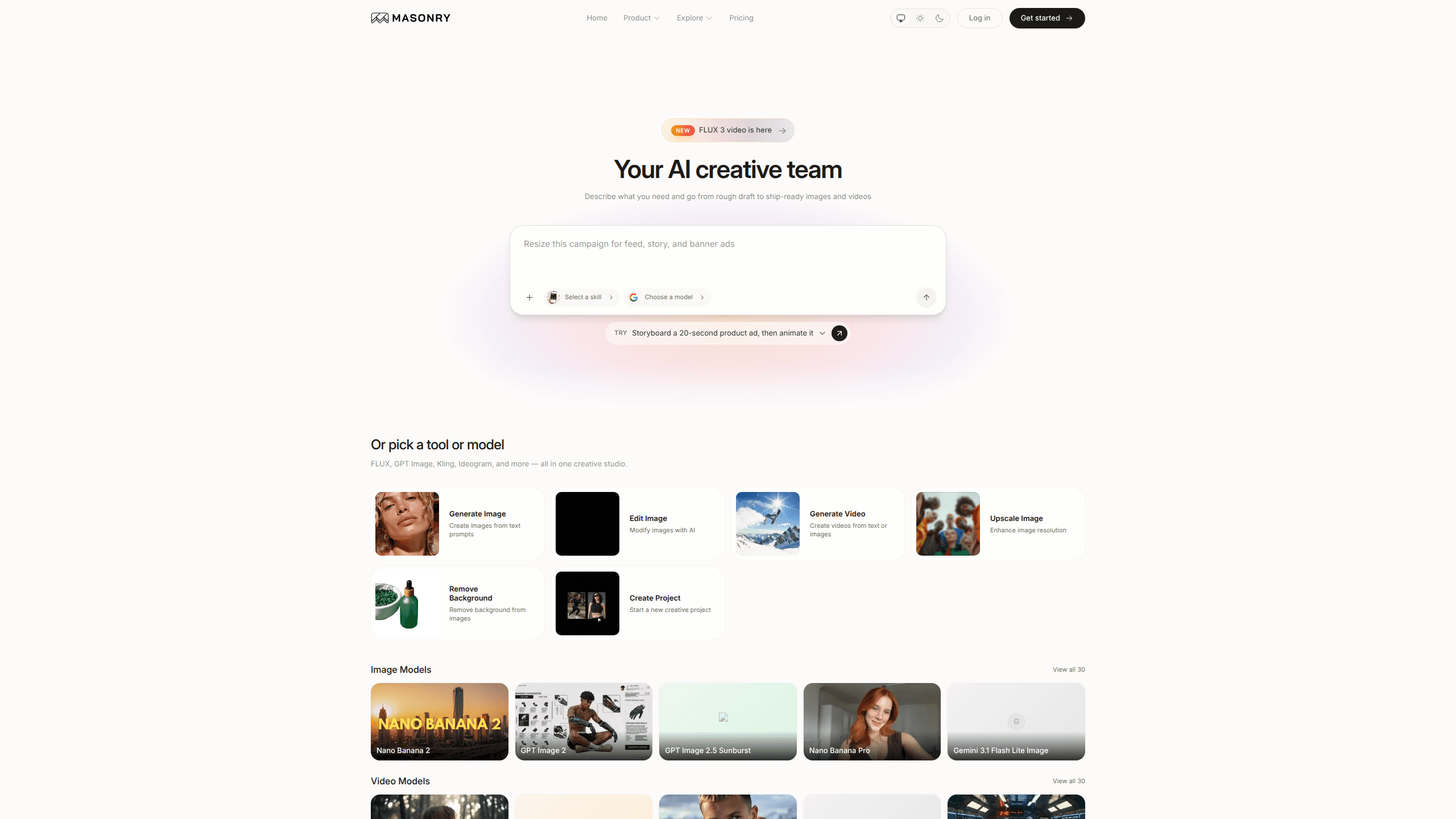
Masonry is an AI creative studio and AI design tool that turns a plain-language brief into finished visuals. You describe a product ad, a brand kit, or a set of social posts. Then it routes the job across 50+ image and video models in one workspace. It also lets you edit, restyle, and extend the results side by side on a single canvas, so a whole campaign can share one look instead of ten mismatched ones.
About Masonry
What Is Masonry
Masonry is a web-based AI creative studio built for people who need images and videos at volume, not one lucky prompt. It pulls frontier models like FLUX, GPT Image 2, Kling, and Ideogram into one workspace. Masonry decides which one fits a given job. You get options to compare rather than a single black-box output, which matters when you're picky about a hero shot.
It solves a specific kind of chaos: juggling five subscriptions, five interfaces, and five different credit systems just to keep a brand looking consistent. Here, routing, generation, and refinement happen in one place. A single canvas holds your variations so you can see them together. That's the whole point.
The catch? Quality still depends on the model underneath. Not every model is available on the free tier. Using Masonry well means knowing which route suits which task, so a little experimentation goes a long way.
Getting Started
- Go to masonry.so and start a free account. No card required, and you get 50 welcome credits to begin.
- Brief Masonry the way you'd brief a teammate: describe the product ad, brand kit, or social post set you need.
- Let it route the job across available image and video models, then compare the options it returns.
- Refine on the canvas. Edit, restyle, or extend a result, and lock a product's look across the full set.
- Export the finished assets when they're ready to ship, or subscribe when you want every model unlocked.
Product Information
A quick look at Masonry's pricing, supported platforms, and performance.
Best for
The users, tasks, and scenarios where this tool fits best.
Users
- Marketing and growth teams
- Freelance designers
- Ecommerce and product sellers
- Realtors and renovation teams
Tasks
- Storyboarding a short ad
- Building a brand kit
- Generating social posts
- Comparing models on one idea
- Restyling existing shots
Scenarios
- A launch week where the team needs hero shots, thumbnails, and a short clip fast, and the brief keeps changing.
- A small agency that wants one workspace instead of reconciling four AI subscriptions and their separate credit balances.
- A solo creator testing a new visual direction before spending real budget on a photographer or editor.
- A product catalog refresh where 30 items need a uniform treatment and manual retouching would eat the whole month.
Key features
Multimodel Routing
Masonry takes your brief and sends it to the image and video models most likely to deliver what you asked for. You don't pick a model first. Is that a problem? Not usually. You describe the outcome and get options back to compare. That setup suits people who care about the result more than the route, but it does mean you're trusting Masonry's judgment on where each job goes.
A Single Collaborative Canvas
Everything you generate lands on one canvas rather than scattered across tabs. You can edit, restyle, and extend results there. You can also keep a single product looking consistent across an entire set. For teams, that shared surface is the real draw. The work lives in one place, not in five.
50+ Image and Video Models in One Place
The studio bundles frontier options such as FLUX, GPT Image 2, Kling, Ideogram, Veo, and Nano Banana 2 under one login. In practice that means 50+ AI models behind a single account. New models get added as they ship. Pro subscribers get early access to the latest ones. No more stacking subscriptions. The tradeoff is that some models sit behind the paid tiers.
Text-to-Image and Image-to-Video Workflows
Masonry works as both an AI image generator and an AI video generator. Start from a sentence and you get finished stills. Bring an existing image and you can extend it into motion. It frames a 20-second product ad as a realistic target, animate included. That's a practical range for marketers who need a moving asset without touching a separate video editor.
Consistency Across a Set
Holding one product's appearance steady across a whole batch is the part most AI tools fumble. Masonry treats that as a first-class goal. So you produce a coherent campaign, not a pile of near-misses. If you've ever tried to match a bottle's label across a dozen generations, you know why this matters.
Export-Ready Production Assets
When a set is approved, Masonry exports the visuals your business actually needs, from a single hero shot to a full campaign. That last step is where a lot of AI tools stop short. They hand you files you still have to clean up. Masonry skips that gap.
Design Workflows for Spaces
Beyond marketing, Masonry pitches a design angle: restyle any room, yard, or facade from a single photo. It's aimed at designers, realtors, and renovation teams. They want the strongest models for a visual pitch. No stitching tools together.
Pros and cons
Pros
- One workspace and one credit balance replace multiple model subscriptions.
- Routing across 50+ image and video models means you get options to compare, not a single guess.
- The shared canvas keeps a product's look consistent across a whole set, which is the hardest part to handle manually.
- The free tier gives 50 credits and up to 40 images with no card, so you can test the output quality first.
- A clear, spelled-out path from brief to exported campaign asset keeps the workflow in one place.
Cons
- Free credits are one-time and valid for 30 days, so you can't lean on the free tier for ongoing work.
- Only GPT Image 2 at standard quality is available on the free plan; every other model needs the $20/mo Starter tier or higher.
- You can't pick the exact model yourself in the routing flow, which frustrates people who want full manual control.
- Pricing scales fast: light users who mostly run images may find the Starter credit allowance generous, budget users may find it tight.
Frequently asked questions
Masonry is an AI creative studio for generating and comparing professional images and videos from a text brief. It's aimed at teams and creators who need a run of on-brand assets, like a product ad or a social post set, and want to compare model outputs before committing to one.
Related content
Explore related tools, skills, and articles for Masonry.
Masonry Alternatives

X Ray Interpreter
X-ray Interpreter · ImageX Ray Interpreter is a web-based AI radiology tool that turns X-rays, CT scans, MRI, ultrasound, and PET images into plain-language reports. You upload a scan, get a preliminary X-ray interpretation in moments, then ask follow-up questions if something needs explaining. It works as a second opinion and a learning aid, not as a medical diagnosis.

Aieasypic
AIEasyPic · ImageAIEasyPic is an AI image generator that turns plain text prompts into finished artwork in seconds. You can also train custom models on your own photos, swap faces in existing images, and create short video clips from text, all from a browser. It suits casual creators who want quick visuals and hobbyists who want to build a personal model without touching any code.

Chargen
Chargen · ImageChargen is an AI character generator and worldbuilding toolkit built for Dungeons & Dragons and other tabletop RPGs. It turns a one-line idea into a painted character portrait, spins up NPCs, monsters, maps and encounters from the same session, and keeps every creature's details close at hand. The tabletop RPG art side runs on a credit system called Gold, while the text generators stay free for everyone.