

MCP Snitch
Adversis LLC · Coding
MCP Snitch is a security monitor for MCP tools that watches every call an AI agent makes and decides, in real time, whether to allow it. Built by Adversis, it protects API keys, hardens MCP server security, and keeps a full audit trail you can use to audit MCP tool calls later. It runs on macOS, plugs into VS Code and Cursor, and keeps all analysis on your machine.
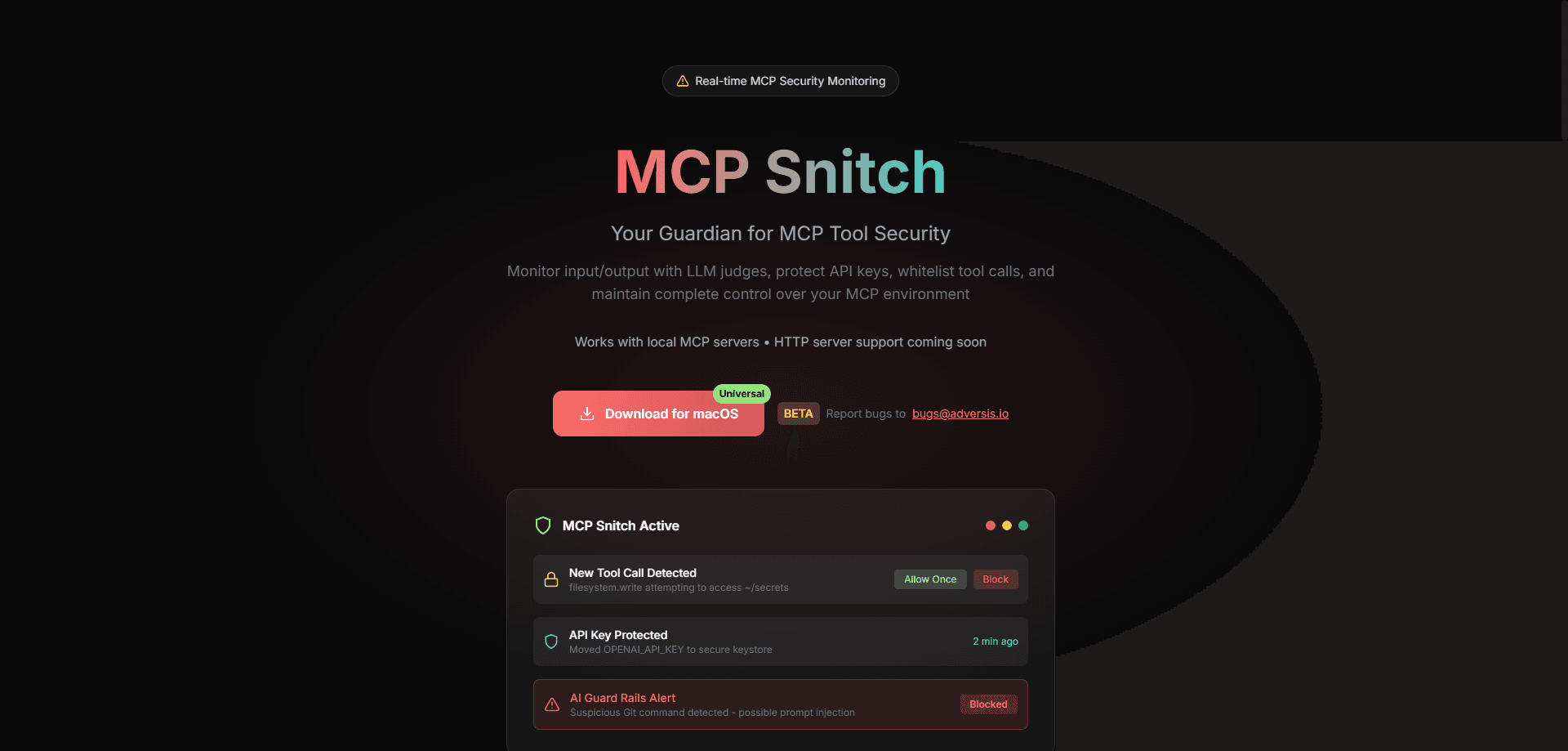
About MCP Snitch
What Is MCP Snitch
MCP Snitch is a desktop security app for people who connect AI agents to MCP servers. The Model Context Protocol lets tools read files, hit APIs, and run commands on your behalf. Handy, but it also means a single poisoned tool description or a stray model call can reach your SSH keys or your database. MCP Snitch sits in the middle and checks each call before it runs.
Under the hood it uses an LLM-as-judge setup. A second model reads the input and output of a tool call, flags anything that looks off, and the app applies the policy you set. Every decision is logged, so you can go back and see exactly which tool touched what. Everything runs locally. Nothing leaves your device unless you point it at an HTTP server yourself.
The catch is scope. This is a macOS app today, and it works with local MCP servers. HTTP server support is listed as coming soon, so teams that run remote MCP setups should hold off. It's also a young project, first published in October 2025, so expect the feature set to move.
Getting Started
- Download the MCP Snitch app from the official site and install it on your Mac.
- Install the companion extension for VS Code or Cursor so the editor can talk to the monitor.
- Open the dashboard and review the detected MCP servers and tools.
- Set your policies for tool call whitelisting, trusted servers, and API key handling.
- Let it run. Approve or block new tool calls as alerts come in. That's it.
Product Information
A quick look at MCP Snitch's pricing, supported platforms, and performance.
Best for
The users, tasks, and scenarios where this tool fits best.
Users
- Developers running AI coding agents
- Security-minded engineering teams
- Solo builders experimenting with MCP
Tasks
- Reviewing tool call activity
- Protecting API keys
- Controlling what an agent can do
Scenarios
- Coding sessions with an agent that has filesystem access
- Running a mix of trusted and untrusted MCP servers
- After an incident, tracing what happened
Key features
LLM as Judge
MCP Snitch doesn't rely on static rules alone. It runs an LLM check over the input and output of tool calls to spot suspicious patterns as they happen. That means it can catch odd behavior a plain allowlist would miss. Think of a normal-looking request that carries something unusual in the parameters. So which calls does it trust? Only the ones your policy clears.
API Key Protection
Sensitive keys get moved out of plain config files and into a secure keystore automatically. When a tool tries to read environment variables holding those keys, the call is blocked and the key stays out of reach. If you've ever worried about an MCP server quietly scraping your credentials, this is the feature aimed at that.
Tool Call Whitelisting
You control which MCP tools are allowed to run, down to the individual call. New or unfamiliar calls can require explicit approval while known-good ones keep working, which is the difference between a blanket ban that kills your workflow and a policy you can actually live with day to day.
Real-Time Alerts
Whenever a new tool call shows up, you get a notification with three options: always allow, allow once, or block. Native notifications mean you don't have to sit in the dashboard waiting. Decide once. The app remembers your choice.
Trusted MCP Servers
MCP Snitch keeps a whitelist of verified MCP servers, so confirmed ones run smoothly while anything new is treated with suspicion. Over time this builds a clear picture of which servers your environment actually trusts. It's a small thing. It adds up.
Complete Visibility
Every tool interaction lands in a logged audit trail, with the input, output, and the decision that followed. When a call gets blocked or flagged, you can see why. That's how you audit MCP tool calls without digging through logs by hand. Reviewing that history is how you tune the policies without guessing.
Pros and cons
Pros
- Local-only analysis keeps MCP tool data on your machine by default.
- LLM-as-judge monitoring catches subtle issues that static allowlists miss.
- Per-call approval and a trusted-server list give fine-grained control.
- Audit logging makes it easy to see exactly which tools ran and what they touched.
- Free and open source under GPL-3.0, with code on GitHub.
Cons
- macOS only for now, so Windows and Linux users are left out.
- HTTP server support isn't there yet, which rules out remote MCP setups.
- It's a young project. The feature set and stability are still settling.
Frequently asked questions
It monitors MCP tool calls in real time and decides whether each one should run, based on policies you set. Along the way it protects API keys, whitelists trusted servers, and logs every interaction.
Related content
Explore related tools, skills, and articles for MCP Snitch.
MCP Snitch Alternatives
Forefront
Forefront · CodingForefront is a web platform for building with open-source AI. It lets you fine-tune leading open-source language models on your own data, evaluate how they perform, and run them through an API or export them to host yourself. Developers who want the convenience of a closed-source platform but insist on owning their models and data are the target audience here.

Startkit
StartKit.AI · CodingStartkit is a boilerplate for building AI SaaS and AI wrapper products. Think of it as an AI startup boilerplate with the boring parts already wired up: authentication, Stripe and Lemon Squeezy payments, usage limits, transactional email, and an AI API starter that talks to OpenAI, Anthropic, Groq, or Llama. You clone the repo, set your price, and start on the part of your product that people actually pay for. It's Next.js under React and Tailwind, so most of the boilerplate code already feels familiar.
Testim
Tricentis · CodingTestim is an AI-powered test automation platform for building and running end-to-end tests across web, mobile, and Salesforce applications. It leans on machine learning to keep tests stable when an interface changes, so teams spend less time fixing broken selectors. Not bad for an automated testing tool you can start using today. You create tests by recording actions in a browser, then optionally add JavaScript when you need more control. It's a solid pick for busy QA teams.