

MeetPanda
MeetPanda · Productivity
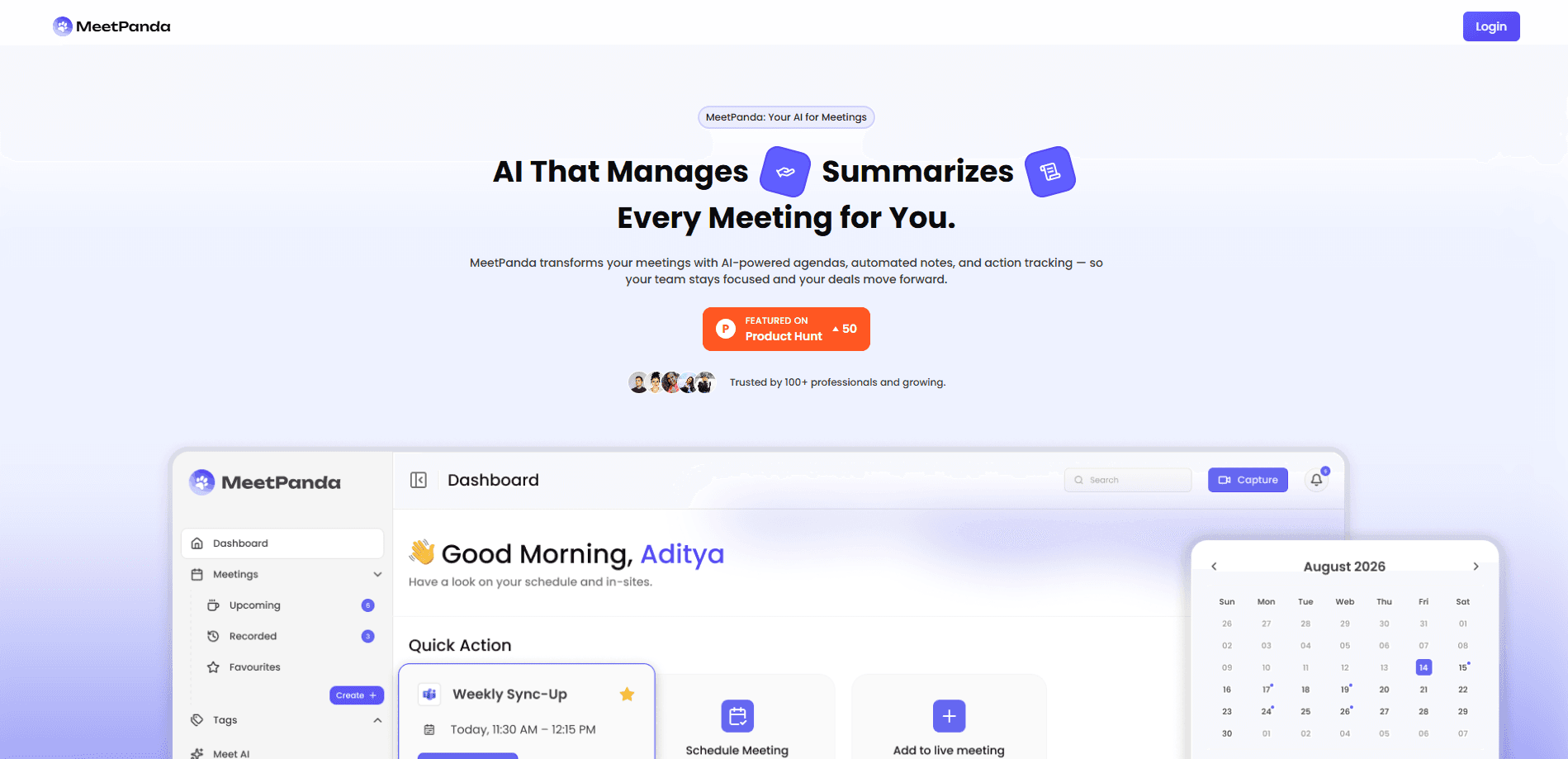
MeetPanda is an AI meeting assistant that joins your online meetings, records them, transcribes the conversation and turns it into a summary you can actually use. Instead of scribbling notes while you talk, you get a written record, a list of decisions and follow-up items, and a searchable archive of everything discussed. It's built for people who sit in back-to-back calls and keep losing track of who promised what. That's the whole point of automatic meeting summaries. You talk. It writes.
About MeetPanda
What Is MeetPanda
MeetPanda is an AI notetaker that handles the paperwork side of meetings for you. It joins the call as a participant, captures the audio, converts speech to text and then condenses the whole thing into a summary with key points. The pitch is simple: you focus on the conversation, MeetPanda handles the record.
The problem it targets is a familiar one. Notes taken by hand are incomplete, especially in fast conversations with five or six speakers, and nobody can type fast enough to catch every commitment while also taking part in the discussion. Recordings pile up. Nobody ever revisits them, because scrubbing through an hour of audio is miserable. MeetPanda tries to shorten that gap by making the output searchable and skimmable.
The main limitation is scope. MeetPanda is a transcription and summarization tool, not a participant. It can't make decisions, and its summaries are only as good as the audio it hears. Poor microphone quality or heavy accents will show up in the transcript. Anyone expecting a tool that also schedules, drafts replies or updates a CRM should look elsewhere.
Getting Started
- Create an account on the MeetPanda website and connect the calendar you use for meetings.
- Add MeetPanda as a participant to a scheduled call, or invite its bot address to a meeting you're already in.
- Let the assistant join, record and transcribe while you run the conversation normally.
- Open the meeting page afterward to read the AI summary, the full transcript and the extracted action items.
- Share the notes with your team or export them to wherever you keep records.
Product Information
A quick look at MeetPanda's pricing, supported platforms, and performance.
Best for
The users, tasks, and scenarios where this tool fits best.
Users
- Remote workers who live in video calls
- Project managers juggling several teams
- Students and researchers recording interviews or lectures
Tasks
- Capturing action items
- Reviewing a meeting you missed
- Searching past discussions
Scenarios
- Weekly stand-ups where the same status updates repeat
- Client calls where you need a written record afterward
- Long workshops with multiple speakers
Key features
Automatic Meeting Joining
MeetPanda joins your calls on its own once you've connected a calendar. You don't have to remember to hit record, which matters when meetings start late and everyone's already talking. The assistant shows up as a visible participant, so the room knows it's there. No button to press.
Live Transcription
The tool converts speech to text as the meeting runs, tagging who said what when speaker detection is available. A searchable transcript is the backbone of everything else MeetPanda does. If audio quality drops, expect gaps or garbled names in the text. Clean mic, clean notes.
AI Summaries
After the call ends, MeetPanda generates a summary that covers the main discussion points, decisions and a short list of next steps. It's built to be read in a minute or two, not to be a full rewrite of the conversation. Skim it before a follow-up and you'll know what happened. What did we decide? The summary answers that in seconds.
Searchable Content Archive
Every meeting lands in an archive you can search by keyword, participant or date. That's the quiet feature that earns its keep over time. Months of context become a lookup instead of a memory test.
Action Item Extraction
The summary calls out follow-ups and assigns them to the person who volunteered. It's not perfect. Ambiguous commitments can get misread, but it's a useful first pass you can edit. Treat it as a draft, not a verdict.
Sharing and Export
Notes and transcripts can be shared with teammates or exported so they fit into your existing workflow, which means teams that keep records in a shared space won't have to repeat the usual copy-paste ritual after every single call.
Pros and cons
Pros
- Joins meetings automatically, so you don't need to remember to start a recording.
- Turns long conversations into a short summary you can read in a couple of minutes.
- Searchable transcript makes old decisions easy to find again.
- Extracts action items, which is the part teams most often lose.
- Works across the common video meeting platforms, so you don't need everyone on the same stack, and you don't have to ask a client to install anything before the call starts.
Cons
- Accuracy depends on audio quality, so a bad mic means a messy transcript.
- Summaries can miss nuance in fast or overlapping conversations.
- Meeting participants need to be told the session is being recorded, which adds a step for some teams.
Frequently asked questions
It joins your online meetings, records them, transcribes the conversation and produces a summary with key points and action items. Think of it as a note-taker that never gets tired.
Related content
Explore related tools, skills, and articles for MeetPanda.
MeetPanda Alternatives

Swms
Swms AI · Writing · Productivity · BusinessSwms is an AI safety compliance tool that turns a plain description of a job into ready-to-use safety documents. Describe your project, trade, and known hazards, and it writes a safe work method statement, job hazard analysis, safe work procedure, RAMS, or safety data sheet in seconds. It also ships with Oscar, a chat assistant that answers workplace safety questions in any language. Teams in construction, mining, transport, and warehousing use it to cut the paperwork that usually eats into a workday.

Wordly AI Translation
Wordly · Voice & Language · ProductivityWordly AI Translation is a real-time AI translation and captioning platform built for meetings, conferences, and events. It delivers live translation, captions, transcripts, and summaries in more than 60 languages, and attendees join by scanning a QR code or opening a link instead of using dedicated headsets. The platform works with Zoom, Microsoft Teams, Google Meet, and Webex, and it's designed for organizations that want multilingual access without hiring human interpreters for every session. Simple as that.

Rows
Rows (Superhuman) · Productivity · BusinessRows is an AI spreadsheet and data analysis tool that imports live data from more than 50 sources, then lets you work with it using plain language instead of SQL queries or nested formulas. You can pull numbers out of PDFs, connect ad platforms, databases, and bank accounts, and ask the AI to build reports, merge datasets, or set up models that recalculate themselves. It runs in the browser, works like a spreadsheet, and now sits under the Superhuman umbrella.