

Mejorar Imagen
Mejorar Imagen · Image
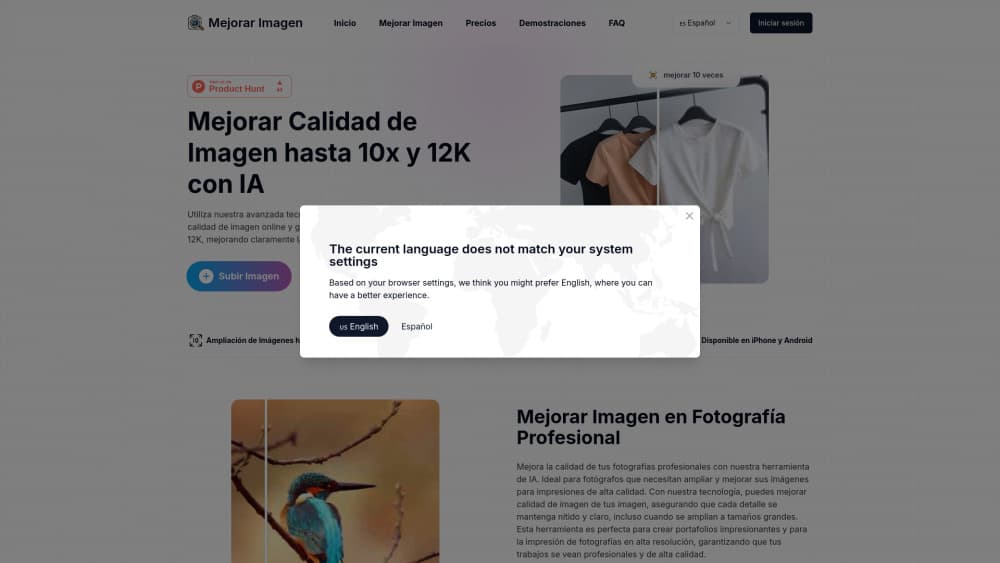
Mejorar Imagen is a browser-based AI image upscaler that enlarges and sharpens photos up to 10x and 12K for photographers, designers, and everyday users.
About Mejorar Imagen
What Is Mejorar Imagen
Mejorar Imagen is an online tool that uses AI to make blurry or low-resolution photos bigger and sharper. It doubles as an image enhancer and photo upscaler. You upload an image, pick an upscale level, and the service returns a cleaner version at up to 10x the original size and a max resolution of 12K. It runs in the browser, and there are companion apps for iPhone and Android.
The pitch is straightforward: rescue photos that look soft when you blow them up. A phone snapshot you want to print as a poster. A product shot that needs to survive a large banner. A portrait where the face detail matters most. That last one gets special attention, since the tool includes facial enhancement as part of every plan.
The biggest limitation is cost structure. It works on credits, and 1 credit covers 1 image, so the price you pay scales directly with how many images you process. New accounts get some free credits, but heavy use pushes you into a subscription or a pay-as-you-go top-up. Results also vary with the source image. The company itself says clean photos of people or products work best, while complicated scenes can come back rough, so testing with your own files first is smart.
Getting Started
- Create a free account at mejorarimagen.org. Registration is required, and it unlocks the starter credits.
- Open the upscaler at /en/upscaler and upload an image. JPG, JPEG, PNG, WEBP, BMP, and TIFF files are accepted, up to 20 MB each.
- Choose your upscale level, with options ranging up to 10x and a 12K output ceiling.
- Run the enhancement and download the result. Free image downloads are included on every plan.
- For multiple files at once, switch to the bulk image upscaler and queue a batch.
Product Information
A quick look at Mejorar Imagen's pricing, supported platforms, and performance.
Best for
The users, tasks, and scenarios where this tool fits best.
Users
- Photographers
- Graphic designers
- Social media creators
Tasks
- Upscaling old or low-resolution photos
- Preparing images for print
- Batch processing product shots
Scenarios
- Fixing a phone photo you want to print
- Cleaning up client images on a deadline
- Recovering detail in a portrait
Key features
Upscaling up to 10x
The core move is enlargement. You feed in a small image, and the AI rebuilds pixel data to produce a version up to ten times larger without the mush you'd get from plain stretching. For anyone who's tried to resize a photo in a basic editor, the difference is obvious.
12K Resolution Output
The 12K upscaling ceiling means results can hold up in big formats like posters, banners, and high-resolution prints. If your target is a large physical print, this is the setting that matters most.
Facial Enhancement
Portraits get their own treatment. The tool sharpens facial detail separately from the rest of the image, which helps most when the subject is a person and the key detail sits in the face.
Bulk Image Upscaler
A dedicated bulk tool handles multiple images in one pass instead of one at a time. If you're processing a catalog of product shots or a folder of client files, that's a real time saver over repeating the flow manually.
Wide Format Support
The upscaler takes JPG, JPEG, PNG, WEBP, BMP, and TIFF, up to 20 MB per image. That covers the formats most people actually work with, so you rarely need to convert a file before uploading.
Cross-Platform Access
It runs in the browser and has apps for iPhone and Android, so you can start a job on a laptop and pick it up on a phone. No desktop install required.
Credit-Based Pricing
You pay per image through credits. Subscriptions run from a Basic tier up to a Max plan, and there's a pay-as-you-go option for one-off jobs. Credits from top-ups don't expire, which suits irregular use.
Pros and cons
Pros
- Free to try, with starter credits and free image downloads on every plan.
- High output ceiling of 12K and up to 10x enlargement covers print and large-format work.
- Bulk upscaler speeds up multi-image jobs.
- Works across web, iPhone, and Android with no install on desktop.
- Pay-as-you-go credits never expire, good for occasional use.
Cons
- Registration is required before you can use it, so there's no instant anonymous try.
- Quality depends on the source image, and complicated scenes can disappoint, so you may need test runs first.
- Heavy use gets expensive, since each image burns a credit and bigger plans cost more.
- The upload limit of 20 MB per image rules out very large source files.
Frequently asked questions
It's an AI image upscaler that enlarges and sharpens photos, up to 10x in size and 12K resolution. You upload an image, choose a level, and download the improved version.
Related content
Explore related tools, skills, and articles for Mejorar Imagen.
Mejorar Imagen Alternatives

X Ray Interpreter
X-ray Interpreter · ImageX Ray Interpreter is a web-based AI radiology tool that turns X-rays, CT scans, MRI, ultrasound, and PET images into plain-language reports. You upload a scan, get a preliminary X-ray interpretation in moments, then ask follow-up questions if something needs explaining. It works as a second opinion and a learning aid, not as a medical diagnosis.

Aieasypic
AIEasyPic · ImageAIEasyPic is an AI image generator that turns plain text prompts into finished artwork in seconds. You can also train custom models on your own photos, swap faces in existing images, and create short video clips from text, all from a browser. It suits casual creators who want quick visuals and hobbyists who want to build a personal model without touching any code.

Chargen
Chargen · ImageChargen is an AI character generator and worldbuilding toolkit built for Dungeons & Dragons and other tabletop RPGs. It turns a one-line idea into a painted character portrait, spins up NPCs, monsters, maps and encounters from the same session, and keeps every creature's details close at hand. The tabletop RPG art side runs on a credit system called Gold, while the text generators stay free for everyone.