

MeMex
MeMex · Productivity
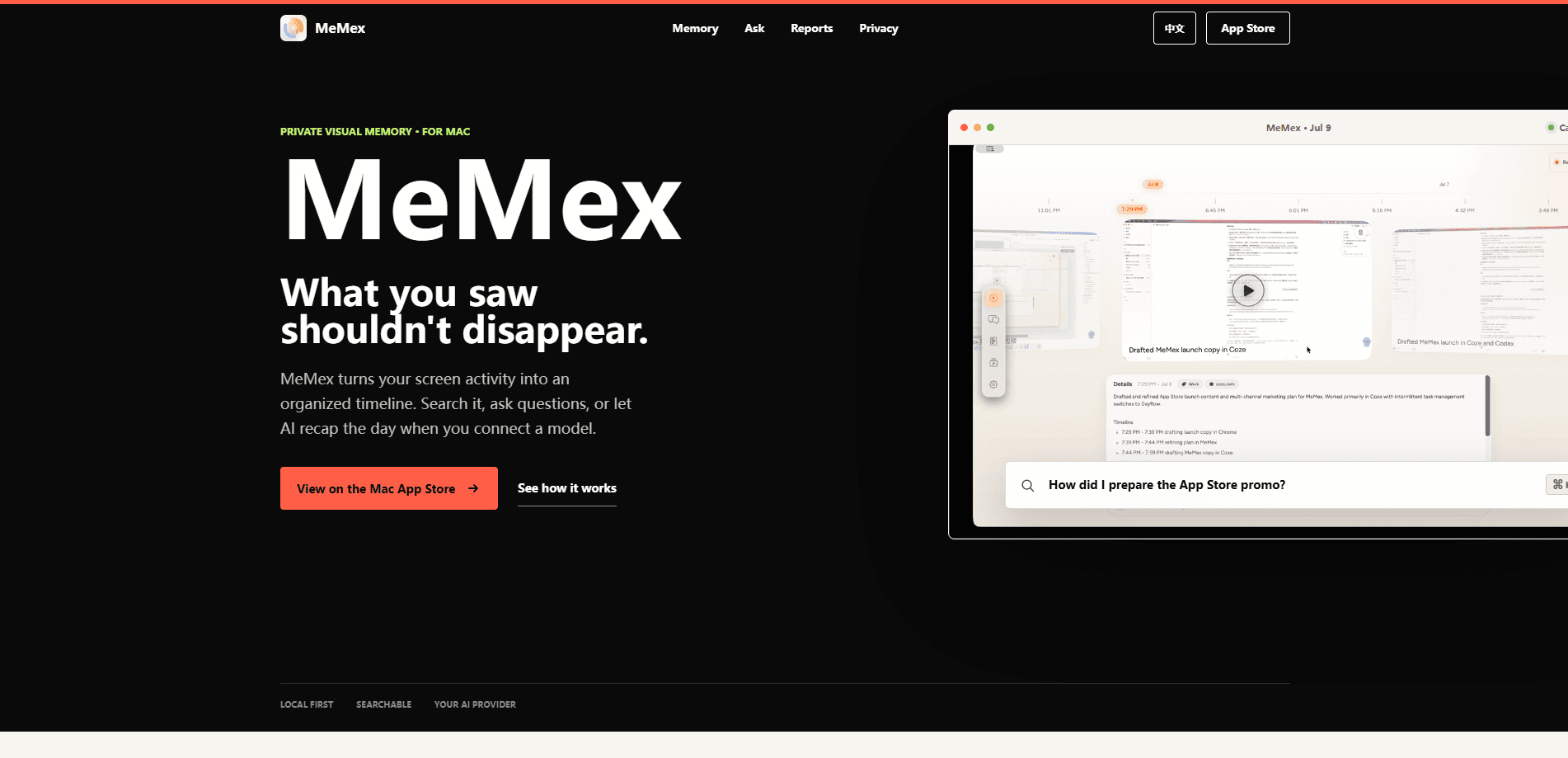
MeMex is a private visual memory app for Mac that turns your screen activity into an organized timeline you can search, question, and revisit. It works like a Mac screen recorder that never forgets. It captures key frames, apps, and context as you work, labels each moment with a title and summary, and answers questions through natural language search that points back to the exact screen evidence. You connect your own AI provider or a local model, and your data stays where you put it.
About MeMex
What Is MeMex
MeMex is a screen memory app built for Mac, and it works as a second brain for Mac that runs quietly in the background. It watches the work happening on your screen and turns it into a timeline of labeled moments, so the context behind a task doesn't vanish the second you switch windows. Instead of a folder full of screenshots you'll never open again, you get a memory that organizes itself. That's the whole pitch.
The problem it solves is recall. You finish a long session, ship something, and a week later you can't remember which step mattered or why you made a call. MeMex lets you ask "how did I prepare that promo video?" and get an answer connected to the exact moments on screen. It also builds daily and weekly reports that group your work into themes and app usage, which is far more useful than a raw screen activity tracker.
The biggest limit is scope. MeMex runs on Mac, and the AI screen memory features only work after you connect a model, either a provider you already pay for or a local one running on your machine. Private screen capture is the default, so nothing leaves your system unless you approve it.
Getting Started
- Download MeMex for Mac and install it from the official site.
- Choose where your captured data is stored and grant screen recording permission when macOS asks.
- Let it capture a work session so the timeline starts filling with labeled moments.
- Connect an AI provider or a local model if you want recaps and question answering.
- Open the timeline and ask a question, or review the daily report it generates.
Product Information
A quick look at MeMex's pricing, supported platforms, and performance.
Best for
The users, tasks, and scenarios where this tool fits best.
Users
- Knowledge workers who move between apps all day
- Developers and creators who ship in long sessions
- Privacy-conscious users
Tasks
- Reconstructing how you completed a task
- Writing daily and weekly reports
- Spotting repeated work
Scenarios
- End of a busy day
- Returning to a project after a break
- Auditing your own workflow
Key features
Searchable Screen Timeline
MeMex captures key frames along with the time, app, and context behind them, then stitches everything into a single timeline. Each moment gets a title and a short summary, so you can scroll through a session the way you'd skim a log. Why bother? Recall without the tedium of digging through raw screenshots.
Natural Language Recall
You ask questions in plain language, like "which steps mattered most," and MeMex finds the matching moments and ties its answer back to screen evidence. That last part matters. Instead of trusting a summary, you can replay the moment it came from and judge for yourself. Big difference.
Daily and Weekly Reports
Reports go past raw time tracking. MeMex organizes themes, key activities, and app usage into a work map you can act on, which is handy when you need to explain your week or spot where the hours went. No guessing.
Pattern Insights
The app looks for repeated ways of working across your history and estimates how much time they cost. It then suggests an evidence-backed playbook with a concrete next step, so the insight doesn't sit unused. Not just a number.
Private by Design
Your data stays in the location you choose, and MeMex is local by default. You also decide what can be sent for AI analysis, with explicit approval on a per-case basis rather than a blanket opt-in.
Bring Your Own Model
MeMex doesn't lock you into one AI provider. You can connect a cloud provider you already use or run a local model instead, which gives you control over both cost and what your data touches. Your call, your rules.
Pros and cons
Pros
- Turns a work session into a searchable memory instead of a dead screenshot folder.
- Answers link back to screen evidence, so you can verify rather than trust a summary.
- Local by default with per-case approval before anything is sent for AI analysis.
- Works with your own AI provider or a local model, so you control cost and privacy.
- Daily and weekly reports group activity into themes, not just time totals.
Cons
- Mac only, so Windows and Linux users can't use it at all.
- AI recaps and question answering need a connected model, which adds setup and possibly cost.
- Pricing isn't published on the site, so you can't budget before you start.
Frequently asked questions
It captures your Mac screen activity into an organized timeline and lets you search or question it in natural language. Think of it as a memory for your work, not a screenshot tool.
Related content
Explore related tools, skills, and articles for MeMex.
MeMex Alternatives

Swms
Swms AI · Writing · Productivity · BusinessSwms is an AI safety compliance tool that turns a plain description of a job into ready-to-use safety documents. Describe your project, trade, and known hazards, and it writes a safe work method statement, job hazard analysis, safe work procedure, RAMS, or safety data sheet in seconds. It also ships with Oscar, a chat assistant that answers workplace safety questions in any language. Teams in construction, mining, transport, and warehousing use it to cut the paperwork that usually eats into a workday.

Wordly AI Translation
Wordly · Voice & Language · ProductivityWordly AI Translation is a real-time AI translation and captioning platform built for meetings, conferences, and events. It delivers live translation, captions, transcripts, and summaries in more than 60 languages, and attendees join by scanning a QR code or opening a link instead of using dedicated headsets. The platform works with Zoom, Microsoft Teams, Google Meet, and Webex, and it's designed for organizations that want multilingual access without hiring human interpreters for every session. Simple as that.

Rows
Rows (Superhuman) · Productivity · BusinessRows is an AI spreadsheet and data analysis tool that imports live data from more than 50 sources, then lets you work with it using plain language instead of SQL queries or nested formulas. You can pull numbers out of PDFs, connect ad platforms, databases, and bank accounts, and ask the AI to build reports, merge datasets, or set up models that recalculate themselves. It runs in the browser, works like a spreadsheet, and now sits under the Superhuman umbrella.