

MetaForms
MetaForms (WorkHack Inc.) · Productivity
MetaForms is an AI agent platform for market research teams that programs surveys, runs QA, and handles revisions inside Decipher, Qualtrics, Confirmit, and Dimensions.
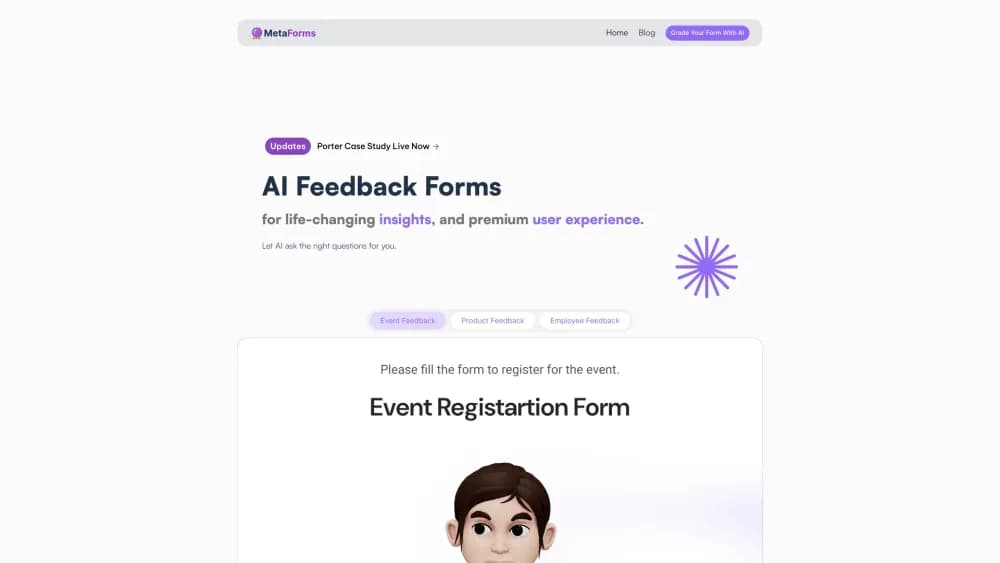
About MetaForms
What Is MetaForms
MetaForms builds AI agents for the people who deliver market research. Agencies, panel providers, and in-house research departments use it to move a questionnaire from a client document to a live survey with far less manual programming, without leaving the survey platforms their teams already know.
The company calls the product an Agentic OS for market research. That sounds grander than what you get. In practice each module handles one stage of delivery: questionnaire automation for drafting and review, generating programmed questions in reviewable batches, testing a live link, validating data, coding open ends, building tables, and preparing report output. You buy or switch on the modules your team needs, usually starting with survey programming.
The limits matter. MetaForms is enterprise software sold through sales conversations and annual packages, not a self-serve tool you try on a Saturday. It works inside established platforms such as Decipher, Qualtrics, Confirmit, and Dimensions, so teams on other systems have less to gain. And every output is meant for human review, which means the tool speeds up your specialists rather than replacing them.
Getting Started
- Book a call with the sales team and walk through your delivery stack and current bottlenecks.
- Run a free pilot on a real questionnaire your team already understands, then compare output, timing, and review notes against your own build.
- Sign an annual package, then set up the workspace with user roles, single sign-on, and the modules you have licensed.
- Connect the survey platform your team uses, import a project, and let the agent generate questions in batches for your programmers to check.
- Review, approve, and sync the survey to your hosting platform, then extend to QA, data, tabulations, or reporting modules when they become the next constraint.
Product Information
A quick look at MetaForms's pricing, supported platforms, and performance.
Best for
The users, tasks, and scenarios where this tool fits best.
Users
- Market research agencies
- Survey programming teams
- Panel and sample providers
- In-house research departments at large brands
Tasks
- Turning a client questionnaire into a programmed survey
- Handling client revisions on a tracker
- Testing a live survey link
- Cleaning and coding open-ended answers
Scenarios
- A seventy-five item questionnaire has to go live tomorrow
- Programming is faster but QA is still the bottleneck
- A quarterly tracker arrives with edits scattered through the document
Key features
Module by Stage Rather Than One Big Platform
MetaForms splits delivery into separate agents for research management, survey programming, change management, QA and link testing, data validation, open end coding, tabulations, and reporting. Each module can be useful on its own. Teams typically start with programming and add a module when it becomes the clear constraint on delivery, which keeps a rollout manageable.
Survey Programming Across Four Platforms
The programming agent works with Decipher, Dimensions, Confirmit, and Qualtrics. It reads the questionnaire, generates questions and logic, and produces setup you can inspect before it goes live. Depth differs by platform: Decipher and Dimensions have the broadest support, Confirmit covers programming with a limited change management rollout, and Qualtrics covers programming for supported project types.
Batches Built for Human Review
Generated questions arrive in reviewable batches instead of one finished build. A programmer checks each batch, corrects what is off, and the next batch uses that feedback. Repeated corrections can be saved as AI rules and recurring setups as templates, so your team's conventions carry into later work.
Change Management for Trackers
For supported tracker workflows, the change management agent compares a revised questionnaire with the prior version, shows which questions and logic moved, and protects IDs, labels, stored values, data layouts, quotas, and history. That targets the expensive failure mode in tracking studies, where one small client edit breaks comparability across waves.
QA, Link Testing, and Data Validation
QA and link testing run a live survey against the questionnaire to surface routing, display, and quota errors before fieldwork. Data validation checks collected responses against questionnaire logic and project rules after collection. Both modules turn checks that usually depend on one careful person into a repeatable step.
Open End Coding, Tabulations, and Reporting
The open end module cleans and codes verbatim answers, with your team reviewing the code frame and assignments. The tabulation module builds tables from validated data and the analysis plan, and the reporting module turns tables and validated data into report-ready output. All three keep a review step in front of the client.
Pros and cons
Pros
- Works inside Decipher, Dimensions, Confirmit, and Qualtrics, so teams keep their hosting, templates, and review habits instead of migrating.
- Batch review keeps the programmer in control, which suits agencies that cannot hand final quality to an automated build.
- Staged modules let a team fix one bottleneck at a time instead of committing to a full platform change in one quarter.
- Project based pricing means adding people to a project does not raise the bill, which fits agencies with seasonal staffing.
- Trackers get version comparison that protects IDs, labels, quotas, and wave history, the part that usually breaks in manual revisions.
Cons
- There is no public price list and no self-serve signup, so you cannot estimate cost or test the tool without a sales conversation.
- The value depends on the survey platform. Teams running other systems or fully custom builds get little from the agent layer.
- Output still needs a skilled programmer to review every batch, so teams without programming capacity will not see the full speed gain.
- Module depth is uneven, with change management still limited on Confirmit, so feature parity across your stack is not guaranteed.
Frequently asked questions
MetaForms runs AI agents that handle stages of market research delivery, starting with programming a questionnaire into a survey for Decipher, Qualtrics, Confirmit, or Dimensions, and extending to QA, data validation, open end coding, tabulations, and reporting.
Related content
Explore related tools, skills, and articles for MetaForms.
MetaForms Alternatives

Swms
Swms AI · Writing · Productivity · BusinessSwms is an AI safety compliance tool that turns a plain description of a job into ready-to-use safety documents. Describe your project, trade, and known hazards, and it writes a safe work method statement, job hazard analysis, safe work procedure, RAMS, or safety data sheet in seconds. It also ships with Oscar, a chat assistant that answers workplace safety questions in any language. Teams in construction, mining, transport, and warehousing use it to cut the paperwork that usually eats into a workday.

Wordly AI Translation
Wordly · Voice & Language · ProductivityWordly AI Translation is a real-time AI translation and captioning platform built for meetings, conferences, and events. It delivers live translation, captions, transcripts, and summaries in more than 60 languages, and attendees join by scanning a QR code or opening a link instead of using dedicated headsets. The platform works with Zoom, Microsoft Teams, Google Meet, and Webex, and it's designed for organizations that want multilingual access without hiring human interpreters for every session. Simple as that.

Rows
Rows (Superhuman) · Productivity · BusinessRows is an AI spreadsheet and data analysis tool that imports live data from more than 50 sources, then lets you work with it using plain language instead of SQL queries or nested formulas. You can pull numbers out of PDFs, connect ad platforms, databases, and bank accounts, and ask the AI to build reports, merge datasets, or set up models that recalculate themselves. It runs in the browser, works like a spreadsheet, and now sits under the Superhuman umbrella.