

MODCAR.ai
MODCAR.ai · Image
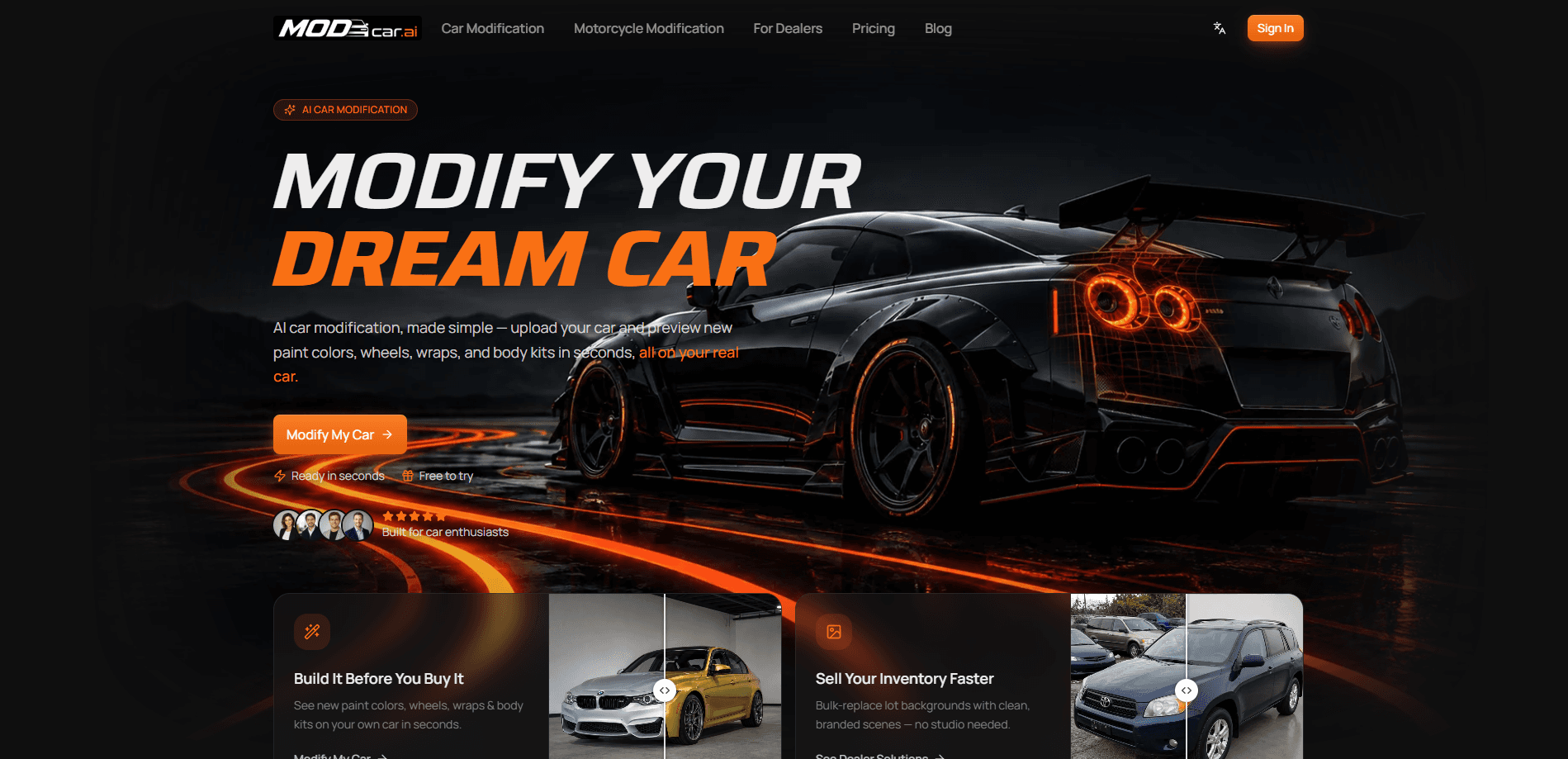
MODCAR.ai is an AI car modification studio that turns a photo of your real car into a preview of your next build. Upload one shot, add wheels, wraps, paint colors, body kits, spoilers, and aero, and see the result in roughly 30 seconds. No parts, no paint shop, no Photoshop. It also runs a separate tool for dealerships that swaps messy lot backgrounds for clean showroom backdrops in bulk, so listing photos look consistent without hiring a photo studio for every car on the lot.
About MODCAR.ai
What Is MODCAR.ai
MODCAR.ai is a browser-based AI car customization platform built around one idea: see the build before you order a single part. Think of it as an AI car photo editor for mods. Instead of paying a paint shop or firing up Photoshop to guess how a wheel and color combo will look, you upload a photo of your own car and let the AI restyle it. The pitch is straightforward for enthusiasts who want a preview, and for dealers who need clean listing photos at volume.
The platform splits into two suites. The car modification suite handles paint colors, wheels, body kits, wraps, spoilers, and aero on a single car photo. The dealership content suite handles background replacement and showroom templates, and it can process an entire batch of inventory at once. Both live under the same account, so a private seller and a lot manager use the same tool.
The clearest limit is what the AI actually does. It restyles a photo, not a car. The output is a realistic image for planning and listing purposes. It isn't a guarantee of how a specific part will fit or look in person. Real lighting, real paint depth, and real wheel offset still differ from any render.
Getting Started
- Go to modcar.ai and create an account or sign in to the free tier.
- Upload a single car photo, or a batch of dealership inventory if you're replacing backgrounds.
- Pick a style preset like Street, Track, VIP, OEM+, or Widebody, or add parts one at a time: wheels, colors, wraps, body kits.
- Upload your own part images if you want to test a specific aftermarket wheel or accessory.
- Download the high-res file, or export the whole batch for listings and social posts.
Product Information
A quick look at MODCAR.ai's pricing, supported platforms, and performance.
Best for
The users, tasks, and scenarios where this tool fits best.
Users
- Car enthusiasts planning a build
- Dealerships and lot managers
- Private sellers
- Aftermarket shops
Tasks
- Previewing paint colors and wraps
- Testing wheels and body kits
- Replacing messy backgrounds in bulk
- Creating social content
Scenarios
- Deciding between two wheel designs
- Prepping a dealer lot for online listings
- Kicking off a project car
- Responding to a customer question
Key features
Instant Car Modification Preview
Upload a photo of your car and get a restyled preview in roughly 30 seconds, with paint colors, wheels, wraps, body kits, spoilers, and aero applied to the actual car in the shot. It removes the usual guesswork of matching a part photo to your own vehicle. The loop is fast. You can iterate on a build during a coffee break rather than waiting on a shop.
Wheel and Body Kit Visualizer
Swap wheels, body kits, spoilers, splitters, diffusers, and aero parts to compare options on your car. You can mix and match combos without booking a shop visit or buying a part on a hunch. Stuck between two kits? Seeing both on your own car, side by side, in the same lighting and angle, settles the choice faster than any forum thread.
Style Presets
If you don't know which direction to take, a one-click preset applies a full look: Street, Track, VIP, Off-road, Clean OEM+, and Widebody. Each preset restyles the whole car at once. That's a quick way to explore a theme before fine-tuning details. It's the difference between staring at a blank canvas and reacting to something concrete.
Upload Your Own Parts
Found a specific aftermarket part you like? Upload its image and preview how it sits on your car before you order. This matters most for rare wheels, custom kits, or decals that no preset covers. It closes the gap between seeing a part online and knowing how it looks on your actual vehicle.
Background Replacement
One click swaps a cluttered or messy background for a clean scene, and the car itself stays exactly as shot. Dealers use this to make lot photos look consistent. Private sellers use it to hide an unattractive driveway or garage. Only the background changes, which keeps the listing honest about the actual condition of the car.
Showroom Templates
Place a vehicle in premium showrooms, on streets, or against landscapes using ready-made templates. Every listing gets the same polished backdrop. No random mix of parking lots and curbs. Consistency is the whole point when you're posting dozens of cars.
Batch Generation
Generate multiple angles and variants in seconds, and export an entire batch of listings at once. For a dealership, that means a day of phone photos turns into a uniform set of marketing images ready for marketplaces, a website, and social campaigns. Manual editing at that scale isn't realistic. This is where the tool earns its keep for a business.
Pros and cons
Pros
- Previews mods on your actual car rather than a generic stock model.
- Fast turnaround, with most previews ready in around 30 seconds.
- Free to try, so you can test the output quality before paying.
- Batch background replacement saves real hours for anyone posting many listings.
- You own the images you create, including AI-generated outputs, and can use them commercially.
Cons
- The AI edits a photo, so the render can differ from how a part actually fits or looks in person.
- Results depend on the quality of your upload; a blurry or dim car photo limits how realistic the preview gets.
- Unused credits don't roll over between billing cycles, so light users can lose value on a paid plan.
Frequently asked questions
It previews car modifications on a photo of your real car. You upload a shot, add wheels, wraps, colors, and body kits, and get a realistic render in about 30 seconds. Dealers also use it to replace messy backgrounds in listings.
Related content
Explore related tools, skills, and articles for MODCAR.ai.
MODCAR.ai Alternatives

X Ray Interpreter
X-ray Interpreter · ImageX Ray Interpreter is a web-based AI radiology tool that turns X-rays, CT scans, MRI, ultrasound, and PET images into plain-language reports. You upload a scan, get a preliminary X-ray interpretation in moments, then ask follow-up questions if something needs explaining. It works as a second opinion and a learning aid, not as a medical diagnosis.

Aieasypic
AIEasyPic · ImageAIEasyPic is an AI image generator that turns plain text prompts into finished artwork in seconds. You can also train custom models on your own photos, swap faces in existing images, and create short video clips from text, all from a browser. It suits casual creators who want quick visuals and hobbyists who want to build a personal model without touching any code.

Chargen
Chargen · ImageChargen is an AI character generator and worldbuilding toolkit built for Dungeons & Dragons and other tabletop RPGs. It turns a one-line idea into a painted character portrait, spins up NPCs, monsters, maps and encounters from the same session, and keeps every creature's details close at hand. The tabletop RPG art side runs on a credit system called Gold, while the text generators stay free for everyone.