

Modelify
mustafa kendigzel · Image
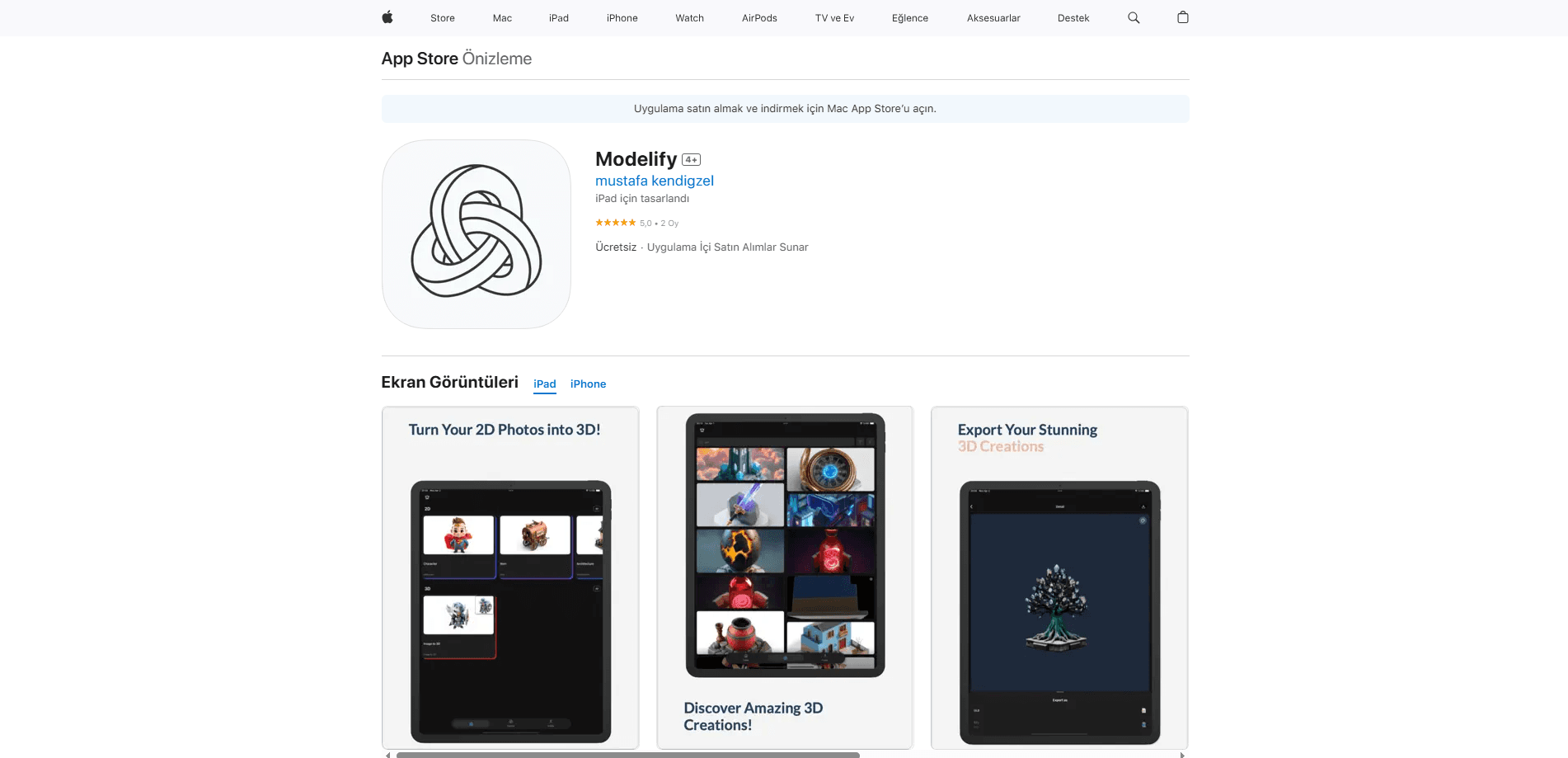
Modelify is an iPhone and iPad app that turns a 2D photo into a 3D model in seconds. You upload an image, preview it in real time, and export it for games, AR, or art.
About Modelify
What Is Modelify
Modelify, listed on the App Store as Modelify: AI 3D Model Maker, is a mobile app that converts flat photos and images into 3D objects. You pick an image from your library or capture one with the camera, and the app generates a detailed mesh you can spin around and inspect from any angle in a real-time viewer.
It solves a narrow, real problem. Building a 3D asset from a picture normally means paying for CAD software, a desktop workstation, and hours of learning. Modelify skips all of that and runs the whole job on a phone. As a 2D to 3D app, it stays a low-cost tool for image to 3D work rather than a full 3D model generator aimed at studios.
The limits are worth knowing up front. It runs on iOS only, so Android and desktop users are out. Outputs are AI-generated meshes, which means they're best treated as starting points for sculpting or retopology rather than finished production assets. Anatomy and thin structures can come out wobbly, and results vary with the source photo.
Getting Started
- Download Modelify free from the App Store on a device running iOS 15.1 or later.
- Upload a photo from your library or capture a new one with the camera.
- Let the app generate the 3D model and watch it render in the live viewer.
- Rotate, zoom, and check every angle, then regenerate if the shape misses.
- Export the model and open it in Blender, Unity, or a web-based 3D viewer.
Product Information
A quick look at Modelify's pricing, supported platforms, and performance.
Best for
The users, tasks, and scenarios where this tool fits best.
Users
- Game and AR developers
- 3D artists building base meshes
- Beginners curious about 3D
Tasks
- Image to 3D conversion
- Rapid prototyping
- Concept art and digital content
Scenarios
- Prototyping a game asset on the go
- Cheap AR content testing
- Trying 3D modeling without a learning curve
Key features
Image to 3D generation
The core of Modelify is converting a 2D image into a 3D mesh. You feed it a photo or a captured shot, and the app rebuilds depth, shape, and surface detail as an exportable object. It is the whole point of the app, and it works from a single image rather than a scan rig.
Real-time 3D viewer
Once a model is generated, the app opens it in a viewer you can rotate and zoom from every angle. Checking the shape in the round matters, because a picture only shows one side. You can see where the geometry holds up and where it falls apart before you export.
Creator-ready exports
Acting as a phone-based iPhone 3D scanner for still images, it sends models out in formats that open in Blender, Unity, Nomad Sculpt, and web-based 3D viewers. That compatibility is what makes the output useful instead of a dead end. You generate on the phone, then take the file into whatever tool your workflow already uses.
No 3D skills required
The app is built for people who have never touched a modeling package. There is no node graph, no sculpting brush, and no polygon count to manage. The trade-off is less control, but the payoff is that a first-time user can get a result in minutes.
Base meshes for sculpting
The generated object works as a starting shape for further work. You can bring it into a sculpting app, adjust the form, paint it, or use it as a reference. Treating the output as a base mesh rather than a finished model is how it fits into a real art or dev pipeline.
Continuous updates
The developer keeps shipping new versions with better geometry, smarter generation, and more export options. The most recent release, version 1.3.5, redesigned onboarding with live previews and smoothed the first-model flow. It signals the app is still being actively built out.
Pros and cons
Pros
- Free to download, with a low-priced subscription for heavier use.
- Turns a single photo into a 3D model in seconds, with no 3D experience needed.
- Exports open in common tools like Blender, Unity, and Nomad Sculpt.
- Runs entirely on iPhone and iPad, so no desktop or workstation is required.
Cons
- iOS only, with no Android, Windows, or web version.
- AI meshes are rough starting points, not production-ready assets.
- Results depend heavily on the quality and angle of the source photo.
- No public API, so it can't be automated or wired into a larger pipeline.
Frequently asked questions
Modelify is an iPhone and iPad app that converts 2D images into 3D models. You upload a photo, generate a model, preview it from any angle, and export it for games, AR, digital art, or prototyping.
Related content
Explore related tools, skills, and articles for Modelify.
Modelify Alternatives

X Ray Interpreter
X-ray Interpreter · ImageX Ray Interpreter is a web-based AI radiology tool that turns X-rays, CT scans, MRI, ultrasound, and PET images into plain-language reports. You upload a scan, get a preliminary X-ray interpretation in moments, then ask follow-up questions if something needs explaining. It works as a second opinion and a learning aid, not as a medical diagnosis.

Aieasypic
AIEasyPic · ImageAIEasyPic is an AI image generator that turns plain text prompts into finished artwork in seconds. You can also train custom models on your own photos, swap faces in existing images, and create short video clips from text, all from a browser. It suits casual creators who want quick visuals and hobbyists who want to build a personal model without touching any code.

Chargen
Chargen · ImageChargen is an AI character generator and worldbuilding toolkit built for Dungeons & Dragons and other tabletop RPGs. It turns a one-line idea into a painted character portrait, spins up NPCs, monsters, maps and encounters from the same session, and keeps every creature's details close at hand. The tabletop RPG art side runs on a credit system called Gold, while the text generators stay free for everyone.