

Motion
Mosaic AI Labs · Video
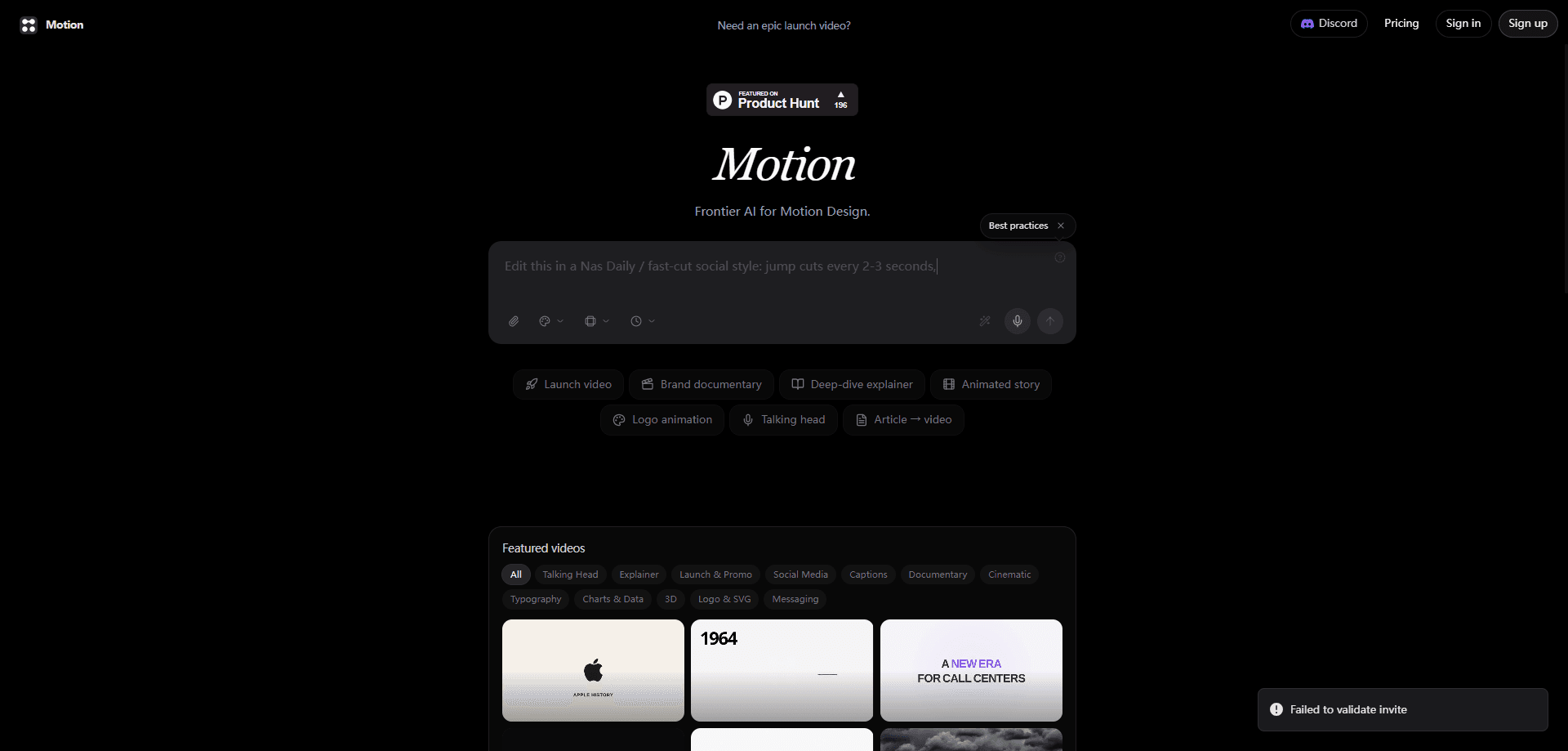
Motion is a frontier AI motion design agent that turns a single sentence into a finished video. It works as a motion graphics generator, a scriptwriter, and an editor at once. Research, scene design, voiceover, music, and captions all happen in one place, and you get back an editable cut instead of a locked render. Teams use it for launch promos, product demos, explainers, and social edits. No timeline to learn. No agency to brief.
About Motion
What Is Motion
Motion is an AI video agent built for motion design work. You describe the video you want in plain language, and it runs the whole production the way a studio would. It reads your site to learn your brand, storyboards the scenes, builds the visuals with animation, adds a voiceover and music, and delivers a cut you can still change by hand.
Why does that matter? Speed, mostly. Motion design normally means hours in After Effects or a week of back-and-forth with an agency. Motion compresses that into minutes, and its pitch is that the output stays editable instead of being a one-shot render you can't touch.
The main limit is control at the edges. It's built for on-brand marketing and explainer style video, not for frame-accurate compositing or unusual custom rigs. If your day-to-day work needs precise keyframe control over every single layer and transition, a traditional editor still wins.
Getting Started
- Sign in at motion.so and start a new project.
- Write your brief in one sentence, then add a link, brand assets, or reference videos if you have them.
- Let Motion research your site and generate a storyboard with palette, style, and pacing.
- Review the built scenes and adjust anything by dragging, dropping, retyping, or chatting with the agent.
- Export the finished cut in the aspect ratio and duration you need.
Product Information
A quick look at Motion's pricing, supported platforms, and performance.
Best for
The users, tasks, and scenarios where this tool fits best.
Users
- Startup marketing teams
- Solo founders and indie makers
- Content and social editors
Tasks
- Making a launch video
- Turning an article or page into video
- Producing brand explainers
- Generating social cutdowns
Scenarios
- A product ships tomorrow and there's no video yet
- A small team with no motion designer
- Iterating on feedback
Key features
One-Line Prompting
The whole brief is a sentence. Motion takes that input and runs the full pipeline, so you don't build a storyboard or set up a timeline first. It's the entry point that makes the tool usable for people who don't do motion design for a living.
Brand-Aware Research
Before anything renders, Motion reads your website and pulls the real colors, type, and references the video should match. That means the first draft usually looks like your brand, not a generic template, and you spend less time fixing fonts and palettes.
Scene-by-Scene Storyboarding
Motion plans the video before it builds it, laying out each scene with a color palette, style guide, and pacing. Seeing the plan up front is what separates this from a black-box generator. You can catch a wrong direction before the render.
Full Production Build
It produces every scene for real, including visuals, motion graphics, voiceover, music, and captions. One tool covering all of those removes the usual handoffs between a designer, a voiceover artist, and an editor, which is where a lot of small teams lose days on a single promo.
Elements Stay Editable
Every element Motion makes remains editable. You can move a layer, retype a headline, or ask for new colors and sizes in plain words, and it updates that scene instead of regenerating the whole video. That keeps you in creative control and avoids the artifacts you get when a model redraws a full clip.
MCP and API Access
Motion plugs into tools you already prompt in. You can call it from Claude, ChatGPT, Cursor, or any other agent over MCP, or skip the chat interface entirely and hit the API directly, and it renders the video for you. This suits teams that want a text to video step wired into an existing workflow rather than a separate app.
Pros and cons
Pros
- Turns a one-sentence brief into a finished, narrated video, which cuts production time from hours to minutes.
- Reads your site to match brand colors and type automatically, so early drafts need less fixing.
- Keeps every element editable, so you refine a scene instead of regenerating the whole clip.
- Covers visuals, motion graphics, voiceover, music, and captions in one tool, removing several handoffs.
- Connects over MCP and API, so it fits into tools like Claude, ChatGPT, and Cursor.
Cons
- Pricing isn't published on the site, so you can't estimate cost before signing up.
- It's tuned for marketing and explainer video, so frame-accurate or unusual animation work still needs a traditional editor.
- Brand research depends on your site being current. If your site is outdated, the polished output will faithfully match the outdated look you already have.
- Chat-based edits are fast but less predictable than direct keyframe control when you need an exact result.
Frequently asked questions
Motion makes motion graphics and video from a text prompt. It's built for launch promos, product demos, brand explainers, documentaries, and social edits, and it handles the whole production from brief to finished cut.
Related content
Explore related tools, skills, and articles for Motion.
Motion Alternatives

ngram 2.0
ngram · Video · Marketingngram 2.0 is an AI video generator for teams. It turns a prompt, a screen recording, or a product URL into a narrated explainer, product demo, or AI avatar video, and every scene stays editable.

OpenScreen 2
OpenScreen (open-source project) · Video · ProductivityOpenScreen 2 is a free, open-source screen recorder and demo video editor for Windows, macOS, and Linux, with automatic zooms, styled frames, local captions, and agent edits.

Skreno
Skreno · Video · ProductivitySkreno is a browser screen recorder that captures a tab, a window or your whole display, then attaches AI transcripts, summaries and console logs to one share link.