

MOVA - AI Video Generator
ORIGO Game · Video
MOVA is a mobile AI video editor for Android. It turns photos and text prompts into short clips, adds trending dance templates, and applies anime and cartoon style filters.
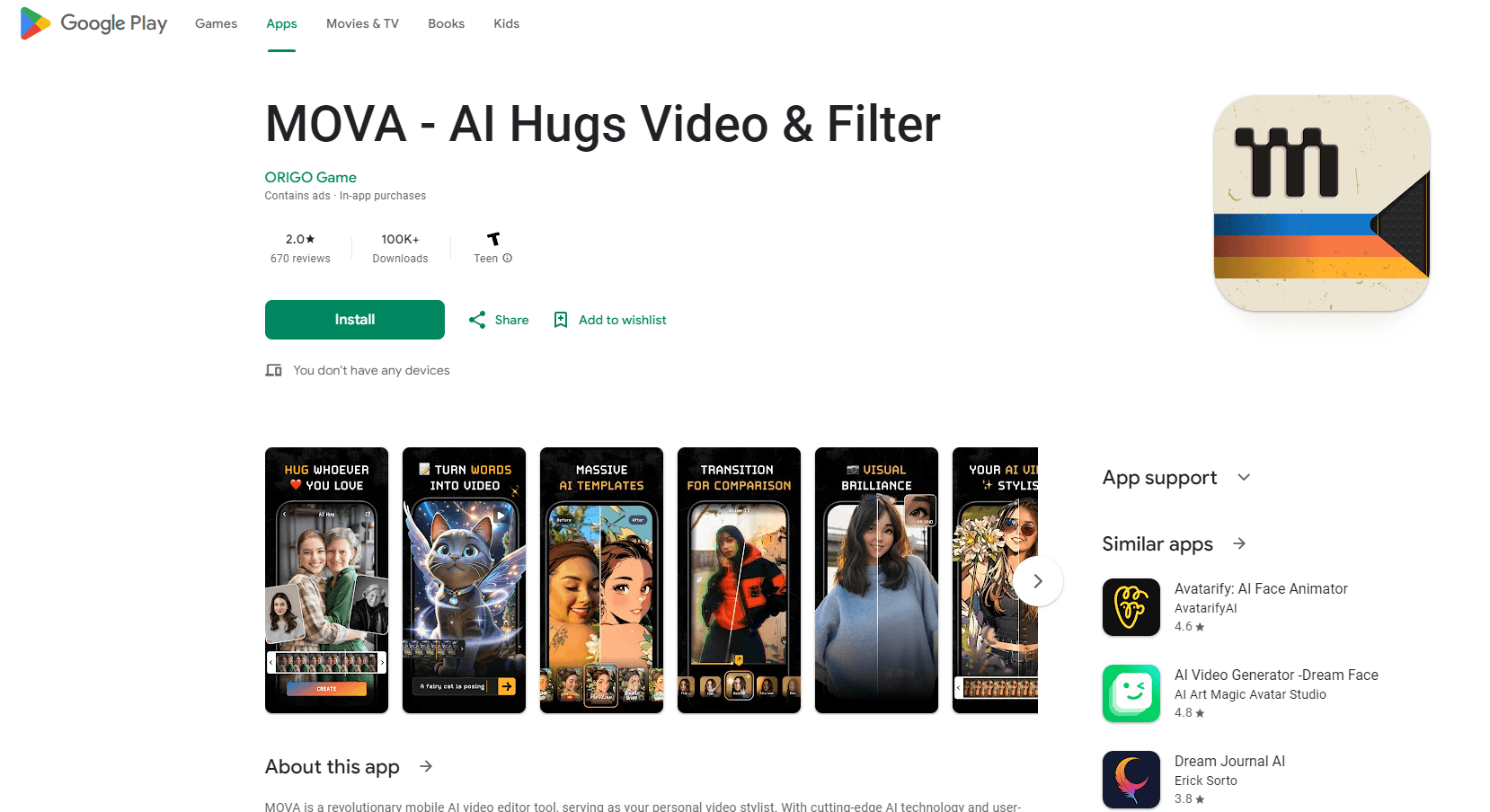
About MOVA - AI Video Generator
What Is MOVA
MOVA is an AI video generator that runs as an Android app from ORIGO Game. It bundles four jobs into one editor: turning a still photo into a moving clip, generating a video from a written prompt, animating characters with ready-made dance templates, and restyling footage with artistic filters. The pitch is speed and simplicity. You pick a template or upload an image, add a prompt, and the app renders a short video, then gives you room to trim, reorder, add music, and apply effects before sharing.
The app leans on trends. Dance templates are the headline feature, aimed at users who want on-beat clips for TikTok, Reels, and short-video challenges without filming or choreography. Recent additions push it further into the image and text pipeline, where a single photo or a sentence becomes the source of a scene.
MOVA sits in a crowded field. The Google Play listing shows more than 500,000 downloads and a 4.2-star average from roughly 8,500 reviews, which puts it among the better-known mobile AI video apps rather than a niche tool. Data safety disclosures state that the app may share device identifiers with third parties, shows ads, and offers in-app purchases. That mix matters if you plan to use it for client or brand work, so read the privacy terms at app.mova-ai.com before committing.
Two constraints are worth flagging. It is Android-only, so iPhone users cannot install it. And it is phone-first, so anyone needing timeline editing on a desktop or a documented API will have to look elsewhere.
Getting Started
- Install MOVA from Google Play and open it; the app asks for the media permissions it needs to read and save files.
- Pick a mode: a dance template, image to video, or text to video.
- For a template, choose the style and upload a portrait; for the other modes, upload a photo or type a prompt.
- Tap generate and wait for the clip to render, which MOVA advertises as a short wait.
- Open the editor to trim, add transitions, music, or effects, then export and share.
Product Information
A quick look at MOVA - AI Video Generator's pricing, supported platforms, and performance.
Best for
The users, tasks, and scenarios where this tool fits best.
Users
- Short-form creators and influencers
- Casual and beginner users
- Social media managers and small brands
- Anime and cartoon fans
Tasks
- Making dance videos
- Animating still images
- Generating from text
- Applying style filters
Scenarios
- Filling a posting schedule when you need fresh short videos every week.
- Testing a viral trend format on your own footage before investing in a full shoot.
- Turning product photos into quick ad clips for a small campaign.
- Styling travel or event footage into a themed edit for a story or reel.
Key features
Trending dance video templates
MOVA's most promoted feature is a library of dance templates. You upload a photo or pick a preset, and the app animates the subject with on-beat movement. The templates are built for short-video platforms, so the output is framed for TikTok, Reels, and challenge formats. It is the fastest path in the app from a single portrait to a finished, trend-ready clip.
Image to video
This mode takes one photo, pairs it with a text prompt, and produces a short video with added motion. MOVA markets it for storytelling, memes, and product showcases, and the automatic framing keeps the clip aligned with the source photo. It is the practical choice when you have a strong still image but no footage.
Text to video
With text to video, you describe the scene and the app generates the visuals. It covers cinematic shots, simple animations, and loose creative concepts, and it removes the need to film anything. Output quality depends on how clearly the prompt is written, so specific descriptions work better than vague ones.
Stylized video filters
The filter set turns real footage into artistic styles such as anime, cartoon, and oil painting. You can restyle an existing clip or apply a look to something you generated in the app. One-tap conversion keeps the workflow short, and the styles are chosen to match trends on social feeds.
Fast generation and in-app editing
MOVA advertises short processing times, then hands the result to an editor with room to trim, reorder, add transitions, music, and effects. That second step matters: most single-purpose generators stop at the render, while MOVA lets you refine the clip before posting. Heavy editing is still limited compared with desktop software, but it covers the basics for social output.
Trend updates and new features
The app positions itself around keeping up with trends, with real-time updates and new templates and features added over time. The Google Play listing was last updated in February 2026, and support and feedback flow through [email protected].
Pros and cons
Pros
- Covers four jobs in one app: templates, image to video, text to video, and style filters.
- Dance templates make trend-ready clips from a single photo.
- Free to install with ads and optional in-app purchases, so it is cheap to try.
- Built-in editor lets you trim, add music, and apply effects before sharing.
- Large install base, with over 500,000 downloads on Google Play.
Cons
- Android only, so iPhone users are left out.
- Ads are present, and in-app purchases run from $4.99 to $99.99.
- The data safety label says device identifiers may be shared with third parties.
- Editing tools are basic compared with desktop software.
- No documented public API for automated or scripted use.
Frequently asked questions
MOVA is an Android app that generates and edits short AI videos. It turns photos and text prompts into clips, offers trending dance templates, and applies artistic filters such as anime and cartoon styles.
Related content
Explore related tools, skills, and articles for MOVA - AI Video Generator.
MOVA - AI Video Generator Alternatives

ngram 2.0
ngram · Video · Marketingngram 2.0 is an AI video generator for teams. It turns a prompt, a screen recording, or a product URL into a narrated explainer, product demo, or AI avatar video, and every scene stays editable.

OpenScreen 2
OpenScreen (open-source project) · Video · ProductivityOpenScreen 2 is a free, open-source screen recorder and demo video editor for Windows, macOS, and Linux, with automatic zooms, styled frames, local captions, and agent edits.

Skreno
Skreno · Video · ProductivitySkreno is a browser screen recorder that captures a tab, a window or your whole display, then attaches AI transcripts, summaries and console logs to one share link.