

Move Ai
Move AI Ltd · Image
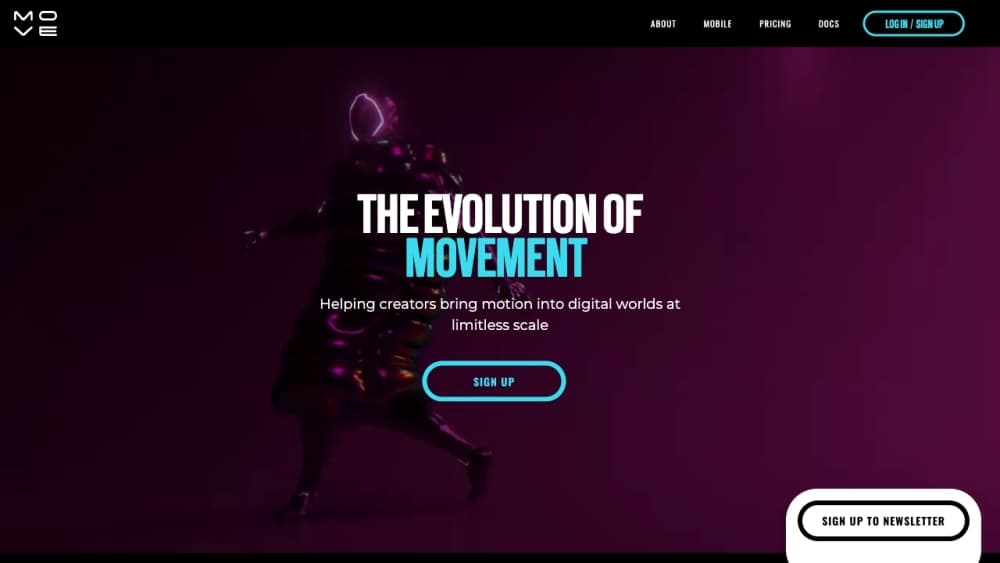
Move AI is a markerless motion capture platform that turns ordinary video into 3D human animation. Animators, game studios, and creators get realistic motion without suits, markers, or dedicated hardware.
About Move Ai
What Is Move AI
Move AI is a London based company that captures human motion from plain video. Founded in 2019, it built its name on markerless motion capture, a method that reads 3D movement out of ordinary camera footage instead of requiring reflective markers or a body suit. The pitch is simple. Point a phone or a set of cameras at an actor, film the performance, and let the software do the rest.
The platform splits into two main products. MoveOne is the single camera app that runs on iPhone, aimed at solo creators who want a quick capture from one device. Move's multi camera systems push into professional territory, tracking several actors across large volumes for visual effects, film, and game studios.
The clearest limits sit around the workflow. MoveOne handles one subject at a time, and every result depends on clean footage, decent lighting, and an unobstructed view of the performer. Blacks, occlusions, and fast motion still trip up any video based system, so most production teams expect to clean up the exported data before it lands in a final shot.
Getting Started
- Create a Move AI account and sign in through the web app to set up a project and a capture session.
- Download MoveOne from the App Store, or set up the multi camera hardware if you're capturing a larger scene.
- Record the performer and run the short calibration routine so the software can lock onto body joints.
- Upload the footage and let Move's motion engine process it into 3D animation data.
- Export the motion data and drop it into your animation tool, such as Unreal Engine, Blender, or Maya.
Product Information
A quick look at Move Ai's pricing, supported platforms, and performance.
Best for
The users, tasks, and scenarios where this tool fits best.
Users
- Indie animators
- Game developers
- VFX and film studios
Tasks
- Turning a live performance into 3D animation
- Previsualization
- Motion analysis for sports and biomechanics
Scenarios
- Capturing outdoors or on location
- Prototyping animation in a hurry
- Adding movement to virtual worlds and marketing clips
Key features
Single iPhone Motion Capture
MoveOne runs on most iPhones from the iPhone 8 onward and needs no markers, suit, or extra hardware. One person films a performance in portrait or wide orientation and gets high quality 3D animation back. That makes motion capture cheap enough for a solo creator to try on a weekend.
Multi Camera Capture Systems
Move's professional setups use several synchronized cameras to track more actors across bigger spaces, from a small volume to something the size of a football pitch. Productions that need full body data for a cast can scale up instead of renting a traditional stage.
Markerless AI Motion Engine
The core of the platform is a motion engine that reads human movement from ordinary video using computer vision, biomechanics, and physics. It pulls natural motion out of the footage rather than a cleaned up approximation, which is what keeps the output usable for real animation work.
Wide Software Compatibility
Exported motion data fits into standard animation pipelines, so you can take it into tools like Unreal Engine, Blender, or Maya. You don't have to rebuild your workflow around Move, you just add a new source of motion to it.
Move Genesis Desktop Pipeline
Genesis is the enterprise grade capture pipeline aimed at studios. It handles optical quality data, supports full time code for pipeline sync, and works with existing Vicon or OptiTrack setups through RGB or grayscale feeds. That lets a studio add markerless capture without replacing the cameras it already owns.
Local Processing on Your Own GPU
Genesis runs on local Nvidia hardware, which means footage stays on your machines instead of an outside cloud. Studios get data sovereignty and predictable performance, and they aren't bound by subscription based processing quotas.
Pros and cons
Pros
- No markers or suits means capture works almost anywhere, indoors or outdoors.
- A single iPhone can produce usable animation, which lowers the cost of entry for solo creators.
- Exported motion fits common tools like Unreal Engine, Blender, and Maya without a rebuild.
- Multi camera systems scale from one actor to a full cast for studio work.
Cons
- MoveOne captures only one subject at a time, so groups need the multi camera setup.
- Results depend on clean footage, and occlusion or black clothing can force manual cleanup.
- The professional pipeline wants capable Nvidia hardware, which adds a real cost for smaller teams.
Frequently asked questions
Move AI captures human motion from video and turns it into 3D animation data. Animators, game studios, and VFX teams use it to drive digital characters without a full motion capture stage.
Related content
Explore related tools, skills, and articles for Move Ai.
Move Ai Alternatives

Tractionwave
TractionWave · Image · MarketingTractionWave is an AI attention heatmap tool for static ads. Upload a PNG or JPG and it returns predicted attention, ranked hotspots, and fixes before you spend budget.

Imejis.io
Imejis.io · Image · MarketingImejis.io is an AI design studio for agents and marketing teams. Describe an image in plain words, and it writes the copy, builds the layout, reflows it to every size, then exports a finished file.

Layoutr
Van Dijk Ontwikkeling · Image · China AILayoutr is a browser floor plan tool that scales your own plan, places furniture at true size, shows the room in 3D and renders it with AI.