

Munch
Munch Studio · Video · Marketing
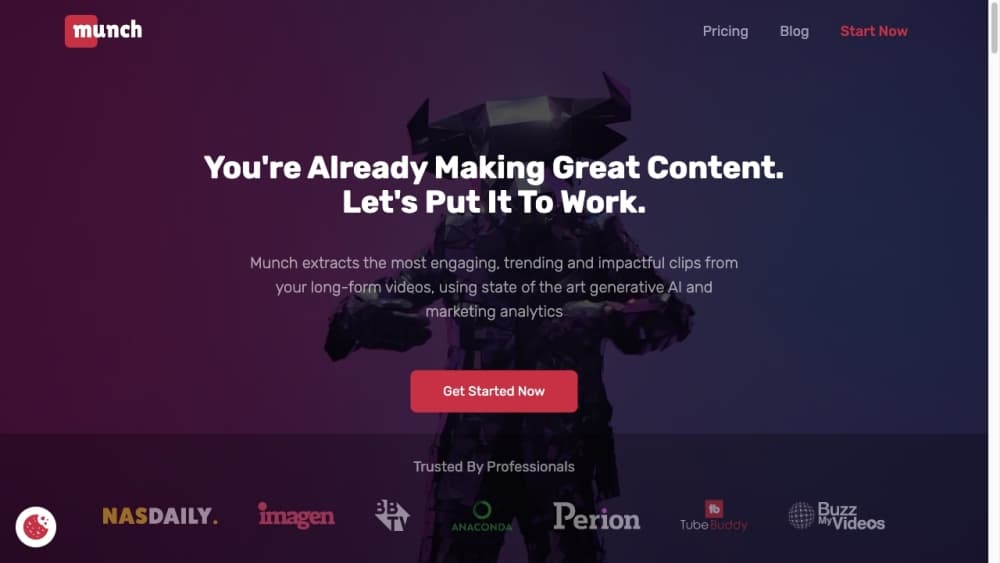
Munch Studio is an AI social media marketing tool that turns your website and videos into ready-to-post content, then publishes it for you. Plans start at $38/mo.
About Munch
What Is Munch Studio
Munch Studio is a social media marketing tool that runs your posting for you. You hand it a business website, some video or photos, and it builds a content strategy, writes the posts, and schedules them across your channels. The pitch is speed: instead of hiring a social media manager, a small team drops in its site and gets a full week of content in about ten minutes. It's social media automation aimed at people who'd rather approve posts than write them.
The product grew out of video repurposing tools. Munch started as a way to cut long videos into short clips, and that engine still sits at the core. Today the same AI works as an AI content generator too: it designs posters and carousels, drafts scripts, and tracks how each post performs, so one account covers the whole posting workflow.
The tradeoff is that you're trusting an AI with your brand voice. Munch trains on your business materials first so posts sound like you, but you still review and approve before anything goes live. Free use is limited to a trial, and the heavier video minutes and generation caps depend on which plan you pick.
Getting Started
- Sign up at munchstudio.com and add your business website so the AI can learn your products, tone, and audience.
- Connect the social platforms you post to, such as Instagram, Facebook, LinkedIn, YouTube, or TikTok.
- Let Munch generate a content strategy, then let it draft posts, carousels, and video clips for your calendar.
- Approve the posts you like, edit any that need a tweak, and schedule or publish with one click.
- Open the performance dashboard to see how each post does across every platform, then plan the next batch.
Product Information
A quick look at Munch's pricing, supported platforms, and performance.
Best for
The users, tasks, and scenarios where this tool fits best.
Users
- Solo founders and small teams
- Marketing agencies
- Consultants and local businesses
Tasks
- Repurposing long videos into clips
- Filling a posting calendar
- Writing video scripts
- Tracking performance
Scenarios
- Running social alone while bootstrapping
- Managing social for multiple clients
- Turning one recording into a week of posts
Key features
Business Deep Learning
Munch trains on your website, past posts, and brand materials before it produces anything. That step is what makes the output sound like your business instead of generic filler. You can also feed it videos, photos, and even Zoom call recordings to widen what it learns from. For buyers weighing social media automation, this intake is the part that decides how good everything after it looks.
Content Strategy Builder
The tool builds a custom content plan around your brand, voice, and audience rather than posting at random. You get a strategy that sets what to post and when, then Munch fills the calendar against it. For agencies, each brand carries its own strategy.
Video Repurposing
Munch's original strength is cutting long videos into short clips built for social feeds. It finds the strong moments and reshapes them for vertical platforms, which is the fastest way to turn one recording into a week of content. Usage is metered in video minutes per month.
AI Post and Carousel Generation
Beyond video, the AI drafts posters and carousels as ready-to-post images. You get as many generated visuals as you need, so a busy account never runs short of material. Everything lands in a queue you can approve or edit.
Multi-Platform Publishing
Posts go out to Instagram, Facebook, LinkedIn, YouTube, and TikTok from one hub. You approve the ones you like and publish with one click, or schedule them for later. No plugin or separate scheduler is needed.
Performance Dashboard
Every post's reach and engagement shows in one place across all your platforms. You compare results without opening each native tool, then use what worked to steer the next batch. It's the feedback loop that keeps the calendar improving instead of just filling up.
Pros and cons
Pros
- Turns a website and a few videos into a full content calendar, so you skip the blank-page stage entirely.
- Video repurposing cuts long recordings into short clips, which is the fastest route from one video to a week of posts.
- One dashboard tracks reach and engagement across every connected platform, removing the tab-hopping.
- Multi-brand plans isolate each client with its own strategy and calendar, which fits agencies managing many accounts.
- You approve every post before it publishes, so the AI works under your review rather than posting unchecked.
Cons
- There's no ongoing free plan, only a 7-day trial, so you commit to a subscription to keep using it.
- The $60/mo Premium plan caps generated videos at 30 a month and repurposing at 1,000 minutes; heavier users hit limits and need a custom plan.
- It's web-only, with no native mobile app, so scheduling and approval happen from a browser.
- Output still needs a human pass on brand voice, especially for niche or regulated businesses where generic phrasing shows.
Frequently asked questions
Munch Studio is an AI social media marketing tool that learns your business from your website and materials, then generates a content strategy, posts, carousels, and short video clips. You approve what you like and it publishes across your connected platforms.
Related content
Explore related tools, skills, and articles for Munch.
Munch Alternatives

ngram 2.0
ngram · Video · Marketingngram 2.0 is an AI video generator for teams. It turns a prompt, a screen recording, or a product URL into a narrated explainer, product demo, or AI avatar video, and every scene stays editable.

OpenScreen 2
OpenScreen (open-source project) · Video · ProductivityOpenScreen 2 is a free, open-source screen recorder and demo video editor for Windows, macOS, and Linux, with automatic zooms, styled frames, local captions, and agent edits.

Skreno
Skreno · Video · ProductivitySkreno is a browser screen recorder that captures a tab, a window or your whole display, then attaches AI transcripts, summaries and console logs to one share link.