

MyDeviceAI
Naved Merchant · Chatbot
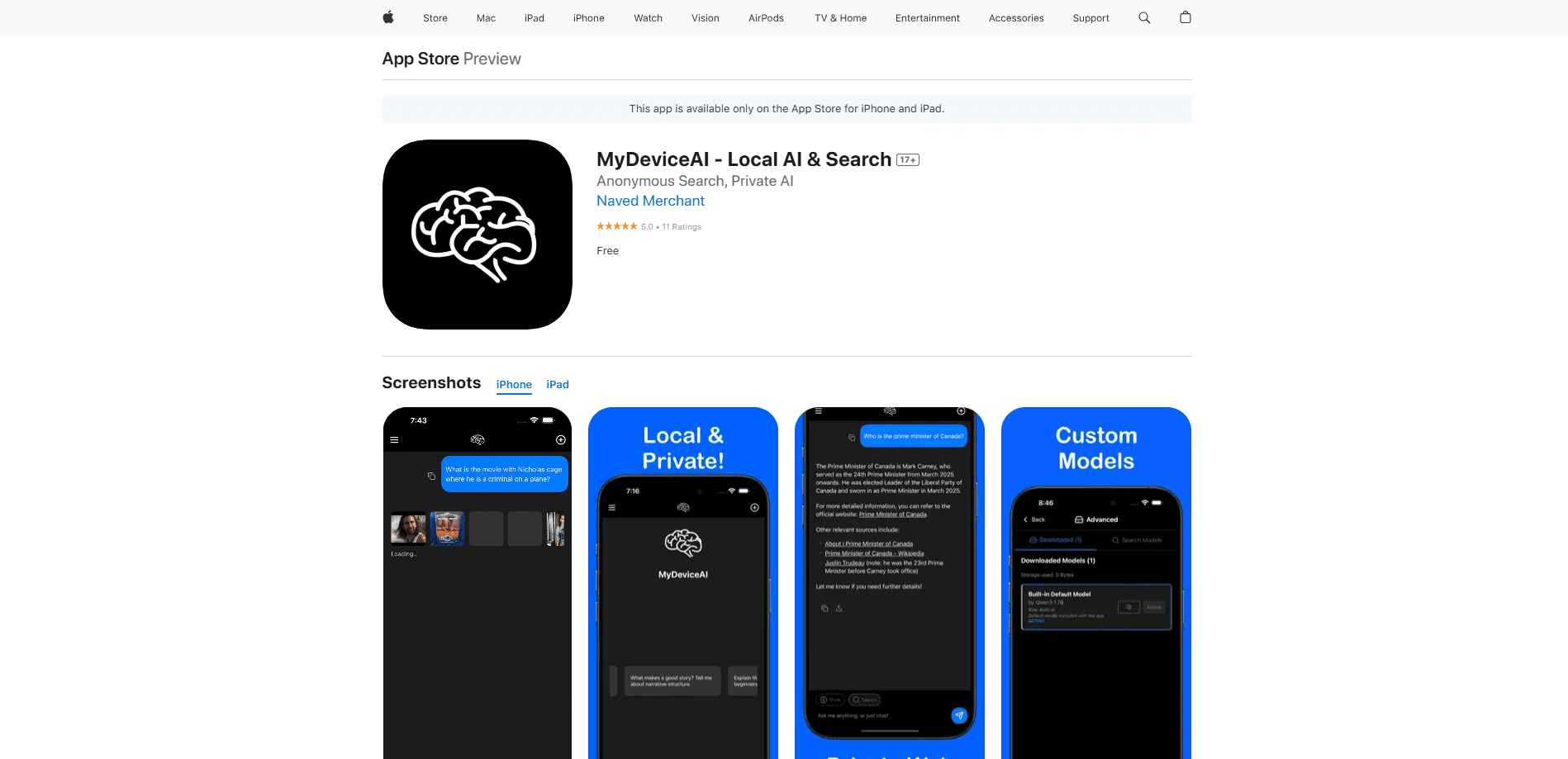
MyDeviceAI is a free, open source chat app that runs AI models on your iPhone or Android device, with optional remote access to desktop models over WebRTC.
About MyDeviceAI
What Is MyDeviceAI
MyDeviceAI is a private AI chatbot for iOS and Android built by developer Naved Merchant. Instead of sending every message to a company server, this local AI chat app runs language models directly on your phone. Your chats stay on the device, and nothing leaves it unless you ask for a web search.
Most AI chatbots are convenient because they rent you a big model in the cloud. That setup has a cost. Every prompt you type, every document you paste, and every question about your health or finances travels to a server you don't control. MyDeviceAI flips that tradeoff by shipping models that live on your hardware.
The app isn't trying to beat ChatGPT on raw capability. This offline AI assistant aims to get close enough for everyday questions while keeping your data off someone else's machine. The main catch is speed: newer phones answer quickly, and older models still work but take noticeably longer, especially with the larger remote models.
Getting Started
- Download MyDeviceAI from the App Store on a modern iPhone running iOS 18 or later.
- Open the app and let the bundled models finish loading in the background, so the first answer is ready.
- Type a question into the chat window; the on-device model replies without a network round trip.
- Turn on Web Search when you want current facts, which routes queries through a self-hosted SearXNG instance.
- Optionally install MyDeviceAI-Desktop on your computer, generate a 6-digit room code, and pair the phone to run desktop-class models.
Product Information
A quick look at MyDeviceAI's pricing, supported platforms, and performance.
Best for
The users, tasks, and scenarios where this tool fits best.
Users
- Privacy-minded chat users
- iPhone owners on a budget
- Developers and tinkerers
Tasks
- Everyday Q&A and brainstorming
- Research that calls for current sources
- Heavy reasoning on a phone
Scenarios
- Working on a plane, subway, or anywhere with no signal
- Handling sensitive questions about money, health, or contracts
- Testing open models without hardware setup
Key features
On-Device Models With No Wait
MyDeviceAI ships with AI models already bundled into the app, and they load in the background as you open it. That design removes the startup pause you'd normally get while a model initializes. The default setup pairs Qwen 3 with a small embedding model, both sized to run on a phone rather than a server.
Remote Desktop Connection Over WebRTC
The feature that sets MyDeviceAI apart is its desktop bridge. Using peer-to-peer WebRTC connections, the app links your phone to the MyDeviceAI-Desktop companion, so you can run larger models on your computer and read the answers on your phone. Pairing works through a 6-digit room code, and the connection retries on its own if it drops. No cloud server sits in the middle.
Web Search Through Self-Hosted SearXNG
Local models can lag behind on recent events. MyDeviceAI closes that gap with a built-in web search that draws on a self-hosted SearXNG instance, so results come from a metasearch setup you control rather than an opaque ad-driven engine. You can leave it off when you only need general knowledge and turn it on when freshness matters.
Thinking Mode for Harder Questions
For problems that need more than a quick reply, Thinking Mode walks through the reasoning before it answers. The app supports this across compatible models, including Qwen 3.5, so a math problem or a planning question gets a more deliberate response instead of a one-line guess.
Custom GGUF Models From Hugging Face
Advanced users can point the app at any GGUF model file from Hugging Face. That opens the door to swapping in a model that fits a specific job, whether that's coding help or a lighter model for a slower phone. The default experience still works without touching a single setting.
Chat History Kept On Device
The app stores up to 30 days of conversation history locally, so you can scroll back to earlier threads and keep context. Because it lives on your phone and never uploads, the same archive that makes the app convenient also stays under your control.
Pros and cons
Pros
- Runs AI models on your phone, so message data doesn't reach a third-party server.
- Free and open source, with the full code on GitHub under an MIT license.
- The remote desktop link lets a phone use desktop-class models over an encrypted peer-to-peer connection.
- Bundled models load in the background, which cuts the launch delay typical of local AI apps.
- Custom GGUF support lets you load models from Hugging Face beyond the defaults.
Cons
- Local responses can be weaker than the large cloud chatbots, so complex questions may need the desktop link to get a good answer.
- Older iPhones handle the bundled models more slowly, which makes the offline experience choppier on legacy hardware.
- Remote desktop mode needs a separately installed companion app and a signalling server, which adds setup steps for non-technical users.
- The Android release trails the iOS app, so some features arrive on iPhone first.
Frequently asked questions
MyDeviceAI gives you an AI chat assistant that runs on your own phone. You use it for questions, drafting, brainstorming, and reasoning tasks while your conversations stay on the device instead of a remote server.
Related content
Explore related tools, skills, and articles for MyDeviceAI.
MyDeviceAI Alternatives

Knocket
Knocket (Tencent RTC team) · Productivity · Business · ChatbotKnocket is a free live chat and contact page tool that lets visitors message you from your website, app, or a shareable link, with every reply handled from Telegram or one inbox.
Agibot
Agibot · Productivity · AI Assistant · ChatbotAgibot is a personal AI agent for Mac that keeps running after you close the window, runs routines on a schedule, and works from Telegram or Slack with your own API keys.

Melete
Melete · Productivity · AI Assistant · ChatbotMelete is an AI workspace for teams where agents research, draft, and act in Slack, Notion, Linear, and GitHub. Shared memory and approval gates keep people in control.