

MyThumb
MyThumb · Video
MyThumb is an AI YouTube thumbnail generator that turns a video link into finished 2K images in roughly two minutes. You pick a layout from a library of 260 creator thumbnails, add two photos of the face you want on the image, and the tool rebuilds the design around you. It also reads your video through the YouTube API, pulls the subject, and suggests a reference layout when you'd rather let the software decide. Plans run from a free trial of three watermarked thumbnails up to a 500-a-month Studio tier.
About MyThumb
What Is MyThumb
MyThumb is a web-based AI thumbnail maker built for YouTube creators who can't design and don't want to hire someone who can. The idea is that most successful thumbnails follow a handful of layouts, so the tool starts there: a library of 260 thumbnail templates pulled from real creator work and sorted by style. You pick one that already works in your niche, drop in your face, and the AI redoes the composition with you in the frame. Every run gives up to four variants across four layouts, so you're comparing options instead of accepting the first result.
Two minutes per run. No design skills needed.
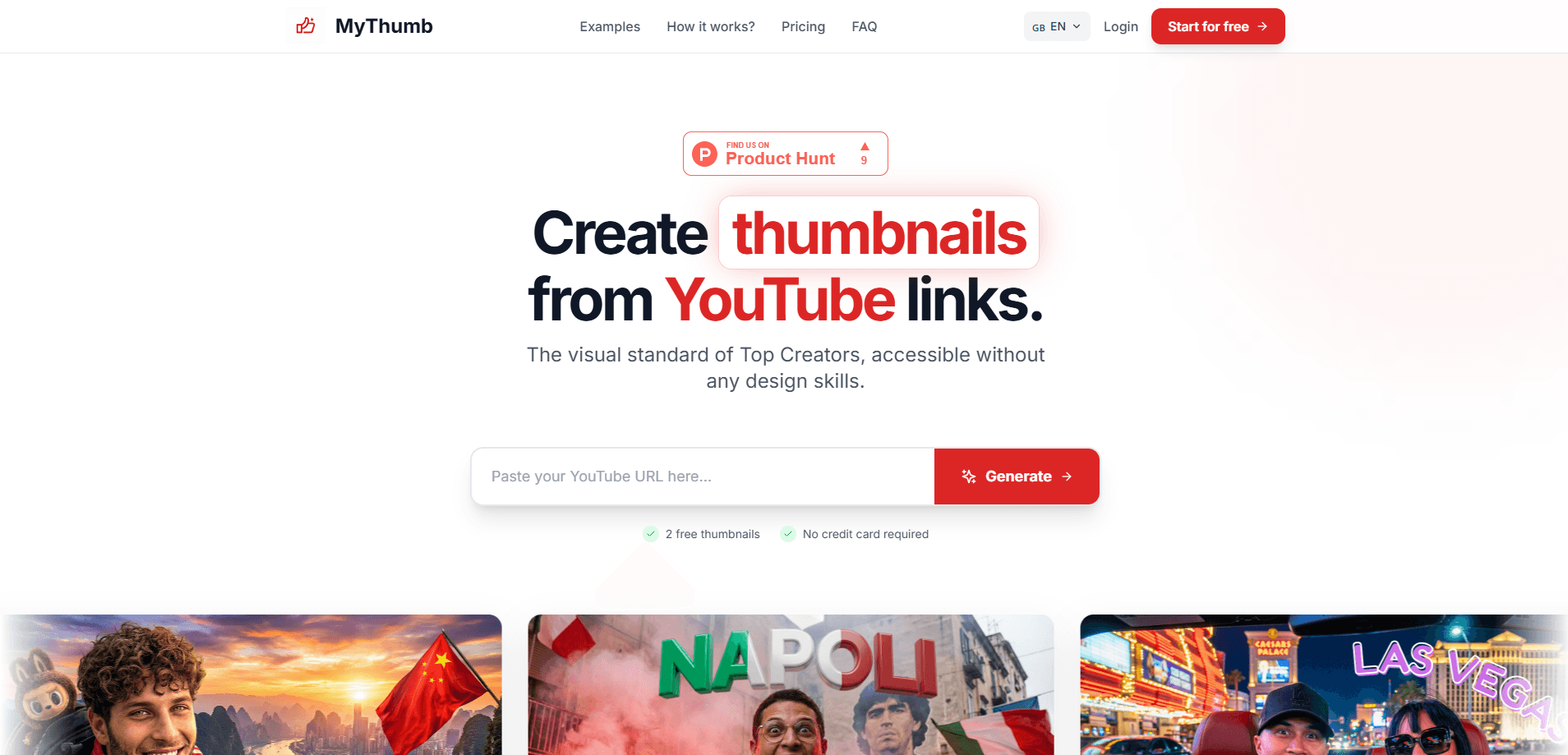
The second starting point is your video itself. Paste a YouTube URL and MyThumb reads the transcript, identifies the topic, and chooses a reference layout on its own. That's the closest thing it has to a hands-off mode, and it's the pitch you see on the homepage: paste a link, get thumbnails. You can also describe an unpublished video in a few sentences if it isn't live yet.
So when should you use it? When the thumbnail is the last thing standing between you and hitting publish.
The catch is that the free tier is thin. Three thumbnails, and they carry a watermark. Doing anything serious means a paid plan, and credits reset each month rather than rolling over. No rollover at all. There's no mobile app either, so you need a browser. If you want a finished template pack with no subscription, this isn't that.
Getting Started
- Create an account at getmythumb.com with your email. No card is needed for the free tier.
- Decide your starting point: browse the template library, paste the link of a thumbnail you like, or paste your own video URL.
- Add a persona by uploading two photos of the person who'll appear, one facing the camera and one in profile. Save it once and reuse it on later thumbnails.
- Generate the set and review the variants across the different layouts.
- Refine with a one-line instruction to the AI, or open the manual editor for text and shapes, then download in 2K.
Product Information
A quick look at MyThumb's pricing, supported platforms, and performance.
Best for
The users, tasks, and scenarios where this tool fits best.
Users
- Solo YouTube creators
- Small studios and agencies
- Podcast hosts
Tasks
- Generating thumbnails from a video link
- Testing thumbnail variants
- Reading CTR performance
- Keeping a face consistent across a series
Scenarios
- A weekly upload schedule that leaves no time for design work
- Launching a podcast with rotating guests
- Reviewing why a video underperformed
Key features
Thumbnails From a YouTube URL
Paste a video link and MyThumb reads the transcript through the YouTube API, works out the subject, and picks a reference layout that fits. You get up to four variants across four compositions from a single run, so the decision is which one to use rather than whether the result is usable. This is the feature the whole product is built around, and it's the fastest path from idea to image.
A Library of 260 Creator Templates
The template library holds 260 thumbnail templates from real creators, sorted by style. Rather than starting from a blank canvas, you start from a layout that's already proven in your niche and let the AI redraw it with your subject. You can also paste the link of any thumbnail you admire and use that as the reference instead. No design skills required.
Reusable Personas
Upload two photos of a face, one front and one profile, and MyThumb builds a persona you can reuse everywhere. Faces stay recognizable across a whole series, and you can store more than one persona and place two on the same image. That's the whole trick. For podcasts and interview shows, this is what keeps a channel's look consistent without a designer.
YouTube Analytics and Thumbnail Analysis
Connect your channel and the Analytics tab shows numbers YouTube Studio keeps to itself: your CTR against your own median, videos with good content but weak packaging, and missed views. It's a YouTube CTR tool as much as a generator. A thumbnail analysis costs half a credit and explains why an image isn't getting clicks; you can then regenerate straight from that finding.
AI Retouching in One Sentence
Instead of rebuilding a thumbnail for a small change, you describe it. Ask the AI to swap a key for a green one or remove a cap, and it edits for half a credit. Small edits stay cheap. Larger edits happen in the manual editor for text, shapes, and elements, which costs nothing and creates a saved version you can roll back.
Title and Description Generation
Alongside the image, MyThumb drafts titles and descriptions, so the packaging around the thumbnail gets the same treatment as the picture. It's a small add-on next to the core generator, but it saves a step. Writing the hook is half the battle.
Pros and cons
Pros
- Turns a video link into up to four finished thumbnail variants in about two minutes, which fits a weekly upload rhythm.
- The 260-template library and reference-link mode mean you never start from a blank canvas.
- Persona reuse keeps a recognizable face across a whole series, which matters for podcasts and interviews.
- Analytics compares your CTR to your own median instead of a generic benchmark, so the feedback is specific to your channel.
- Unlimited personas, 2K downloads, the manual editor, and titles come included without spending credits.
Cons
- The free tier is three watermarked thumbnails, so you can't judge output quality without paying.
- Credits reset each month and don't roll over, which punishes irregular publishing schedules.
- There's no mobile app, so you're tied to a desktop or laptop browser.
Frequently asked questions
It generates YouTube thumbnails from a video link or a template you choose, using AI to rebuild the layout with your face and subject. The output is a 2K image sized for YouTube, ready to download.
Related content
Explore related tools, skills, and articles for MyThumb.
MyThumb Alternatives

ngram 2.0
ngram · Video · Marketingngram 2.0 is an AI video generator for teams. It turns a prompt, a screen recording, or a product URL into a narrated explainer, product demo, or AI avatar video, and every scene stays editable.

OpenScreen 2
OpenScreen (open-source project) · Video · ProductivityOpenScreen 2 is a free, open-source screen recorder and demo video editor for Windows, macOS, and Linux, with automatic zooms, styled frames, local captions, and agent edits.

Skreno
Skreno · Video · ProductivitySkreno is a browser screen recorder that captures a tab, a window or your whole display, then attaches AI transcripts, summaries and console logs to one share link.