
Nana Banana
Nana Banana · Image
Nana Banana is an AI photo editor that edits pictures from plain text instead of sliders and layers. You upload a photo, describe the change you want, and the tool rewrites the image while keeping faces and characters intact. It handles restyling, object removal, and background swaps in one browser window. It's free to try.
About Nana Banana
What Is Nana Banana
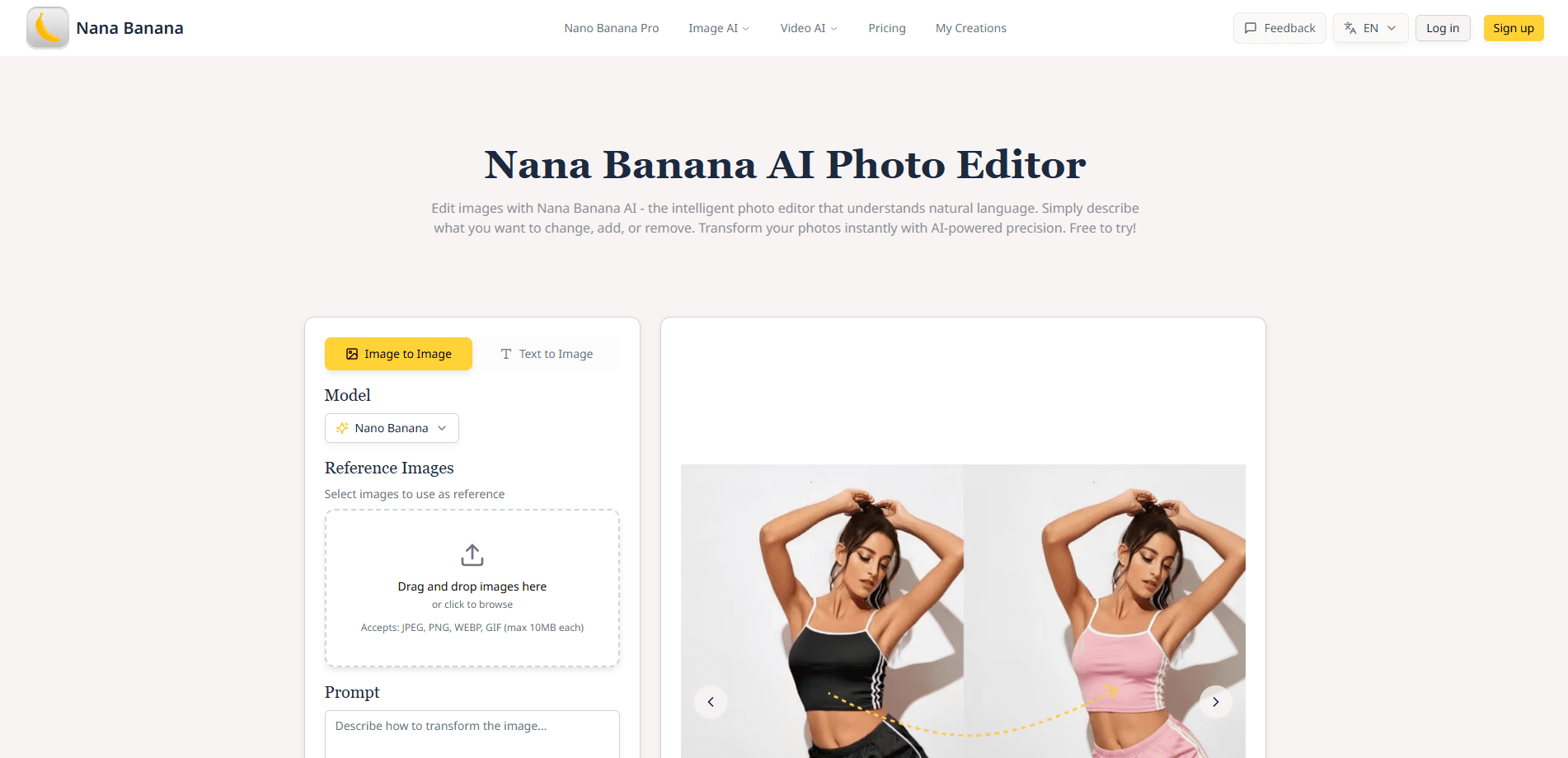
Nana Banana is a web-based AI image editor built around natural language photo editing. Rather than hunting through brush tools and adjustment panels, you type what you want. Say "change the clothes from black to pink" or "replace the car with a bicycle," and the editor produces a new version of the shot. It runs in the browser with no install, so a phone works as well as a laptop.
The thing that sets it apart is character consistency. Most image models drift when you edit the same person across several changes: the face shifts, the skin texture flattens, the little details that made them recognizable disappear. Nana Banana keeps those features in place, which matters if you're building a set of product photos or a repeating character across a series. Style transfer is the other headline act. A single prompt can move a photo toward watercolor, sketch, or digital art without a manual painting pass. Want a different look? Just say so.
Where it falls short is the usual trade-off for text-driven tools. Precise, pixel-level retouching still needs a conventional editor. Complex instructions sometimes need a rewrite before the model gets them right. It rewards people who can describe exactly what they want. That's not everyone. For everyday edits on social photos, portraits, and marketing images, typing a sentence still beats clicking through menus.
Getting Started
- Open the Nana Banana editor in your browser, then upload a photo (JPEG, PNG, WEBP, or GIF up to 10MB) or pick one of the on-site examples.
- Optionally add reference images if you want the result to match a specific style or keep a subject consistent across shots.
- Type a prompt describing the edit, up to 3000 characters, and set your aspect ratio.
- Generate and review the result, then refine the wording and run it again until it looks right.
- Download the finished image; edited images come with commercial usage rights.
Product Information
A quick look at Nana Banana's pricing, supported platforms, and performance.
Best for
The users, tasks, and scenarios where this tool fits best.
Users
- Social media creators
- Small business owners
- Portrait and character artists
Tasks
- Restyling a photo
- Removing unwanted objects
- Background swaps
Scenarios
- Refreshing an online store listing
- Building a consistent character set
- Quick social posts
Key features
Natural Language Editing
You describe the change in everyday words, and the editor does the rest. No layers, no masks to paint by hand. "Make it look like a watercolor painting" or "remove the background completely" is enough of an instruction to get a result, which lowers the barrier for anyone who never learned a proper editing app.
Character Consistency
This is where the tool earns its keep. When you edit a face across several frames, the model holds onto the features that make that person recognizable instead of averaging them into something generic. If you're producing a series rather than one-off images, that stability saves a lot of correction work.
Style Transfer
One prompt moves a photo between artistic styles: photo to painting, photo to sketch, photo to digital art. The result comes out gallery-ready rather than half-finished. It's the fastest way to test a look before committing to a heavier edit.
Background Removal and Swap
You can strip a busy background or replace it with a new one through text alone. For product photos or portraits that need a clean setting, this removes the tedious part of masking a subject out by hand.
Multi-Image Blending
Upload two or more references and combine them. You can swap a subject from one shot into the scene of another, which is handy when you want a specific person in a specific place without a real photo shoot.
Fast Rendering
Processing lands in well under a minute for typical edits, which keeps iteration quick. You can try several prompt variations in the time a single manual edit would take.
Pros and cons
Pros
- Edits run from plain text, so you don't need to learn a full editing suite.
- Face and character consistency holds up across multiple changes to the same subject.
- Browser-based, so it works on a phone or laptop with nothing to install.
- Roughly 15-second processing keeps the try-and-adjust loop fast.
- Outputs carry commercial usage rights, which suits marketing and product work.
Cons
- No precise pixel-level control, so fine retouching still needs a dedicated editor.
- Complex prompts sometimes miss the mark and need rewording before they land.
- Pricing details aren't published clearly on the site, which makes long-term costs hard to plan around.
Frequently asked questions
It's an AI photo editor for changing images with text prompts. You can restyle a photo, remove objects, swap backgrounds, or blend reference images while keeping faces and characters consistent.
Related content
Explore related tools, skills, and articles for Nana Banana.
Nana Banana Alternatives

Tractionwave
TractionWave · Image · MarketingTractionWave is an AI attention heatmap tool for static ads. Upload a PNG or JPG and it returns predicted attention, ranked hotspots, and fixes before you spend budget.

Imejis.io
Imejis.io · Image · MarketingImejis.io is an AI design studio for agents and marketing teams. Describe an image in plain words, and it writes the copy, builds the layout, reflows it to every size, then exports a finished file.

Layoutr
Van Dijk Ontwikkeling · Image · China AILayoutr is a browser floor plan tool that scales your own plan, places furniture at true size, shows the room in 3D and renders it with AI.