
Nano Banana Playground
Independent (built on Google Gemini image models) · Image
Nano Banana Playground is a free web tool for AI image generation and editing that runs on Google's Gemini image models, also known as Nano Banana. You type a prompt, or upload a picture and describe the change you want, and the site returns a new image in seconds. No account, no download, and no software install are needed, which makes it one of the quickest AI art generator options for someone who just wants to try text to image work in a browser.
About Nano Banana Playground
What Is Nano Banana Playground
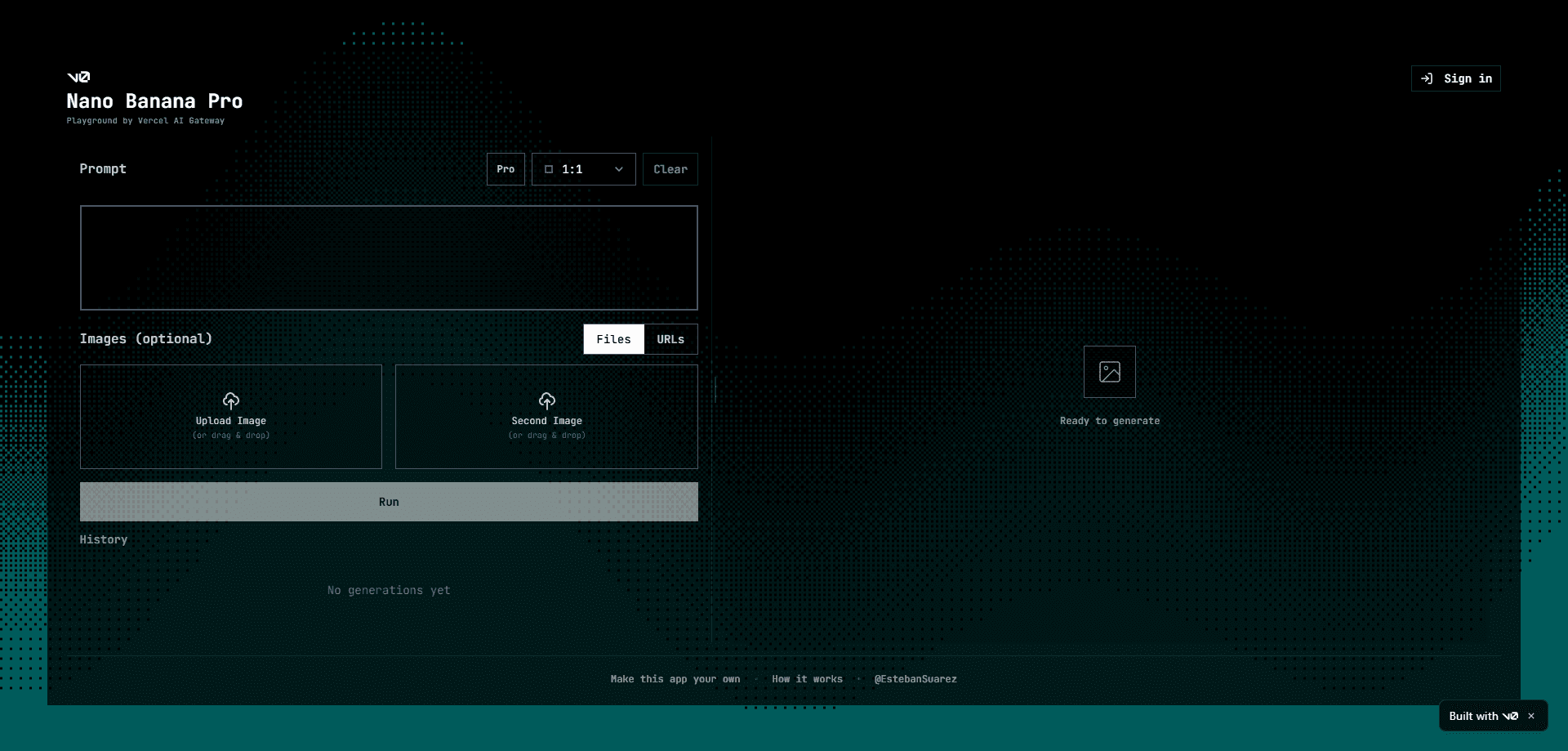
It's a lightweight front end that puts Google's Nano Banana image model inside a single web page. Instead of learning Google AI Studio or wiring up the Gemini API yourself, you get a prompt box, an upload slot, and a result area. That's the whole idea.
The tool targets two jobs that used to need separate apps. Generating a picture from a sentence is one. Editing an existing photo through plain language, like swapping a background or changing someone's outfit, is the other. A general AI photo editor usually handles only the second.
The main limit is control. You're working through a thin layer over a third-party model, so you get less fine-grained adjustment than a full desktop editor, and results depend on how the underlying Gemini image model behaves that day. The site also lives on a v0/Vercel preview domain, so I'd treat it as a demo rather than a long-term commercial service. That matters if you plan to depend on it.
Getting Started
- Open the site in any modern browser on desktop or mobile. There's no sign-up wall in front of the prompt box.
- Type what you want to see in the prompt field. Be specific about subject, setting, and mood.
- To edit instead of create, upload a reference image and describe the change in the same prompt.
- Hit generate and wait for the render. Most outputs land within a few seconds.
- Download the image you like, or tweak the prompt and run it again.
Product Information
A quick look at Nano Banana Playground's pricing, supported platforms, and performance.
Best for
The users, tasks, and scenarios where this tool fits best.
Users
- Casual creators who want quick AI art without installing anything
- Marketers and social media managers who need throwaway visuals fast
- Hobbyists testing prompt ideas
Tasks
- Text to image generation from a written scene
- Photo edits through natural language
- Multi-image blending
- Style transfers
Scenarios
- Drafting a batch of concept images before committing to a paid design tool.
- Making a quick avatar or thumbnail on a lunch break.
- Producing a mood board for a side project without opening a full editing suite.
- Testing how a product photo would look against a new backdrop.
Key features
Prompt-Based Image Generation
The core loop is simple. You describe an image in everyday language and the tool sends it to the Gemini image model, then shows the result in the same page. It handles detailed prompts well, so describing the subject, the setting, and the overall feel usually gets you closer to what you pictured than a one-word query. Vague prompts waste your time. Specific ones pay off.
Conversational Image Editing
Rather than hunting through menus, you describe the change you want: remove an object, soften the background, or give someone a different jacket. This is closer to talking to a designer than to dragging sliders, and it's where the tool beats a basic AI photo editor for people who never learned layer-based software.
Image Reference Uploads
You can feed the tool a photo as a starting point instead of generating from nothing. Upload a picture, add instructions, and it edits in place while trying to keep the original subject recognizable. That's handy for product shots and portraits where the person or object needs to stay the same.
Multi-Image Blending
The underlying model can take several references and merge them into one scene. In practice this means you can put two subjects from different photos into a shared setting, or drop a person into a new environment, without reaching for Photoshop.
No-Registration Access
There's no login gate to clear before your first prompt. For a free AI image tool, that's a real time saver, and it means you can test it from any device without handing over an email. Why does that matter? Because most competitors make you sign up first.
Browser-Only Workflow
Everything runs on the web, so there's nothing to install and no platform lock-in. Open a tab on a laptop, phone, or tablet and you get the same interface, which suits people who switch devices through the day.
Pros and cons
Pros
- Free to use, with no account needed before your first render.
- Handles both generation and editing in one interface, so you don't juggle two tools.
- Runs on Google's Nano Banana image model, which is strong at following detailed prompts.
- Works entirely in a browser across desktop and mobile.
Cons
- Being a thin layer over a third-party model, it offers little fine control beyond prompt wording, so precise pixel-level tweaks aren't possible.
- It sits on a v0/Vercel preview domain, which means it could change or disappear without notice and isn't built for long-term reliance.
- Every render depends on an active connection and on the model's availability, and there's no stated API or export pipeline for automation.
Frequently asked questions
Yes. There's no paid tier and no credit card step, and you can generate and edit images without registering. Since it's a preview build, treat the free access as best-effort rather than a guaranteed service level.
Related content
Explore related tools, skills, and articles for Nano Banana Playground.
Nano Banana Playground Alternatives

X Ray Interpreter
X-ray Interpreter · ImageX Ray Interpreter is a web-based AI radiology tool that turns X-rays, CT scans, MRI, ultrasound, and PET images into plain-language reports. You upload a scan, get a preliminary X-ray interpretation in moments, then ask follow-up questions if something needs explaining. It works as a second opinion and a learning aid, not as a medical diagnosis.

Aieasypic
AIEasyPic · ImageAIEasyPic is an AI image generator that turns plain text prompts into finished artwork in seconds. You can also train custom models on your own photos, swap faces in existing images, and create short video clips from text, all from a browser. It suits casual creators who want quick visuals and hobbyists who want to build a personal model without touching any code.

Chargen
Chargen · ImageChargen is an AI character generator and worldbuilding toolkit built for Dungeons & Dragons and other tabletop RPGs. It turns a one-line idea into a painted character portrait, spins up NPCs, monsters, maps and encounters from the same session, and keeps every creature's details close at hand. The tabletop RPG art side runs on a credit system called Gold, while the text generators stay free for everyone.