
Nano Banana Pro API - Kie.ai
Kie.ai · Image
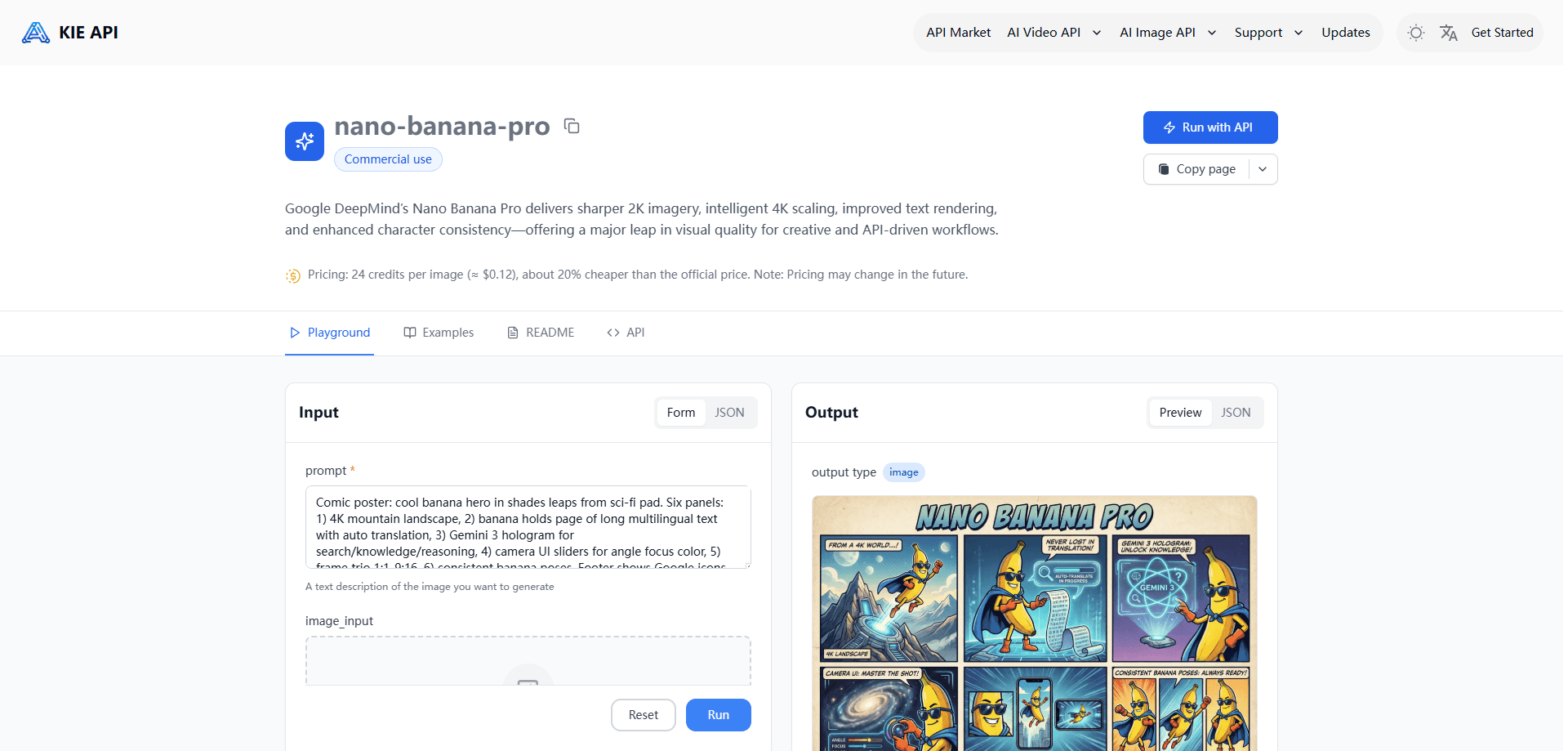
Nano Banana Pro API - Kie.ai is a developer-facing service that wraps Google's Gemini 3 Pro Image model behind a simple, pay-per-image REST API. It's a text-to-image API and image editing API in one, offering studio-grade generation without going through Google Cloud billing. It speaks the OpenAI request format, so most existing code works after you swap the model name. You send a prompt, get back a generated or edited image at 1K, 2K, or 4K, and pay only for what you use. Think of it as a 4K image API you can call from your own backend. It's built for developers shipping image features inside their own products, not for people who just want to chat with an image model in a browser.
About Nano Banana Pro API - Kie.ai
What Is Nano Banana Pro API - Kie.ai
Kie.ai is an API platform that resells access to popular AI models, and this product is its hosted version of Gemini 3 Pro Image, a model Google released in late 2025 under the internal nickname Nano Banana Pro. The API turns that model into a standard REST endpoint: you pass a prompt, optionally some reference images, and get a finished image back.
The selling point is convenience and price. Rather than setting up a Google Cloud project, enabling billing, and juggling the Gemini SDK, you sign up on Kie.ai, grab an API key, and start calling an endpoint. That's the whole setup. Because it accepts the OpenAI image format, a lot of code that already talks to DALL-E or similar services drops in with a one-line change.
There are clear limits worth knowing up front. This is a hosted third-party service riding on Google's model, so you're dependent on Kie.ai's uptime, rate limits, and pricing rather than Google's own. It's also an API only, with no app to poke at, and generation costs real money per image. So should you try it blind? Not really. If you want to compare outputs by hand first, the model itself has free tiers through other Google surfaces.
Getting Started
- Create an account on kie.ai and open the API keys section of your dashboard.
- Generate an API key and keep it server-side. Never ship it in client code.
- Point your request at the Kie.ai endpoint and set the model to gemini-3-pro-image-preview, using the OpenAI-compatible request shape.
- Send a text prompt, and add reference images as URLs if you want to edit or combine them.
- Read the returned image URL or payload, then handle errors and retries in your code before going live.
Product Information
A quick look at Nano Banana Pro API - Kie.ai's pricing, supported platforms, and performance.
Best for
The users, tasks, and scenarios where this tool fits best.
Users
- Developers
- Indie builders and small teams
- Product teams adding visuals to an app
Tasks
- Generating images from text prompts
- Editing existing images
- Rendering readable text
- Upscaling to 4K
Scenarios
- Auto-generating product or blog thumbnails inside a CMS.
- Building a design tool where users describe a poster and get one back.
- Creating localized marketing images with text in different languages.
- Prototyping an image feature before committing to a bigger infrastructure choice.
Key features
OpenAI-Compatible Endpoint
The API accepts the request format most developers already know from the OpenAI image APIs. If your codebase already generates images through that shape, moving to Nano Banana Pro API - Kie.ai is mostly a matter of changing the base URL and the model name. That low friction is the main reason teams pick a hosted wrapper over the raw Gemini API, since it means less plumbing and fewer SDK dependencies to maintain. Less code to babysit.
Native 2K With 4K Output
The model generates at native 1K and 2K, and it can scale up to 4K when you need higher resolution. The 2K tier carries no extra cost over 1K in most setups, which makes it the sensible default for anything headed to a screen. The 4K tier costs more per image, so it's best reserved for print, large signage, or assets that get zoomed into a lot. You set the resolution per request, so a single pipeline can serve both cheap drafts and final exports.
Accurate Text Rendering
Putting legible text into a generated image used to be the weak spot of every model. This one handles it far better, so you can produce posters, packaging mockups, and infographics where the words actually come out spelled right and styled to match the scene. It also supports multiple languages and different fonts, which matters if you ship the same campaign across several markets. Results still need a check. Small text can slip.
Reference Images and Multi-Image Blending
You can feed images alongside your prompt, and the model uses them as references for style, composition, or content. It supports combining several references at once, including keeping a character consistent across different scenes. That makes it practical for ad work, where you need a product shot merged into a setting, or for building a series of images that all star the same person or mascot. One catch: reference inputs go in as URLs, so you'll need to host or upload them somewhere reachable.
Image Editing and Scene Control
Beyond fresh generations, the API can edit images you send it. You describe the change you want, such as replacing an object, shifting the time of day, or adding depth-of-field blur, and the model applies it while keeping the rest of the scene intact. This is closer to working with a designer than regenerating from scratch. It saves a lot of back-and-forth when a picture is almost right but needs one fix.
Google Search Grounding
The underlying model can pull in live information from Google Search, so it can build infographics and illustrations around real, current facts rather than whatever was in its training data. For anything involving dates, stats, or recent events, that grounding matters. Keep in mind the model is a wrapper around Google's capability here. The accuracy of grounded output still isn't guaranteed, so verify anything that goes public.
Pros and cons
Pros
- The OpenAI-compatible format cuts integration time if you already generate images by API.
- Native 2K, with 4K available for print and large displays, all through one endpoint.
- Text rendering is good enough for posters and mockups, unlike many older image models.
- Reference-image and editing support covers product shots and character-consistent series.
- Pay-per-image pricing keeps spend tied to actual usage.
Cons
- It's a third-party service on top of Google's model, so you inherit Kie.ai's uptime, limits, and pricing rather than Google's.
- Every image costs money, and 4K runs noticeably higher than 1K or 2K.
- No end-user app, so you can't try the model without writing some code first.
- Output still needs review for small text and fine detail, so it isn't a leave-it-unattended pipeline.
Frequently asked questions
It's a hosted REST API from Kie.ai that gives developers pay-per-image access to Google's Gemini 3 Pro Image model, the one known as Nano Banana Pro. You send prompts and reference images, and it returns finished images.
Related content
Explore related tools, skills, and articles for Nano Banana Pro API - Kie.ai.
Nano Banana Pro API - Kie.ai Alternatives

X Ray Interpreter
X-ray Interpreter · ImageX Ray Interpreter is a web-based AI radiology tool that turns X-rays, CT scans, MRI, ultrasound, and PET images into plain-language reports. You upload a scan, get a preliminary X-ray interpretation in moments, then ask follow-up questions if something needs explaining. It works as a second opinion and a learning aid, not as a medical diagnosis.

Aieasypic
AIEasyPic · ImageAIEasyPic is an AI image generator that turns plain text prompts into finished artwork in seconds. You can also train custom models on your own photos, swap faces in existing images, and create short video clips from text, all from a browser. It suits casual creators who want quick visuals and hobbyists who want to build a personal model without touching any code.

Chargen
Chargen · ImageChargen is an AI character generator and worldbuilding toolkit built for Dungeons & Dragons and other tabletop RPGs. It turns a one-line idea into a painted character portrait, spins up NPCs, monsters, maps and encounters from the same session, and keeps every creature's details close at hand. The tabletop RPG art side runs on a credit system called Gold, while the text generators stay free for everyone.