

NanoBanana2AI.com
NanoBanana2AI.com · Image
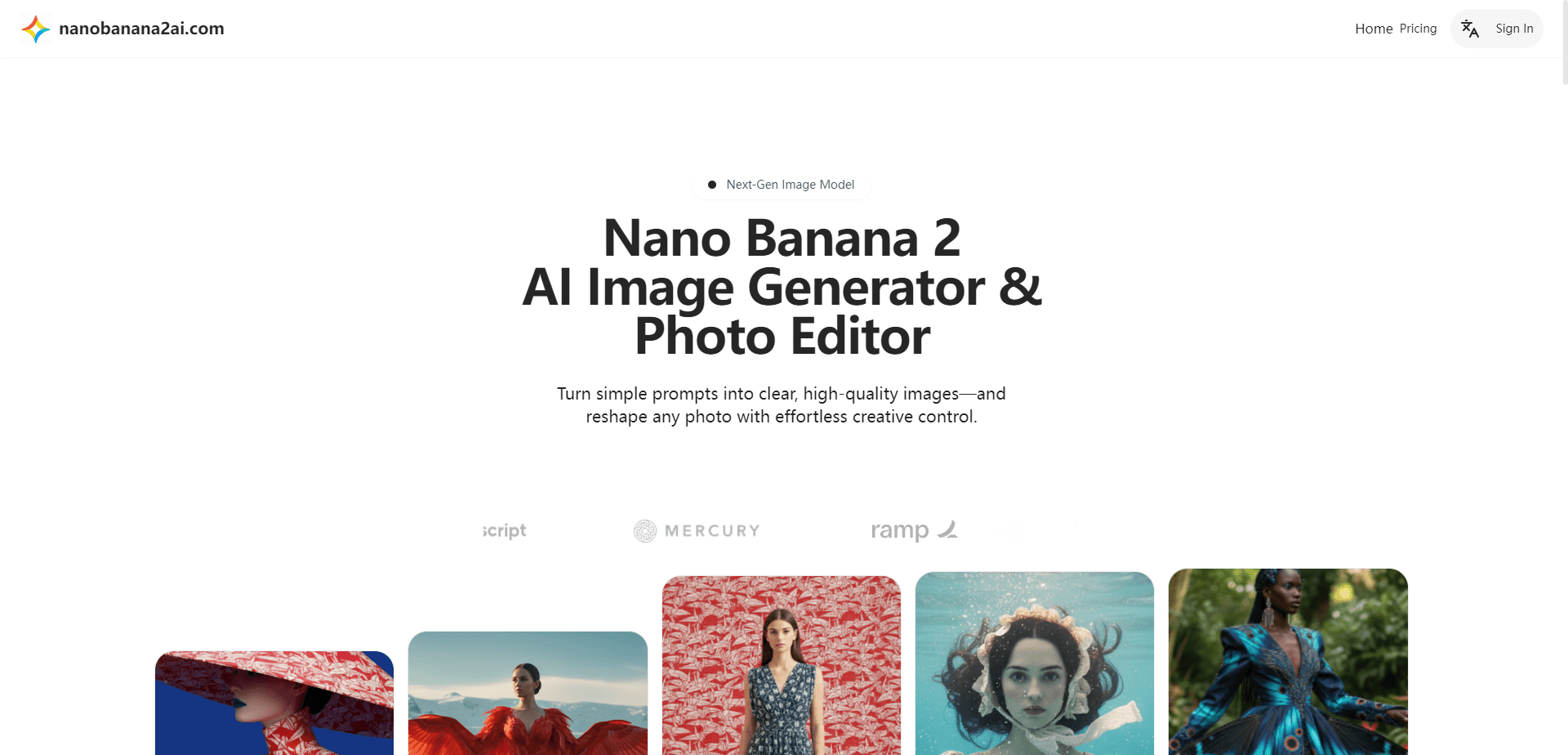
NanoBanana2AI.com is a web-based AI image generator and photo editor that runs Google's Gemini Flash Image models in your browser. You type a prompt, upload a reference photo, or both, and it returns a finished picture. The draw here is conversational editing. Describe a change in plain language, and the AI applies it while keeping the same person, product, or scene recognizable across versions. No desktop install. No GPU. Just an account and a prompt box.
About NanoBanana2AI.com
What Is NanoBanana2AI.com
NanoBanana2AI.com is an online AI image generator and photo editor that wraps a Google Gemini image model behind a simple web interface. No layers. No masks. You describe what you want in a sentence and the model produces or revises the image.
The main problem it solves is iteration speed. Traditional photo editing means redoing work by hand every time a client asks for a different background or a new outfit. Here you keep the subject and change everything around them with one instruction. That speed is why it appeals to people making social posts, product shots, and story art.
The biggest limitation is that it depends on someone else's model and your internet connection. You're renting access to Gemini's image capability, not owning a tool. Prices, credit limits, and available features can shift, so check the site before you commit to a paid tier. We couldn't load the official domain during our check, so treat the figures below as the vendor's published numbers rather than a live quote.
Getting Started
- Open nanobanana2ai.com in a desktop or mobile browser and sign in with an email address or a Google account.
- Choose a starting point: type a text prompt for a brand-new image, or upload a reference photo of a person, pet, or object you want to edit.
- Describe the change in plain language, such as "put her in a 1960s beehive hairstyle" or "swap the background for a beach at sunset."
- Review the result and refine it with follow-up prompts until the subject and scene match what you had in mind.
- Download the finished file in the resolution and aspect ratio your platform needs.
Product Information
A quick look at NanoBanana2AI.com's pricing, supported platforms, and performance.
Best for
The users, tasks, and scenarios where this tool fits best.
Users
- Social media creators
- Small business owners
- Illustrators and comic fans
Tasks
- Swapping backgrounds
- Restyling a photo
- Combining references
Scenarios
- Preparing a batch of ad creatives in an afternoon instead of a week
- Drafting concept art before commissioning a human artist
- Fixing old family photos
Key features
Text-to-Image Generation
You describe the picture you want and the AI image generator builds it from scratch. Prompts can specify subject, style, lighting, and mood. A photorealistic headshot? A cartoon mascot? Same tool. It's the entry point for anyone who's never opened an image editor before.
Conversational Photo Editing
This is the core of the product. Rather than dragging sliders through a maze of panels and menus the way a traditional editor forces you to, you simply tell the AI photo editor what to change, and it applies the edit in context while leaving the rest of the frame untouched. Ask it to remove a passerby, blur the background, or change someone's jacket color, and it handles the rest. Edits stack, so you can refine an image across several rounds instead of starting over.
Character Consistency
The tool keeps the same face, body, and features across multiple images, which is what makes it useful for storytelling. Typical early AI art generators drifted on each generation and gave you a different-looking person every time. Holding a character steady means serialized comics, brand mascots, and product lines can look like one coherent set rather than a random pile.
Multi-Image Blending
You can feed in more than one reference and let the model merge them. A common use is placing a product into a lifestyle scene or adding a specific object to an existing photo. The blend respects the look of each input, so the result reads as intentional rather than pasted together.
Aspect Ratio and Format Control
Outputs come in multiple aspect ratios, from wide cinematic frames to square social posts and tall vertical covers. That range means you can generate once and crop to whichever platform you're publishing on, whether that's a widescreen banner or a phone-first story format.
Browser-Based Workflow
Everything runs in the browser on desktop and mobile, with no software to install and no graphics card to buy before you can start creating images. You sign in, work, and download. For people on a laptop or phone, that removes the usual barrier of heavy editing programs.
Pros and cons
Pros
- Runs entirely in a browser, so there's nothing to install and no hardware requirement.
- Conversational editing keeps a subject recognizable across many versions, which saves hours of manual retouching.
- A free plan lets you test the AI image generator before paying anything.
- Handles both creation and editing in one place, so you don't juggle several tools.
- Multiple aspect ratios cover most social and web formats straight out of the box.
Cons
- Every generation depends on Google's model and your connection, so an outage or a policy change on the backend can interrupt your work.
- Credit-based plans mean heavy users can burn through their monthly allowance faster than expected.
- Output quality varies with how well you phrase a prompt, and there's a real learning curve for consistent results.
- No public API details were available at the time of writing, which limits anyone hoping to automate image generation inside their own app.
Frequently asked questions
It's an AI image generator and editor for creating and modifying pictures from text prompts. People use it for social media graphics, product photos, character art, and quick photo repairs, all from a web browser.
Related content
Explore related tools, skills, and articles for NanoBanana2AI.com.
NanoBanana2AI.com Alternatives

X Ray Interpreter
X-ray Interpreter · ImageX Ray Interpreter is a web-based AI radiology tool that turns X-rays, CT scans, MRI, ultrasound, and PET images into plain-language reports. You upload a scan, get a preliminary X-ray interpretation in moments, then ask follow-up questions if something needs explaining. It works as a second opinion and a learning aid, not as a medical diagnosis.

Aieasypic
AIEasyPic · ImageAIEasyPic is an AI image generator that turns plain text prompts into finished artwork in seconds. You can also train custom models on your own photos, swap faces in existing images, and create short video clips from text, all from a browser. It suits casual creators who want quick visuals and hobbyists who want to build a personal model without touching any code.

Chargen
Chargen · ImageChargen is an AI character generator and worldbuilding toolkit built for Dungeons & Dragons and other tabletop RPGs. It turns a one-line idea into a painted character portrait, spins up NPCs, monsters, maps and encounters from the same session, and keeps every creature's details close at hand. The tabletop RPG art side runs on a credit system called Gold, while the text generators stay free for everyone.