

NativeBridge
AutoFlow Labs · Coding
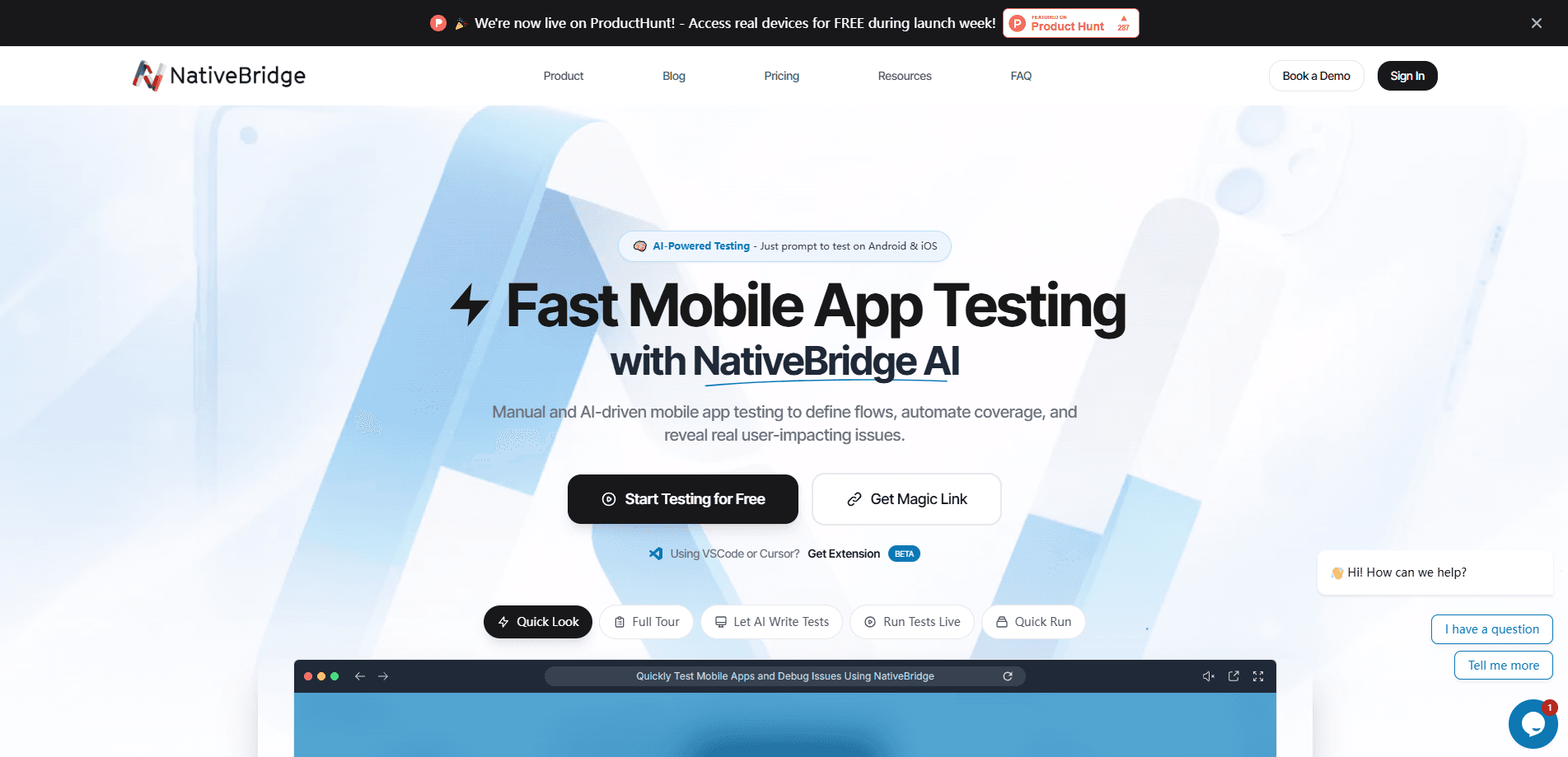
NativeBridge is a cloud platform that runs real and virtual iOS and Android apps directly inside a web browser. Want to run mobile apps in browser tabs instead of on a desk full of phones? That's the core idea. You upload a build, get a magic link, and anyone you share it with can jump into a live session without downloading an APK or installing a simulator. It's a mobile app emulator alternative for developers and QA teams that need fast previews, cross-device testing, and demo sharing.
About NativeBridge
What Is NativeBridge
NativeBridge is a browser-based environment for running, testing, and sharing native mobile apps. You bring a build. It runs on a cloud device. The platform streams that device into a page that behaves like a real phone, which means the app responds to taps and swipes the same way it would on hardware you can hold. No SDK, no local emulator, no device farm sitting on a desk. That single idea is the whole pitch: access to a mobile app should be a link, not a setup project.
The main problem it solves is friction. Timelines slip when a client has to install TestFlight, sideload an APK, or wait for a device to free up. NativeBridge collapses that into a URL. A designer, a client, or an investor clicks once and lands inside a working app with debugging tools attached. That's it.
The limits matter too. It's built around previewing and testing builds you already have. It isn't a build service and won't compile your source. Cloud sessions depend on a stable connection, so heavy network inspection on a weak link can feel sluggish. And, from what we can gather, pricing stays sales-led rather than posted publicly, which makes it harder to estimate cost before you talk to the team, compare plans side by side, or budget for a larger rollout. Worth knowing up front.
Getting Started
- Create an account on the NativeBridge site and open your Apps Dashboard.
- Upload an iOS or Android build, then configure its settings for the devices you care about.
- Launch the app to open the App Page, the interactive browser session.
- Generate a share app preview link and hand it to reviewers or teammates.
- Use the device toolbar and debugging tools to poke at the build, or embed the session elsewhere.
Product Information
A quick look at NativeBridge's pricing, supported platforms, and performance.
Best for
The users, tasks, and scenarios where this tool fits best.
Users
- Mobile developers
- QA engineers
- Product managers and designers
- Client-facing teams
Tasks
- Sharing a live app preview
- Cross-version testing
- Test automation
- Debugging in session
Scenarios
- A sales demo where you need the app running in seconds on a laptop.
- A PR review where a teammate wants to try the change before merging.
- Onboarding a new engineer who has no device farm access yet.
- Embedding a live app experience into docs or a landing page.
Key features
Magic Link Sharing
Every uploaded app gets a shareable link that opens the running app in a browser. Recipients land in the App Page with device controls and debugging tools already in place. No install. No config. It removes the whole setup step that usually stalls a review or demo.
Cloud Device Testing
The platform runs builds on real and virtual devices, with a reported range of 50+ real devices across current iOS and Android versions. You can swap device models and OS versions on the fly to reproduce bugs that only show up on specific hardware. The range covers the mainstream devices, but it isn't every obscure model, and matching a very specific regional handset may take a support request.
Built-in Debugging Tools
Once inside a session, you get a UI recorder for replaying interactions, a network traffic monitor for inspecting requests, live debug logs, and an ADB tunnel for Android. That covers most of what you'd otherwise set up locally. Handy.
Device Toolbar Controls
A toolbar handles the small things that break test flows: rotate orientation, simulate a shake, toggle light and dark mode, change GPS location, switch languages, and trigger biometric authentication. Screenshots and screen recording are one click away. Small stuff. Big time saver.
Test Automation
NativeBridge runs Appium and Maestro scripts at scale, with parallel execution across device configurations. Teams already invested in those frameworks can point them at the cloud instead of maintaining an in-house device lab. No hardware to babysit.
App Embedding
You can drop a live app session into documentation, a landing page, or a support portal with an iframe. It's a practical way to let people try a product flow without leaving the page they're already reading. Nice touch.
REST API
A documented REST API lets you manage apps and trigger testing workflows programmatically. You generate API keys from your account and wire the platform into existing CI or internal tooling. It's there if you need it.
Pros and cons
Pros
- Magic links turn app access into a single click, which cuts hours of back-and-forth for reviews and demos.
- Real-device coverage across iOS and Android versions catches bugs an emulator would miss.
- Debugging tools like the network monitor and ADB tunnel come built into the session.
- Automation via Appium and Maestro means existing test scripts often port over without a rewrite.
- Embedding support extends the reach of a build to docs and marketing pages.
Cons
- Pricing isn't published, so you have to contact sales to get a number, which slows budget planning.
- It previews and tests existing builds only. It won't compile your source, so your own CI still has to produce the binary, and a team without a working build pipeline won't get far with the platform on its own.
- A browser session depends on your connection, so heavy network inspection on a weak link can lag. Real drag.
- The listed device count covers the mainstream devices and OS versions, not every obscure model.
Frequently asked questions
It runs your iOS and Android apps in a web browser on cloud devices. You upload a build, get a magic link, and share a live, interactive session with anyone you choose. The recipient never installs the app, and you never hand over a physical device.
Related content
Explore related tools, skills, and articles for NativeBridge.
NativeBridge Alternatives
Forefront
Forefront · CodingForefront is a web platform for building with open-source AI. It lets you fine-tune leading open-source language models on your own data, evaluate how they perform, and run them through an API or export them to host yourself. Developers who want the convenience of a closed-source platform but insist on owning their models and data are the target audience here.

Startkit
StartKit.AI · CodingStartkit is a boilerplate for building AI SaaS and AI wrapper products. Think of it as an AI startup boilerplate with the boring parts already wired up: authentication, Stripe and Lemon Squeezy payments, usage limits, transactional email, and an AI API starter that talks to OpenAI, Anthropic, Groq, or Llama. You clone the repo, set your price, and start on the part of your product that people actually pay for. It's Next.js under React and Tailwind, so most of the boilerplate code already feels familiar.
Testim
Tricentis · CodingTestim is an AI-powered test automation platform for building and running end-to-end tests across web, mobile, and Salesforce applications. It leans on machine learning to keep tests stable when an interface changes, so teams spend less time fixing broken selectors. Not bad for an automated testing tool you can start using today. You create tests by recording actions in a browser, then optionally add JavaScript when you need more control. It's a solid pick for busy QA teams.