

Nero Software
Nero AG · Video
Nero Software is a Windows toolkit from Nero AG that covers video editing, disc burning, and backup, plus a growing line of Nero AI tools that upscale and clean up photos and videos.
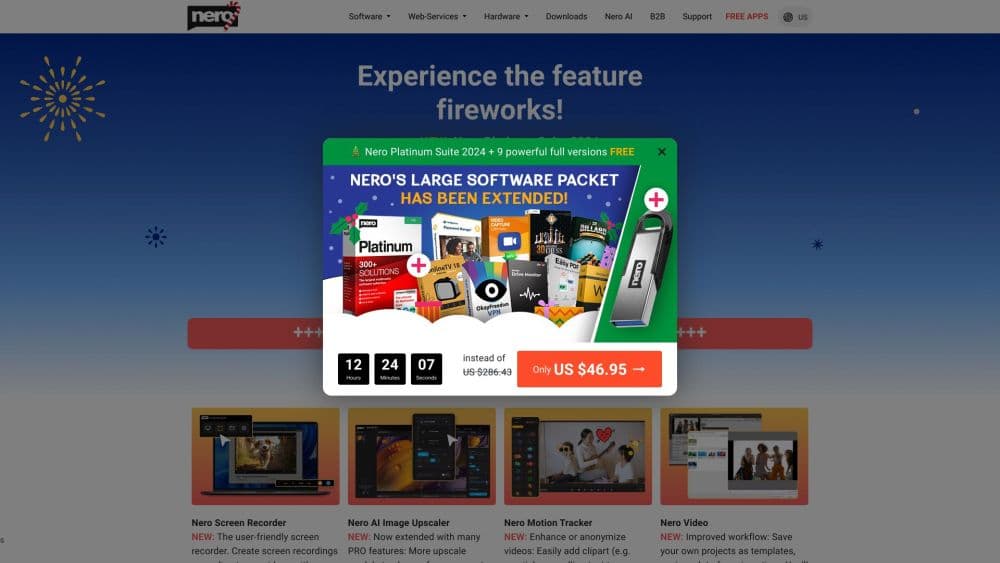
About Nero Software
What Is Nero Software
Nero Software is the product family from Nero AG, a German company that's been making Windows media software since the late 1990s. Its best-known product, Nero Burning ROM, started life as a CD and DVD burning tool. Today the flagship is Nero Platinum Suite, a bundle of more than 20 programs that handle video editing, photo organization, music, disc authoring, and data backup in one package. Alongside the suite, Nero sells a set of Nero AI tools that use machine learning to upscale images and video, tag photos, and blur moving objects.
The reason people still install Nero is breadth. One suite covers jobs that would otherwise need four or five separate apps: cutting a holiday video, burning it to Blu-ray, tidying a photo library, and backing up a hard drive. If you edit video for YouTube, digitize an old disc collection, or just want one window for your media, the suite is built with you in mind.
The main limits are platform and price. Everything runs on Windows only, with mobile apps limited to the AI photo side. And the suite isn't cheap, so a user who only needs to touch up a couple of photos may be better served by downloading a single Nero AI tool instead of the full bundle.
Getting Started
- Create a Nero account at nero.com and buy either the Nero Platinum Suite or an individual Nero AI tool. Most purchases come with a 30-day money-back guarantee.
- Download and install the software through Nero Start, the hub that manages downloads, activation, and updates.
- Open the tool you need. Nero Video handles editing and slideshows, Nero MediaHome organizes photos and music, and the Nero AI tools take images or clips for enhancement.
- Work on your files. Cut and export video, tag and search your photo library, or upscale a photo to a higher resolution.
- Save, burn, or back up the result. Export to your drive, write to disc, or push a backup to an external drive or cloud service.
Product Information
A quick look at Nero Software's pricing, supported platforms, and performance.
Best for
The users, tasks, and scenarios where this tool fits best.
Users
- Home video editors
- People digitizing an old media collection
- Photographers and hobbyists with messy libraries
- Creators who want AI upscaling without the cloud
Tasks
- Editing and exporting a video project
- Restoring or enlarging an old photo
- Cleaning duplicate files off a drive
- Blurring a face or license plate in a clip
- Backing up a computer
Scenarios
- Finishing a trip recap to share with family
- Preparing files for a new laptop
- Building a gift disc of old home movies
- Sprucing up photos before printing a photo book
Key features
Nero Platinum Suite
Nero Platinum Suite is the centerpiece, a bundle of more than 20 programs for video, photo, music, disc, and backup work. It collects Nero Video, MediaHome, Burning ROM, Recode, BackItUp, and the AI tools under one license and one launcher. Buying the suite costs less than assembling the same pieces individually, which is the main reason to choose it over single apps.
Nero AI Image Upscaler
The AI Image Upscaler enlarges and sharpens photos using models that reconstruct fine detail rather than simply stretching pixels. It runs locally on the PC, so you keep private images off the cloud. You can push resolution well beyond the original, which helps with printing, cropping, and reviving old scans that look soft.
Nero AI Video Upscaler
The AI Video Upscaler takes standard footage and enhances it toward 4K or 8K, sharpening edges and rebuilding detail along the way. Old camcorder clips and low-resolution recordings come out looking cleaner on a modern screen. Like the photo tool, it works on the local machine, so larger files don't need to be uploaded anywhere.
Nero Motion Tracker
Nero Motion Tracker detects a moving object in a clip and applies a blur or mosaic that follows it frame by frame. The practical use is privacy: hiding faces, license plates, or logos in footage you plan to post. A newer segment-tracking mode lets you isolate a specific subject instead of blurring the whole frame.
Disc Burning and Authoring
Nero Burning ROM remains the brand's signature tool for burning and copying data, video, music, and photos to CD, DVD, and Blu-ray. It also handles disc authoring with menus and chapters, so an exported video becomes a disc that plays in a standard player. For anyone maintaining an optical archive, this is still the core reason to own Nero.
Nero MediaHome and Photo Tagger
Nero MediaHome is the media organizer that catalogs photos, video, and music into one library, with a timeline, a world map for location-sorted photos, and playback. Nero AI Photo Tagger sits inside it and uses scene recognition to auto-tag images and recognize faces, which cuts down on manual keywords across a large collection.
Backup and System Tools
Beyond media, the suite carries a set of maintenance utilities. Nero BackItUp handles scheduled and incremental backups to drives, optical media, or cloud services, with 256-bit encryption. Nero TuneItUp cleans up and speeds up the PC, and Nero Recode converts and rips video and music into the formats mobile devices expect.
Pros and cons
Pros
- One suite replaces a video editor, a burner, a photo organizer, and a backup tool, which saves money versus buying each separately.
- The AI upscalers run on the PC, so private photos and videos don't get uploaded to a cloud service.
- Nero has shipped media software for decades, so disc burning and format support are mature and cover old as well as new standards.
- Buying the suite unlocks more than 20 programs under a single license and a 30-day money-back guarantee.
- The AI tools are available as standalone buys, so you can start with just the upscaler if the full suite is more than you need.
Cons
- It's Windows only. Mac users have no version of the suite, and the mobile apps cover only AI photo work.
- The suite is expensive up front, which is a lot to spend if you only want one feature, such as photo upscaling.
- Some titles overlap in function, so the program list can feel bloated until you learn which tool does what.
- The interface across older modules isn't uniform, so switching between them has a small learning cost.
Frequently asked questions
Nero Software is a Windows suite for media work. It edits video, burns and copies discs, organizes photos and music, backs up data, and includes AI tools that upscale images and video. It's aimed at home users who want one package for several media jobs instead of a stack of single-purpose apps.
Related content
Explore related tools, skills, and articles for Nero Software.
Nero Software Alternatives

ngram 2.0
ngram · Video · Marketingngram 2.0 is an AI video generator for teams. It turns a prompt, a screen recording, or a product URL into a narrated explainer, product demo, or AI avatar video, and every scene stays editable.

OpenScreen 2
OpenScreen (open-source project) · Video · ProductivityOpenScreen 2 is a free, open-source screen recorder and demo video editor for Windows, macOS, and Linux, with automatic zooms, styled frames, local captions, and agent edits.

Skreno
Skreno · Video · ProductivitySkreno is a browser screen recorder that captures a tab, a window or your whole display, then attaches AI transcripts, summaries and console logs to one share link.