

neural frames
Neural Frames · Video
Neural Frames is a browser-based AI music video generator. It reads the beat, energy, and stems of your song, then animates visuals that move in time with the music.
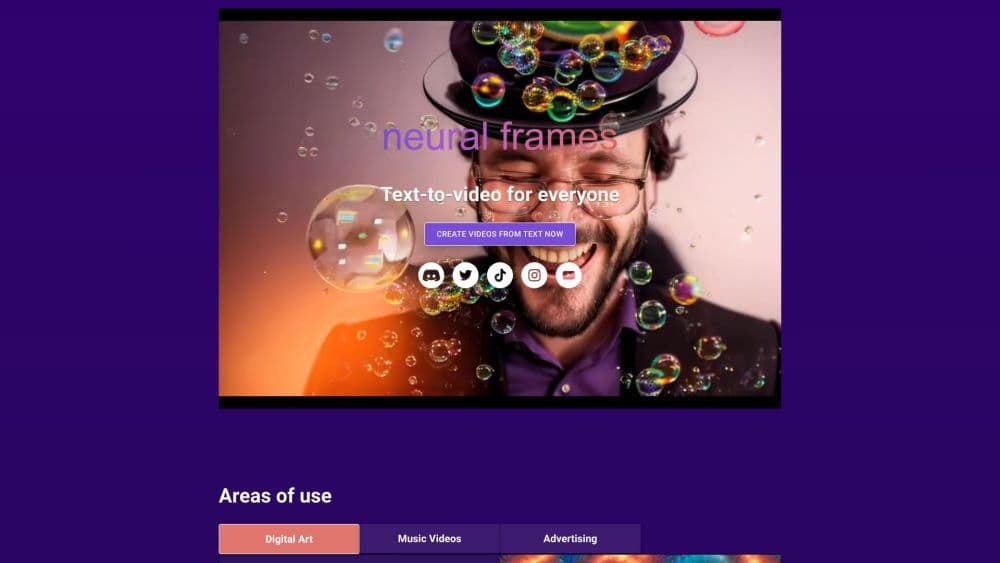
About neural frames
What Is Neural Frames
Neural Frames is an online studio for making music videos from audio alone. You upload a track, and the platform works out the tempo, the key, and the individual parts of the mix, then builds footage that follows what it hears. Filmmakers shot videos in 2022 with a camera crew and a location budget. Most independent musicians still can't afford that. Neural Frames targets the gap with a prompt-driven editor and a one-click mode that handles the whole song.
The founder, Dr. Nicolai Klemke, started the project in late 2022 and ran it alone for almost a year before it grew into a small team based in Berlin. That origin still shapes how the product feels. The interface assumes you know your own song better than any tool does, so it gives you the knobs and leaves the taste calls to you.
The limits are real. Generations consume credits, the cheap plan caps quality at 1080p, and long clips with heavy motion can take a while to render. Anyone expecting a one-button Hollywood result will be disappointed.
Getting Started
- Sign up at neuralframes.com. The free account opens the editor without a card.
- Upload your track as an audio file. The platform scans the tempo, key, and stems on its own.
- Pick a creation mode. Autopilot builds a whole video, while the frame-by-frame editor and the text-to-video editor give you scene-level control.
- Choose an AI model, a visual style, and how strongly the visuals should follow the beat.
- Adjust scenes with prompts or the AI assistant, then export at 1080p or 4K with credits from your plan.
Product Information
A quick look at neural frames's pricing, supported platforms, and performance.
Best for
The users, tasks, and scenarios where this tool fits best.
Users
- Independent musicians who release often
- Small labels managing several artists
- Lyric video creators
- Visual artists experimenting with AI film
Tasks
- Turning a finished song into a full video
- Making clips for TikTok, Reels, and Shorts
- Building a recurring character
- Producing a beat-synced visualizer
Scenarios
- A single drops next week and you have no video budget
- A label needs promo clips for several artists in one month
- An artist wants a visual identity that runs across an album
Key features
Autopilot Song to Video
Autopilot takes an uploaded track and produces a complete music video with almost no prompting. It extracts the song structure and lyrics, keeps the main subject consistent between scenes, and cuts on the beat. The brake pedal is control. You can still swap models, rewrite scene prompts, or regenerate one shot, so Autopilot works as a first draft as much as a final export.
Stem-Based Audio Reactivity
The engine splits a track into eight stems, covering drums, bass, vocals, and melody, and lets you wire each one to a different behavior in the audio-reactive video. A kick drum can drive a flash, while the melody moves the camera. Ten or more modulation parameters handle intensity and timing. This is where Neural Frames separates itself from a template music visualizer, since the visuals respond to parts of the mix rather than a single loudness curve.
Frame-by-Frame Editor
The frame-by-frame editor is the full AI video editor: it exposes individual scenes, prompts, and timing, so you can build a sequence shot by shot. That level of control matters when the video needs to match a specific narrative or sync precisely to a lyric. It takes longer than Autopilot, and the free tier still gives you access to it.
Custom Models and Character Consistency
You can train a custom model on 10 to 20 images of a person or character so the same face appears across scenes and releases. Style models trained on 50 to 100 images carry a visual look through an entire project. For bands building a visual brand, this removes the drift that usually makes AI footage look stitched together.
Multiple AI Video Models
Neural Frames routes generation through several third-party models, including Kling, Seedance, Runway, and Stable Diffusion. Each has a different feel: Kling leans realistic and cinematic, Seedance more stylized, Runway steady across shots, Stable Diffusion abstract. Switching models mid-project is simple, and the pricing calculator shows how each choice changes credit cost.
Upscaling to 4K
A 4K music video used to mean a rental house and a colorist. Here every export gets sharpening, and paid plans reach 4K. Neural Knight stops at 1080p, while Neural Ninja and Neural Nirvana include 4K, with Nirvana adding priority processing. Export runs at 25 fps, which is smoother than the 24 fps common elsewhere and still a long way from the 60 fps gamers expect.
Short-Form Studio and Vertical Conversion
Short-Form Studio builds clips sized for TikTok, Instagram Reels, and YouTube Shorts. A separate conversion tool turns a finished horizontal video into a vertical cut without a re-render from scratch. Artists who post the same track to several platforms save a full editing pass.
Pros and cons
Pros
- The audio engine reads stems and structure, so visuals follow the arrangement instead of a single beat track.
- Three creation modes cover quick drafts and detailed scene work inside one account.
- Character training keeps a face or style stable across an entire album cycle.
- Commercial rights to finished videos stay with the creator, and zero rights are claimed by the platform.
- Unused credits roll over up to 300% of the monthly allocation while the subscription runs.
Cons
- The $26 plan limits exports to 1080p, so 4K needs the $66 tier.
- Credit costs climb with longer songs and heavier models, and the calculator is the only way to see the damage before you render.
- Render queue waits appear on busy days, especially for upscaling jobs on lower plans.
Frequently asked questions
It turns audio into music videos, lyric videos, and looping visuals for social media. The lyric video maker alone handles automatic timing and captions. You upload a track, choose a style, and the AI builds footage that reacts to the song.
Related content
Explore related tools, skills, and articles for neural frames.
neural frames Alternatives

ngram 2.0
ngram · Video · Marketingngram 2.0 is an AI video generator for teams. It turns a prompt, a screen recording, or a product URL into a narrated explainer, product demo, or AI avatar video, and every scene stays editable.

OpenScreen 2
OpenScreen (open-source project) · Video · ProductivityOpenScreen 2 is a free, open-source screen recorder and demo video editor for Windows, macOS, and Linux, with automatic zooms, styled frames, local captions, and agent edits.

Skreno
Skreno · Video · ProductivitySkreno is a browser screen recorder that captures a tab, a window or your whole display, then attaches AI transcripts, summaries and console logs to one share link.