

Next in Fashion
Nextinfashion · Image
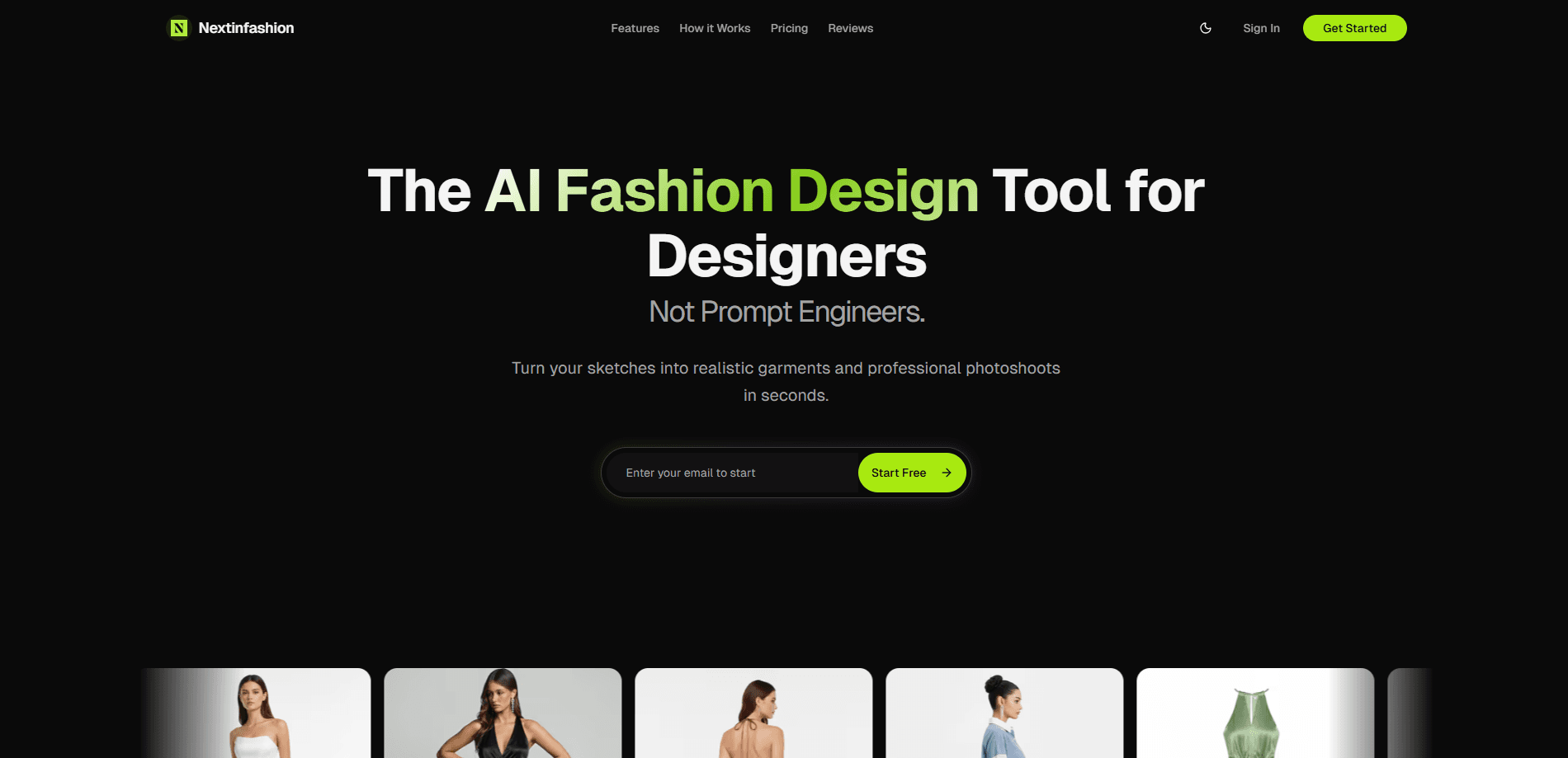
Next in Fashion is an AI fashion design studio that turns sketches and mannequin shots into photorealistic garment visuals, catalog angles, and campaign-ready ad creatives. It runs on a node-based canvas where you drop references, connect steps, and generate images or video without typing long text prompts. Think of it as AI fashion photography with a design tool wrapped around it. Fashion brands use it to cut photoshoot costs, ship assets faster, and keep one consistent look across an entire catalog.
About Next in Fashion
What Is Next in Fashion
Next in Fashion is a web-based AI studio built for fashion and accessory brands. It handles the visuals a brand normally pays a photographer, model, and studio to produce: on-model shots, packshots, lifestyle scenes, and ad creatives. That's the whole job in one place. The pitch is simple. Sketch it or shoot it once on a mannequin, then generate the rest from the canvas, so a single afternoon of prep work replaces what used to be a multi-day production schedule with models, lighting rigs, and location scouting baked into the budget. No crew, no re-booking.
The product leans on a node-based workflow instead of a chat box. You connect a reference image, a garment, and a style node, then generate. That structure is what separates it from prompt-only fashion AI tools, and it's also the part that takes a little getting used to. Fair warning.
So where does it fit next to a general image model? Next in Fashion is a fashion AI generator first. Every feature assumes garments, models, and catalog framing, which general AI product photography tools tend to treat as an afterthought when they were actually built to handle portraits, landscapes, and abstract art first.
The main limit is scope. It's a design and imaging tool, not a supply chain or e-commerce platform. You still export assets and drop them into your own store. And since pricing runs on credits, heavy video work adds up faster than stills do, especially once you start producing 1080p or 4K clips for a full campaign rather than a single test asset.
Getting Started
- Create an account at nextinfashion.live and sign in to the studio.
- Open a new canvas and add a node for your base reference, either a sketch, a mannequin shot, or an existing product image.
- Connect a style or model node and set the look you want, such as editorial, on-model, or packshot.
- Generate the image, then branch into new nodes for extra angles, scenes, or ad formats.
- Export the finished assets or continue the same canvas into video.
Product Information
A quick look at Next in Fashion's pricing, supported platforms, and performance.
Best for
The users, tasks, and scenarios where this tool fits best.
Users
- Fashion brands
- E-commerce sellers
- Accessory and small-batch labels
Tasks
- Turning a flat sketch into an on-model or editorial image
- Producing packshots from a single product shot
- Building ad creatives
- Collecting a mood board and generating from it
Scenarios
- Preparing a seasonal catalog
- Testing a concept before committing to a shoot
- Refreshing ads for a live campaign
Key features
Node-Based Canvas Studio
Just a sketch. The whole product lives on a canvas where references, garments, and styles are nodes you connect. Instead of describing a look in text, you wire up an image and let the nodes carry the context. That's what makes garment visualization feel closer to design work than prompt guessing, and it's what lets one sketch feed many outputs.
Garment Try-Ons and Catalog Angles
Feed in one reference and generate multiple outfits plus consistent catalog angles, and because the same lighting and mood carry across every output, a single source image can cover a full listing without the color drift that plagues mixed studio sessions. The output is set up for editorial, on-model, and product detail page use, so a single source image can cover a full listing. Consistency is the selling point here, since mismatched lighting across a catalog is hard to fix later.
Packshots and Lifestyle Scenes
Turn one product shot into packshots, lifestyle scenes, and PDP assets. You can test environments without re-shooting, which matters when a background change would normally mean another studio day. It suits sellers who keep many SKUs but shoot each one once.
Commercial Ad Creatives
Combine a product reference with a model reference to get campaign-ready ads. Variants and formats come out in minutes, so paid social and display versions stay in sync. It's the fastest path in the studio if your goal is volume over fine art.
Image and Video Generation
The same canvas powers both stills and video. Image generation runs from 1 credit at 1K or 2K up to 2 credits at 4K. Video runs 5 credits at 720p, 10 at 1080p, and 20 at 4K. Credits never expire, so you can stock up and use them when a campaign lands. That's the friendly part. The flip side is that nothing is free upfront.
Mood Board to Assets
Dump references onto the canvas, then generate new campaign-ready images from your inspiration set. Everything stays in one workflow, so you're not exporting from one tool and re-uploading to another. Handy for mood-led labels that start from a vibe rather than a spec sheet. One canvas, no exports between tools.
Pros and cons
Pros
- Node-based canvas keeps context from your references instead of relying on text prompts.
- One reference image can produce multiple angles, scenes, and ad formats.
- Pay-as-you-go credits with no recurring subscription, and credits never expire.
- Handles both images and video on the same canvas.
- Built specifically for fashion, so garment visuals are the core use case, not an afterthought.
Cons
- No free plan, so you have to buy credits before you can test the studio.
- The node-based workflow has a learning curve if you're used to simple prompt boxes.
- Not ideal. Video generation is credit-hungry, with 4K video costing 20 credits per clip.
- It's a visual tool only; you still export and manage assets in your own store or DAM.
- No batch mode is advertised, so large catalogs still need manual canvas work per item. Slow at scale.
Frequently asked questions
It generates fashion visuals such as on-model shots, packshots, lifestyle scenes, and ad creatives from sketches, mannequin photos, or existing product images. Brands use it to replace or supplement traditional photoshoots. In short, it's AI fashion photography without the camera crew.
Related content
Explore related tools, skills, and articles for Next in Fashion.
Next in Fashion Alternatives

X Ray Interpreter
X-ray Interpreter · ImageX Ray Interpreter is a web-based AI radiology tool that turns X-rays, CT scans, MRI, ultrasound, and PET images into plain-language reports. You upload a scan, get a preliminary X-ray interpretation in moments, then ask follow-up questions if something needs explaining. It works as a second opinion and a learning aid, not as a medical diagnosis.

Aieasypic
AIEasyPic · ImageAIEasyPic is an AI image generator that turns plain text prompts into finished artwork in seconds. You can also train custom models on your own photos, swap faces in existing images, and create short video clips from text, all from a browser. It suits casual creators who want quick visuals and hobbyists who want to build a personal model without touching any code.

Chargen
Chargen · ImageChargen is an AI character generator and worldbuilding toolkit built for Dungeons & Dragons and other tabletop RPGs. It turns a one-line idea into a painted character portrait, spins up NPCs, monsters, maps and encounters from the same session, and keeps every creature's details close at hand. The tabletop RPG art side runs on a credit system called Gold, while the text generators stay free for everyone.