

Nexus Clips
Nexus Clips · Video · Marketing
Nexus Clips is an AI video clipper that scans your long recordings and pulls out the moments most likely to perform on short-form feeds. It handles the tedious parts for you: picking the clips, reframing them to vertical, and burning in animated subtitles. Streamers, podcasters, and YouTube uploaders use it to turn one long video into a batch of short clips without editing experience.
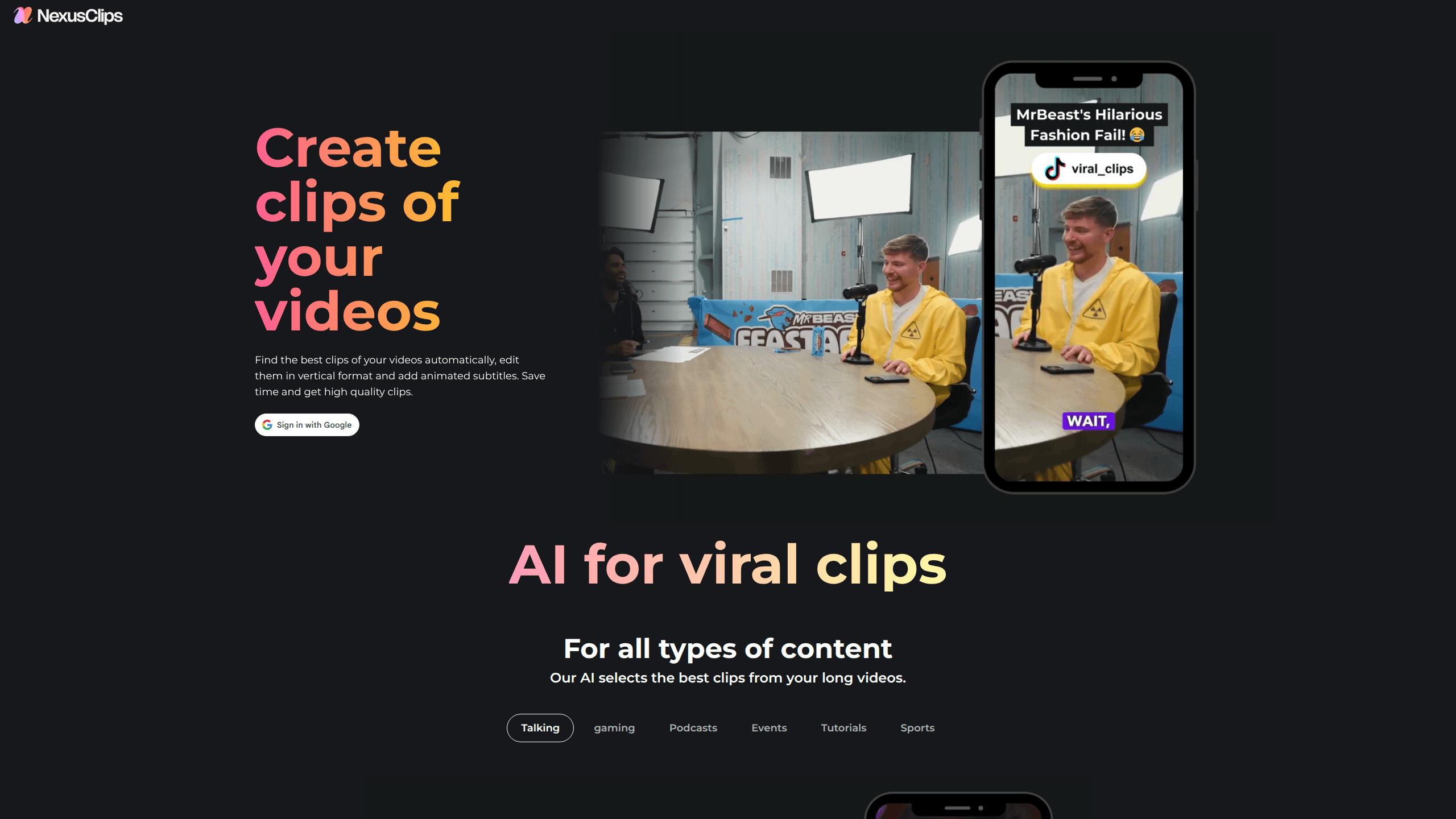
About Nexus Clips
What Is Nexus Clips
Nexus Clips is a web-based AI clip maker built around one job: turning long video into short, post-ready clips. You point it at a full-length recording, and its AI picks out the highlights, cuts them into vertical format, and adds animated subtitles so viewers can follow along with the sound off. That's the whole idea. The pitch on its own site is blunt, and it's aimed at people who already publish content and want more reach from the footage they've already shot.
It fits streamers, podcasters, and creators who upload long videos and want to repurpose them for TikTok, YouTube Shorts, and Reels. The appeal is speed. Not everyone has an editor on call. Instead of scrubbing through a two-hour recording to find the one good 40-second exchange, you let the tool surface candidates and then just review them.
The main limits are practical. The site's public pages describe the features but leave the pricing tiers, the exact plan limits, and the processing speed to the app itself, so you'll want to check your account for the numbers that matter. Clips still need a human eye before posting, since AI can flag a moment that reads well on paper but falls flat in context.
Getting Started
- Create an account on the Nexus Clips site, or log in if you already have one.
- Upload a long recording, or connect a source video such as a YouTube video, a Twitch stream, or a TikTok clip.
- Let the AI scan the footage and surface the moments it thinks will carry a short clip.
- Pick the clips you want, then let the tool convert them to vertical format and add animated subtitles.
- Review each clip, adjust anything you don't like, and export it for the platform you're targeting.
Product Information
A quick look at Nexus Clips's pricing, supported platforms, and performance.
Best for
The users, tasks, and scenarios where this tool fits best.
Users
- Streamers on Twitch and YouTube who want their live moments clipped automatically, provided they upload or connect the source recording.
- Podcasters sitting on long episodes who need vertical, subtitled clips for social feeds without hiring an editor.
- Solo creators with no editing background, since the tool picks clips and adds captions for you.
Tasks
- Turning a full stream VOD into a batch of short clips for TikTok and Shorts.
- Adding animated subtitles to clips so they land with viewers watching on mute.
- Reframing horizontal footage into vertical format without manual cropping.
- Pulling highlight moments from long interviews, gaming sessions, or Q&A recordings.
Scenarios
- Posting daily shorts when you don't have time to edit each one by hand.
- Rescuing old recordings that got little reach the first time around.
- Keeping a social feed active between major uploads.
- Testing which of your moments resonate before committing to a bigger edit.
Key features
AI Clip Selection
The core of Nexus Clips is its AI clip finder, which reads through a long recording and marks the moments most likely to hold attention. It's built to surface hooks, the opening lines that pull new viewers in, rather than just cutting at random intervals. That's the hard part. For anyone who has spent an evening scrubbing a three-hour VOD, this is the feature that saves the most time.
Vertical Format Conversion
The tool reformats horizontal footage for vertical platforms, which is the format TikTok, Shorts, and Reels all expect. Instead of cropping each clip by hand and hoping the subject stays in frame, you let conversion handle the ratio change. No manual math. It's the difference between posting a clip and posting a clip that looks like it was made for the feed it's in.
Animated Automatic Subtitles
Nexus Clips adds subtitles automatically and animates them. Why does that matter? Most people scroll with sound off, so a clip without captions loses viewers in the first few seconds. The animated styling also gives clips a consistent visual signature, which helps regular viewers recognize your posts as they scroll past.
Personalized Stickers and Hooks
The site advertises personalized stickers and hook overlays that sit on top of the clip. These are the small attention devices that make a short clip feel native to social feeds rather than recycled from a longer video. For creators building a recognizable style, this is where the tool lets you leave a mark without editing software.
Content-Type Coverage
Nexus Clips markets itself for all types of content, with dedicated entry points for streamers, YouTube, Twitch, TikTok, gaming, podcasts, event videos, app tutorials, and sports. Gaming and just-chatting streams get their own pages, which tells you the tool is tuned for live-recorded footage rather than only polished studio video. If your content lives in one of those categories, you're in the intended audience.
No-Experience Workflow
The site's own line is that you don't need experience to start. The workflow is simple: upload, review, export, with the AI doing the cutting. Good. That's the honest selling point here, and it's why the tool lands with creators who never learned an editor in the first place.
Pros and cons
Pros
- Automates clip selection, which is the slowest part of repurposing long video.
- Handles vertical conversion and subtitles in one pass instead of separate tools.
- Targets live-recorded content like streams and podcasts, not just studio footage.
- Low barrier to entry, since the AI does the cutting and captions for you.
- Content-type pages for gaming, sports, and podcasts make it easy to judge fit before signing up.
Cons
- Pricing tiers and clip limits aren't spelled out on the public site, so you have to check inside your account. That makes budgeting harder up front.
- AI picks clips by signals it can read, not by taste, so some surfaced moments still need a human check before posting.
- It's web-only, so there's no mobile app for clipping on the go.
Frequently asked questions
It takes a long video and returns short clips. The AI finds the moments worth clipping, converts them to vertical format, and adds animated subtitles, so you get post-ready shorts from footage you already have.
Related content
Explore related tools, skills, and articles for Nexus Clips.
Nexus Clips Alternatives

Vadu AI
Vadu AI · Image · VideoVadu AI is a web-based AI video generator that turns written prompts or still images into short clips, and it can also generate images on its own. You type what you want, pick a model and style, and the platform renders the result in minutes. A free plan covers light testing, while paid tiers run from $9 to $77.40 per month based on how many credits you burn.

Mykaraoke Video
MyKaraoke Video · VideoMykaraoke Video is an online karaoke video maker and lyric video maker that turns any song into a finished, lyrics-synced video right in your browser. It handles the slow part for you. The AI pulls vocals out of the mix and locks the lyrics to the beat, then lets you customize background, fonts, and colors before exporting in 1080p MP4. If you make lyric videos for social media, party nights, or music promotion, it skips the software installs and manual timing work entirely. Want a karaoke video generator that doesn't eat your whole evening? That's the pitch here.

Finalframe
Finalframe · VideoFinalframe is a set of free, browser-based tools for grabbing exact frames out of a video clip. Its best-known feature, the Final Frame Extractor, lets you extract the last frame of any video so you can use it as the starting image for AI video tools like Luma Dream Machine, Runway, or Kling. Want to keep a clip going? That last frame is your starting point. The tool runs locally in your browser, needs no sign-up, and costs nothing. A separate paid AI video-generation app from the same team is currently offline while it's rebuilt.