

Nim Video
Nim · Image · Video
Nim Video is an AI video generator and AI video maker that gathers a long list of top models, including Veo, Sora, Kling, and Seedance, inside one browser-based app. Instead of juggling separate subscriptions, you pick a model, describe a scene, and get a clip. It also handles text-to-image, image-to-video, restyle, lip sync, and upscaling, along with templates and an inspiration feed for people who'd rather start from an idea than a blank prompt. Credits power every generation, so your cost tracks how much you actually create.
About Nim Video
What Is Nim Video
Nim Video is a web app for making video with AI, built around the idea that the best model changes depending on the task. One generation might look better in Veo 3.1, while another needs Kling's motion handling or Seedance's speed. Nim puts those options side by side and charges a single credit balance, so you compare results without paying for five tools.
The product goes past plain text-to-video. It covers image generation, image-to-video animation, restyle, lip sync, upscaling, and keyframe work, plus an MCP option that plugs into Claude and ChatGPT for people who'd rather build inside a chat client. The company says over 5 million creators use it.
The catch is the pricing model. Credits burn at different rates depending on the model. A Veo 3.1 clip with sound can cost several hundred credits. A lighter Wan generation runs about 15. If you don't watch your balance, an ambitious project eats through a plan fast. So the real question is simple: how much video do you need each month? There's no fully free tier either, and the cheapest way in is a $5 welcome pack.
Getting Started
- Sign in with a Google or Apple account, or create one with email. Both providers merge into one account if the email matches.
- Open the Subscription page and pick a plan, or grab the $5 welcome pack to test the tools with 2,000 credits.
- Go to Create and choose what you're making: video, image, or a template from the library.
- Pick a model, write your prompt or upload a reference image, then check the credit cost shown next to the model name before you generate.
- Download your result, or keep working on it with restyle, lip sync, or upscale tools.
Product Information
A quick look at Nim Video's pricing, supported platforms, and performance.
Best for
The users, tasks, and scenarios where this tool fits best.
Users
- Content creators who want to try several AI video models without running five separate subscriptions, since everything draws on one credit balance.
- Social media managers producing short-form clips, ads, and AI avatar videos. They'll want a Pro plan to drop the watermark.
- Marketers testing different looks for the same idea, since switching models is a few clicks rather than a migration between platforms.
Tasks
- Turning a written prompt into a short cinematic clip
- Animating a still image into motion footage, which suits product shots and portraits that need a little life.
- Making avatar or lip sync videos
- Restyling and upscaling existing footage
Scenarios
- A one-person brand needs a week of posts and can't afford a shoot or an editing crew.
- An agency pitches three visual directions for the same ad concept and renders a rough draft of each.
- A hobbyist wants to see how Sora 2 compares to Kling on the exact same prompt before committing to either.
Key features
Multi-model access in one place
Nim's core pitch is breadth. The model list spans Veo 3.1, Sora 2, Kling 3 and 2.6, Seedance 2.5, Wan 2.7, Hailuo 2.3, Pika, Runway, Vidu, Luma Ray2, Hunyuan, Grok Imagine, and LTX-2, among others. Each one has its own credit price. Pick based on budget or style. That range is the main reason to choose Nim over a single-model tool.
Text-to-video and image-to-video
You can start from a written description or from a still image. Text prompts work for scenes that don't exist yet, while image-to-video animates a photo you already have. Both feed into the same editing options afterward, so you're not locked into one starting point.
Templates and inspiration feed
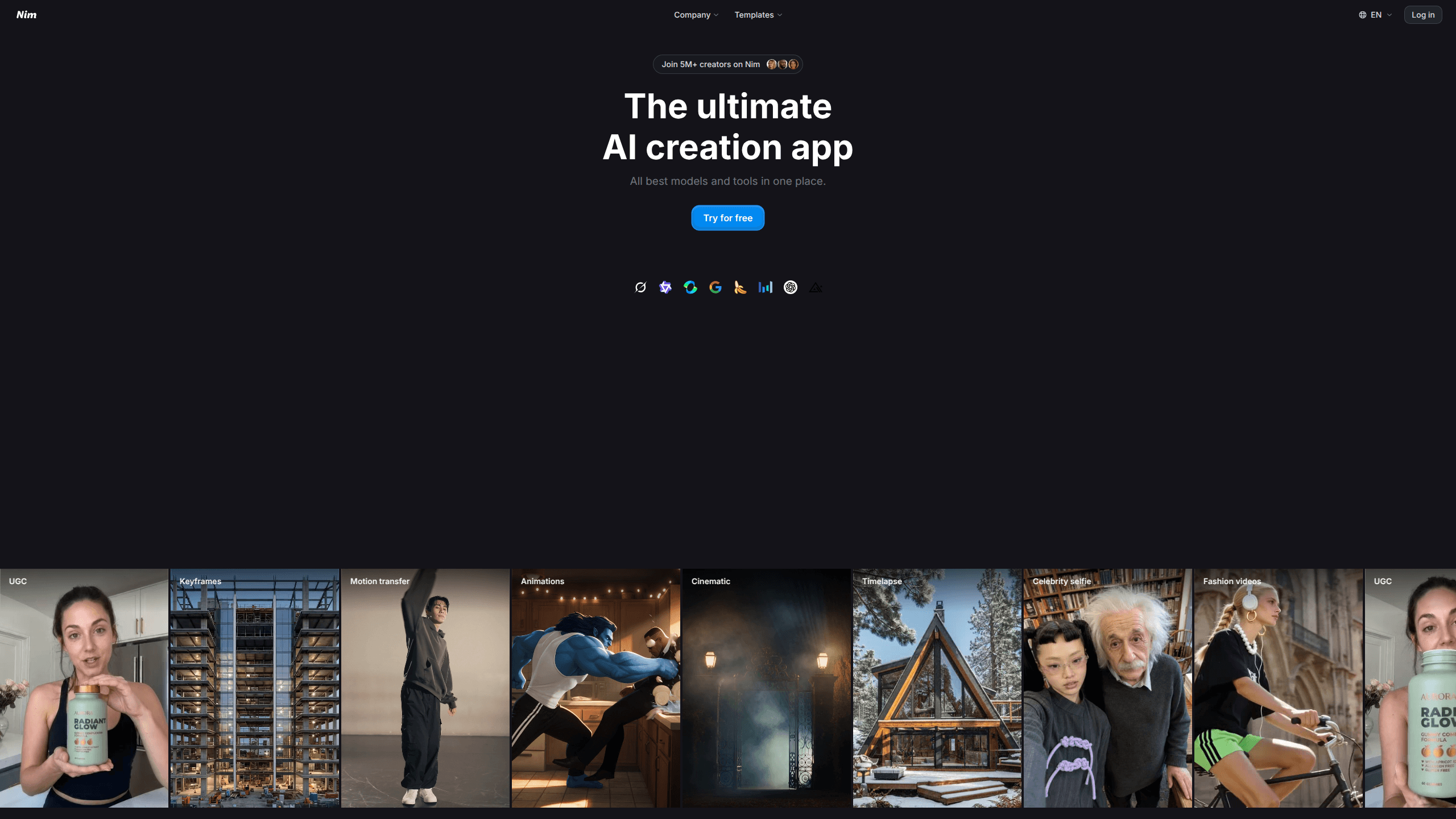
If a blank prompt is intimidating, the template library gives you ready-made looks, sorted into categories like UGC, keyframes, motion transfer, animations, cinematic, timelapse, celebrity selfie, and fashion. It's a fast way to produce something on-brand. No clear brief needed.
Image tools and editing suite
Nim isn't only video. It includes image models such as Nano Banana Pro, GPT Image, Seedream, Flux 2, and Imagen 4, plus edit modes for each. For AI video editing, it adds restyle, lip sync, keyframes, and upscaling. Most cleanup happens in the same app. No export round trips.
MCP integration for Claude and ChatGPT
Nim offers an MCP connection, which lets you trigger generations from inside Claude or ChatGPT rather than switching to a browser tab. It's a convenience. A real one, for people already working in those tools all day.
Credit-based pricing with flexible plans
Every generation spends credits, and the balance is shared across models and tools. Plans scale from Starter at 1,700 monthly credits to Max at 12,000, with a Team tier offering 30,000 shared credits. Pro and Max add 4K generation, watermark-free downloads, private projects, and commercial use rights.
Pros and cons
Pros
- Dozens of leading video and image models behind one login and one credit balance, which saves money versus stacking subscriptions.
- Straightforward model comparison: you see the credit cost next to each name before you generate.
- Templates and an inspiration feed lower the barrier for people who aren't prompt writers.
- Pro and Max plans include 4K output, no watermark, private projects, and commercial rights.
- MCP support lets Claude and ChatGPT users generate without leaving their chat client.
Cons
- No free plan; the entry point is a $5 welcome pack, so testing costs money up front.
- Starter clips carry a watermark and cap at 3 concurrent tasks, which limits anything commercial.
- Credit costs swing widely by model, and a heavy Veo or Sora run can drain a monthly balance fast.
Frequently asked questions
Nim Video is a web app for AI video production that bundles many top generation models, like Veo, Sora, and Kling, into one place. You use a shared credit balance to create video and images, then edit them with tools such as restyle, lip sync, and upscaling.
Related content
Explore related tools, skills, and articles for Nim Video.
Nim Video Alternatives

X Ray Interpreter
X-ray Interpreter · ImageX Ray Interpreter is a web-based AI radiology tool that turns X-rays, CT scans, MRI, ultrasound, and PET images into plain-language reports. You upload a scan, get a preliminary X-ray interpretation in moments, then ask follow-up questions if something needs explaining. It works as a second opinion and a learning aid, not as a medical diagnosis.

Aieasypic
AIEasyPic · ImageAIEasyPic is an AI image generator that turns plain text prompts into finished artwork in seconds. You can also train custom models on your own photos, swap faces in existing images, and create short video clips from text, all from a browser. It suits casual creators who want quick visuals and hobbyists who want to build a personal model without touching any code.

Chargen
Chargen · ImageChargen is an AI character generator and worldbuilding toolkit built for Dungeons & Dragons and other tabletop RPGs. It turns a one-line idea into a painted character portrait, spins up NPCs, monsters, maps and encounters from the same session, and keeps every creature's details close at hand. The tabletop RPG art side runs on a credit system called Gold, while the text generators stay free for everyone.