

NinjaDoc Ai
NinjaDoc AI · Coding
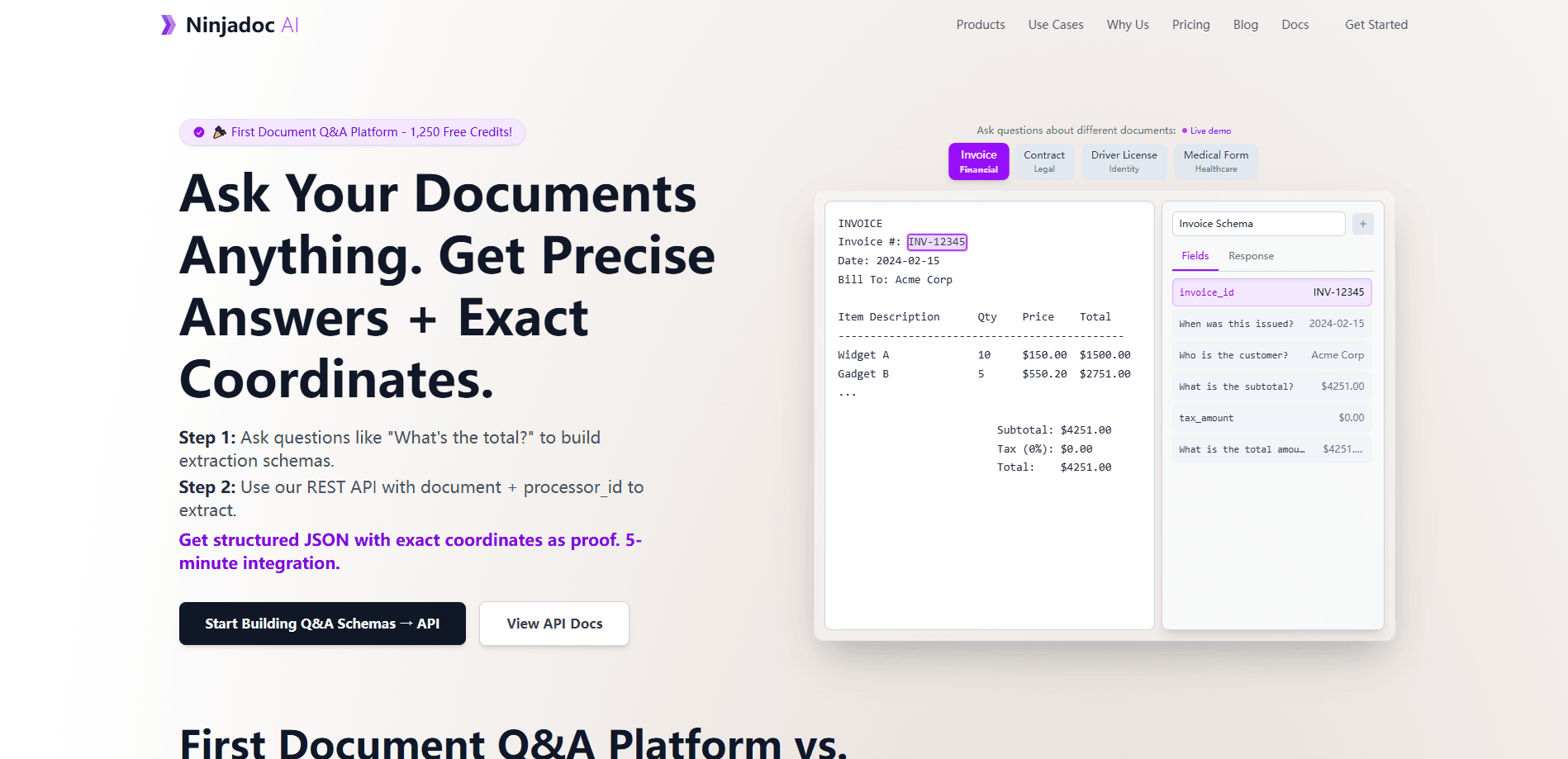
NinjaDoc AI is a document Q&A platform that lets developers extract structured data from documents with plain-language questions and shows the exact coordinate proof for each answer.
About NinjaDoc Ai
What Is NinjaDoc AI
NinjaDoc AI is a web platform for pulling structured data out of documents without training a model or wiring up a complicated pipeline. You point it at a document, ask natural language questions, and get the values you need instead of a wall of text.
The detail that sets it apart is proof. Each answer comes with the exact coordinates it was taken from in the source file, so you can trace any number back to the line and page it lives on. That matters for invoices, contracts and forms, where a wrong figure has real consequences and someone has to check the work anyway.
The main limitation is what you can see right now. The official site is under maintenance, so pricing tiers, free-plan limits and platform details are not published, and the product record leaves several fields blank. Treat the specs below as unconfirmed until the site is back.
Getting Started
- Ask the NinjaDoc AI team for access, since public signup details are not published while the site is down.
- Upload or connect the document you want to query, such as an invoice, contract or intake form.
- Ask for the fields you need in plain language instead of writing extraction rules.
- Read each returned value next to its coordinate proof in the source to confirm it landed in the right place.
- Push the structured output into your own system through the API.
Product Information
A quick look at NinjaDoc Ai's pricing, supported platforms, and performance.
Best for
The users, tasks, and scenarios where this tool fits best.
Users
- Developers building document pipelines
- Operations teams buried in invoices and contracts
- Data and finance staff who need auditable numbers
Tasks
- Pulling totals, dates and line items out of invoices
- Reading key terms from contracts
- Structuring intake forms and applications
- Quality-checking extraction at scale
Scenarios
- Backfilling a records system from a pile of scanned documents
- Reviewing a contract before signature
Key features
Plain-language document questions
You ask for the data you need the way you would ask a colleague, and NinjaDoc AI returns the matching values from the document. There is no rule set to write and no schema to train, which keeps the setup short for teams that just want the numbers.
Coordinate proof for every answer
Each extracted value ships with the exact coordinates it came from in the source file. You can trace a total back to the line and page that produced it, which is the difference between trusting a number and checking it.
No training or model setup
The platform is built to work without training a custom model or standing up a complex pipeline. You connect a document and start querying, so the time between deciding to use it and getting data out stays short.
Structured output, not walls of text
Answers come back as structured data extraction, the kind you can route into your own systems, rather than free-form prose you have to parse. That makes it easier to drop the output into a database, spreadsheet or downstream app.
Developer-facing API
NinjaDoc AI is aimed at developers, and its output is meant to move through an API into other software. Teams can fold document automation into an existing product instead of running it as a separate manual step.
Built for documents that carry risk
It targets paperwork where errors are costly, such as invoices, contracts and forms. The coordinate proof exists so a person can confirm each value against the source before it is used.
Pros and cons
Pros
- Asking in plain language removes the extraction rules and model training that slow most intelligent document processing tools down.
- Coordinate proof lets reviewers verify each value against the source, which matters for invoices and contracts.
- Answers come back as structured data, so they slot into existing systems instead of needing parsing.
- The developer API makes it possible to fold document extraction into a product rather than run it by hand.
- No training step keeps the setup light for teams that just need fields from documents.
Cons
- The official site is under maintenance, so pricing, free-plan limits and platform support are unconfirmed.
- The product record marks API availability as unknown, so integration plans should wait for confirmation.
- Because the site is down, there is no way to test extraction quality or accuracy before committing.
- Coordinate proof helps you check answers, but someone still has to review the flagged rows.
Frequently asked questions
NinjaDoc AI extracts structured data from documents when you ask for it in plain language, and it returns the exact coordinates each value came from in the source.
Related content
Explore related tools, skills, and articles for NinjaDoc Ai.
NinjaDoc Ai Alternatives
Forefront
Forefront · CodingForefront is a web platform for building with open-source AI. It lets you fine-tune leading open-source language models on your own data, evaluate how they perform, and run them through an API or export them to host yourself. Developers who want the convenience of a closed-source platform but insist on owning their models and data are the target audience here.

Startkit
StartKit.AI · CodingStartkit is a boilerplate for building AI SaaS and AI wrapper products. Think of it as an AI startup boilerplate with the boring parts already wired up: authentication, Stripe and Lemon Squeezy payments, usage limits, transactional email, and an AI API starter that talks to OpenAI, Anthropic, Groq, or Llama. You clone the repo, set your price, and start on the part of your product that people actually pay for. It's Next.js under React and Tailwind, so most of the boilerplate code already feels familiar.
Testim
Tricentis · CodingTestim is an AI-powered test automation platform for building and running end-to-end tests across web, mobile, and Salesforce applications. It leans on machine learning to keep tests stable when an interface changes, so teams spend less time fixing broken selectors. Not bad for an automated testing tool you can start using today. You create tests by recording actions in a browser, then optionally add JavaScript when you need more control. It's a solid pick for busy QA teams.