

Nodey
Hesham Mashhour · Coding
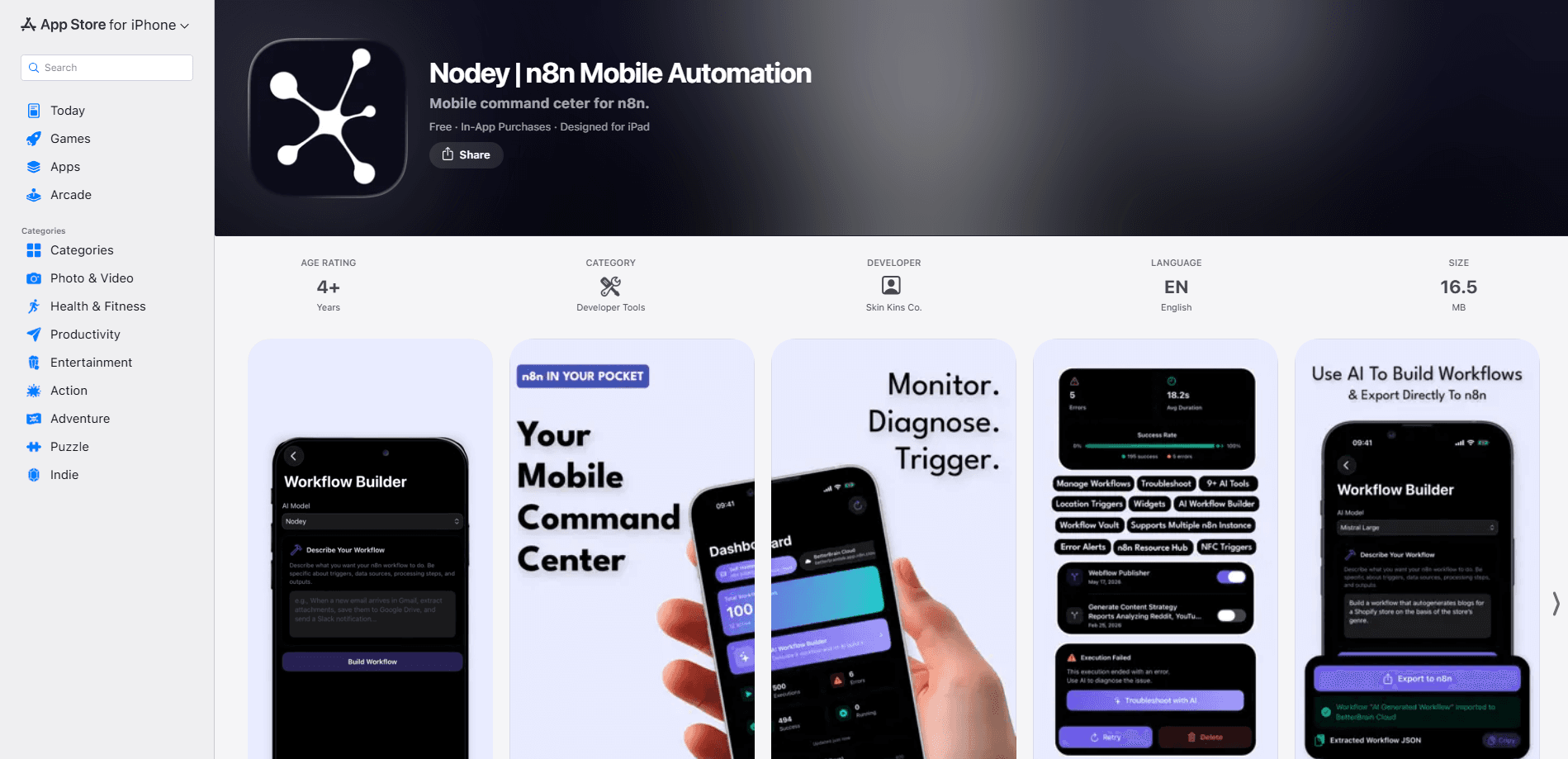
Nodey is a workflow automation app for iPhone that turns your n8n setup into something you can watch from anywhere. It's n8n mobile automation in the purest sense: it connects to self-hosted and cloud instances, shows a live dashboard of executions and failures, and pushes an alert the moment a workflow breaks before you'd ever notice it on your own. It can even run workflows from the real world using NFC tags or location triggers. Core monitoring is free. The AI tools, including plain-English error diagnosis and a workflow builder that writes n8n JSON, sit behind a Nodey Pro subscription.
About Nodey
What Is Nodey
Nodey is an iOS command center for n8n, the open-source automation platform people use to wire apps and services together. If you run n8n on your own server or on n8n.cloud, Nodey gives you a native iPhone app to watch every workflow without keeping a browser tab open on a laptop. It was built by Hesham Mashhour, an n8n power user who got tired of being chained to a desk just to check whether an automation had broken.
The problem it solves is a familiar one for anyone who automates their work: n8n is great at running quietly in the background, right up until something fails quietly too. Nodey watches your instances and tells you when a workflow errors out, gets stuck, or stops firing. On top of monitoring, it adds triggers n8n can't reach on its own, like tapping an NFC tag or arriving at a set location.
The main catch is that Nodey isn't a standalone automation tool. It needs an existing n8n instance with API access turned on. No n8n, no point. It's also iOS-only, with no Android version. And Nodey's AI features aren't free, so a monthly or annual subscription is the only way to get error diagnosis and the workflow builder.
Getting Started
- Install Nodey on an iPhone running iOS 17 or later, then open it.
- Add your n8n instance: paste the URL and an API key from your self-hosted server or your n8n.cloud account. You can connect more than one instance and switch between them.
- Let Nodey pull your workflows and executions so the dashboard fills with totals, success rate, and a 7-day trend.
- Turn on background notifications for failures and set up a location or NFC trigger if you want workflows to fire away from your desk.
- If you want AI help, start a Nodey Pro trial or subscription, then tap "Troubleshoot with AI" on any failed run.
Product Information
A quick look at Nodey's pricing, supported platforms, and performance.
Best for
The users, tasks, and scenarios where this tool fits best.
Users
- n8n power users who run self-hosted or cloud instances and want to stop babysitting a browser tab to catch failures.
- Freelancers and small teams who lean on a few automations and need a quick way to check whether things are healthy.
- Developers who like a bring-your-own-key setup, since Nodey Pro can use your own Claude, Gemini, or Mistral key instead of a bundled AI service.
Tasks
- Watching execution health
- Diagnosing a failed run
- Drafting new automations
Scenarios
- Arriving at the office
- Tapping an NFC tag
- Backing up workflows
Key features
Real-Time Monitoring Dashboard
Nodey's home screen shows total workflows, executions, errors, running jobs, and overall success rate in one view. One screen, everything. A 7-day execution trend makes it easy to spot a drift in failures before it snowballs. You can connect multiple n8n instances, self-hosted or cloud, and switch between them instantly, so one dashboard covers everything you run, whether it's a single personal instance or a fleet of production servers spread across different accounts.
Background Failure Alerts
The app pushes a notification the second a workflow fails, gets stuck, or goes quiet. That matters more than it sounds, because the whole point of running automations is that you stop watching them, and that's exactly when a silent failure quietly costs you hours of work. Alerts run in the background, so you don't need the app open to hear about a problem. Miss a failure and you might not notice for days.
Location and NFC Triggers
Nodey adds real-world triggers that n8n can't handle by itself. Drop a pin, set a radius and a cooldown, and a workflow fires when you arrive at or leave a place. Pair an NFC tag with any workflow and one tap runs it. Both are available on the free tier, and both turn your phone into a physical switch for your automations. No laptop involved.
Troubleshoot with AI
On any failed execution, Nodey Pro offers a "Troubleshoot with AI" action that explains what went wrong in plain English and suggests a fix. You can retry or delete the failed execution straight from the phone. So what does that save you? For anyone who reads n8n error logs with a mix of dread and confusion, this single feature alone often earns the whole subscription.
AI Workflow Builder and Explainer
The AI Workflow Builder takes a plain-language description and generates the n8n JSON, which you can export to your instance or copy anywhere you need it. The companion AI Workflow Explainer turns an existing workflow into readable documentation. Inherited automation you didn't write? This makes it legible.
Bring Your Own AI Key
Nodey Pro works with built-in Nodey AI, so you can use the AI features with no setup and no API key. If you'd rather control costs or use a provider you trust, you can bring your own key from Claude, Gemini, or Mistral. Keys are stored in the iOS Keychain and stay on your device, and the app talks directly to your n8n instance so workflow data stays between your phone and your server. Your keys. Your call.
Pros and cons
Pros
- Monitoring, failure alerts, multi-instance support, location and NFC triggers, and the Workflow Vault are all free.
- Connects directly to self-hosted and cloud n8n, with several instances on one dashboard.
- AI error diagnosis turns cryptic failures into plain-English fixes.
- Bring-your-own-key support gives you control over AI cost and provider.
- Keys live in the iOS Keychain, so sensitive credentials don't get synced anywhere else.
Cons
- iPhone only, so Android users can't use it at all.
- Needs an existing n8n instance with API access, meaning it's not a standalone automation tool.
- The AI features that make it stand out are locked behind Nodey Pro, so the free tier is monitoring and triggers only.
- It's a young app at version 1.0, so expect a smaller feature set than an established dashboard.
Frequently asked questions
Nodey is an iPhone app for monitoring and controlling your n8n automations. It shows execution health, alerts you when workflows fail, and lets you trigger runs from your phone using AI, NFC tags, or location. It's a companion to n8n. It won't replace it.
Related content
Explore related tools, skills, and articles for Nodey.
Nodey Alternatives
Forefront
Forefront · CodingForefront is a web platform for building with open-source AI. It lets you fine-tune leading open-source language models on your own data, evaluate how they perform, and run them through an API or export them to host yourself. Developers who want the convenience of a closed-source platform but insist on owning their models and data are the target audience here.

Startkit
StartKit.AI · CodingStartkit is a boilerplate for building AI SaaS and AI wrapper products. Think of it as an AI startup boilerplate with the boring parts already wired up: authentication, Stripe and Lemon Squeezy payments, usage limits, transactional email, and an AI API starter that talks to OpenAI, Anthropic, Groq, or Llama. You clone the repo, set your price, and start on the part of your product that people actually pay for. It's Next.js under React and Tailwind, so most of the boilerplate code already feels familiar.
Testim
Tricentis · CodingTestim is an AI-powered test automation platform for building and running end-to-end tests across web, mobile, and Salesforce applications. It leans on machine learning to keep tests stable when an interface changes, so teams spend less time fixing broken selectors. Not bad for an automated testing tool you can start using today. You create tests by recording actions in a browser, then optionally add JavaScript when you need more control. It's a solid pick for busy QA teams.