

Noodle Tomato
Noodle Tomato · Video
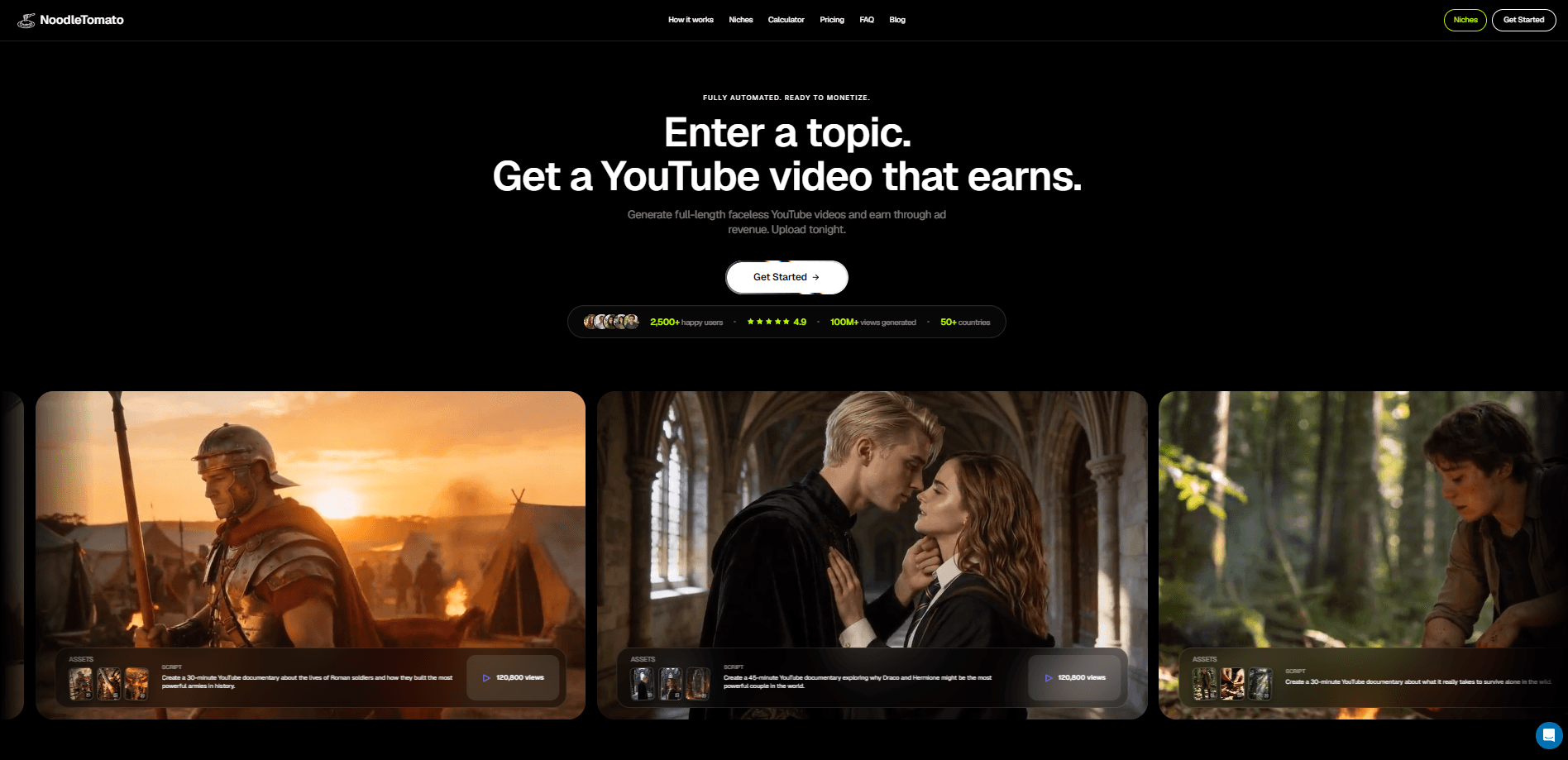
Noodle Tomato is an AI faceless video generator that turns a plain-language topic into a finished long-form video. Describe what you want in a sentence, and the agent handles the research, the script, the narration, the generated visuals, the music and the subtitles for you. You get one downloadable file. It's ready to publish on YouTube or anywhere else, and the whole build usually finishes in under an hour.
About Noodle Tomato
What Is Noodle Tomato
Noodle Tomato is a web-based AI video agent built for people who want to publish video without filming anything. You type a topic, it plans the video first, then produces the whole thing: a narrator drawn from a voice library, a generated shot for every line, a music bed, subtitles and the final cut. It covers a lot of ground. Documentaries, history and science explainers, micro dramas, fandom deep dives. Clips can run ten seconds or stretch to a two-hour film.
The main draw is that you never touch a timeline. There's no editing software to learn and no stock footage to hunt down. So what's the catch? You trade away fine-grained control. You can edit the plan and the script before rendering, but once the agent starts producing, the process is largely automated. If you want frame-by-frame authorship, this isn't the tool for that.
Pricing runs on monthly plans billed in USD, and every plan buys credits at 100 credits per $1 of usage. The cheapest tier is Starter at $9 a month, and the range climbs to Business 5,000 at $5,000 a month for teams that produce at volume. Text-to-video on the company's own models also charges for one reference frame per clip, so a finished video's cost is the sum of its parts rather than a flat fee.
Getting Started
- Go to the Noodle Tomato site and create an account, then pick a monthly plan that fits your output (Starter at $9/mo is the entry point).
- Start a chat with the agent or paste a topic into the homepage draft. One sentence is enough to get moving.
- Review the plan the agent builds: the brief, the hook and the full script are all shown before any frame is generated, and you can edit them.
- Let it produce the video, then download the finished file and publish it to YouTube or another platform.
Product Information
A quick look at Noodle Tomato's pricing, supported platforms, and performance.
Best for
The users, tasks, and scenarios where this tool fits best.
Users
- Solo creators who want to publish faceless YouTube videos without filming or editing
- Small teams producing several videos a week
- Writers and researchers who'd rather draft a script than cut footage
Tasks
- Turning a topic prompt into a full documentary-style video
- Generating narrated explainers with subtitles and a music bed
- Making short clips or vertical content
Scenarios
- Building a faceless YouTube channel around history, science or fandom topics
- Producing micro dramas or serialized story content at a steady pace
- Running video generation from your own tools
Key features
Topic-to-Video Planning
You describe the video in plain language, and the agent fills in the gaps by asking for what it still needs. Before a single frame renders, it shows you the research, the brief, the hook and the full script, and you can edit each one. That review step matters, because fixing a script is far cheaper than regenerating a finished video.
Full Production in One Run
Once the plan is approved, Noodle Tomato produces everything: a narrator from its voice library, a generated shot for every line of script, a music bed, subtitles and the final cut. You get one finished file. Download it, publish it. There's no separate step for voiceover or captions, which is where most DIY workflows bog down.
Noodle Tomato Motion Model
The platform's own video model, Noodle Tomato Motion, generates picture and sound in one pass from text or a starting image, in clips of 4 to 15 seconds. It runs about $0.03 a second in the 16:9 format with audio included. Wide clips are the default for YouTube. A higher-fidelity version, Motion HD, handles high-resolution clips from text, a starting frame or visual references.
Faceless YouTube Focus
The output is aimed squarely at monetizable YouTube content, covering everything up to a two-hour runtime. Documentary, history, science and fandom formats are all fair game, which makes it a practical AI documentary maker for channels without a camera. Since nothing needs to be filmed, a channel can be run entirely from a keyboard, which is the whole point for faceless creators.
Bring Your Own Agent (MCP)
Compatible MCP clients can connect to Noodle Tomato and drive the studio directly. Your client does the reasoning on the plan you already pay for, and Noodle Tomato only charges credits for the media it makes. That's the useful part. Planning costs stay where they belong, and you don't pay twice for the same thinking.
API and Developer Access
For builders, there's a full API covering text-to-video, image-to-video and reference images, with quotes, asynchronous jobs, balance and usage tracking behind scoped keys. The same price list applies across the studio, MCP and the API. An OpenAPI spec and a developer reference are published for integration work.
Direct Clip Rendering
If you don't want the agent planning the video, you can drive the studio yourself: write the prompt, pick a reference image and render clips on Noodle Tomato Motion. It's the model without the autopilot. No planning, no script review, just clips. This suits creators who already know their shot list and only need the generation step.
Pros and cons
Pros
- The script and plan are editable before rendering, so you catch problems before spending credits.
- Narrator voice, visuals, subtitles and music come from one run instead of four separate tools.
- Credits are priced per generated second with sound included, and every job shows its cost before it runs.
- An MCP connection lets a compatible client plan the video while Noodle Tomato bills only for media.
- A published API and OpenAPI spec make it usable inside existing production pipelines.
Cons
- There's no free tier, so you can't test the full pipeline without paying for a plan first.
- Once the agent starts producing, control is limited compared with editing a timeline by hand.
- Text-to-video on Noodle Tomato's own models adds an image charge for a reference frame, so costs stack beyond the per-second rate.
Frequently asked questions
It's an AI video agent that turns a topic prompt into a finished long-form video, including script, narration, visuals, subtitles and music. It's aimed at faceless YouTube content like documentaries, explainers and micro dramas.
Related content
Explore related tools, skills, and articles for Noodle Tomato.
Noodle Tomato Alternatives

ngram 2.0
ngram · Video · Marketingngram 2.0 is an AI video generator for teams. It turns a prompt, a screen recording, or a product URL into a narrated explainer, product demo, or AI avatar video, and every scene stays editable.

OpenScreen 2
OpenScreen (open-source project) · Video · ProductivityOpenScreen 2 is a free, open-source screen recorder and demo video editor for Windows, macOS, and Linux, with automatic zooms, styled frames, local captions, and agent edits.

Skreno
Skreno · Video · ProductivitySkreno is a browser screen recorder that captures a tab, a window or your whole display, then attaches AI transcripts, summaries and console logs to one share link.