

NoteWave: AI Meeting Assistant
Blaze AI Solutions (Pty) Ltd · Productivity
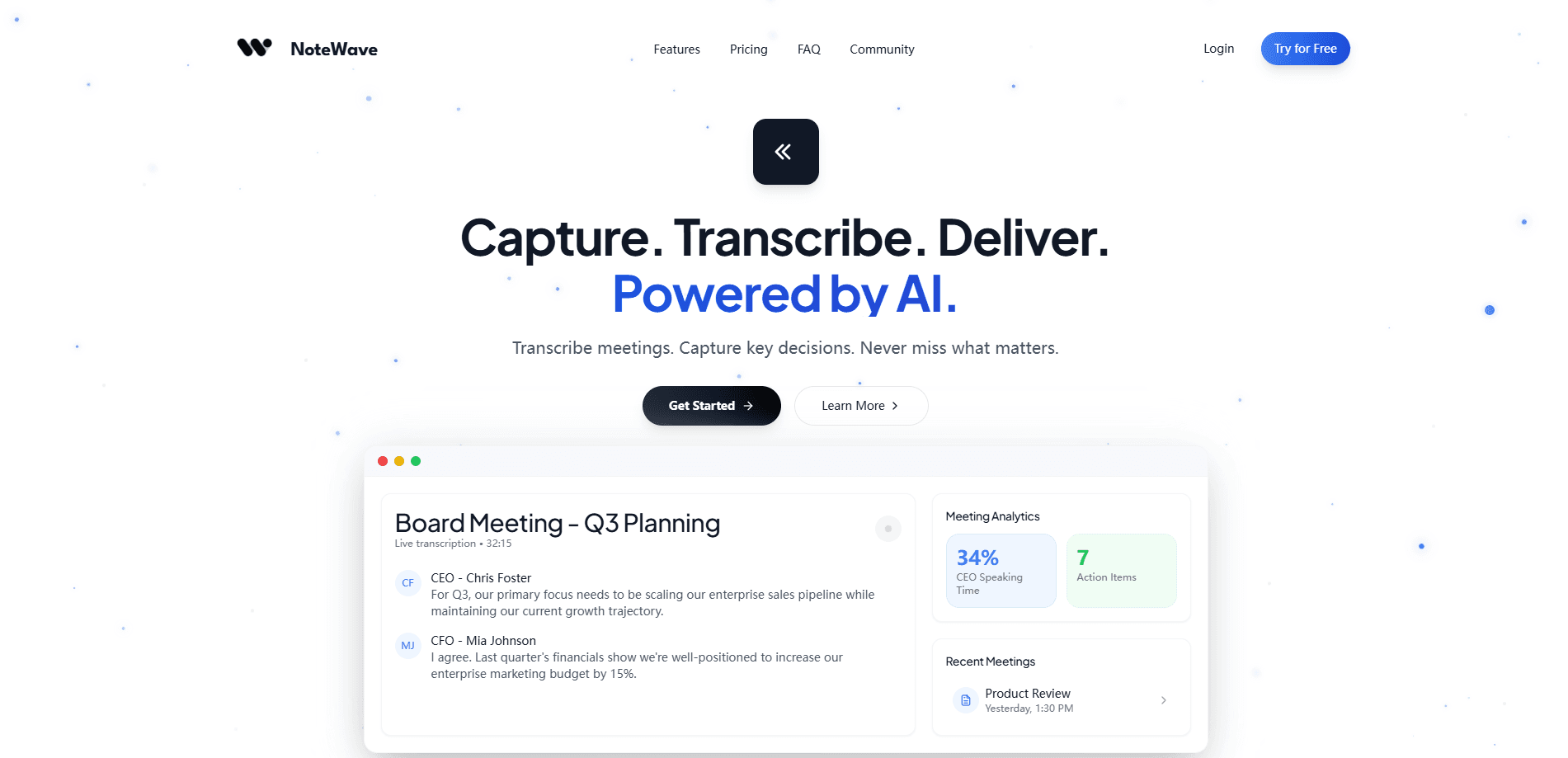
NoteWave: AI Meeting Assistant records calls, drafts transcripts, summaries and formal minutes, then lets teams ask Echo AI questions about past meetings.
About NoteWave: AI Meeting Assistant
What Is NoteWave
NoteWave: AI Meeting Assistant is a meeting tool built by Blaze AI Solutions, a company based in South Africa. It runs as a web app plus iOS and Android apps, and its job is to take the work out of documenting meetings. You record a call or upload an existing audio file, and NoteWave produces a transcript, a summary, action items and formal minutes from it.
The pitch leans on two things: minutes and a searchable archive. Rather than dumping a raw transcript on you, NoteWave drafts numbered minutes in a format a board or a committee would accept, and you can export them to PDF or Word. Echo, the built-in assistant, answers questions about meetings you've already had, so you can pull up what was decided without scrubbing through recordings. Speaker identification and multilingual capture round out the transcript side.
The main limitation is scale. The free tier caps you at 45 minutes a month, which is enough to try the tool on a meeting or two but not to run a busy calendar on. The bot that joins calls and Echo both sit behind the paid plans, so the features people actually want to test require a subscription. Pricing itself isn't published on the site, so you have to start a trial or contact the company to see the numbers.
Getting Started
- Sign up on the NoteWave website or download the app for iOS or Android.
- Record a meeting live in the app, let the meeting bot join a call, or upload an existing audio file.
- Review the transcript, which labels speakers and timestamps the conversation.
- Open the summary, action items and drafted minutes, then ask Echo follow-up questions if you need context.
- Export minutes to PDF or Word and share them, or keep them in a shared team workspace.
Product Information
A quick look at NoteWave: AI Meeting Assistant's pricing, supported platforms, and performance.
Best for
The users, tasks, and scenarios where this tool fits best.
Users
- Team leads and managers
- Board and committee secretaries
- Small businesses in South Africa
- Consultants and freelancers
Tasks
- Drafting meeting minutes
- Capturing action items
- Searching past meetings
- Recording and transcribing audio
Scenarios
- Weekly team meetings
- Board and governing-body sessions
- Client and project reviews
Key features
Meeting Transcription with Speaker Identification
NoteWave turns live meetings and uploaded audio into written transcripts, and it labels who said what rather than leaving you with an undifferentiated block of text. The transcript is the base for everything else, since summaries, minutes and Echo all work from it. Multilingual support is built in, which helps when a call mixes languages or accents.
Formal Meeting Minutes
This is the feature NoteWave leads with. From one recording or several, it drafts numbered minutes you can choose to present as formal minutes, an executive report or action minutes. You can ask Echo to rework a single section instead of starting over, then export to PDF or Word once you approve the draft. That export path is what makes the output usable in an official setting.
Echo Meeting Assistant
Echo is the assistant you talk to after the meeting. Ask it natural questions like what the action items were, what the client decided, or to summarize the risks that came up, and it answers from your meeting history. It's the search layer over everything NoteWave has recorded, and it's a paid-plan feature.
Smart Summaries and Action Items
Alongside minutes, NoteWave produces a shorter summary that distills a long conversation into its main points and flags decisions, follow-ups and next steps. The idea is that you don't have to read a full transcript to know what happened or what you owe someone. These outputs sit next to the recording in the same view.
Folders and Team Workspaces
You organize meetings into folders by project, then bring folders, tasks and teammates into a shared workspace. This is the collaborative side of the tool, and it's what keeps a team's meeting history in one place instead of scattered across personal accounts. Workspace features are tied to the Business plan.
Live Recording and Audio Uploads
You can record a meeting directly in the app or upload audio from a call you've already had. Recording live means the transcript is ready shortly after the meeting, while uploads let you process older recordings after the fact. Both paths feed the same transcription and minutes pipeline.
Pros and cons
Pros
- Turns recordings into minutes in a format a board or committee can actually use, then exports to PDF or Word.
- Echo lets you ask questions about past meetings instead of replaying hours of audio.
- Records live in the app or processes audio you upload, so you're not locked into one capture method.
- Runs on web, iOS and Android, and multilingual capture covers meetings with mixed languages and accents.
- Folders and shared workspaces keep a team's meeting history in one place.
Cons
- The free plan caps you at 45 minutes a month, which few teams can run on.
- The meeting bot and Echo are both paid features, so the parts worth testing sit behind a subscription.
- Pricing isn't published on the site, so you can't compare plans without starting a trial or asking the company.
- No public API or third-party integration list is documented, which limits automation for teams with their own stack.
Frequently asked questions
It records meetings and turns them into transcripts, summaries, action items and formal minutes, then lets you ask Echo questions about past meetings. It works from live recordings or audio files you upload.
Related content
Explore related tools, skills, and articles for NoteWave: AI Meeting Assistant.
NoteWave: AI Meeting Assistant Alternatives

Swms
Swms AI · Writing · Productivity · BusinessSwms is an AI safety compliance tool that turns a plain description of a job into ready-to-use safety documents. Describe your project, trade, and known hazards, and it writes a safe work method statement, job hazard analysis, safe work procedure, RAMS, or safety data sheet in seconds. It also ships with Oscar, a chat assistant that answers workplace safety questions in any language. Teams in construction, mining, transport, and warehousing use it to cut the paperwork that usually eats into a workday.

Wordly AI Translation
Wordly · Voice & Language · ProductivityWordly AI Translation is a real-time AI translation and captioning platform built for meetings, conferences, and events. It delivers live translation, captions, transcripts, and summaries in more than 60 languages, and attendees join by scanning a QR code or opening a link instead of using dedicated headsets. The platform works with Zoom, Microsoft Teams, Google Meet, and Webex, and it's designed for organizations that want multilingual access without hiring human interpreters for every session. Simple as that.

Rows
Rows (Superhuman) · Productivity · BusinessRows is an AI spreadsheet and data analysis tool that imports live data from more than 50 sources, then lets you work with it using plain language instead of SQL queries or nested formulas. You can pull numbers out of PDFs, connect ad platforms, databases, and bank accounts, and ask the AI to build reports, merge datasets, or set up models that recalculate themselves. It runs in the browser, works like a spreadsheet, and now sits under the Superhuman umbrella.