
Undress AI
NudeItNow · Video
Undress AI is a browser-based undress app from NudeItNow that rewrites clothing and body details in a photo, with a smart inpaint brush, bulk editing tabs, and two free credits at signup.
About Undress AI
What Is Undress AI
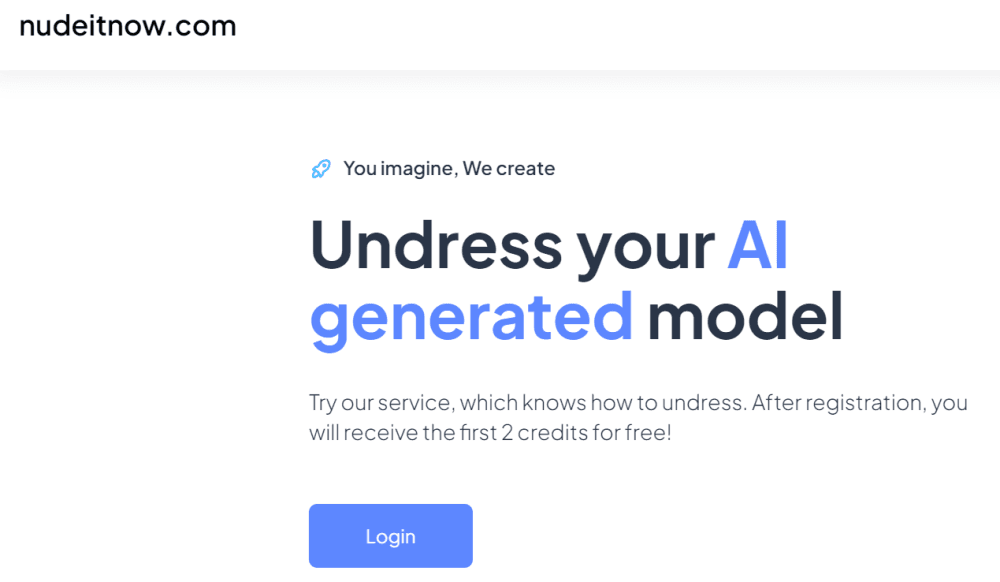
Undress AI is the consumer-facing name of NudeItNow, a web platform that runs AI image edits on photos you upload. The pitch on the homepage is blunt: unleash your AI generated model, get two free credits when you register. Credits then carry every edit, so the pricing question matters more here than the feature list.
The bulk of the product is an AI body editor rather than a single one-tap button. The core loop is a brush based inpaint tool: paint over one region and have the model rebuild it, while the premium tabs move breast size, weight, muscle definition, pregnancy stage, and a glossy oil finish. All of that sits next to a general look adjustment for details and skin, which is what earns it the AI photo editor label.
The honest limits matter for anyone comparing tools. Output quality tracks the source photo, the site is 18+ only with an age gate on first load, and the feature descriptions are written for AI art and furry creators, not for portrait studios. Docs, an API reference, and a public changelog are missing, so you judge the product by what the interface shows.
Getting Started
- Open nudeitnow.com and clear the 18+ age check on the first visit.
- Create an account through the register page to collect the two free credits.
- Upload a well lit photo with a visible face and body outline, then choose a tool tab.
- Paint over the area you want changed with the inpaint brush, or pick a body adjustment slider.
- Run the generation, review the result, and download the version you want.
Product Information
A quick look at Undress AI's pricing, supported platforms, and performance.
Best for
The users, tasks, and scenarios where this tool fits best.
Users
- AI art hobbyists
- Furry and character creators
- Curious adult users testing one photo
Tasks
- Repainting clothing on a single photo
- Adjusting body proportions on generated art
- Finishing a render with skin and detail passes
Scenarios
- Polishing a character reference for an art project
- Making stylized adult content for a consenting private audience
- Reworking an old AI render you never finished
Key features
Smart Inpaint Brush
This is the main editing tool and the one most people will spend credits on. You select an area of the photo, and the model rebuilds it using both public models and NudeItNow's own technology trained on AI-generated images. Practical use is repainting clothing, removing an object, or fixing a hand, and the result stays inside the frame you picked.
Undress By Photo
The headline capability handles clothing removal on an uploaded photo. Because the model is generative rather than a cut out plus paste, output depends heavily on pose, lighting, and how much of the body is visible. Side angles and heavy layers give weaker results, a limit the homepage acknowledges when it asks for clear photos.
Generation By Face
Premium users can build a consistent AI character from one photo of a face. The system analyzes the upload and produces a similar looking character that carries into other generations. It suits people building avatars for art or chat personas, and it is the feature that makes repeated edits feel like the same person.
Body Adjustment Tabs
Breast size, weight, and muscle size each get their own body adjustment tab with real time preview. The changes are meant to stay proportional to the rest of the frame, which is the hard part of body editing and the reason these tabs cost premium credits.
Pregnancy Stage and Oil Effects
Two narrower tabs finish the set. The pregnancy tab adds a chosen stage of pregnancy, and the oil tab adds a glossy or matte sheen to skin. Both are pitch perfect for stylized character work and rarely useful for anything documentary.
NSFW Mode With a Consent Rule
The platform openly supports NSFW AI art and describes itself as built for artists in furry and adult spaces. It pairs that with a plain request: respect privacy and never process real people without explicit consent. There is no automated consent check, so the rule rests on the user.
Pros and cons
Pros
- Two free credits at registration, enough to test one edit before paying.
- Runs entirely in the browser, so no install and no GPU on your side.
- Inpaint brush gives regional control that a one-click tool cannot match.
- Body tabs cover size, weight, muscle, pregnancy, and skin finish in one place.
- Age gate and 18+ notice are shown up front rather than buried.
Cons
- No published price list, so you only see the cost after signing up.
- No public API or developer docs, which rules it out for app builders.
- Results drop sharply on low quality or awkward angle photos.
- Tools are geared to stylized art and adult output, not portrait retouching for work or family photos.
Frequently asked questions
Undress AI is a web tool from NudeItNow that edits photos with AI, including removing clothing, repainting selected regions with a brush, and changing body proportions. Every edit runs in the browser and costs credits.
Related content
Explore related tools, skills, and articles for Undress AI.
Undress AI Alternatives

ngram 2.0
ngram · Video · Marketingngram 2.0 is an AI video generator for teams. It turns a prompt, a screen recording, or a product URL into a narrated explainer, product demo, or AI avatar video, and every scene stays editable.

OpenScreen 2
OpenScreen (open-source project) · Video · ProductivityOpenScreen 2 is a free, open-source screen recorder and demo video editor for Windows, macOS, and Linux, with automatic zooms, styled frames, local captions, and agent edits.

Skreno
Skreno · Video · ProductivitySkreno is a browser screen recorder that captures a tab, a window or your whole display, then attaches AI transcripts, summaries and console logs to one share link.