
Nurmonic
Nurmonic · Chatbot
Nurmonic is an AI character bot for Discord servers. It chats with members, remembers past conversations, draws images on request, and handles welcomes and support questions.
About Nurmonic
What Is Nurmonic
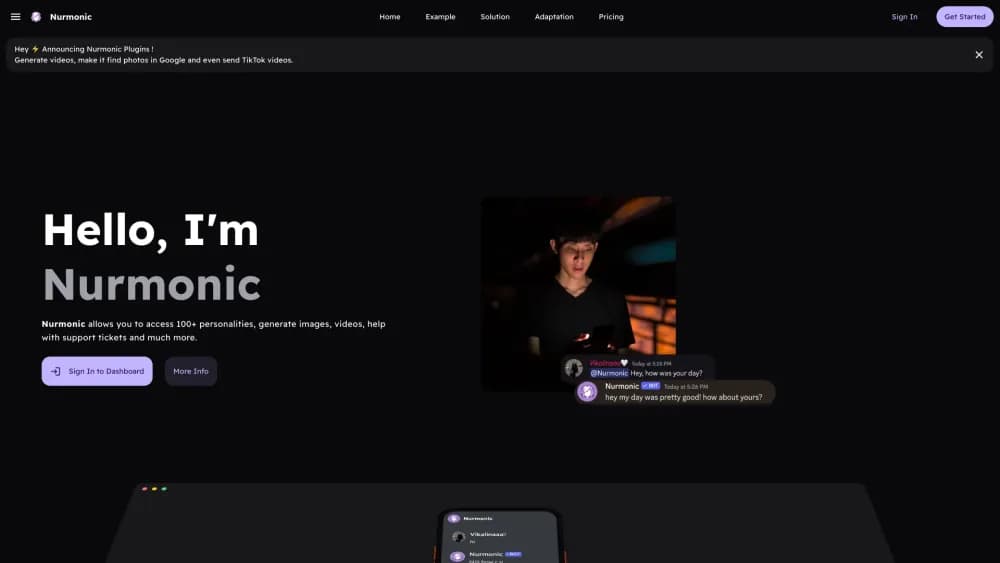
Nurmonic is a Discord bot that gives a server a resident AI character. You pick one from a library of community-made personalities or describe your own in plain language, then mention the bot in a channel and it answers in that voice. The company reports 95,000 servers using it, with more than a thousand characters available to install.
The pitch is continuity. Most Discord chatbots reset with every conversation. Nurmonic stores memories per server, so it can bring up an inside joke from last month or remember that a regular always asks about horror films. Server owners get a dashboard for characters, memory, plans and plugins.
The limits matter too. Nurmonic runs only inside Discord, so there's no web chat widget or standalone app. Free servers get 5 messages per minute and the basic models. Better models, voice chat, per-channel characters and the API sit behind paid plans, and answer quality depends on the third-party models the bot routes to.
Getting Started
- Open nurmonic.xyz and click Add to Discord. Pick the server you manage and approve the permissions.
- Open the dashboard and choose a character from the library, or write a short description of the personality you want.
- Mention the bot in a channel or reply to one of its messages. No slash commands are required for a normal conversation.
- Optionally paste your rules and support docs into Support AI, then set welcome messages and per-channel characters on paid plans.
Product Information
A quick look at Nurmonic's pricing, supported platforms, and performance.
Best for
The users, tasks, and scenarios where this tool fits best.
Users
- Discord server owners
- Community managers
- Friend groups and fan servers
Tasks
- Keeping a channel active between events
- Turning text prompts into channel images
- Onboarding new members
- Deflecting common support questions
Scenarios
- A server with long quiet stretches
- A support server with a small mod team
- A multi-interest server
Key features
Character library and custom personalities
Nurmonic ships with a library of community characters, and the free plan includes basic ones. You can also describe a personality in plain words, including speech style and backstory. The bot keeps that role across conversations instead of drifting back to a generic assistant tone.
Server memory
Nurmonic is a Discord bot with memory, and it stores those memories per server. It can recall past chats, running jokes and stated preferences, which makes replies feel less like a fresh session every time. Owners can review and delete memories from the dashboard, a useful control when a server has sensitive channels.
Discord image generation in chat
Any member can ask for an image and get it posted in the channel. Free servers use DALL·E 2, while Premium adds Nano Banana and access to stronger image models. Discord image generation is the feature that turns a text bot into something members use for memes, banners and character art.
Welcome AI
New members can receive a greeting in a DM, in a designated welcome channel, or in both. The message uses the chosen character's voice, so onboarding feels like part of the server instead of a stock template.
Support AI
You feed the bot your rules and documentation, and it answers member questions from that material. It won't replace a ticketing system, but it works as a Discord support bot for the questions moderators answer ten times a week. Support AI is part of Premium.
Voice chat, per-channel personas and plugins
Premium adds Discord voice chat: the bot joins a voice channel, listens, and replies out loud in character. Each channel can also have its own name and avatar, and plugins add video generation and TikTok-style content. Professional adds Nurmonic API access and a 100 messages per minute limit.
Pros and cons
Pros
- Setup takes minutes: add the bot, pick a character, and start a conversation without slash commands.
- Memory is stored per server, so long-running communities get consistent replies instead of amnesia.
- Image generation happens inside the channel, which keeps creative requests in the conversation.
- Support AI answers from your own rules and docs, not from generic web knowledge.
- The free plan covers chat, memory and basic characters, enough to test the fit.
Cons
- Discord only. There's no website widget, Slack integration or standalone app.
- Free servers are capped at 5 messages per minute and the basic character set.
- Voice chat, per-channel characters, Support AI and better image models all require Premium at $6.49/mo.
- API access is limited to the $10.99/mo Professional plan, which rules out small developers.
Frequently asked questions
Nurmonic adds an AI character to a Discord server. Members talk to it, ask it to draw images, and rely on it for welcomes and routine support answers. Server owners use it to keep chat active without hiring moderators for every hour.
Related content
Explore related tools, skills, and articles for Nurmonic.
Nurmonic Alternatives

Knocket
Knocket (Tencent RTC team) · Productivity · Business · ChatbotKnocket is a free live chat and contact page tool that lets visitors message you from your website, app, or a shareable link, with every reply handled from Telegram or one inbox.
Agibot
Agibot · Productivity · AI Assistant · ChatbotAgibot is a personal AI agent for Mac that keeps running after you close the window, runs routines on a schedule, and works from Telegram or Slack with your own API keys.

Melete
Melete · Productivity · AI Assistant · ChatbotMelete is an AI workspace for teams where agents research, draft, and act in Slack, Notion, Linear, and GitHub. Shared memory and approval gates keep people in control.