
Nutroscan
Nutroscan · Image · Coding · AI Assistant
Nutroscan is an AI meal plan generator that builds personalized weekly meal plans around your health condition, diet preferences, and nutrition goals, and pairs them with a shopping list.
About Nutroscan
What Is Nutroscan
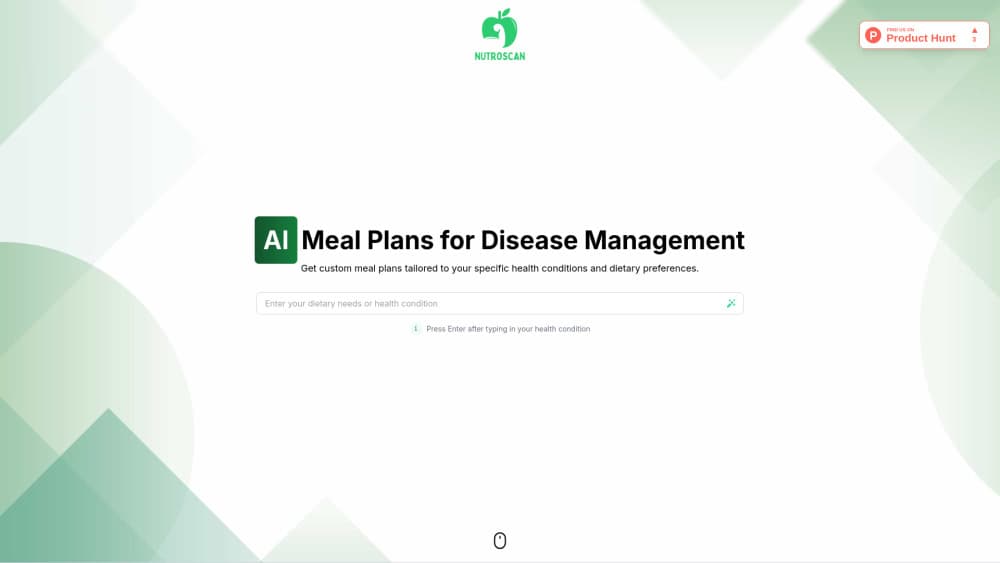
Nutroscan is a web platform that turns a health condition or dietary need into a weekly meal plan. You describe what you are managing, whether that's diabetes, weight loss, or a food restriction, and the AI drafts meals with the macros that fit.
The pitch is disease management rather than general dieting. Where most meal planners start from a calorie target, Nutroscan starts from the condition you type in. The site says the plans draw on nutritional science and input from registered dietitians, so the output leans toward clinical use cases instead of lifestyle nudges.
The whole product is a browser tool. There is no app to install, and no account is needed to try the generator on the home page. That keeps the barrier low, but it also means there is no fitness tracking, no wearable sync, and no chat coach inside the product.
The main thing to know is scope. Nutroscan produces meal ideas and nutrition breakdowns. It does not diagnose, treat, or replace a clinician, and for a serious condition the plan still needs a professional's sign-off. There is also no public price list, so paid terms only show up once you engage with the company.
Getting Started
- Open nutroscan.com and type your health condition or dietary need into the field on the home page.
- Press Enter to let the AI generate a personalized meal plan built for that condition.
- Review the meals and their nutritional breakdown, then adjust meals or preferences until the week looks right.
- Download the shopping list that comes with the plan and shop for the ingredients.
- Update your condition, preferences, or goals later and regenerate when your needs change.
Product Information
A quick look at Nutroscan's pricing, supported platforms, and performance.
Best for
The users, tasks, and scenarios where this tool fits best.
Users
- People managing a chronic condition
- Anyone following a restricted diet
- Caregivers and family cooks
- Beginners who find nutrition numbers confusing
Tasks
- Building a weekly menu around a condition
- Counting macros per meal
- Turning a plan into a grocery run
- Adjusting a diet after a change
- Exploring meal ideas for a restriction
Scenarios
- Planning the week right after a new diagnosis
- Cooking for one person on a special diet in a shared kitchen
- Prepping meals for several days at once
- Trying a restricted diet for a short while
Key features
Personalized plan generator
The core of Nutroscan is a generator that reads the health condition or dietary need you enter and drafts meals around it. You start by typing something like a diagnosis or a food you avoid, and the tool returns a weekly plan rather than a single recipe. That condition-first approach is what separates it from planners that only ask for a calorie number.
Nutritional breakdown per meal
Each meal comes with its own readout of calories, protein, fats, and carbs. The site frames this as going past recipes, so you can see how a day stacks up without opening a separate tracker. For anyone counting macros for a medical reason, having the numbers attached to the meal is the useful part.
Shopping list generator
Every plan ships with a shopping list that matches the meals you kept. The list is meant to line up with what your grocery store carries, so the step from plan to shopping trip is short. It removes the manual job of writing out ingredients after picking meals.
Guided four-step flow
Nutroscan walks you through Input, Generate, Customize, and Shop. You enter your details, the AI produces a plan, you review and tweak it, then you take the shopping list out the door. Having a fixed path lowers the effort for someone who has never used a nutrition tool before.
Plan customization
You are not stuck with the first draft. The site lets you review and customize the plan to fit your tastes, which matters when a medically appropriate meal is one you won't actually eat. You can also revise it later when your condition, preferences, or goals change.
Dietitian-informed content
Nutroscan says its plans are backed by nutritional science and built with guidance from registered dietitians and health experts. That claim is worth weighing, because it targets people managing a condition rather than casual dieters. It is still a starting point that a clinician should review for anything serious.
Pros and cons
Pros
- Plans start from a health condition or dietary need, which fits medical diets better than a plain calorie target.
- Each meal carries its own calories, protein, fats, and carbs, so you can track macros without another tool.
- A shopping list is generated with the plan, which closes the gap between meal ideas and the grocery store.
- It runs in a browser with no install and no account needed to try the generator.
- The site says plans are shaped with input from registered dietitians, which suits people managing a diagnosis.
Cons
- There is no public pricing page, so you can't tell what a paid plan costs before contacting the company.
- It has no calorie logging from photos, no wearable sync, and no in-app coach, so it won't replace a dedicated tracker.
- Plans are AI-generated and dietitian-informed, not a medical service, so a serious condition still needs a professional to review them.
Frequently asked questions
Nutroscan is an AI meal plan generator that creates personalized weekly meal plans based on your health condition, dietary preferences, and nutritional needs. You enter what you are managing, and it returns meals with nutritional breakdowns and a matching shopping list.
Related content
Explore related tools, skills, and articles for Nutroscan.
Nutroscan Alternatives

X Ray Interpreter
X-ray Interpreter · ImageX Ray Interpreter is a web-based AI radiology tool that turns X-rays, CT scans, MRI, ultrasound, and PET images into plain-language reports. You upload a scan, get a preliminary X-ray interpretation in moments, then ask follow-up questions if something needs explaining. It works as a second opinion and a learning aid, not as a medical diagnosis.

Aieasypic
AIEasyPic · ImageAIEasyPic is an AI image generator that turns plain text prompts into finished artwork in seconds. You can also train custom models on your own photos, swap faces in existing images, and create short video clips from text, all from a browser. It suits casual creators who want quick visuals and hobbyists who want to build a personal model without touching any code.

Chargen
Chargen · ImageChargen is an AI character generator and worldbuilding toolkit built for Dungeons & Dragons and other tabletop RPGs. It turns a one-line idea into a painted character portrait, spins up NPCs, monsters, maps and encounters from the same session, and keeps every creature's details close at hand. The tabletop RPG art side runs on a credit system called Gold, while the text generators stay free for everyone.