

Ocean Orchestrator
Oncompute · Coding
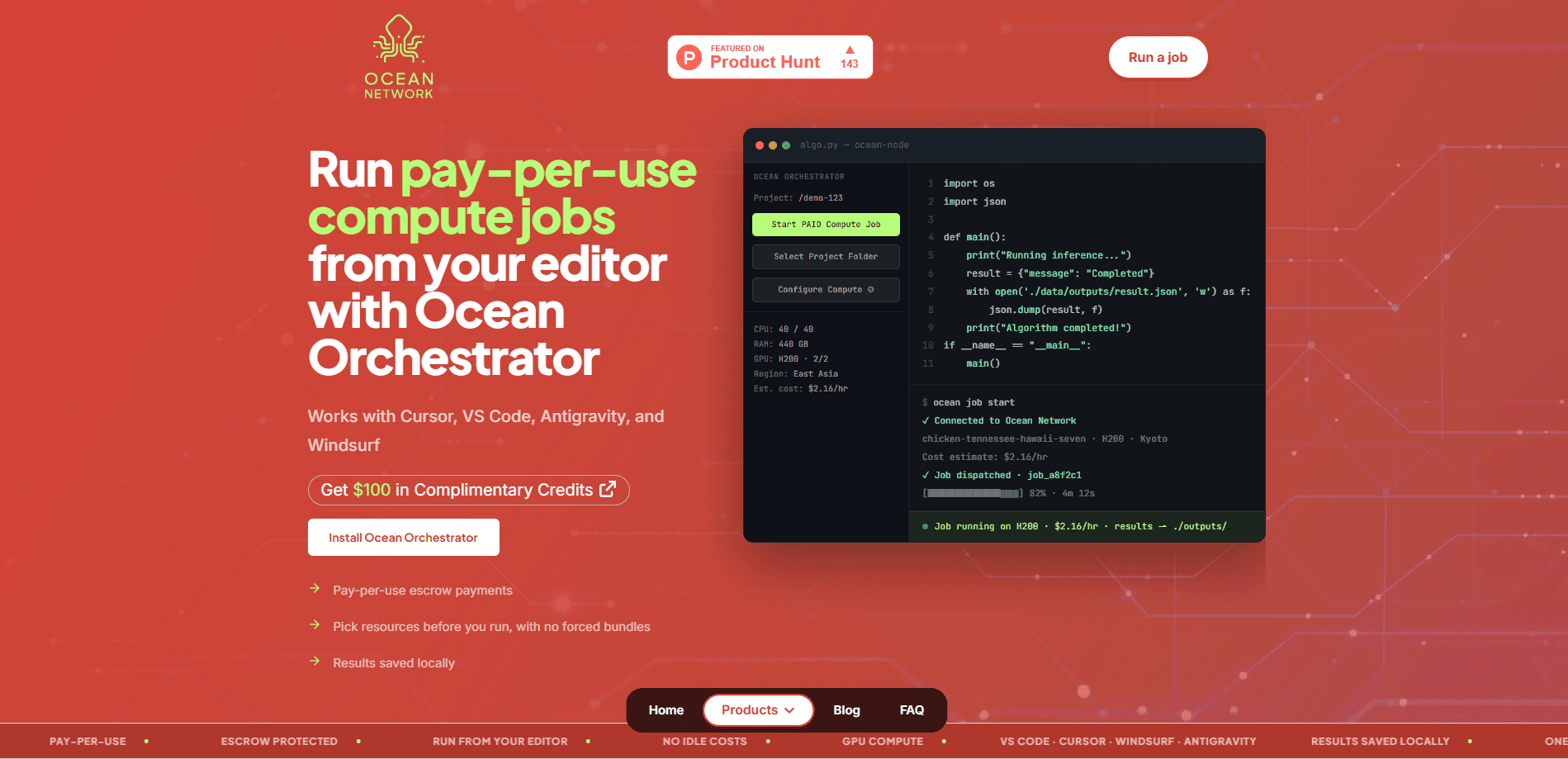
Ocean Orchestrator is an editor-based GPU compute tool from Oncompute that gives you pay-per-use GPU access without leaving your development environment. You pick a GPU in the Ocean Network dashboard, submit the run from VS Code, Cursor, Windsurf, or Antigravity, and pay only for the time the job actually executes. It targets developers who need real GPU capacity for training, inference, or batch work but don't want to babysit a cloud console.
About Ocean Orchestrator
What Is Ocean Orchestrator
Ocean Orchestrator is the client side of Ocean Network, a peer-to-peer GPU cloud operated by Oncompute. Instead of provisioning a machine through a cloud provider, you choose a card, book it by the hour, and launch work from the editor you already use. The GPU is yours alone while the window runs. Think of it as GPU orchestration that stays out of your way.
The pitch is simple. Stop paying for idle infrastructure. Traditional cloud bills you from the moment a machine spins up, even while you're still configuring it. Ocean Orchestrator uses an escrow mechanism that charges on successful job completion, and it prices H200 rental at $2.16 an hour, well under the $4 to $6 range Oncompute lists for comparable providers.
The catch is scope. This is a developer tool, not a consumer app. There's no visual builder and no mobile client, so if you don't write code you won't get much out of it. Access also depends on the editors it supports, and newer integrations such as Antigravity are less established than the VS Code and Cursor extensions.
Getting Started
- Sign up for an Ocean Network account and open the dashboard.
- Pick the environment and GPU you need, such as an H200 SXM5 with 440 GB memory, and check the hourly cost before you commit.
- Install the Ocean Orchestrator extension in VS Code, Cursor, Windsurf, or Antigravity, then connect it to your account.
- Launch the job from your editor. Escrow locks your budget up front, so nothing runs until the reservation clears.
- Let outputs and logs land in your local results folder automatically when the run finishes.
Product Information
A quick look at Ocean Orchestrator's pricing, supported platforms, and performance.
Best for
The users, tasks, and scenarios where this tool fits best.
Users
- Indie developers and small teams who need GPU capacity for a few hours at a time and can't justify a reserved cloud instance
- Machine learning engineers running training or inference jobs who want to stay inside their editor instead of juggling a web console
- Cursor, VS Code, and Windsurf users who already write code in those tools and want the hardware step to disappear
Tasks
- Launching a fine-tuning run on an H200 without writing provisioning scripts or opening SSH sessions
- Serving an open model behind an OpenAI-compatible endpoint while your booked window lasts
- Batch inference and data-processing jobs where you know the runtime in advance and want the cost locked before launch
Scenarios
- Weekend experiments
- Prototyping a pipeline where the GPU type changes between runs and you'd rather not re-provision each time
- Testing on a CPU first for free, then moving the same job to GPU hardware once the logic works
Key features
Launch From Your Editor
The core idea is that the hardware step lives where your code already lives. You install the extension in VS Code, Cursor, Windsurf, or Antigravity and launch a run without opening SSH, writing config files, or touching a cloud console. For anyone who lives in an editor all day, that removes a whole context switch. No terminal gymnastics required.
Per-Use Escrow Billing
Ocean Orchestrator locks your budget before a job starts and charges you when it completes successfully. You pay for runtime, not for the idle hours between spinning a machine up and getting any real work out of it. The stated rate for an H200 SXM5 with 440 GB memory is $2.16 per hour, and a CPU test costs nothing.
Cost Visibility Before Launch
You see the resources and estimated cost while you're still choosing, not on a bill at the end of the month. That matters for anyone who has been burned by a surprise invoice. The number you agree to is the number you pay for the booked window. Nothing hidden.
One Account, Several Ways to Use the Network
The same account covers serving a model through an OpenAI-compatible endpoint. It also handles a compute job, a coding agent that needs its own machine, and earning from GPUs you already own. You don't manage separate credentials for each mode.
Automatic Output Retrieval
Results and logs are saved to a local folder when a job finishes, so there's no manual step to pull files back from remote storage. Small thing, but it's the kind of friction that makes people abandon a tool after two runs. It adds up.
Swap GPU Types Without Re-provisioning
Why rebuild an environment you're only changing for one run? You change the resources you want before each run rather than rebuilding from scratch. If one experiment wants an H200 and the next is fine on something smaller, that decision stays cheap.
Pros and cons
Pros
- Pay-per-use billing means idle time doesn't show up on your invoice
- H200 pricing at $2.16/hr sits below the comparable rates Oncompute cites from other providers
- Editor-native workflow keeps you in VS Code, Cursor, or Windsurf instead of a separate console
- Automatic output retrieval removes a manual download step after each run
- A free CPU test lets you validate a job before spending on GPU hours
Cons
- It's built for developers, so there's no visual interface for people who don't write code
- Support depends on the editor extensions, and less common stuff like Antigravity is newer and less proven than the VS Code path
- Docs are thin in places, so figuring out advanced setups takes some trial and error
- Availability shifts with the peer-to-peer network. The exact card you want isn't always booking-ready.
Frequently asked questions
It runs compute jobs on rented GPUs directly from a code editor. You use it when you need real hardware for training, inference, or batch processing and want to avoid provisioning a cloud machine by hand.
Related content
Explore related tools, skills, and articles for Ocean Orchestrator.
Ocean Orchestrator Alternatives
Forefront
Forefront · CodingForefront is a web platform for building with open-source AI. It lets you fine-tune leading open-source language models on your own data, evaluate how they perform, and run them through an API or export them to host yourself. Developers who want the convenience of a closed-source platform but insist on owning their models and data are the target audience here.

Startkit
StartKit.AI · CodingStartkit is a boilerplate for building AI SaaS and AI wrapper products. Think of it as an AI startup boilerplate with the boring parts already wired up: authentication, Stripe and Lemon Squeezy payments, usage limits, transactional email, and an AI API starter that talks to OpenAI, Anthropic, Groq, or Llama. You clone the repo, set your price, and start on the part of your product that people actually pay for. It's Next.js under React and Tailwind, so most of the boilerplate code already feels familiar.
Testim
Tricentis · CodingTestim is an AI-powered test automation platform for building and running end-to-end tests across web, mobile, and Salesforce applications. It leans on machine learning to keep tests stable when an interface changes, so teams spend less time fixing broken selectors. Not bad for an automated testing tool you can start using today. You create tests by recording actions in a browser, then optionally add JavaScript when you need more control. It's a solid pick for busy QA teams.