

Oculer
Oculer · Video
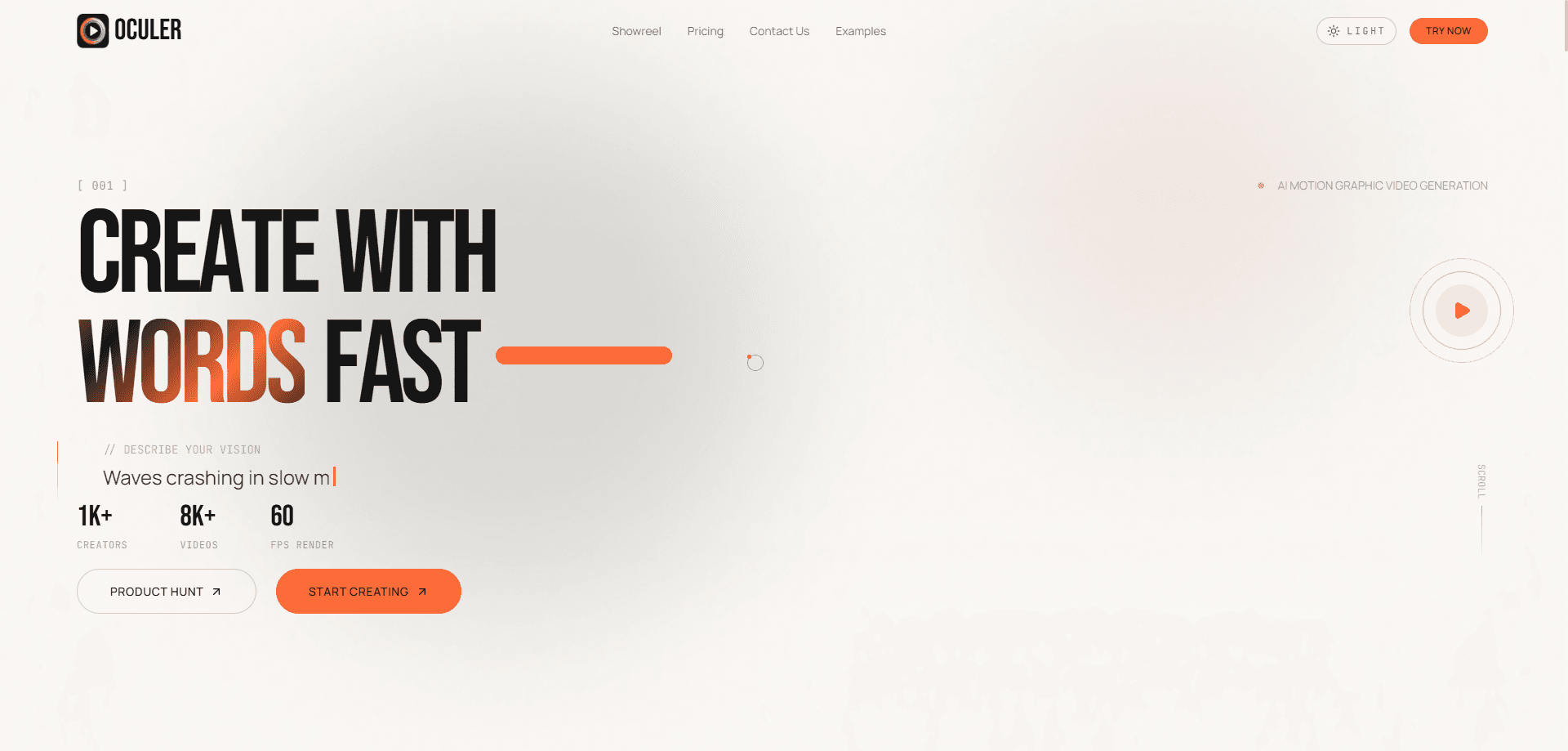
Oculer is an AI motion graphic video generator that turns plain English prompts into post-ready motion graphics for long-form video. You describe a title card, lower third, logo reveal, or transition, and the platform builds the animated clip in seconds with your brand colors applied. It exports MP4 or transparent MOV files that drop straight into Premiere Pro, DaVinci Resolve, or CapCut. Think of it as AI video editing that handles the motion graphics layer, so it fits an editing workflow rather than replacing it.
About Oculer
What Is Oculer
Oculer is a text to video tool built for the messy middle of video production: the motion graphics that sit between your footage and your final cut. Instead of animating a title card in After Effects, you type what you want, add style notes, and let the AI generate the clip. The pitch is speed. Output lands in seconds. The site lists 60 FPS as its render standard.
What separates it from most AI video generator apps is the target length. Oculer aims at post-ready sequences and campaign assets up to two minutes. Most tools stop at 8 to 10 second snippets. That difference matters when you're building client deliverables, not just experimenting.
Pricing is the weak spot. Plans are in Indian rupees, starting at ₹450 per month. Credits cap how much you can produce. Burn through them mid-project, and you're buying more or waiting.
Getting Started
- Sign up at the Oculer site and open the generation dashboard.
- Describe your animation in plain English, such as a title card, lower third, or logo reveal, and add any style notes.
- Let the AI generate the motion graphic, which applies your brand colors and typography automatically.
- Review the output and use the follow-up refinement questions to adjust tone, pacing, or emphasis.
- Export as MP4 or transparent MOV and drop the file into Premiere Pro, DaVinci Resolve, or CapCut.
Product Information
A quick look at Oculer's pricing, supported platforms, and performance.
Best for
The users, tasks, and scenarios where this tool fits best.
Users
- Content creators
- Marketing and performance teams
- Agencies and small studios
Tasks
- Title cards and lower thirds
- Logo reveals and transitions
- Long-form motion sequences
- Campaign drafting
Scenarios
- Early-stage ideation
- Multi-variant testing
- Client presentation drafts
Key features
Prompt-Based Motion Graphic Generation
You describe the animation in plain English and Oculer builds it. The tool handles title cards, lower thirds, logo reveals, and transitions. Your brand colors and typography apply automatically. No After Effects timeline knowledge is required. That's the appeal for smaller teams.
Long-Form Output Up to Two Minutes
Most AI video generators stop at short clips. Not Oculer. It generates post-ready sequences up to 30 seconds on the entry plan, 90 seconds on the mid tier, and two minutes on the top plan. That range suits campaign assets and client deliverables. Not just social snippets.
Brand Consistency Controls
The tool keeps narrative tone, typography behavior, and palette direction aligned across every generated cut. You set your logo and brand colors once, and the output stays on-brand across multiple scenes and revisions.
MP4 and Transparent MOV Export
Finished clips download as MP4 or as transparent MOV with 4K export on higher tiers. You drop the file straight into Premiere Pro, DaVinci Resolve, or CapCut. The transparent MOV option is the useful one for overlaying motion graphics on existing footage, since it carries the alpha channel your editor needs to stack the clip over a background without a green screen key.
AI Voiceover and Auto Captions
Higher plans include AI voiceovers with multiple tones, plus auto subtitles and captions. The entry plan offers basic voiceover. This covers narration and on-screen text without a separate recording or transcription step.
Refinement and Iteration Loop
Oculer asks follow-up refinement questions so you can adjust the output instead of starting over. The approach is meant for testing multiple hooks, scene orders, and CTA variants in a single session, which cuts down on the back-and-forth that usually happens when a client wants to see three different directions before they commit to one.
API Access for Teams
The top-tier plan includes API access, letting teams hook Oculer's generation into their own pipelines. For anyone building video production into a larger workflow, it's the feature that separates Oculer from purely manual tools. If you generate motion graphics at volume and want them piped into a CMS, an ad platform, or an internal tool, the API is what makes that possible without a human copying files around.
Pros and cons
Pros
- Handles long-form motion sequences up to two minutes, well beyond the short clips most competitors produce.
- Transparent MOV and MP4 export slot into Premiere Pro, DaVinci Resolve, and CapCut without conversion.
- Brand colors and typography apply automatically, keeping output consistent across scenes and revisions.
- Refinement questions and multi-variant testing support fast iteration on hooks and CTAs.
- API access on the top plan makes it usable inside larger production pipelines.
Cons
- No free plan, so you can't test output quality before paying.
- Credit caps limit total output per month, which bites during heavy production weeks.
- Billing is in Indian rupees, which adds currency friction for teams outside India.
Frequently asked questions
Oculer generates motion graphics from text prompts. You describe a title card, lower third, logo reveal, or transition, and it builds the animated clip for you, ready to drop into an edit.
Related content
Explore related tools, skills, and articles for Oculer.
Oculer Alternatives

ngram 2.0
ngram · Video · Marketingngram 2.0 is an AI video generator for teams. It turns a prompt, a screen recording, or a product URL into a narrated explainer, product demo, or AI avatar video, and every scene stays editable.

OpenScreen 2
OpenScreen (open-source project) · Video · ProductivityOpenScreen 2 is a free, open-source screen recorder and demo video editor for Windows, macOS, and Linux, with automatic zooms, styled frames, local captions, and agent edits.

Skreno
Skreno · Video · ProductivitySkreno is a browser screen recorder that captures a tab, a window or your whole display, then attaches AI transcripts, summaries and console logs to one share link.