
Oda AI Studio
Oda Studio · Image
Oda AI Studio is a custom AI data pipeline service that turns messy, unstructured data into structured insights for construction, finance, and media teams.
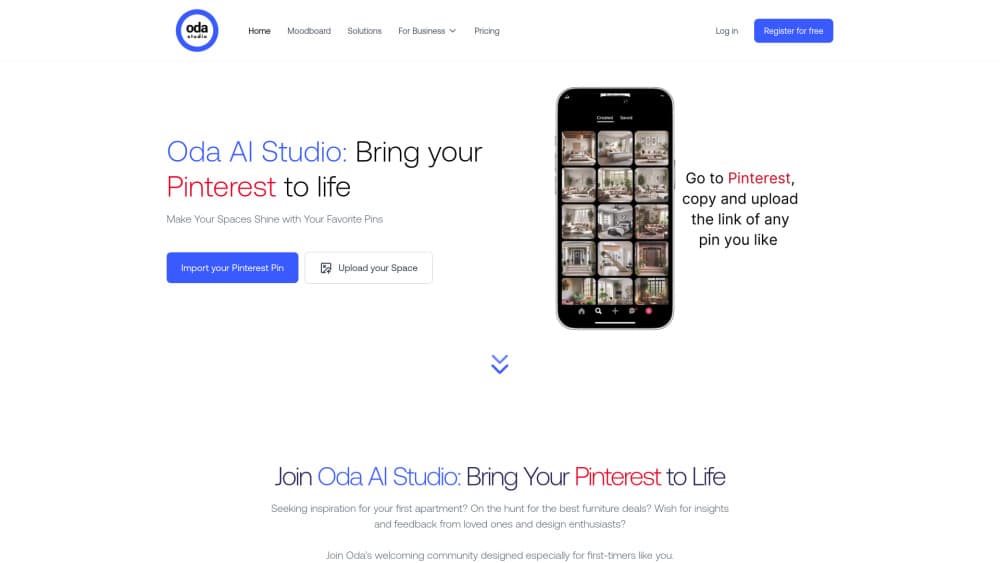
About Oda AI Studio
What Is Oda AI Studio
Oda AI Studio is a services company, not a self-serve app. It builds custom AI pipelines that take complex, unstructured data and turn it into structured, usable output. The main problem it solves is the one most teams hit late: their documents, drawings, and reports are too messy for off-the-shelf tools. Simple as that.
The work spans three areas. For construction and engineering firms, Oda extracts title block metadata, symbols, and dimensions from architectural drawings and links them into knowledge graphs. For consulting and finance, it parses SEC filings, analyst reports, and statements that mix text, tables, and charts. For media and gaming, it fine-tunes generative image and video models and runs the annotation that makes them useful.
The biggest limitation is access. There's no free tier, no public pricing, and no signup button. You start by booking a call, and the engagement is scoped around your data and your budget. Want to try it yourself today? You can't.
Getting Started
- Book an intro call through the Oda Studio website to describe your data and goal.
- Work with the team to scope the pipeline, including which AI models and outputs fit your use case.
- Agree on the data, compute, and annotation work needed to get there.
- Hand off your source files and let Oda build and run the pipeline.
- Review structured output in your own systems and iterate on the setup.
Product Information
A quick look at Oda AI Studio's pricing, supported platforms, and performance.
Best for
The users, tasks, and scenarios where this tool fits best.
Users
- Construction and engineering teams sitting on years of scanned drawings and specs that nobody can search
- Finance and consulting analysts who need to pull numbers out of filings and reports at scale
- Media and gaming studios training image or video models and needing clean, labeled data
Tasks
- Extracting title block metadata, symbols, and dimensions from architectural drawings
- Parsing SEC filings and financial statements where text, tables, and charts have to be read together
- Fine-tuning generative image and video models on domain-specific data
- Setting up RAG pipelines that pull answers from your own document library
Scenarios
- Digging through a backlog of engineering drawings to find the ones tied to a specific project
- Comparing financial charts across dozens of analyst reports without opening each file
- Preparing annotation at scale before a media model fine-tune, without buying a platform subscription
Key features
Custom AI Pipelines
Every engagement starts from your data and your goal, not a fixed product. Oda builds pipelines around Vision-Language Models, retrieval, and knowledge graphs depending on what the task needs. That's the core of the service. The pipeline is fit to the problem, not the other way around.
Drawing and Document Extraction
For construction and engineering, Oda pulls title block metadata, symbols, dimensions, and relationships out of architectural plans. The output is structured, not a flat scan, so drawings become searchable and linkable. Teams stop hunting through folders by hand. That's a real time sink gone.
Financial Document Analysis
Consulting and finance work centers on documents that mix formats. Oda builds multimodal pipelines that combine textual and numerical reasoning, so text, tables, and charts are analyzed together. It also handles chart-to-text and text-to-chart conversion. Handy for report-heavy workflows.
Data Annotation
Oda runs annotation through more than 40 proprietary software tools and annotators trained on temporal and geometric contexts. That matters for vision work, where generic labeling tools often fall short. The team pitches this as a cheaper route than platforms like ScaleAI.
RAG Pipeline Setup
Oda simplifies RAG pipelines, the retrieval setups that let a model answer questions from your own documents. The team handles the messy parts. That means chunking, retrieval, and keeping the source data in a usable shape. Output quality here is the open question. I'd want a demo before calling it.
Cross-Domain Experience
Oda says it has over 10 years of experience building data pipelines across autonomous driving, litigation analysis, and e-commerce marketplaces. That history shows up in how it handles unusual data shapes. It's a company claim, not an independent benchmark.
Pros and cons
Pros
- Handles messy, mixed-format data that off-the-shelf tools often choke on
- Covers the full path from raw data to running pipeline, including compute and annotation
- Domain focus on construction, finance, and media, so the team knows those data types
- Annotation setup can cut spend versus large public platforms
Cons
- No free tier or public pricing, so you can't evaluate cost without a sales call
- No self-serve signup, which rules out quick testing
- Whether a public API exists isn't documented, so integration details stay unclear until you talk to them
- Timeline and total cost depend on the scope you agree on, which makes budgeting harder up front
Frequently asked questions
No. There's no free plan and no published pricing at all. Work gets scoped per project, which means the only way to find out what something will cost for your use case is to book a call and walk the team through your data and goals.
Related content
Explore related tools, skills, and articles for Oda AI Studio.
Oda AI Studio Alternatives

X Ray Interpreter
X-ray Interpreter · ImageX Ray Interpreter is a web-based AI radiology tool that turns X-rays, CT scans, MRI, ultrasound, and PET images into plain-language reports. You upload a scan, get a preliminary X-ray interpretation in moments, then ask follow-up questions if something needs explaining. It works as a second opinion and a learning aid, not as a medical diagnosis.

Aieasypic
AIEasyPic · ImageAIEasyPic is an AI image generator that turns plain text prompts into finished artwork in seconds. You can also train custom models on your own photos, swap faces in existing images, and create short video clips from text, all from a browser. It suits casual creators who want quick visuals and hobbyists who want to build a personal model without touching any code.

Chargen
Chargen · ImageChargen is an AI character generator and worldbuilding toolkit built for Dungeons & Dragons and other tabletop RPGs. It turns a one-line idea into a painted character portrait, spins up NPCs, monsters, maps and encounters from the same session, and keeps every creature's details close at hand. The tabletop RPG art side runs on a credit system called Gold, while the text generators stay free for everyone.