

Offorte
Offorte (Breda, Netherlands) · Productivity
Offorte is web-based proposal software for small sales teams. It builds interactive proposals with AI writing help, tracks client engagement, and collects e-signatures.
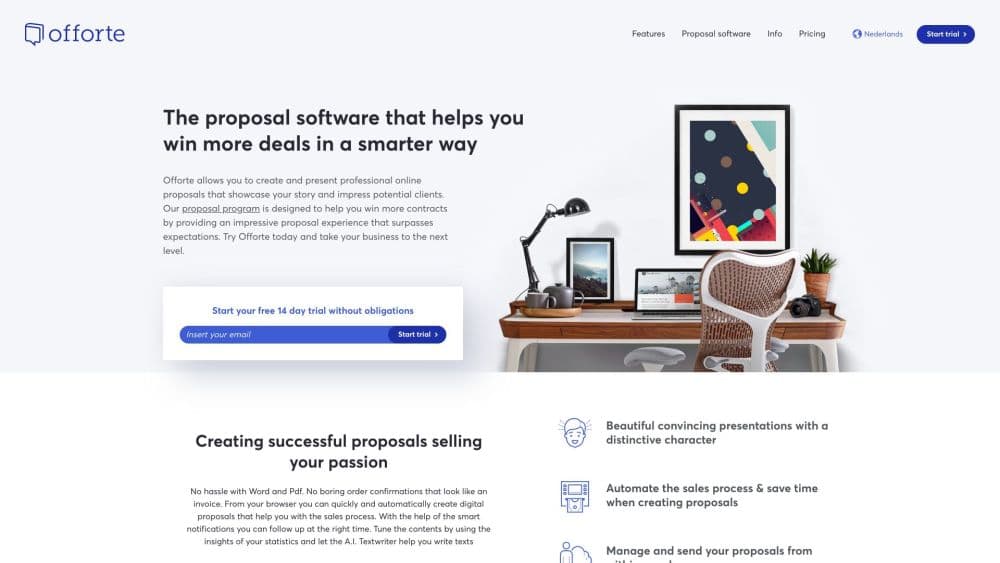
About Offorte
What Is Offorte
Offorte is a Dutch proposal tool built for people who send offers for a living: consultants, agencies, accountants, and small sales teams. It handles one job, from the first draft to the signed deal, and skips the rest of the sales stack. The company started in 2010, is based in Breda, and reports more than 2,500 professional users.
The product replaces the usual loop of a Word template, a PDF export, and a follow-up email you forget to send. You build a proposal in the browser, share it as a web page, and watch which sections a client reads. Reminders and status changes can run on their own, and the client signs in the same window.
The limits show up in two places. There is no free plan, only a 14-day trial, and the useful automation, API access, and custom domain sit in the Premium plan, which starts at five users. Solo consultants on a tight budget pay for seats they don't use.
Getting Started
- Start the 14-day trial at offorte.com with an email address. No card is required, and the trial stops on its own.
- Pick a proposal template or start from a blank page, then apply your logo, colors, and fonts in the design settings.
- Add your content: text blocks, pricing tables, video, images, and forms the client fills in before signing.
- Add the contact, send the proposal by email or a share link, and follow opens and reading time on the dashboard.
- When the client accepts, collect the e-signature and push the signed data to your invoicing tool through Zapier or the API.
Product Information
A quick look at Offorte's pricing, supported platforms, and performance.
Best for
The users, tasks, and scenarios where this tool fits best.
Users
- Independent consultants
- Creative and marketing agencies
- Accountants and business service firms
Tasks
- Writing a service proposal from scratch
- Sending a quote with optional packages
- Following up without chasing
- Tracking what a client read
Scenarios
- A Friday afternoon rush of three offers
- A procurement team that needs two signatures
- A monthly retainer renewal
Key features
Interactive Proposal Editor
The editor works with blocks: text, images, video, pricing tables, and client input forms. You arrange them in a narrative order instead of a flat document, and the client scrolls through a web page rather than a PDF attachment. Drag and drop reordering landed in late 2025, and the design system keeps fonts and colors on brand without a designer.
AI Writing and Rewriting
The AI textwriter suggests clearer wording and can rewrite a passage in a different tone. It works inside the editor, so you highlight a paragraph and ask for a tighter version instead of pasting text into a separate chatbot. AI-assisted page generation is still in development, so structure remains a manual job.
Proposal Tracking and Insights
Every share link reports who opened the proposal, when they opened it, and which sections they spent time on. Notifications arrive in real time, and the insights view compares performance across the year. That data tells you when to call and which part of the offer needs work.
E-Signature and Approval Workflows
Clients sign in the browser. Signatures follow eIDAS Simple Electronic Signatures in the EU and the US ESIGN Act, and multi-signature workflows route a proposal to several stakeholders before it closes. You can require client input forms before signing, which keeps deal details in one record.
Automation, API, and MCP
Premium accounts can trigger proposal creation, sending, and follow-ups through automations, webhooks, and the API, with Zapier covering 1,300+ apps for teams that don't write code. Offorte also publishes an MCP server on GitHub, which lets AI assistants create and send proposals from a prompt or a voice command.
Templates, Content Library, and Versioning
Reusable sections, a media browser, and version management cut the repeat work on similar offers. The library holds approved copy and images, so a new colleague builds a proposal from the same material as the rest of the team. PDF export is available when a client asks for a static copy.
Pros and cons
Pros
- Fast first draft: templates and a shared content library cut a three-hour proposal down to a short editing pass.
- Client-side interactivity: pricing tables, video, and input forms give the client something to do besides read, which makes the offer easier to accept.
- Useful engagement data: section-level reading time tells you which argument landed and which page got skipped.
- Legally grounded signing: eIDAS and ESIGN coverage means the signature holds up without a separate tool.
- Clear pricing: the Standard plan starts at $12.50/mo billed yearly, and the trial needs no card.
Cons
- No free plan: after 14 days you pay or lose access, which rules out testing it across a slow sales cycle.
- Premium starts at five users: a solo consultant who needs API access or a custom domain pays $49/mo for seats that sit empty.
- Light CRM: contacts and notes are here, but pipeline forecasting and deal stages belong to a real CRM, so most teams connect one through Zapier or the API.
- Prices exclude 21% VAT: EU buyers see a higher total at checkout than the headline figure suggests.
Frequently asked questions
Offorte is used to write, send, and track sales proposals in a browser. It handles the document, the client's reading session, the approval step, and the signature in one place, so you don't move a file between Word, email, and a signing service.
Related content
Explore related tools, skills, and articles for Offorte.
Offorte Alternatives

Swms
Swms AI · Writing · Productivity · BusinessSwms is an AI safety compliance tool that turns a plain description of a job into ready-to-use safety documents. Describe your project, trade, and known hazards, and it writes a safe work method statement, job hazard analysis, safe work procedure, RAMS, or safety data sheet in seconds. It also ships with Oscar, a chat assistant that answers workplace safety questions in any language. Teams in construction, mining, transport, and warehousing use it to cut the paperwork that usually eats into a workday.

Wordly AI Translation
Wordly · Voice & Language · ProductivityWordly AI Translation is a real-time AI translation and captioning platform built for meetings, conferences, and events. It delivers live translation, captions, transcripts, and summaries in more than 60 languages, and attendees join by scanning a QR code or opening a link instead of using dedicated headsets. The platform works with Zoom, Microsoft Teams, Google Meet, and Webex, and it's designed for organizations that want multilingual access without hiring human interpreters for every session. Simple as that.

Rows
Rows (Superhuman) · Productivity · BusinessRows is an AI spreadsheet and data analysis tool that imports live data from more than 50 sources, then lets you work with it using plain language instead of SQL queries or nested formulas. You can pull numbers out of PDFs, connect ad platforms, databases, and bank accounts, and ask the AI to build reports, merge datasets, or set up models that recalculate themselves. It runs in the browser, works like a spreadsheet, and now sits under the Superhuman umbrella.