

OffShelf: Learn & Focus
Basheer Rjoub · Productivity
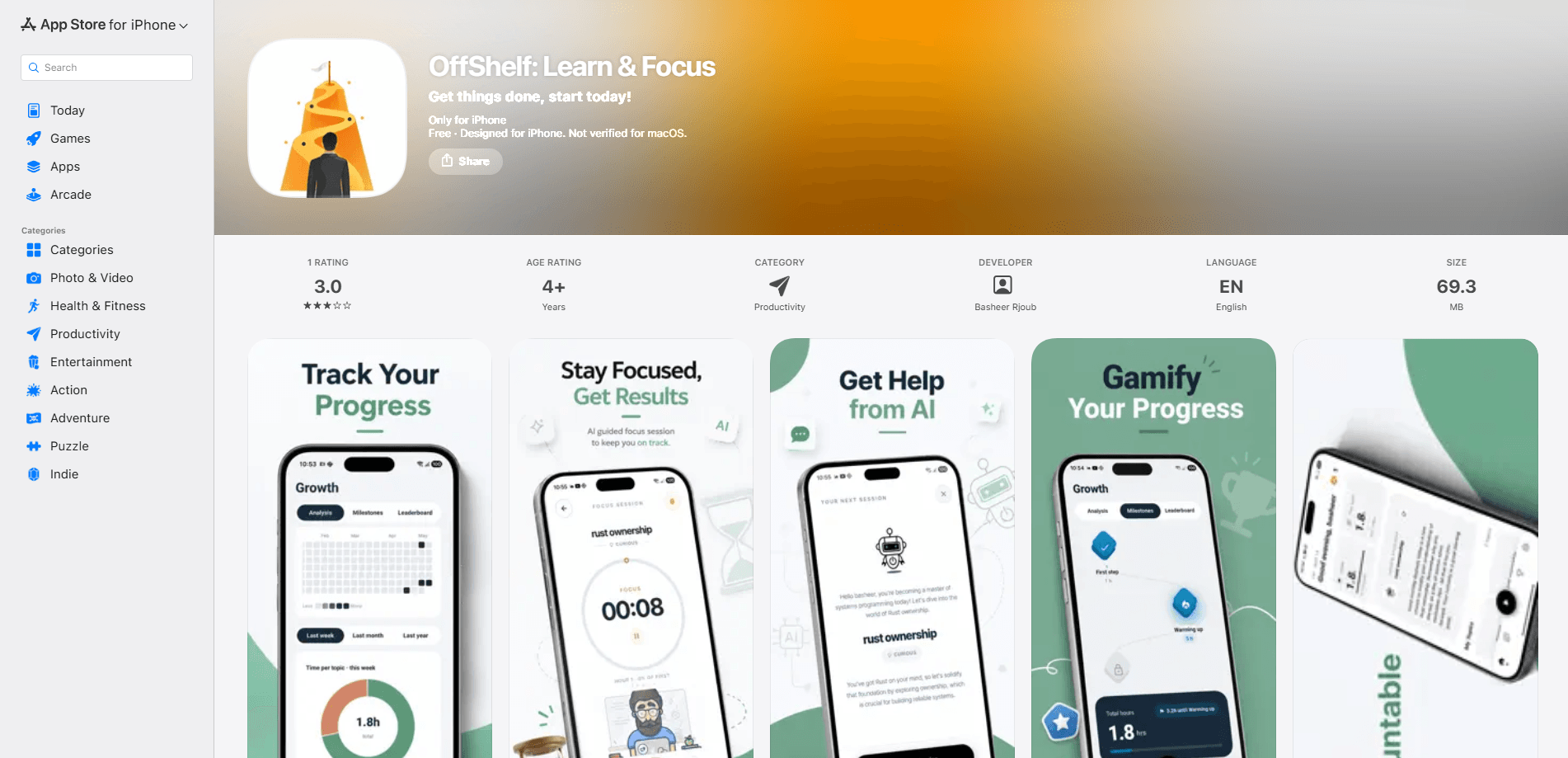
OffShelf: Learn & Focus is an iOS study app that pairs an AI focus timer with a habit tracker, so every finished session gets filed against a topic on your shelf. It targets students and self-learners who lose track of what they actually studied, and it turns that history into hours, streaks, levels, and a heatmap you can question. The app runs offline, keeps counting in the background, and adds a study buddy mode plus AI-generated study packs when you go Premium.
About OffShelf: Learn & Focus
What Is OffShelf: Learn & Focus
OffShelf: Learn & Focus is an AI-powered focus timer and study planner built for iPhone. You set up topics as a personal shelf, run a focus session against one of them, and the app records the time, notes, and tasks tied to that subject. The pitch is simple: most study timers forget you the moment the session ends, while OffShelf keeps the receipts.
The product solves a specific habit problem rather than a knowledge problem. That problem is starting. Sit down, lose track of what you meant to study, quit after two distracted days, repeat. OffShelf gives you a shelf of topics, a streak to protect, and a heatmap of skipped days that's hard to argue with. The timer runs on wall-clock time, so locking your phone or taking a call can't pause or inflate it.
The limits matter here. OffShelf is iPhone only, with no Android or web version, and the free tier keeps ads and holds AI features behind a subscription. Some of the most useful additions sit behind the paywall. AI Study Packs and AI Quizzes need the Premium plan, so what you learn from the app in week one is thinner than what a subscriber gets.
So who is this for? It's for iPhone users who want proof of their study time. Not another timer that forgets you at the buzzer.
Getting Started
- Install OffShelf from the App Store and sign in with your Google account to sync topics and sessions.
- Add your first topics. Each subject, skill, or project becomes a card on your shelf.
- Open a topic and switch on the panes you want: a focus timer, a task list, or notes.
- Start a session by pressing start. Choose a rhythm like classic 25/5, a long deep-work block, or no structure at all.
- When the session ends, review it on the heatmap and daily chart, then let the streak build.
Product Information
A quick look at OffShelf: Learn & Focus's pricing, supported platforms, and performance.
Best for
The users, tasks, and scenarios where this tool fits best.
Users
- Students preparing for exams
- Self-learners juggling several skills
- People who lose focus to their phone
Tasks
- Running repeatable Pomodoro sessions
- Tracking study hours per subject
- Reviewing material with flashcards
- Building a daily study habit
Scenarios
- A study week where you keep skipping the subject you dread
- Studying with a friend
- Studying on a weak connection
- The night before a test
Key features
AI Tutor That Picks Your Next Topic
OffShelf's AI watches what you've been neglecting and how close each topic is to leveling up, then suggests where to start when you don't know what to study. No blank page. No guessing. It removes the pause that kills a session before it begins. The suggestion is a nudge, not a lock, so you can still open any topic you want.
Wall-Clock Focus Timer
The timer counts on real elapsed time, not app foreground time. Backgrounding the app can't pause it. Locking your phone can't inflate it. Taking a call can't touch it. It stays live on your Lock Screen and as a Home Screen widget, and it keeps running even if you close OffShelf completely.
Topic Shelf with Custom Panes
Every subject, skill, or project lives as a topic on your shelf. For each one you switch on the panes you want, such as a focus timer, a task list, notes, or a notes-only view, and swipe between them mid-session without breaking focus. Give a topic a target and a deadline and it turns into a goal you're measurably closing in on.
Progress, Streaks and a Heatmap
Progress you can see is the part other focus apps skip. Finished sessions stack into hours logged per topic, levels, a daily study streak, an activity heatmap, and a daily study chart. Coins and Focus XP reward time studied and work finished, and a leaderboard ranks users on real activity. A weekly Streak Freeze means one missed day doesn't wipe your run.
Study Buddy Accountability
Pair with a study companion and see when they're actually studying, how many sessions they've done today, and what's still on their plan. Send a nudge when they go quiet. Or start a live co-study session and share a clock. It's accountability without either of you having to perform.
AI Study Packs and Quizzes (Premium)
Premium unlocks AI Study Packs, which pull deep web research with embedded videos and resources on your topic, plus AI Quizzes that generate ten research-backed questions with answer explanations in seconds. Use them for exam prep, recall practice, and spaced repetition without building everything by hand.
Pros and cons
Pros
- The timer survives phone locks, calls, and app restarts, so your logged hours reflect real study time.
- Sessions are filed automatically against topics, which means your study hours per subject build up without a manual log.
- Streaks, a weekly Streak Freeze, levels, and a heatmap give concrete reasons to come back tomorrow.
- Study buddy mode adds another person's schedule to your accountability without a social feed.
- Works offline and starts fast, so a weak connection won't block a focus session.
Cons
- iPhone only. There's no Android or web version, so cross-device study isn't possible.
- AI Study Packs and AI Quizzes sit behind the Premium plan, which limits what free users learn from the app.
- Ads run on the free tier, which can interrupt an otherwise distraction-free focus session.
- Pricing isn't published on the App Store page, so you'll find the exact cost only inside the app.
Frequently asked questions
Yes, OffShelf has a free tier that covers the core focus timer, topics, notes, and progress tracking. The free version shows ads, and AI Study Packs and AI Quizzes require the Premium subscription.
Related content
Explore related tools, skills, and articles for OffShelf: Learn & Focus.
OffShelf: Learn & Focus Alternatives

Firetower
Westlabs LLC · Coding · ProductivityFiretower is a self-hosted coding agent control plane that lets you run coding agents on your own servers and drive them from a desktop or phone client.

Starlie
David Zukhbaya · Coding · Productivity · BusinessStarlie is a native Jira client for Mac. It puts issues, sprint boards, and JQL search in a Mac window instead of a browser tab, and signs in with Atlassian OAuth.

Bracket
Bracket · Productivity · Business · ChatbotBracket is project memory for client work: it connects Gmail, Slack, Figma and GitHub, then keeps scope, decisions and deadlines in one record you approve.