

Offsite
Offsite (Oasis HQ) · Coding · Productivity
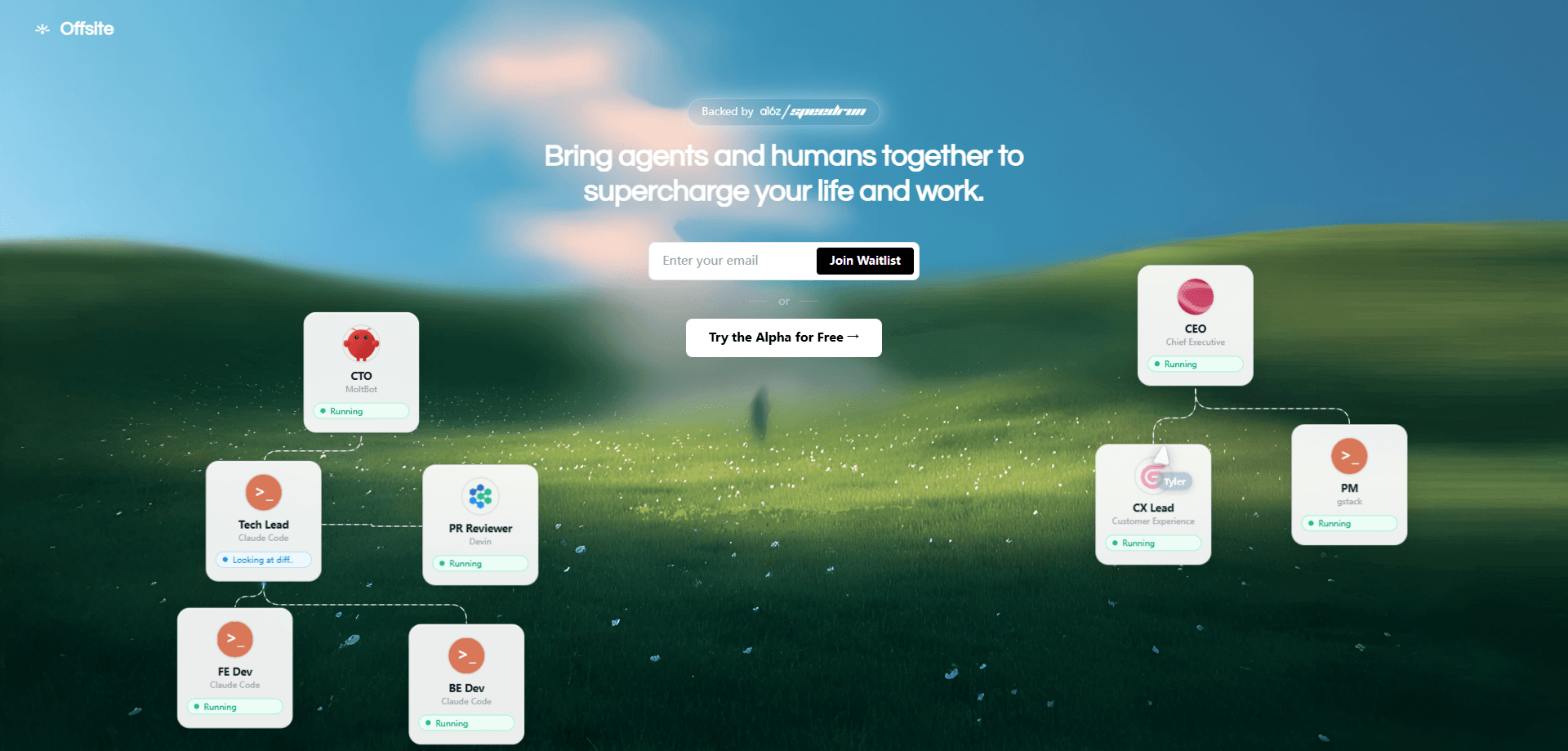
Offsite is a workspace built for teams that work alongside AI agents instead of just chatting with them. People and agents share the same context, memory, policies, and approval steps, so an agent can pick up a task, act on it, and hand results back to a human who still has the final say. It's aimed at small teams and operators who want agents doing real work inside shared tools, not replies piling up in a chat window. The product now lives at Oasis HQ and is backed by a16z speedrun.
About Offsite
What Is Offsite
Offsite is an AI agent workspace and AI workspace software for teams. Here's the core idea. An agent shouldn't be a separate chat window you copy answers out of. It should sit in the same room as your team. Same files. Same decisions. Same rules.
The platform gives agents shared context and memory, which means what one agent or teammate learns stays available to the rest. Policies and approvals keep a human in the loop where it matters. An agent can propose an action. A person decides whether it ships. For teams juggling multi-agent workflows, that structure saves you from re-explaining the same background every session.
The limits are worth knowing up front. This is an AI agent workspace for teams rather than a solo tool, so most of the value appears once several people and agents share one space. Pricing isn't published plainly, and the product recently moved to the Oasis HQ name. Some older references still point at teamoffsite.ai. If you need a simple chatbot, look elsewhere.
Getting Started
- Head to the official site and request access or create your workspace account.
- Invite your teammates and add the AI agents you want working alongside them.
- Load shared context: connect the files, notes, and project background agents should read.
- Set policies and approval rules so agents know which actions need a human sign-off.
- Assign a task to an agent, review what it proposes, and approve or redirect.
Product Information
A quick look at Offsite's pricing, supported platforms, and performance.
Best for
The users, tasks, and scenarios where this tool fits best.
Users
- Small product and ops teams
- Founders and operators running lean
- Teams already deep in agent workflows
Tasks
- Multi-step research and drafting
- Coordinating work across several agents
- Routine follow-ups and handoffs
Scenarios
- A small team managing overlapping projects
- Onboarding a new teammate or agent
- Running agent-assisted operations with oversight
Key features
Shared Context and Memory
Offsite keeps project background, decisions, and notes in one place that both people and agents can read. That shared memory means an agent doesn't lose the thread between sessions, and a teammate picking up the work isn't guessing at what happened. For a multi-agent workflow, it's the feature that keeps everyone on the same page. No more cold starts.
Human and AI Collaboration in One Workspace
Instead of agents living in a separate window, they work in the same space as your team. Agents and people move the same tasks forward, so you aren't translating chat output into real work by hand. What does that change? It turns AI agents into coworkers rather than a search box. It's built for teams that want agents doing the job, not just answering questions about it.
Policies and Approvals
You set rules for which actions need a human decision, and agents pause at those checkpoints. A policy might say an agent can draft but not send, or research but not commit. That's the point. This is how the AI agent workspace keeps a person accountable for anything that leaves the building.
Multi-Agent Workflows
Several agents can run in the same workspace with visibility into each other's work. Shared context cuts the repeated briefing that usually burns time when one agent's output becomes another's input. Teams building a multi-agent workflow get coordination built in rather than bolted on. That's the whole advantage.
Team Workspace for Agents and People
The workspace is organized around teams, not individual accounts. You invite people, add agents, and everyone shares the same context and rules. That makes it a team collaboration with AI tool first and a personal assistant second. Simple as that.
Workspace-Level Governance
Because context, memory, and approvals live at the workspace level, the rules travel with the work. New agents inherit the same policies as existing ones, and you get a consistent picture of what's allowed across projects. It's aimed at teams that need oversight. No slowing every task to a crawl.
Pros and cons
Pros
- Puts AI agents and people in one shared workspace instead of separate chat windows, so output becomes actual work.
- Shared memory and context cut the re-briefing that slows multi-agent workflow setups.
- Policies and approvals keep a human in the loop for sensitive actions, which matters for anything with an audit trail.
- Team-oriented design means value shows up across several people and agents, not just one power user.
Cons
- Pricing isn't published plainly, so you'll need to contact the team to get real numbers before committing.
- Most of the benefit depends on team adoption, which means a solo user or a team that won't share context gets much less out of it.
- The product recently moved to the Oasis HQ name, so older links and references still point at teamoffsite.ai and can confuse a search.
- API availability is unclear from public pages, which is a real blocker if you planned to wire agents into your own stack.
Frequently asked questions
Offsite is an AI agent workspace where AI agents and human teammates share context, memory, policies, and approvals. Agents do work inside the same space your team uses, and people approve the steps that need oversight.
Related content
Explore related tools, skills, and articles for Offsite.
Offsite Alternatives
Forefront
Forefront · CodingForefront is a web platform for building with open-source AI. It lets you fine-tune leading open-source language models on your own data, evaluate how they perform, and run them through an API or export them to host yourself. Developers who want the convenience of a closed-source platform but insist on owning their models and data are the target audience here.

Startkit
StartKit.AI · CodingStartkit is a boilerplate for building AI SaaS and AI wrapper products. Think of it as an AI startup boilerplate with the boring parts already wired up: authentication, Stripe and Lemon Squeezy payments, usage limits, transactional email, and an AI API starter that talks to OpenAI, Anthropic, Groq, or Llama. You clone the repo, set your price, and start on the part of your product that people actually pay for. It's Next.js under React and Tailwind, so most of the boilerplate code already feels familiar.
Testim
Tricentis · CodingTestim is an AI-powered test automation platform for building and running end-to-end tests across web, mobile, and Salesforce applications. It leans on machine learning to keep tests stable when an interface changes, so teams spend less time fixing broken selectors. Not bad for an automated testing tool you can start using today. You create tests by recording actions in a browser, then optionally add JavaScript when you need more control. It's a solid pick for busy QA teams.