

Oiioii AI
OiiOii · Image · Video
Oiioii AI is an AI animation agent platform for turning a written idea into storyboards and short animated films. Instead of handing you one generation box, it runs a small crew of agents that handle direction, scripting, character design, and shot planning. You confirm each stage as it moves forward, so the finished clip follows your story rather than a pile of loose frames. Think of it as a text to animation pipeline with humans still at the wheel.
About Oiioii AI
What Is Oiioii AI
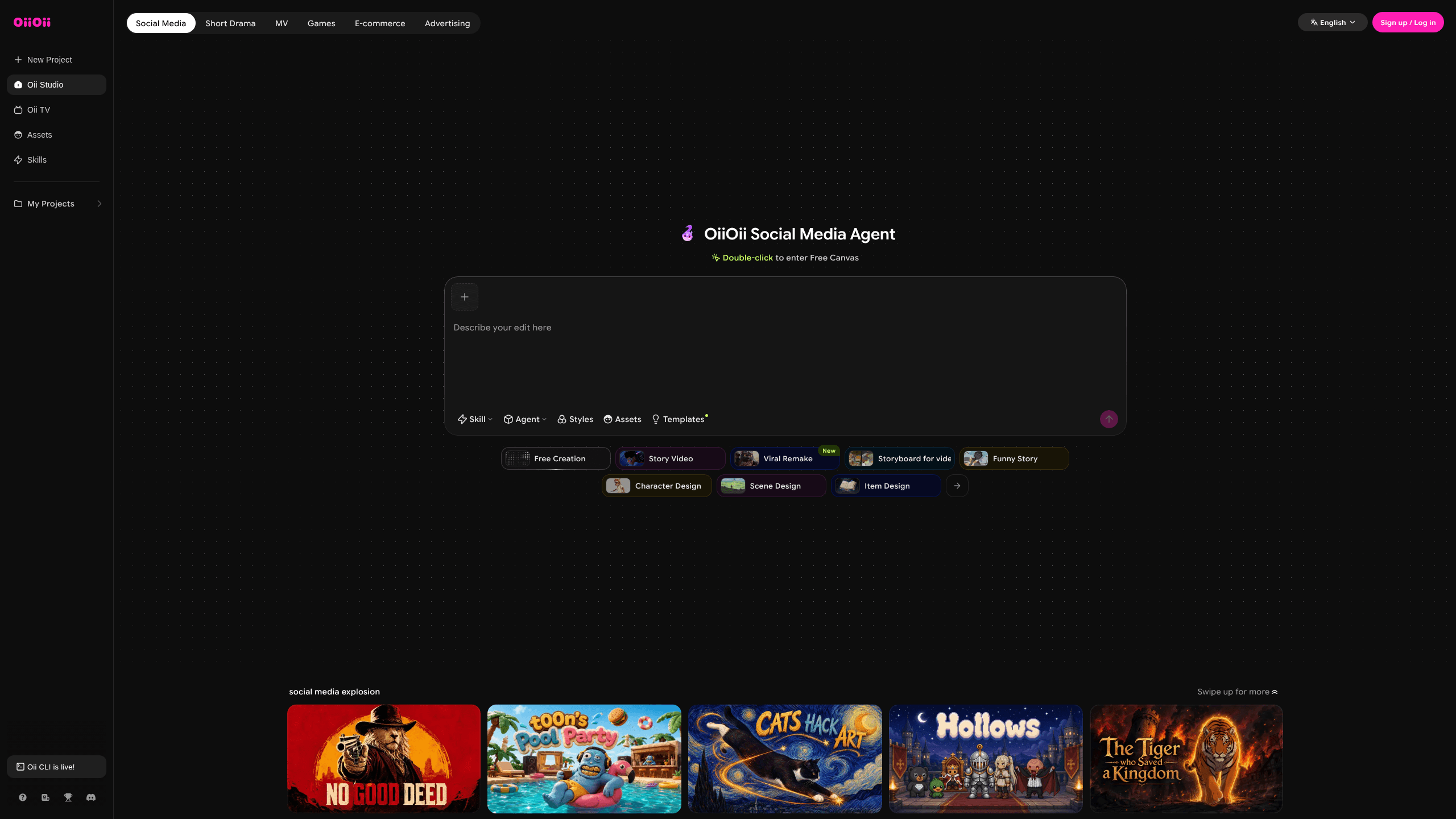
Oiioii AI is a web platform built around the idea of an animation studio that lives inside a chat window. Input goes in on the left, the work takes shape on the right, and a group of agents moves the project along the way a director, writer, character designer, and storyboard artist would.
The problem it targets is a real one for anyone who has tried to make animated video with AI. Single-shot generators produce clips that look fine on their own but fall apart across a full scene, mostly because character faces and costumes drift between shots. Oiioii AI attacks that by locking characters into an asset library and reusing them per shot.
The main limit is control. The agent workflow covers a lot, but fine edits are narrower than the marketing implies. Reviewers using the platform have noted that fixing a specific frame is harder than generating it. Heavy projects can burn through subscription credits fast.
Getting Started
- Create an account and open the canvas, then describe the video you want in plain language.
- Let the art director agent ask its setup questions, such as aspect ratio, duration, and dialogue language.
- Pick an art style and an emotional tone, and add reference images for any characters you want to keep.
- Add the generated characters to your asset library so later shots reference the same designs.
- Review the storyboard and shot list, regenerate the pieces you don't like, then preview the assembled film.
Product Information
A quick look at Oiioii AI's pricing, supported platforms, and performance.
Best for
The users, tasks, and scenarios where this tool fits best.
Users
- First-time animation creators
- Social media producers
- Writers and storytellers
Tasks
- Storyboard creation
- Character design
- Short film production
Scenarios
- Adapting a comic or webtoon into a moving episode
- Producing a marketing or story teaser on a tight timeline
- Testing an idea before committing budget
Key features
Multi-Agent Production Workflow
Oiioii AI splits the work across specialized agents instead of one model doing everything. An art director sets the direction, a writer drafts the script, a character designer builds the cast, and a storyboard artist plans the shots. You stay in a chat-style loop, approving each handoff as it happens, which keeps you aware of what changed and why. It doubles as an AI storyboard tool, since the shot list takes shape before any video renders.
Character Consistency Through an Asset Library
The hardest part of AI animation is keeping a character looking the same between shots. Oiioii AI solves it by storing each designed character in a library, then pulling that design in for every later frame. The result is a cast that holds its face, outfit, and build across a full scene. That's the difference between a demo and something watchable.
Large Style and Character Library
The platform ships with a broad set of animation styles, ranging from clay and crayon textures to anime and 3D looks, plus a shared character library. That range means you can match a project to a mood without building a look from scratch. It also shortens the cold-start problem. You begin from an established visual direction instead of a blank prompt. No blank-page panic here.
Text to Storyboard and Story to Film
Describe a scene, and the system turns it into a structured storyboard with beats, framing, and dialogue before producing video. You can also feed in a finished script and let the agents build around it. This staged approach keeps the story in charge of the visuals rather than the other way around. As an animated video generator, it works best when the writing comes first.
Managed and Conversational Modes
Two modes cover different preferences. Managed mode runs the whole chain automatically for people who just want a result. Conversational mode pauses at each decision so you can steer style, emotion, and detail yourself. So which one fits? It depends on whether you want speed or input.
Pros and cons
Pros
- The agent workflow removes the usual tool-juggling, so you don't need separate apps for script, art, and video.
- Character consistency via the asset library addresses the biggest weakness of AI animation.
- Script and storyboard stages don't consume credits, which lowers the cost of exploring ideas.
- The style and character libraries give a strong starting point without custom setup.
Cons
- Fine-grained editing is limited, so a single shot that comes out wrong can be frustrating to fix.
- Credit use adds up on longer projects, which pushes real costs above the headline plan price.
- Access and feature depth have shifted since launch, so current capabilities need checking against the live site.
Frequently asked questions
It turns a written description into an animated short film. A set of agents handles direction, script, character design, and storyboarding, then produces the video and assembles the shots into one piece. In practice it behaves like an AI animation generator with a built-in crew.
Related content
Explore related tools, skills, and articles for Oiioii AI.
Oiioii AI Alternatives

X Ray Interpreter
X-ray Interpreter · ImageX Ray Interpreter is a web-based AI radiology tool that turns X-rays, CT scans, MRI, ultrasound, and PET images into plain-language reports. You upload a scan, get a preliminary X-ray interpretation in moments, then ask follow-up questions if something needs explaining. It works as a second opinion and a learning aid, not as a medical diagnosis.

Aieasypic
AIEasyPic · ImageAIEasyPic is an AI image generator that turns plain text prompts into finished artwork in seconds. You can also train custom models on your own photos, swap faces in existing images, and create short video clips from text, all from a browser. It suits casual creators who want quick visuals and hobbyists who want to build a personal model without touching any code.

Chargen
Chargen · ImageChargen is an AI character generator and worldbuilding toolkit built for Dungeons & Dragons and other tabletop RPGs. It turns a one-line idea into a painted character portrait, spins up NPCs, monsters, maps and encounters from the same session, and keeps every creature's details close at hand. The tabletop RPG art side runs on a credit system called Gold, while the text generators stay free for everyone.